What to Order: An AI Tool That Scans the Entire Menu to Find What You Actually Want

What to Order uses AI to scan entire menus and recommend dishes or full meals based on your natural language preferences.
What to Order is an AI-powered ordering tool on Product Hunt that flips the traditional menu-browsing experience. Users simply describe what they want in natural language — like "spicy vegetarian" or "Thanksgiving dinner for 2" — and the tool semantically scans the full menu to return individual dishes or complete meal plans. It supports 7 US chain restaurants with structured data and falls back to photo recognition for others. A clean example of LLM semantic search applied to an everyday pain point, and currently free.
Faced with a menu of 331 dishes, what do you do? Most people flip through it for a while and end up ordering the same thing they got last time. This "choice paralysis" is a universal restaurant experience. An AI tool called What to Order, spotted on Product Hunt, tries to solve this problem from the opposite direction — instead of having you pick from the menu, it lets AI scan the entire thing for you.
The Reverse Menu-Browsing Approach
The traditional ordering process goes: "browse menu → evaluate each item → make a decision." The more options there are, the higher the cognitive cost. Chain restaurants like The Cheesecake Factory — notorious for their sprawling menus with up to 331 items — amplify this pain point to the extreme.
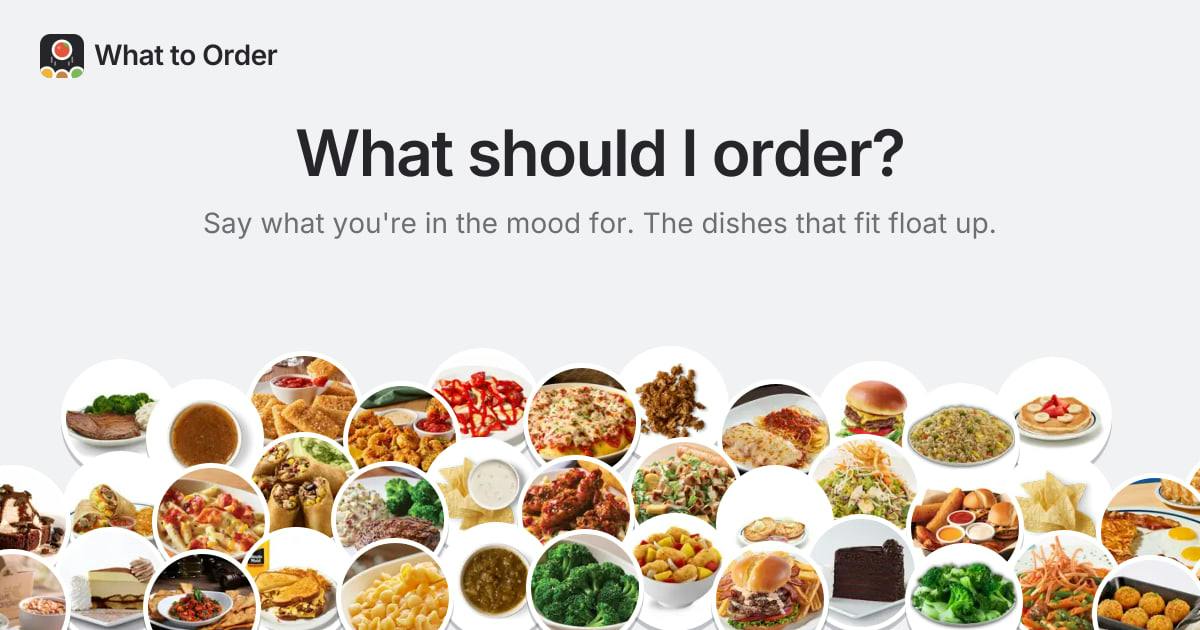
What to Order's core logic flips this process around: you simply describe what you're in the mood for in natural language, and the tool scans the entire menu, comparing each dish against your request. Developer Nicolas Grenié offers a few examples in the product description — you can type "spicy," or "spicy vegetarian," or even more complex compound requests.
At its heart, this applies the semantic understanding capabilities of large language models to an extremely specific, everyday use case. Users don't need to learn any special filter syntax — plain conversational language is all it takes.
The semantic understanding capability of LLMs (Large Language Models) refers to the model's ability to grasp the meaning and relationships behind words, rather than just matching exact strings. Traditional database search relies on keyword hits — searching "spicy" only finds items with "spicy" in the name. Semantic search, by contrast, understands contextual associations and can infer that "vegetarian" means excluding meat and seafood. This kind of capability once required complex knowledge graphs or rule-based systems to implement. LLMs have made it an almost out-of-the-box baseline feature. What to Order's innovation isn't in the technology itself, but in finding a vertical use case that fits it perfectly — menus are structured enough for item-by-item traversal, while user preferences are naturally expressed in vague, conversational language. The gap between the two is exactly what semantic understanding is built to bridge.
From "Find a Dish" to "Plan the Whole Table"
What makes What to Order even more interesting is that it doesn't just filter individual items — it can also compose full meal sets. The product description includes a telling example: type "Thanksgiving dinner for 2," and the tool returns a complete ordering plan, complete with a seasonally appropriate pumpkin cheesecake for dessert.
This elevates the tool's role from "search filter" to "ordering assistant." It begins to understand the intent behind a scenario — the occasion, party size, and meal structure — rather than simply matching keywords. For users wrestling with "how do I put together a balanced spread," this kind of full-meal recommendation is far more practical than filtering individual dishes.
Coverage and a Photo Fallback
What to Order currently has menu data integrated for 7 U.S. chain restaurants, meaning users can query these brands directly. But chains are only a small slice of the restaurant world — the long tail of independent restaurants is enormous, and no pre-built database can cover every scenario.
The developer's solution is photo recognition: if you're at a restaurant not on the supported list, just take a photo of the menu and the tool will parse it on the spot and offer the same service. This "pre-loaded data + photo OCR" combination ensures fast responses for popular chains while using image recognition to handle the long tail. This design philosophy is increasingly common in practical AI tools — nail the high-frequency head cases first, then use general-purpose capabilities to cover everything else.
The product is currently completely free.
Photo-based menu recognition relies on OCR (Optical Character Recognition) — extracting text from images. Traditional OCR is sensitive to fonts, layouts, and lighting conditions, and can be unreliable in real restaurant environments (handwritten menus, decorative typefaces, glossy paper). In recent years, multimodal large models (such as GPT-4o, Gemini, etc.) have unified image and text understanding, making it far more robust to extract and interpret menu content from photos. The model doesn't just read the text — it simultaneously understands the semantics of dish descriptions, eliminating the two-step pipeline of "OCR first, then semantic analysis." What to Order's photo fallback strategy essentially leverages this multimodal capability to expand the product's reach from a limited pre-built database to virtually any restaurant, at minimal development cost.
A Small, Concrete Example of AI in the Real World
What to Order's numbers on Product Hunt aren't particularly impressive (7 upvotes, 1 comment, ranked #15 on its launch day), and it doesn't come with a grand technical narrative. But it represents a product direction worth paying attention to: embedding large model capabilities precisely into a small pain point that everyone understands and encounters constantly.
In terms of product category, it sits at the intersection of Artificial Intelligence, Search, and Food & Drink — essentially a concrete application of "AI semantic search" in the dining context. It doesn't aim to solve complex problems; it just makes the small frustration of "what should I order" easy enough to handle.
The lesson for developers might be this: AI products don't have to chase the outer limits of what the technology can do. Find a use case specific enough and frequent enough, lower the barrier with natural language interaction, and back it up with a sensible data fallback strategy — and you can build a small tool with genuine real-world value. These "small but refined" AI applications may actually do more to validate AI's role in everyday life than grand, general-purpose assistants ever could.
Related articles

Gaussian Process Bandit Optimization: Exploration Strategies and Inference Regret Guarantees
Cumulative regret guarantees in Bayesian optimization fail to reflect final recommendation quality. This article examines a new study that provides inference regret guarantees for Gaussian process bandit optimization through exploration query strategies and fill distance analysis, validated on hyperparameter optimization and control tasks.

The Most Detailed Codex Guide on Bilibili: From Installation to Real-World Practice
The most detailed Codex guide on Bilibili: from app store installation to daily work mode configuration, with a real coffee shop project demonstrating file organization, data extraction, dashboard creation, and other practical tasks. Learn to use Plan Mode and desktop pets to leverage Codex efficiently.

Appearance Compensation in Volume Rendering: Why RGB Accuracy Cannot Guarantee Density Correctness
Volume rendering research reveals that volumetric data perfectly reproducing external RGB views may still contain density errors: appearance compensation can double central density and keep external rays unchanged even when L2 error exceeds 14.52%. Density recovery depends on appearance capacity, spatial resolution, and measurement design.