Which ChatGPT Plan Should You Choose? A Full Breakdown of Go, Plus, and Pro Subscriptions

A complete guide to choosing between ChatGPT Go, Plus, and Pro plans, with an Alipay top-up walkthrough.
This article, based on a Bilibili creator's hands-on tutorial, covers the full process of registering, choosing, and paying for ChatGPT personal subscription plans. The three tiers — Go ($8), Plus ($20), and Pro ($100/$200) — differ mainly in Codex usage quotas, voice access duration, and availability of advanced preview models. Most users are advised to start with Plus, while professional developers and heavy Codex users should consider Pro. The guide also demonstrates how to top up via a third-party site using Alipay without surrendering your account password, while clearly warning of the security and compliance risks involved.
OpenAI's paid plans for individual users now come in three tiers — Go, Plus, and Pro — ranging from $8 to $200 per month. With such a wide price gap, the biggest question most users have before subscribing isn't "how do I pay?" but rather "which tier is actually right for me?" This guide draws from a practical tutorial by a Bilibili creator to walk you through account registration, plan differences, and how to pay using Alipay.
Heads up: This article includes references to third-party top-up services and is provided for informational purposes only. Using unofficial payment channels carries risks related to account security and compliance. Please assess these risks carefully before proceeding.
Registering Your Own Account from Scratch
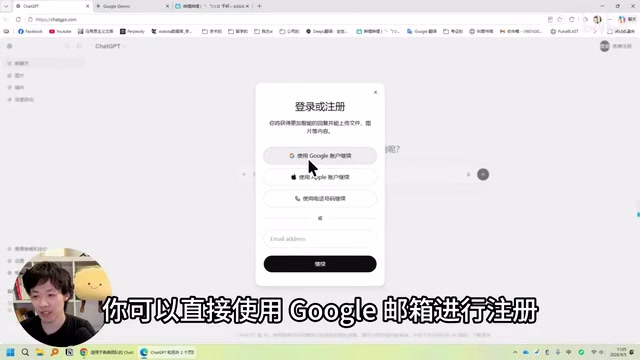
Most major overseas AI services support one-click login with a Google account, so the tutorial starts by creating a Google account first, then using it to sign into ChatGPT. The advantage of this approach is that you can reuse the same credentials across a variety of AI tools down the line, saving you from repeated sign-ups.
The registration process itself is straightforward: in Chrome, click your profile icon to add an account, select "Create account — Personal use," enter your name, set your age (somewhere between 18 and 20 is recommended), and create a password. For phone verification, a +86 Chinese mobile number works fine — once verified, just click "Skip" at the bottom to complete registration.
One detail worth noting: if you're registering while connected to a US network, the page will automatically display a US region label, which means your account will be associated with the US region. After registration, log in to the ChatGPT website using your Google account. Again, entering an age around 20 is recommended. At this point, you'll have an account ready to use with Codex.
Go, Plus, or Pro — How to Choose
There are currently three paid tiers for individual users. The Pro tier is further split into two sub-tiers at $100/month and $200/month. The "5x" and "20x" figures you may have heard about refer specifically to how much Codex usage these two Pro sub-tiers offer compared to Plus.

Go ($8/month) is the cheapest option. The price is appealing, but it's fundamentally a lightweight plan — fine for casual chat, light writing, and occasional Codex use, but it won't hold up for running extended projects or handling complex tasks repeatedly. The creator's recommendation is clear: it suits users with limited budgets and light usage needs.
Plus ($20/month) is the tier most commonly recommended as the starting point. It covers everyday chat, writing, document analysis, image generation, and Codex-assisted coding — essentially the full range of typical learning and work tasks. Content creators can use it to polish scripts, organize research, and generate images; office users can analyze documents and process data; and aspiring developers can hand tasks directly to Codex. For the combination of features and price, Plus strikes a solid balance.
Three Key Differences in the Pro Tier
If you need to run the most powerful models continuously for long periods, or want the model working for several hours every day, Pro is worth a look. Compared to Plus, Pro offers three notable upgrades:
- Extended desktop voice usage: Great for situations where you're talking through problems while working simultaneously. The $200/month tier offers unlimited voice access.
- Codex Spark research preview model: Available exclusively to Pro users, this model is optimized for fast responses — ideal for development workflows that involve frequent edits and back-and-forth code debugging.
- Multiplied Codex quota: The 5x tier gives you 5 times the Codex usage of Plus; the 20x tier gives you 20 times as much. Combined with OpenAI's occasional quota resets, heavy users rarely need to worry about running out.

The creator mainly recommends Pro for three types of users: those who interact with Codex heavily every day; professional developers (for whom Plus's quota is generally insufficient); and people whose work generates high value — as long as the time saved and work completed by Pro each month is worth more than the subscription fee, it pays for itself.
Codex is OpenAI's code generation and programming assistance model, integrated directly into the ChatGPT interface. Users can describe what they need in plain language, and the model will automatically generate, complete, or debug code. It supports dozens of programming languages including Python, JavaScript, and SQL, and can handle tasks ranging from writing a single function to refactoring a multi-file project. "Codex quota" refers to a separate usage limit that the platform applies to high-compute code inference tasks — it's tracked independently from regular conversation usage. Codex Spark is a research preview version available to Pro users. Compared to standard Codex, it's optimized for response speed and is better suited to fast-iteration debugging scenarios. As a preview release, however, its features and stability are still being actively developed.
How to Top Up with Alipay — A Step-by-Step Walkthrough
For users in China, paying through official channels has always been a hurdle. The tutorial demonstrates how to complete a top-up through a third-party website that supports "direct top-up to the official site" and accepts Alipay payments. Importantly, this process does not require you to hand over your account password — which makes it comparatively more reassuring.

Here's how the core process works:
- On the top-up site, click "Get Started" and select the service you want to top up (ChatGPT in this case). The price works out to be close to the official rate, and the site offers 24-hour customer support with a service guarantee.
- Choose monthly or long-term subscription, then select Plus or Pro.
- Open a browser tab with ChatGPT already logged in. Following the site's instructions, paste a specific URL into the ChatGPT site's address bar to generate a long authorization code.
- Copy that code and paste it back into the top-up interface. The system will verify it and confirm the target email for the top-up.
- Once everything checks out, create the order, pay via Alipay, and wait one to two minutes — the top-up is complete.
After it's done, refresh the page and click your profile icon. You should see the Plus or corresponding membership label next to your account, confirming the upgrade was successful.
The technical mechanism behind third-party "direct top-up" services typically relies on the OAuth authorization flow. The top-up site guides you to generate a one-time authorization token on the ChatGPT website. The site then uses that token to call the official upgrade API on your behalf — no account password required. This is similar to how OAuth is used in standard "third-party login" scenarios: in theory, the token's permissions are limited to that specific upgrade action. However, it's worth noting that if the token were intercepted or if the platform had a security vulnerability, there would still be a risk of misuse. Additionally, OpenAI's Terms of Service generally prohibit purchasing subscriptions through unauthorized third-party channels, and accounts found doing so may be restricted. Therefore, the validity period and minimum permission scope of the authorization token are the key factors to evaluate when assessing the safety of this type of top-up method.
Quick Recommendation Summary
Looking at all three tiers together, the decision logic is actually straightforward: Go for casual users just trying things out, Plus as the starting point for most people, and Pro for professional developers and heavy Codex users. The safer path is to start with Plus and get a feel for it — then consider upgrading to Pro only when you actually run into quota limits, need more powerful models, or want extended voice access.
It's worth reiterating: while third-party top-up services are convenient, they come with uncertainty around account security and service compliance. For users who have the means, the official channel remains the safest option.
Related articles
Robinhood Executive to Speak at TechCrunch Disrupt 2026 on Winning the Modern Financial Consumer
Robinhood VP of Product Marketing Abhishek Fatehpuria will speak at TechCrunch Disrupt 2026 on winning the modern financial consumer. Early-bird saves up to $200 before Sept 25.

Using ChatGPT to Batch-Generate Editable Academic Slides: A Practical Efficiency Tool for Researchers
A complete workflow for batch-generating editable academic PPTs with ChatGPT: upload a PDF and template, use a structured prompt to render slides as images, then convert to editable format — all in under 30 minutes.
GPT-6 Full Power Guide: Unlocking Ultra Thinking Intensity via GPT-work
Step-by-step guide to using GPT-6 at full power: Apple ID registration, Plus/Pro subscription, and unlocking GPT-6 Ultra max thinking intensity via GPT-work client.