WorkBuddy Beginner's Guide: Build AI Workflows from Scratch

WorkBuddy is a locally-run AI workflow tool with a low barrier to entry, but its tutorial promotion should be viewed rationally.
The article revolves around a 720-minute WorkBuddy tutorial released by a Bilibili creator. It first defines WorkBuddy as a locally-run AI workflow executor requiring no complex configuration, capable of covering documents, spreadsheets, data analysis, code development, and browser control. It then analyzes the tutorial's three-layer structure and the 89G of materials, pointing out that the key bottleneck for beginners is installation and suggesting getting one high-frequency scenario working first. Finally, it reminds readers to view marketing rhetoric rationally and learn with specific questions.
In an era where AI tools keep proliferating, a name called WorkBuddy has started appearing frequently in productivity circles. A Bilibili creator used a 720-minute tutorial video that took three and a half months to prepare, calling it the "domestic alternative to Codex," and released the setup logic and advanced techniques claimed to be the core content of a paid training camp. The video title even uses phrases like "directly crowning it as a god"—is this genuine substance or just traffic-bait rhetoric? Combining the information disclosed in the video, we can break down WorkBuddy's positioning, capabilities, and learning path.

What Exactly Is WorkBuddy: A Local AI Digital Workhorse
According to the video author's definition, WorkBuddyAd is an AI assistant that runs on a local computer, with its core value being "helping you get work done automatically." It's described as an "AI digital workhorse"—a crude metaphor, but it highlights two key characteristics: first, local operation; second, task-execution orientation.
Unlike many overseas tools that require complex network configuration, the author emphasizes that WorkBuddy has an extremely low barrier to entry, "no need to fiddle with complex configurations," making it relatively friendly to beginners without technical backgrounds. This is actually quite important in the current LLM tool ecosystem—plenty of open-source projects are powerful, but the installation and configuration steps deter most non-technical users. What WorkBuddy tries to solve is precisely this gap: letting people who don't understand command lines still put AI to use.
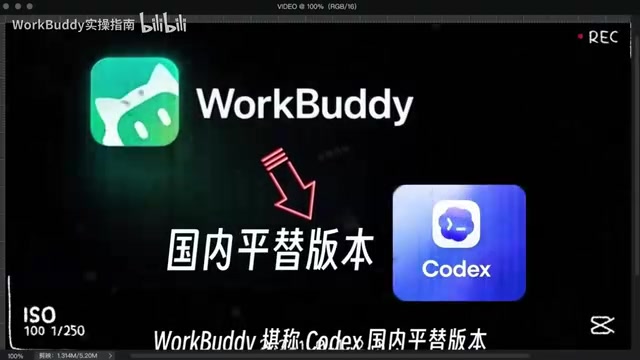
In terms of positioning, it's closer to a "workflow executor" rather than a pure conversational AI. The video repeatedly mentions "delivering finished products directly from a single run," implying its usage pattern isn't chat-based Q&A, but rather throwing tasks in and waiting for the finished product to come out. This model is especially attractive for repetitive work like writing proposals and making spreadsheets.
Codex is a code generation model launched by OpenAI in its early days, once serving as the underlying engine for GitHub Copilot, capable of generating code snippets based on natural language descriptions. In the context of AI tools, it's often used to refer to "an agent with code understanding and generation capabilities." The video calls WorkBuddy the "domestic alternative to Codex," intending to emphasize that WorkBuddy similarly possesses the ability to automate task execution (especially code development), but is better adapted to the domestic network environment and usage habits. It should be noted that Codex itself has gradually evolved and been integrated into more general model systems—the "alternative" here is more of a metaphor than a strict technical benchmark.
Agent refers to an AI system that can perceive its environment, plan autonomously, and execute multi-step tasks to achieve goals. Unlike traditional conversational AI, agents can call tools, operate software, access networks, and even decompose complex tasks and execute them iteratively. WorkBuddy is described as a "workflow executor" and capable of "taking over browsers and controlling software," which is a typical application of the agent concept: the user sets a goal, and the system automatically completes the intermediate steps and delivers results. Current agent technology is still in its early stages, and its reliability and generalization capabilities in open environments are the main bottlenecks.
What It Can Do: Full-Scenario Coverage from Documents to Code
The capability list in the video is quite broad: writing proposals, making spreadsheets, data analysis, making posters, writing code for development, and even taking over browsers to control various software. This list covers almost all task types that knowledge workers encounter in their daily work.
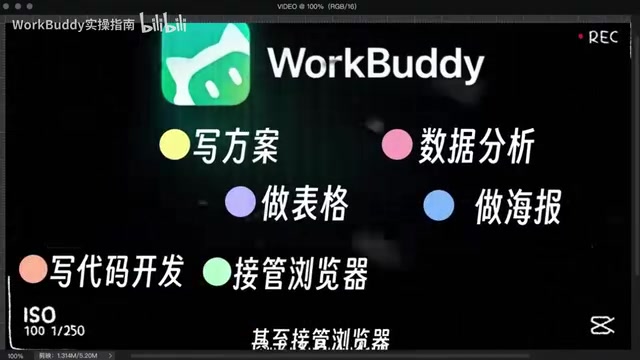
What needs to be viewed objectively is that such "all-capable" descriptions are very common in tutorial content, and the actual experience often depends on the complexity of specific tasks and the maturity of the tool itself. As a content creator, the video author has an incentive to describe the capability boundaries as broadly as possible. But from the development trend of AI workflow tools, browser control and software takeover are indeed the main directions of current agent-type products, and WorkBuddy packaging these capabilities into a low-barrier product—this approach itself is sound.
For learners, a more pragmatic approach is to first lock onto one or two high-frequency scenarios of your own—such as weekly report generation or data organization—get them working, and then gradually expand. Chasing "full-scenario mastery" all at once easily leads to the trap of finishing the tutorial but not actually being able to use it.
The Learning Path Design Behind the 720-Minute Tutorial
The scale of this video deserves separate mention: total duration of 720 minutes, production cycle of three and a half months, and companion materials claimed to be 89G. The author also compiled a "WorkBuddy Learning Blue Book," covering the complete chain from basic installation to usage tips.

Judging from the content structure, this tutorial roughly divides into three layers: basic installation and configuration, core feature explanation, and practical project breakdown. The "setup logic + advanced technique breakdown" mentioned in the video title corresponds to the latter two layers. For beginners, the most valuable part may not be the advanced techniques, but rather the installation and configuration steps—many people's learning bottlenecks with AI tools get stuck at the very first step.
The three-and-a-half-month production cycle and 720-minute length show the author indeed invested a lot of effort, but length itself doesn't equal quality. What learners need to be wary of is the "saving means learning" mentality: storing 89G of materials in cloud storage doesn't mean capability improvement. A reasonable approach is to use on demand—first watch the installation and the first practical project, and after getting it working, go back to fill in the theoretical parts.
Workflow in the AI context refers to connecting multiple processing steps logically in sequence, automatically executed by the system to complete a specific task. For example, "read spreadsheet data → clean → analyze → generate charts → write into report" can constitute a workflow. The core value of tools like WorkBuddy is enabling users to build and run workflows in a low-code or even no-code manner, thereby automating repetitive labor. Understanding the concept of workflows helps learners break down their own tasks: first clarify the input, processing, and output stages, then determine which stages can be handed to AI and which require human intervention.
What Can Beginners Actually Learn
The video author claims that "beginners who have never touched AI tools can become AI efficiency masters after following along." This claim needs to be taken with a grain of salt. What tutorials can provide is tool operation methods and process templates, but what truly determines efficiency improvement is the user's understanding of their own work processes—knowing which stages are worth automating and which tasks are actually slower when handed to AI.
However, the low-barrier nature of tools like WorkBuddy does lower the difficulty of getting started. No special network environment needed, no complex configuration needed—meaning the first half of the learning curve is relatively gentle. For people who have always been attracted to the concept of "AI efficiency" but never got started, a systematic Chinese tutorial can indeed serve as a driving force.
A Rational View of "God-Tier" Tutorials
The promotional rhetoric of this video is quite representative: "paid training camp core content released," "this episode directly crowns it as a god," "hard to find a more complete version than this." These expressions carry obvious marketing flavor, and the persona of a zero-follower blogger challenging "something only million-follower bloggers could pull off" is also designed.
But setting aside the packaging, the content itself reflects a real trend: AI workflow tools are moving from geek toys to mass productivity tools, and systematic tutorials in the Chinese community are still scarce. Whether WorkBuddy is truly as all-capable as described needs to be verified by trying it yourself; whether this 720-minute tutorial is worth investing time in depends on whether you have clear usage scenarios. Learning with specific questions is more efficient than watching from beginning to end.
One-line Summary
WorkBuddy is a locally-run AI workflow tool with a low barrier to entry, but its tutorial promotion should be viewed rationally.
Paragraph Summary
The article revolves around a 720-minute WorkBuddy tutorial released by a Bilibili creator. It first defines WorkBuddy as a locally-run AI workflow executor requiring no complex configuration, capable of covering multiple task types including documents, spreadsheets, data analysis, code development, and browser control. It then analyzes the tutorial's three-layer structure (installation and configuration, core features, practical projects) and the accompanying 89G of materials, pointing out that the key bottleneck for beginners is the installation step, and suggesting getting one high-frequency scenario working first before expanding. Finally, it reminds readers to view "god-tier" marketing rhetoric rationally, emphasizing that the tool's value depends on whether the user has clear usage scenarios—learning with specific questions is more effective than blindly saving materials.
Related articles

AI's Impact on Robotics Engineering: Which Subfields Resist Replacement?
Is AI's impact on robotics engineering as great as on software engineering? This article synthesizes Reddit practitioner discussions to analyze how easily each robotics subfield can be replaced by AI, noting that hardware design, safety control, and on-site integration are relatively resistant, while perception algorithms and simulation are being significantly changed by AI.

Five Qwen3.8-27B Models Team Up to Beat Fable 5: The Memdoor Multi-Agent Approach
The Memdoor open-source project showcases the team-solve workflow: 5 Qwen3.8-27B models collaborate through role division and a memory layer to beat Fable 5 on LiveCodeBench Hard, exploring how multi-agent orchestration can achieve more with less.

How Is Norway Making "Shithouses" Great Again?
Starting from a Hacker News headline, this explores Norway's pragmatic innovation in public sanitation and eco-friendly toilet technology, and what the "Norwegian model" of infrastructure means for tech professionals.