WorkBuddy Beginner's Tutorial: A Complete Guide to Getting Started with the Office Agent
A Bilibili tutorial breaks down Tencent's WorkBuddy: a desktop Agent entering office scenarios via out-of-box usability, security, and the Tencent ecosystem.
The article introduces a 30-episode Bilibili beginner's tutorial on WorkBuddy, outlining the positioning and onboarding path of this Tencent desktop AI Agent. The author notes that most desktop Agents focus on coding, while WorkBuddy differentiates itself in office scenarios. Compared with foreign products like Codex, it needs no network, account, or environment setup—double-click to install and start chatting. Its four advantages are out-of-box usability, security design spanning workspace and sandbox, natural access to the Tencent ecosystem, and high completeness. The tutorial covers Fundamentals, Advanced, and Practical Application. The article concludes that Agent competition is shifting from capability stacking to scenario fit, and users should prioritize ecosystem match over leaderboards—while noting the tutorial's promotional stance toward competitors.
Desktop AI Agent products are proliferating, but few genuinely target office scenarios. A Bilibili tutorial billed as the "most comprehensive and detailed" beginner's course on WorkBuddy lays out the positioning, advantages, and onboarding path of this Tencent product fairly clearly.
Why Choose WorkBuddy: A Differentiated Position in Office Scenarios
According to the Bilibili creator in the course, WorkBuddy is "China's first desktop Agent focused on office scenarios." That positioning matters—most desktop Agents on the market focus on coding, and few are aimed at office work.
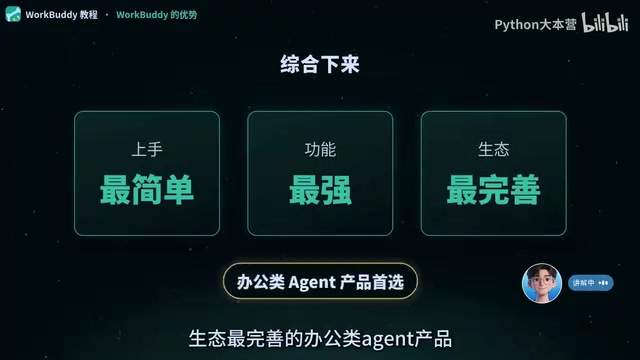
The creator compares it with Codex from overseas: Codex isn't available in China, and even if it were, its ecosystem and plugins are designed around foreign products, creating a "poor fit" problem. Overall, WorkBuddy is described as "the easiest-to-onboard, most capable, and most complete-ecosystem office Agent product."
Desktop-level Agent refers to an intelligent agent program that runs locally on a personal computer, can directly operate the file system, invoke local applications, and execute multi-step tasks—distinct from conversational AI that exists only in a browser or chat window. Its core feature is "tool calling" capability: it can read and write files, run scripts, and operate software interfaces, thereby translating the language model's comprehension into execution of real workflows. Coding Agents (such as Codex and Claude Code) are the earliest mature form of this category, because code tasks are naturally structured and verifiable; office scenarios, by contrast, involve documents, spreadsheets, communication tools, and other heterogeneous software, placing higher demands on ecosystem integration—which is also why office-oriented desktop Agents are fewer in number.
Breaking Down the Four Advantages
Ready Out of the Box, Lowering the Environment Barrier
This is a point the tutorial emphasizes repeatedly. Deploying "Lobster" requires first setting up the base environment, then connecting a model, and then hooking up Feishu and WeChat as conversation entry points; installing Codex means solving network issues, buying an account, and binding a credit card—"this step alone turns away many beginners."
WorkBuddy's path is far simpler: download, double-click for one-click installation, and open it to start chatting directly. For non-technical users, there's no need to spend effort on environment setup and tool configuration.
Security by Design Throughout the Product
The tutorial notes that the product considered security across multiple dimensions from the outset, including the workspace, tiered permission controls, and a sandboxed runtime environment. The purpose of these mechanisms is to let it "securely help you get your work done."
Sandboxed runtime environment is an isolation mechanism: the operations an Agent performs are confined to a controlled virtual space, preventing arbitrary access to critical system files or execution of high-risk commands. Together with the workspace (restricting the Agent to reading and writing only designated directories) and tiered permission controls (determining whether user confirmation is required based on operation risk level), the three form the typical security defense line of a desktop Agent. This kind of design matters because a desktop Agent has far higher system privileges than a chatbot—it can delete files, change configurations, and send messages. Once the model misjudges or suffers a prompt injection attack, the consequences land directly on the user's real data. Office scenarios involve large volumes of sensitive documents and corporate communication records, so security boundaries become a precondition for enterprise adoption.
Tencent's Natural Ecosystem Advantage
This is WorkBuddy's core moat differentiating it from other products. Tencent's own products—WeChat, Mail, Tencent Meeting, Tencent Docs, MA Knowledge Base, Tencent Surveys—can be connected in WorkBuddy with a few button clicks. The connector hub offers even more tools to call upon.
High Completeness: The Interface Is the Operation
A single click on the interface gets things done, connectors link to various platforms, and many experts are built in. This "pick up a ready-made product and go" approach is precisely the core reason the tutorial recommends it.
Course Structure: A Three-Stage Learning Path
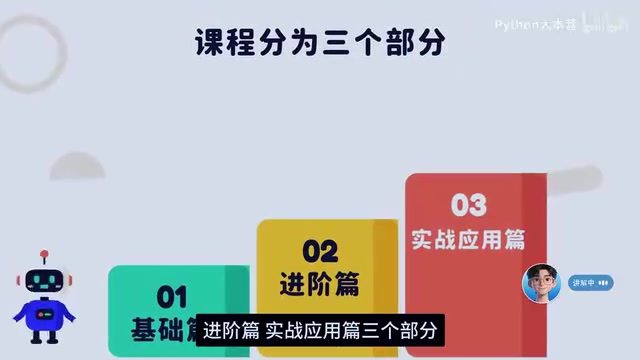
The tutorial is divided into three parts—Fundamentals, Advanced, and Practical Application—totaling 30 episodes.
Fundamentals walks users hand-in-hand through installing WorkBuddy and getting familiar with the interface, building a foundation in the simplest, most accessible way. Advanced covers batch file editing, automatic bug fixing, installing add-ons, and automated tasks. Practical Application moves into real project work, including websites, mini-games, mini-programs, and office outputs such as PPTs, spreadsheets, images, and videos—with the goal of "turning knowledge into practical application" so what's learned can be monetized.
The course also provides a companion "Green Book" and lecture notes, with all materials packaged in the WorkBuddy resource bundle.
Regarding "Lobster" mentioned in the article, it's a community nickname for a certain class of open-source desktop Agent solutions (often associated with names like OpenClawAd). Its hallmark is strong capability paired with a high deployment barrier: you need to configure a Python environment yourself, connect a large-model API, and then wire up Feishu or WeChat as the conversation entry point. Such solutions suit users with technical backgrounds doing deep customization, but for beginners, every step can be a stumbling block. Understanding this contrast helps grasp WorkBuddy's product trade-offs—it sacrifices some customizability in exchange for install-and-use simplicity and pre-integrated ecosystem, essentially replacing "free assembly" with "out-of-box completeness."
A Product Philosophy Worth Noting
A clear product logic emerges from this tutorial: competition among desktop Agents is shifting from "capability stacking" to "scenario fit." Coding Agents compete on models and toolchains, while office Agents compete on ecosystem integration and security boundaries. By turning high-frequency office entry points like WeChat and Tencent Docs into connectors, WorkBuddy is essentially trading ecosystem for user habit.
For ordinary users, this means that when choosing an Agent product, you don't necessarily need to fixate on parameters and leaderboards. Instead, first ask yourself: which ecosystem does my workflow live in? Being installable, connectable, and safe to use is often more important than a few extra flashy features.
It should be noted that this tutorial is a one-sided presentation by a single Bilibili creator, and its assessment of competitors (such as Codex's "poor fit") carries an obvious promotional stance. Readers should judge based on their own actual needs.
One-line Summary
A Bilibili tutorial breaks down Tencent's WorkBuddy: a desktop Agent entering office scenarios through out-of-box usability, security design, and the Tencent ecosystem.
Paragraph Summary
The article introduces a 30-episode Bilibili beginner's tutorial on WorkBuddy, outlining the product positioning and onboarding path of this Tencent desktop AI Agent. The author notes that most desktop Agents on the market focus on coding, while WorkBuddy differentiates itself in office scenarios. Compared with foreign products like Codex, it requires no solving of network, account, or environment configuration issues—double-click to install and start chatting. Its four advantages are out-of-box usability, security design spanning workspace and sandbox, natural access to the Tencent ecosystem such as WeChat and Tencent Docs, and high completeness where the interface is the operation. The tutorial is divided into three stages—Fundamentals, Advanced, and Practical Application—covering everything from batch file editing, automatic bug fixing, and automated tasks to websites and office document outputs. The article concludes that competition among desktop Agents is shifting from capability stacking to scenario fit, and that users should prioritize ecosystem match over parameter leaderboards when choosing—while reminding readers that the tutorial's assessment of competitors carries a promotional stance.
Related articles
VP ≠ VNP: A Major Breakthrough in Computational Complexity Theory
A study claiming to prove VP ≠ VNP over every field sparks heated discussion on Hacker News. This article analyzes the algebraic complexity background of VP and VNP, the proof approach, community controversy, and its potential impact on computational complexity theory.

Developer Naming Woes: The Technical Names That Drive Us Crazy
Why is technical naming so maddening? From Nginx and Vite to Qt and Sudo, a YouTube creator rants about the chaos of developer naming and pronunciation, revealing the tug-of-war between creators' intentions and community habits, and the cultural roots behind spelling traps like PyPI and GNOME.

Figma Workplace Scandal: Employee Sues CEO for Forcing Confrontation with Harasser
Figma and its CEO are sued by a current employee alleging sexual harassment and discrimination, and forcing the victim to confront her harasser. This article outlines the background, potential impact, and industry reflection.