WorkBuddy for Beginners: Core Features and Agent Workflow in Practice

WorkBuddy course lecture 1: a capability-composition map from concepts to workflows.
Based on the first lecture of the WorkBuddy systematic course on Bilibili, this article maps out the product positioning and core concepts of Tencent's AI tool. WorkBuddy divides features by three user groups—daily office work, code development, and design creativity—with an ecosystem advantage in WeChat mini program development. It breaks down two foundational concepts, conversational collaboration and workspace, plus three extension methods: experts refine AI judgment, skills handle execution, and MCP connectors bridge cloud services. It also covers the assistant, projects, knowledge base, and scheduled tasks, and presents a learning path centered on AI comic drama production that emphasizes skill transfer. The key takeaway: the interface isn't hard to use—the real learning cost is building a workflow mindset of "capability composition."
WorkBuddy for Beginners: Core Features and Agent Workflow in Practice
Many people use AI tools only for "one-off Q&A"—ask a question, get an answer, then close the chat window. What really separates efficient users from the rest is the ability to string scattered AI capabilities into a workflow that actually runs end to end. This WorkBuddyAd course series on Bilibili (also referred to as "WorkBody" in the original narration) is built around exactly that goal: from understanding the interface to assembling workflows, ultimately landing on a complete hands-on case like AI comic drama production.
This article is based on the first lecture of that course. It maps out WorkBuddy's product positioning, core concepts, and usage path, so you have a clear picture before you start hands-on work.
1. Who Is WorkBuddy For? Three Target Groups
According to the course, WorkBuddy is a Tencent product, and its interface design spells out the target users: daily office work, code development, and design creativity.
- Daily office work: Aimed at white-collar users, handling documents, spreadsheets, PPT slides, and data analysis, also covering financial services document scenarios.
- Code development: Aimed at programmers, supporting websites, mini programs, and agent-related development. The course specifically notes that thanks to the Tencent ecosystem, WorkBuddy has a natural advantage in WeChat mini program development, integrating smoothly with underlying capabilities like Tencent Cloud.
- Design creativity: Aimed at users who need visual output, and can generate visual posters and similar content. WorkBuddy itself has image and video understanding capabilities, so design tasks are also covered.
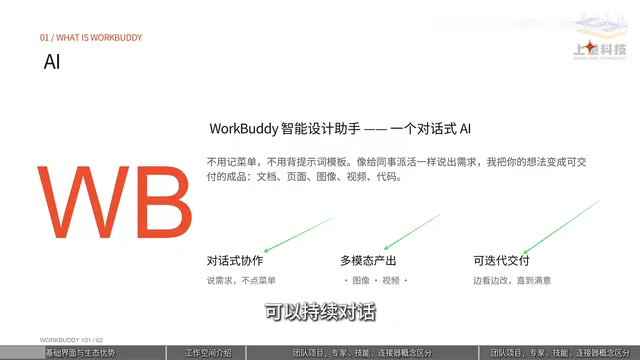
This "sections by user group" design means beginners don't have to face all features at once—they can start from the scenario they're most familiar with.
2. Conversational Collaboration and Workspace: Two Foundational Concepts You Must Understand First
The course repeatedly emphasizes one point: the operational difficulty of AI software is actually very low; the real barrier is understanding a few new concepts.
Conversational collaboration is WorkBuddy's interaction foundation—multimodal input (images, video, and voice all work), iterable delivery, continuous conversation with retained context.
Workspace determines where files are stored. Once you select a directory, all files produced during a task are collected under that directory, preventing outputs from scattering everywhere. This detail seems trivial but directly affects whether workflows can be reused later.
Another easily overlooked toggle is "Allow Full Access": it controls whether WorkBuddy has permission to operate your computer. When turned off, some capabilities that depend on the local environment become unavailable. The course recommends enabling it cautiously based on the actual needs of the task.
3. Experts, Skills, and MCP Connectors: Three Ways to Extend Capabilities
This is the most concept-dense part of the entire course, and where many people get stuck. The course uses a vivid analogy to distinguish the three:
Experts (Persona Agents): Optimizing the AI's "Brain"
An expert is essentially a persona agent with built-in prompts. By assigning the AI an identity and role, it outputs more accurate professional information. The course explicitly reminds: experts are good at giving advice; their main role is to optimize judgment, not to do the actual work.
Persona agents are a productized form of prompt engineering: system prompts, role settings, and output specifications are packaged into reusable configurations, and when a user selects an "expert," the model answers in that identity and under those constraints. What distinguishes it from ordinary conversation is that the role setting continuously constrains the model's tone, knowledge focus, and reasoning path, thereby producing more stable professional output in a specific domain. Note that a persona agent does not change the model's inherent capability boundaries, nor does it introduce new data or execution permissions—so it excels at providing judgment and advice, but cannot replace tools to actually read/write files or call services. This is precisely why the course strictly distinguishes it from "skills."
Skills: Giving the AI "Hands and Feet"
Skills are fixed, reusable methods of operation, responsible for making the AI actually execute. The course's examples are intuitive—QQ Music, PDF, Markdown, and various other operations all have corresponding skills.
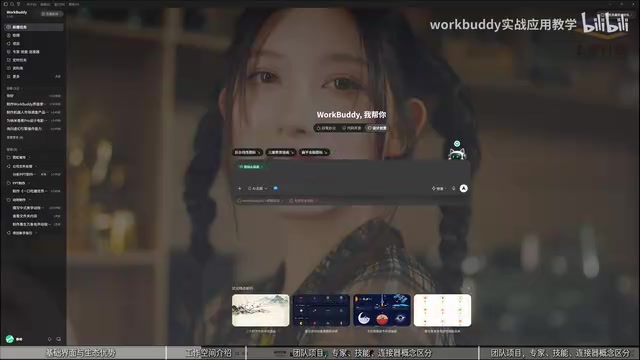
In one sentence, the relationship between the two: experts optimize the brain to improve judgment; skills optimize the hands and feet to handle execution.
MCP Connectors: Expanding the Operating Territory
MCP connectors connect to cloud services rather than local software. The course uses cloud documents as an example: the data isn't on your local computer, but you need to read and operate it—that's when MCP bridges the gap.
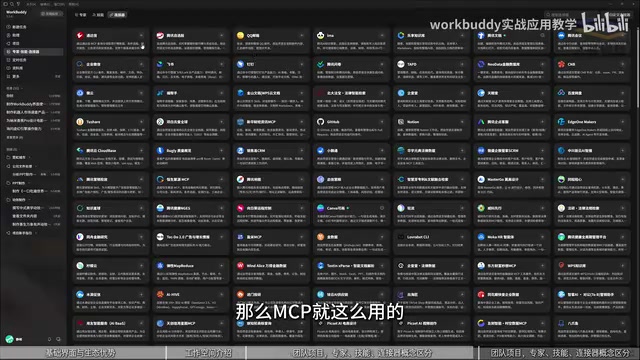
Why are so many extension methods needed? The course's answer is ecosystem. By exposing MCP to AI connections, application providers can both ensure the AI can connect and precisely control which data is exposed—anything they don't want you to operate simply isn't opened up.
MCP (Model Context Protocol) is a standardized protocol proposed and open-sourced by Anthropic at the end of 2024, designed to let AI models connect to external data sources and tools in a unified way. Before MCP, connecting to each service (cloud documents, databases, third-party APIs) often required separately developing custom interfaces, creating a large number of repetitive "point-to-point" adapters between AI applications and external systems. MCP abstracts these adapters into a unified client–server structure: the service provider implements an MCP Server and declares which resources and operations it exposes, and the AI application, as a client, can call them directly. For users, this means the same set of capabilities can be reused across different AI tools; for application providers, it allows opening capabilities while precisely defining data boundaries—this is the technical foundation behind the course's mention of "ecosystem."
4. Assistant, Projects, and Knowledge Base: Three Underrated Collaboration Blocks
Beyond the core expert/skill/MCP system, the course also introduces several extended modules:
- Assistant: Chat with WorkBuddy remotely through channels like WeChat, QQ, DingTalk, Feishu, and WeCom. The course demonstrates sending a message on WeChat to have it send a file from your computer—the so-called assistant is simply the remote connection's hands.
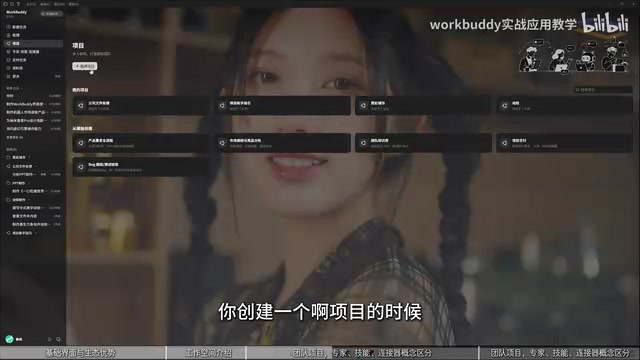
- Projects: Aimed at team tasks, supporting multiple roles, superior-subordinate task assignment, and deadline management.
- Knowledge Base: Essentially a "knowledge plug-in." Put proprietary materials in (the course's example is data in the biomedical field), and the AI reads directly from it each time it executes a task, without needing broad web searches.
- Scheduled Tasks: Can be set to execute automatically at a specified time; for complex tasks, pair with a stronger model.
5. Learning Path: From Comic Drama Practice to Workflow Transfer
The course roadmap deserves special mention: the early stage builds foundations (concepts, installation, working modes, memory and personalized rules, connectors); the middle stage centers on AI comic drama production as the core hands-on case, thoroughly breaking down the full process from script creation, art asset generation, video clip production, and voice consistency control to post-production editing.
Once you master this process, the skills transfer to copywriting, character costume changes, womenswear advertising, voiceover, and AI video ads; the later part of the course extends to personal website building, automation, and scheduled tasks.
The logic of this path is clear—first learn one complete case, then transfer the method to other tasks. For people who want to use AI to boost efficiency or even explore side-business opportunities, this is far more valuable than learning a single feature.
Final Thoughts
WorkBuddy's interface isn't complicated to operate. The real learning cost lies in building a "capability composition" mindset: experts handle judgment, skills handle execution, MCP handles connectivity, the knowledge base handles knowledge, the assistant handles remote access, and projects handle collaboration. Put these six pieces together, and scattered AI Q&A can become a reusable way of working.
(This article is compiled from the first lecture of the WorkBuddy systematic course on Bilibili; for specific feature behavior, refer to the latest official version.)
Background Notes
In most AI coding and agent tools, the workspace corresponds to a controlled local directory over which the tool has read/write permissions; scripts, intermediate files, and final deliverables produced by tasks all land there. The significance of this design is traceability and reproducibility: with fixed file locations, paths referenced by subsequent workflows won't break, and the same structure can be carried over to another machine or another task. It is typically paired with a permission sandbox mechanism—by default the tool can only access content within the workspace, and system directories outside that scope require explicit authorization. The "Allow Full Access" toggle mentioned in the article is the manual release valve for this mechanism.
Related articles
Is Anthropic Unbeatable? A Deep Dive into Fable 5.2
A deep dive into Anthropic Fable 5.2 and Mythos 5.2: benchmark dominance and a leap in the sciences, but self-built tests expose weaknesses. Why real competitiveness comes from task division between models, not a single strongest one.

Why Rockets Don't Land Horizontally Like Airplanes: A Physics and Engineering Trade-off
Why don't rockets land horizontally like airplanes with wings? This article explains the engineering trade-offs behind Shuttle-style landings and Falcon 9 vertical landings from three angles: wing lift conditions, orbital velocity costs, and reusable booster structural reuse.

Can AI Governance Tools Block Agent and API Calls?
A Reddit developer questions whether AI governance tools only flag Agent calls rather than block them. We analyze the flagging vs. real-time blocking capability gap, vendor demo mismatches, and key questions to ask when buying.