WorkBuddy Tutorial: Interface Layout and Core Features Explained

WorkBuddy is Tencent's task-executing AI agent; this article explains its interface and core concepts.
This article introduces the positioning and basic operations of Tencent's AI agent WorkBuddy. Unlike an ordinary chatbot, it can call tools, operate files, and chain multi-step workflows. It targets daily office work, code development, and design creativity, is friendly to domestic users, and offers free quota. The article covers the sidebar and workspace file placement, the permission trade-off of Allow Full Access, the Assistant's cross-channel remote connection, Projects' team task tracking, and the knowledge base's role as a knowledge add-on. It highlights the division of labor among Experts, Skills, and MCP connectors: Experts sharpen judgment, Skills provide local operating capability, and MCP extends the cloud environment. It ends with scheduled tasks, noting that understanding the interface and concepts is the starting point for building a personal AI work system.
In an era where AI tools keep proliferating, WorkBuddy, Tencent's AI agent, is trying to redefine how we collaborate with AI. It is no longer just a chatbot, but an assistant that can actually execute tasks. This tutorial starts with the interface layout to help you understand WorkBuddy's design logic and core concepts, laying the groundwork for later hands-on applications.
What Is WorkBuddy and Who Is It For
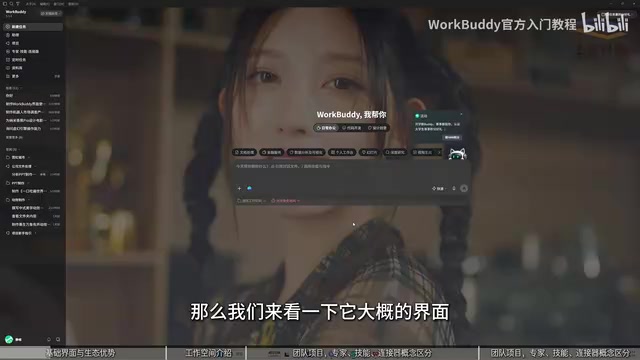
WorkBuddy is an AI agent that can genuinely help you execute tasks. Unlike traditional AI chat tools, it not only understands requests and answers questions, but also calls tools, operates files, executes tasks, and even chains multiple steps together to complete complex workflows. From document writing, information organization, spreadsheet processing, and data analysis to office automation, it can play a role in all of them.
According to the tutorial author on Bilibili, WorkBuddy is very friendly to domestic users: no complicated network environment to wrestle with, and it offers free usage quota, which greatly lowers the barrier to using an AI agent.
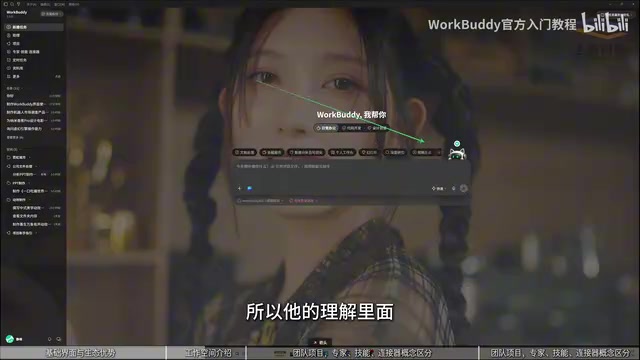
Its positioning is evident from the interface design: daily office work, code development, and design creativity are the three core scenarios. Daily office work targets white-collar professionals, handling documents, Excel, PPT, data analysis, and more; code development targets programmers, supporting websites, mini-programs, and Agent development—since it is a Tencent product, it has a natural advantage in the WeChat ecosystem and mini-program development; design creativity targets creative professionals, supporting visual posters and other designs, thanks to its ability to understand images and video.
The key to understanding an AI agent lies in distinguishing its architecture from that of a traditional chatbot. A chatbot is essentially an "input—generate—output" single-turn or multi-turn Q&A system, and its output stays at the text level; an agent, beyond the model, adds three modules: planning, memory, and tool calling. The planning module is responsible for breaking vague user intent into an executable sequence of steps, the memory module preserves context and historical results to support long tasks, and the tool-calling module lets the model read and write files, run code, access the network, or operate software. It is precisely this "model plus add-ons" structure that enables an agent to autonomously drive multi-step processes and adjust its strategy based on feedback during execution, rather than giving an answer all at once. The "task execution" capability WorkBuddy claims is built on this paradigm.
Interface Layout: Sidebar and Workspace
WorkBuddy's interface design follows the logic of conversational interaction: multimodal understanding, iterable delivery, and continuous contextual dialogue. The operation is not complicated, but there are several novel concepts to grasp.
The sidebar can be shown or hidden via a small toggle. The most important part is workspace selection—you can designate a directory, and WorkBuddy will place all files generated during the process there. This means your work output has a clear home and won't be scattered across temporary folders.
The sidebar also offers a large number of skills to choose from. Tencent's positioning of WorkBuddy is clear: it targets three groups—office white-collar workers, programmers, and designers—and also has image design capabilities, so visual motion effects, poster generation, and the like can be completed according to the role.
One key setting is "Allow Full Access." This determines whether WorkBuddy has permission to operate your computer. When turned off, some features will be unable to access the file system. This permission switch is the balance point between security and capability, and it needs to be set carefully according to the task type.
Assistant, Projects, and Knowledge Base: Understanding Collaboration Modes
The Assistant feature lets WorkBuddy connect to channels such as WeChat, QQ, DingTalk, Feishu, and WeCom. You can send WorkBuddy a message on WeChat asking it to send over a file on your computer, or to execute a task remotely. This cross-channel remote connection capability makes the name "Assistant" truly deserved.
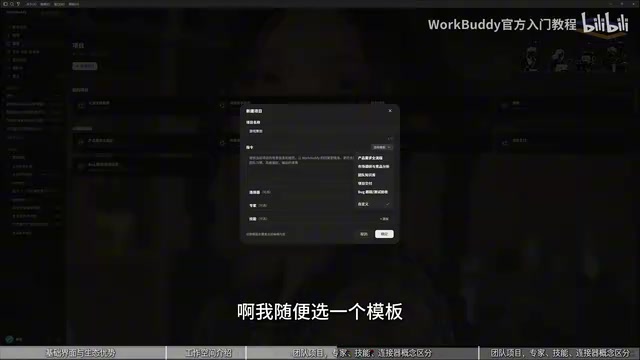
The Projects feature targets team tasks. You can create a project, assign tasks to different members or to superiors and subordinates, set deadlines, and the system will handle task allocation and tracking.
The knowledge base is another important concept, which can be understood as a knowledge add-on. If you have proprietary materials (such as biomedical data), you can put them into the knowledge base so that the AI reads them directly in every task instead of searching the web each time. This is equivalent to providing the AI with a dedicated, pre-organized knowledge source.
The technology behind the knowledge base is usually called RAG (Retrieval-Augmented Generation). Its basic process is: first split proprietary documents into chunks and convert them into vectors stored in a vector database; when a user poses a task, the system first retrieves the chunks most relevant to the question, then feeds those chunks as context into the large model to generate an answer. Compared with stuffing all materials into the prompt, RAG can precisely retrieve information within a limited context window and significantly reduce the probability of the model fabricating content. This also explains why, after putting biomedical data into the knowledge base, the AI can give answers based on proprietary materials without searching online each time—retrieval happens in the local knowledge base rather than the public web, which improves accuracy and avoids leaking sensitive data.
Experts, Skills, and MCP Connectors: The Differences
These are the three most easily confused but also most important concepts in WorkBuddy.
Experts (role agents) come with built-in prompts and role settings that turn the AI into an expert in a certain field and produce more accurate professional information. They mainly optimize the AI's "brain" and improve its judgment.
Skills are fixed, reusable methods of operation. They give the AI "hands and feet," enabling it to actually perform operations, such as operating local software or completing front-end design tasks. Skills mainly target software on the local computer.
MCP connectors are used to connect cloud services or external applications. Their data is not local—cloud documents, for example—and you need MCP to retrieve and operate on that data. This is equivalent to expanding the AI's operating environment and territory.
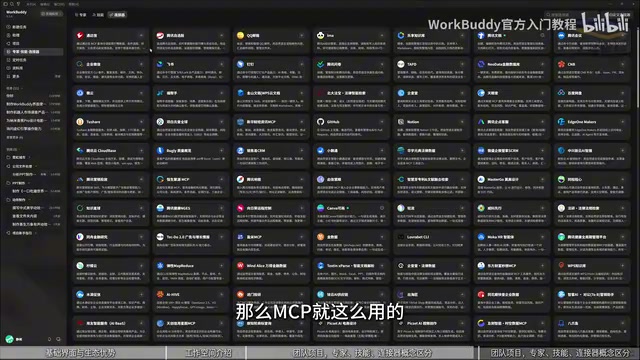
Why design these three mechanisms? The core is the ecosystem. Applications need to expose interfaces for AI to connect to, while ensuring the AI can only access the parts they are willing to open. MCP is the bridge for this kind of secure connection.
MCP (Model Context Protocol) is a standardized protocol proposed and open-sourced by Anthropic at the end of 2024, aimed at unifying how large language models connect to external data sources and tools. Before MCP, every AI application that wanted to integrate a cloud service had to write custom integration code, fragmenting the ecosystem and driving up maintenance costs. By defining a universal client–server communication specification, MCP lets service providers implement an MCP server once and have it called by all AI clients that support the protocol. In the context of WorkBuddy, an MCP connector is like a standardized plug: cloud documents, databases, and third-party SaaS services are securely exposed to the AI through it, while service providers can precisely control which interfaces and data scopes are opened up—this is also the technical foundation for what the article calls a "bridge for secure connections."
Scheduled Tasks and the Starting Point for Practice
The scheduled task feature lets you set a time for automatic execution, such as "open a certain application on the computer at 10 o'clock." You can choose an advanced AI model for complex tasks and use any model for simple ones. The system will ask whether you allow it to operate the computer, and once confirmed, it can begin.
WorkBuddy's core value lies in covering three major categories of work: task connection, code development, and design creativity. Understanding its interface layout and core concepts is the first step toward building a personal AI work system. Subsequent lessons will dive into advanced techniques such as task decomposition, tool calling, and workflow building, taking you from zero基础 to advanced mastery.
Related articles

A 19-Year-Old's Rental Horror Story: Ceiling Collapse, Bug Infestation, and the Lessons It Taught Me
At 19, my first off-campus rental brought bug infestations, no heat, a collapsed ceiling, and a ruined laptop with no renter's insurance. Here are the hard-won lessons for first-time student renters.

Veda Nurse's Cranial Nerve Exam: Why ASMR Role-Play Is Going Viral
Bilibili creator Veda's cranial nerve exam ASMR video goes viral, blending humor and sensory triggers through nurse role-play. This article analyzes its unique appeal and the audience psychology behind ASMR role-play.

LG Cinebeam AI Review: 120-Inch Giant Screen + 3000 Lumens, a New Choice for the Living Room Theater
LG Cinebeam AI projector review: 3000 ANSI lumens, 4K, 100 inches from about 8 cm and 120 inches from about 18 cm. Built-in webOS, AI Concierge voice recommendations, AI Sound Pro 11.1.2 virtual surround, and Game Optimizer—positioned for fixed living room installation, complementing the portable Cinebeam S.