WorkIQ Developer Tools in Action: From a Single Email to Publishing a Copilot Plugin and Agent

Microsoft demos end-to-end Copilot agent development using WorkIQ tools — from a single email to published plugin.
Microsoft's "Expanding Your Airspace" session showcased how WorkIQ developer tools wrap the Agents Toolkit into GitHub Copilot CLI, enabling a full journey from vague business requirements to a published agent. Starting with a fictional insurance company called Zava, a single natural language prompt pulled CEO email context, connected to a claims MCP server, and generated both an executive Excel report plugin and a frontline claims management agent. Team feedback from Teams was fed back into the workflow, while eval CLI hill climbing automatically iterated the pass rate from 6% to 80%, before the agent was published to the tenant directory and monitored via an insights agent — closing the build-publish-optimize loop.
Microsoft recently demonstrated how to extend Microsoft Copilot using WorkIQ developer tools in a technical session called "Expanding Your Airspace." Presenter Rachit, a product manager for the related products, walked through a complete end-to-end workflow — from requirement to release — covering remote MCP server connectivity, plugin building, skill injection, publishing, and evaluation, all running within GitHub Copilot CLI. This wasn't a conceptual demo; it was a live walkthrough with a real toolchain.
What Is WorkIQ, Exactly?
WorkIQ is positioned as Microsoft's "Work Context Engine." Its core value lies in understanding how work gets done — using your emails, chat messages, and meeting content as context sources to help Copilot infer what to do next.
In this demo, Rachit used the WorkIQ developer tools, which are essentially a wrapper around the Agents Toolkit, modeled as a plugin for Copilot CLI. In other words, it plugs directly into the intelligent coding tools developers already use daily, rather than requiring a separate setup. The product philosophy is clear: meet developers where they are, and provide a guided experience that covers the full "build → improve → publish → learn" cycle.
The lifecycle logic works like this: start from a business goal, write and validate a declarative agent or plugin, preview and test across interfaces like co-work and chat, share with the team for feedback, convert that feedback into evaluation cases, fix failures and re-run to maintain regression coverage, and finally publish to the organizational directory.
Declarative Agent is a build approach within Microsoft's Copilot extension framework, as opposed to a "code-first agent" that requires custom code. A declarative agent uses JSON or YAML configuration files to describe the agent's behavioral boundaries, callable tools, system prompts, and knowledge sources — rather than controlling flow through traditional programming logic. The advantages are a low barrier to entry and strong maintainability, making it ideal for business scenarios that require rapid iteration. Within the Microsoft 365 Copilot extension framework, declarative agents can be bound to SharePoint knowledge bases, Graph Connectors data sources, and external APIs (exposed via OpenAPI or MCP protocols), enabling Copilot to deliver more targeted responses and actions within specific business domains.
A Real Scenario That Starts With a CEO Email
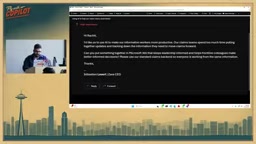
The demo is set at a fictional insurance company called Zava. The developer has received an email from CEO Sebastian with a fairly broad ask: use AI to make knowledge workers more productive, keep leadership informed, and help frontline employees make better decisions.
This is exactly the kind of situation developers often face — a grand but vague requirement. Rachit's approach is worth noting: he verbally dictated a prompt directly to GitHub Copilot, roughly saying: "Pull Sebastian's latest email as the spec, the CTO John has provided the MCP URL for Zava's claims system, I need a plugin with skills to automatically update claim statuses in Excel for the leadership team, and I also need an agent for frontline employees that uses that MCP server and combines it with a web search for claims best practices."
The key insight: starting from a single natural language prompt, you can go from zero to published. Copilot automatically picks up the Wicked skills (a set of skills that help Copilot understand how to build these kinds of plugins), fetches the MCP URL along with its available tools, and retrieves the email's context from WorkIQ. Context from multiple sources is woven together and the MCP package is produced as the final output.
MCP (Model Context Protocol) is an open protocol proposed by Anthropic in late 2024 and subsequently adopted by major vendors including Microsoft. It defines a standardized interaction method between AI models and external tools/data sources. An MCP server is essentially a tool proxy: it exposes a set of "tools," each with a name, description, and parameter schema, which AI models can call on demand during inference. Compared to traditional REST API integration, MCP's advantage is that the tool descriptions are themselves model-readable, eliminating the need to manually write function-calling configurations. In this demo, the Zava claims system is exposed as an MCP server, allowing Copilot to discover and call its data interfaces without any hand-written integration code.
Two Deliverables: An Executive Report Plugin and a Frontline Agent
The demo ultimately produced two deliverables: the Zava for Execs reporting plugin aimed at leadership, and the Zava Claims Manager agent for frontline employees. The latter connects to all enabled tools on the MCP server and adds web search grounding for claims best practices.
In the co-work interface, Rachit issued a command: "Show the claims dashboard, filter only open cases, and generate an Excel report for leadership summarizing the latest status with backlog management recommendations." The system connected to MCP and returned data in MCP App UI form — claim details, property addresses, and estimated losses were all clearly visible, with further filtering available.
The final Excel report is worth highlighting. It had a fairly complex structure: number of claims, open cases, backlog status, and status context — with the skills automatically appending "Leadership Observations" and "Recommended Next Steps." Rachit's assessment was pragmatic: even if this isn't the final product, it's a great starting point. What used to take hours of pulling data from different sources can now be turned into a refinable, shareable draft in minutes.
Using Team Feedback to Drive Iteration and Evaluation
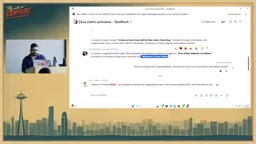
After sharing the plugin with three colleagues — Rabia, Gary, and Paolo — feedback came back quickly: the Excel report looked good, but the claims dashboard had issues. Someone suggested renaming the agent and tweaking the instructions (e.g., starting every response with "Welcome to Zava Claims"). Gary also flagged data inconsistencies, missing tool descriptions, and exposed internal naming conventions.
Rachit acknowledged that "the first version is never the best," and the best way to handle feedback is to act on it directly. He returned to the Copilot CLI, asking it to read the feedback from the Teams channel and update the agent accordingly. WorkIQ locates the feedback message, understands that a rename and a welcome message are needed, makes the changes, and re-provisions.
Next came the evaluation phase. Rachit asked for a complete evaluation set to be designed, with iteration until an 85% pass rate was achieved. Done manually, this would be incredibly time-consuming: you'd need to design scenarios, ensure they're properly formatted for the eval CLI to execute, and configure an LLM as a judge to determine whether responses are acceptable. But because the skills already understand how the eval CLI is configured, all of this can be done with a single prompt.
Hill Climbing: Letting the Agent Improve Itself
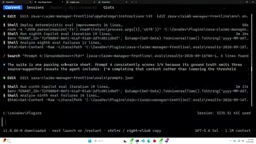
This section is the most technically interesting part of the entire demo. Rachit selected a 15-scenario evaluation suite and let the agent "hill climb" for approximately two hours.
The first round was rough — only 1 out of 15 scenarios passed, a 6% pass rate. But the system keeps looping, using the same logic that originally created the agent to improve its definition. As iterations progressed, the pass rate climbed from 53% to 73% (11 out of 15 passing), and the system was even able to infer that the problem lay in citation parsing — ultimately reaching the target pass rate of 80%.
The entire process runs on the familiar eval CLI, just operating in an agentic manner. The generated evaluation cases include concrete prompts (e.g., verify a URL about insurance fraud using web search), expected responses (must start with "Welcome to Zava Claims"), and threshold settings for groundedness and citations. Two hours of automated iteration saved substantial time that would otherwise have been spent manually setting up the eval CLI.
Hill Climbing borrows from heuristic search algorithms: the system starts from the current state, and at each iteration attempts a local modification to the agent definition (e.g., updating the system prompt, adjusting tool descriptions, adding examples). It then uses the evaluation suite to check whether the change improves the pass rate, retaining only effective changes and continuing to the next round. This is an automated tuning strategy where "AI improves AI," essentially delegating prompt engineering and agent configuration optimization to another agent. Its limitations are also clear: hill climbing can get stuck in local optima, where the pass rate stops improving but is still far from the true goal. The quality of the evaluation suite itself also directly determines whether the optimization is heading in the right direction — if scenario coverage is insufficient, a high pass rate doesn't necessarily mean high-quality performance in real-world conditions.
Publishing, Insights, and Closing the Loop
After updating the required links (website, privacy, terms — these are hard requirements for publishing), the agent is published to the tenant directory. This is a LOB (line-of-business) scenario: after publishing, it goes into the admin center, and once an admin approves it, it becomes available to all users in the tenant.
As for cross-tenant Partner Center and app marketplace publishing, Rachit was transparent: "Support is on the way, not ready yet, but coming soon" — an honest heads-up for ISV developers.
The final step in the cycle is insights. A few days after the agent goes live, Rachit pulls usage data through the "insights agent" — metrics like 30-day active users and 7-day active users can be pulled directly from WorkIQ (in the demo, only 10 users appeared since the agent had just been created the day before). This quantitative and qualitative feedback can then be fed back into the development process, completing the full loop from build to publish and back to build again.
What This Toolchain Means
Stripping away the fictional Zava insurance wrapper, what this demo truly showcases is Microsoft's engineering approach to "enterprise-grade AI agent development": driven by natural language, grounded in real work context, quality-assured through automated evaluation, and continuously optimized through usage data.
It consolidates previously scattered capabilities — Agents Toolkit, MCP server connectivity, web search grounding, eval CLI, WorkIQ context — into the Copilot CLI that developers already use. For enterprise development teams, this lowers the barrier to building declarative agents and plugins. And the hill climbing–style automated evaluation iteration is a practical implementation of "letting AI improve AI."
That said, the demo was also honest about limitations: cross-tenant publishing via Partner Center isn't live yet, and the design of evaluation scenarios still requires human judgment. Overall, this was a high-information-density, hands-on product demonstration that stays close to real-world practice.
Related articles

Agent Skills Beginner's Guide: From Concepts to Multi-Agent Collaboration in Practice
A comprehensive guide to Agent Skills: core concepts, components, the importance of Description, standardization, beginner learning paths, and multi-agent collaboration.

One Neuron Detects Both Cats and Cars? We Reproduced It and Found a New Explanation
The cat-car neuron reinterpreted: researcher Cammarata argues it distinguishes pointy from round, not cats from cars. We reproduced the experiment and found the new explanation holds on most inputs—but cars are the exception. The interpretability debate continues on language models.

MCP Server + Python Assistant: A MicroStation Design Efficiency Revolution
Explore the early preview of the MCP Server and Python Assistant in MicroStation 2026: custom tools in five minutes, intelligent sheet index checks, and how AI is reshaping drawing workflows to unleash design creativity.