Zed Editor Releases v1.27.0 Stable: Decoding the Release Signals

Zed editor releases v1.27.0 stable, with a GitHub-verified signed commit tagged by an automated account.
The Zed editor has released v1.27.0 on GitHub. Commit c84af5b carries a GitHub verified signature, was tagged v1.27.0 by the automated account zed-zippy, and is marked as the v1.27.x stable branch baseline for @JosephTLyons. The article notes that signature verification and the bot-driven release process reflect the Zed team's engineering practices in supply chain security and standardized releases, while the stable tag gives users a predictable upgrade anchor. However, the original material does not include the specific changes, feature list, or performance data of this version, only showing that 2 files are available for download, so feature details require consulting the repository's full release notes.
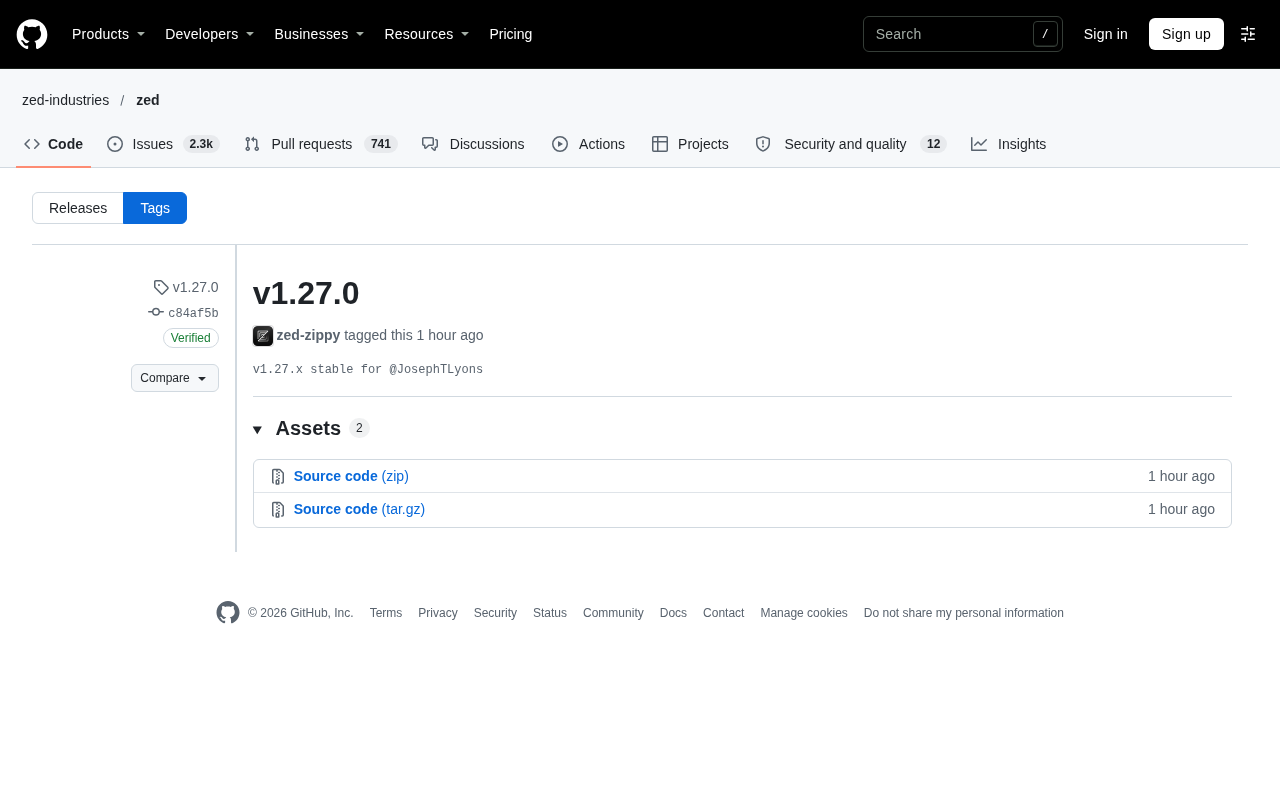
The Zed editor has released version v1.27.0 on GitHub. The commit carries a GitHub verified signature (GPG key ID: B5690EEEBB952194) and has been tagged v1.27.0 by zed-zippy. As seen in the commit record, this release is marked as the v1.27.x stable branch for @JosephTLyons.
Basic Release Information
v1.27.0 was tagged by zed-zippy on 04 Nov 15:12, and the commit (c84af5b) passed GitHub's verified check. This means the source code comes from a trusted maintainer, not a third-party forged build.
For a code editor that is still iterating rapidly, the significance of a stable tag is that it gives users a predictable anchor for upgrades. The v1.27.x stable designation indicates that this version will serve as the stable baseline for the 1.27 series, with subsequent patch updates built on top of it.
GPG signature verification is a mechanism in the Git ecosystem used to confirm the authenticity of a commit's origin. Developers use a private key to generate a signature over the commit content, and platforms like GitHub verify whether the signature matches the commit content using the public key. The GPG key ID shown in the commit record (such as B5690EEEBB952194 in this article) is the short identifier of the public key, making it easy for users to verify the signer's identity.
When GitHub's vigilant mode is enabled for a repository, all commits must carry a verified signature, otherwise they will be marked as unverified in the interface. This mechanism effectively prevents man-in-the-middle tampering and forged commits, and is one of the foundational elements of software supply chain security. For enterprise users, verifying signatures is equivalent to adding an identity verification checkpoint before pulling code.
Zed's Engineering Practices as Seen from the Release Process
The version tag was created by an automated account, zed-zippy, rather than manually by an individual developer, which reflects that the Zed team has adopted a bot-driven standardized approach to its release process. This approach is increasingly common in open source projects, as it reduces human error and binds version releases to CI pipelines.
Commit signature verification is another detail worth noting. GitHub's vigilant mode combined with GPG signatures helps downstream users confirm that the code they pull indeed comes from the official repository. For teams that need to integrate the editor into enterprise development environments or have supply chain security requirements, this mechanism provides baseline assurance.
Bot-driven version releases typically rely on CI/CD pipelines to complete automatically: when code is merged into a specific branch or meets trigger conditions, an automated account (such as zed-zippy) performs operations like tagging, generating release notes, and uploading build artifacts. This approach codifies the release process, ensuring that every release goes through the same verification steps and avoiding version number errors or missed builds caused by manual operations.
In open source projects, such automated accounts generally have limited repository permissions and can only perform predefined release tasks, thereby reducing the risk if the account is compromised. At the same time, release records are linked with CI logs, facilitating post-hoc auditing and issue tracing.
What the Stable Tag Means for Users
As an editor that prides itself on performance and collaboration features, Zed has a fast release cadence. The release of a stable tag usually means that changes previously validated in preview versions will gradually settle into this branch. When choosing a version, users can prioritize those marked stable to reduce the probability of encountering regressions.
It should be noted that the original material does not include the specific changes, feature list, or performance data of v1.27.0, and the assets section only shows that there are 2 files available for download. Therefore, it is currently impossible to confirm from the available information which issues this version fixes or what capabilities it adds. Interested users should consult the repository's full release notes directly.
Stable branch is a common strategy in version management: the main development branch continuously accepts new features and experimental changes, while the stable branch only receives validated fixes and patches to keep behavior predictable. The v1.27.x naming indicates that all patch versions in the 1.27 series (such as 1.27.1 and 1.27.2) will be cut from this branch rather than introducing breaking changes.
For everyday tools like editors, stable branches can significantly reduce the regression risk brought by upgrades. Users who want new features can choose preview versions; those using it in production should follow patch updates from the stable branch.
How to Follow Subsequent Updates
For users interested in Zed, it is recommended to subscribe to notifications on the GitHub Releases page or follow subsequent commits on the v1.27.x stable branch. Since the material does not provide further technical details, this article does not make further inferences about the version's features.
Related articles

Non-Coding Dad Builds 3D Earth Toy with Claude Code, Unexpectedly Goes Viral in Classrooms
A non-coding father used Claude Code to build My Earth Toy, a 3D interactive Earth with 830+ landmarks, 470+ animals, and 180+ vehicles—now used in classrooms worldwide. Discover how AI coding lowers the barrier to creation.

Meta, Google, and TikTok Sue California Attorney General: The Battle Over Youth Social Media Law
Meta, Google, and TikTok jointly sue the California Attorney General to block a state law restricting social media use by minors under 16. This article analyzes the lawsuit's background, the law's core provisions, and its potential impact on tech industry regulation.

T-Mobile Parent Company CEO on Musk's Telecom Ambitions: Welcome, But You'll Need $200 Billion
Deutsche Telekom CEO Tim Höettges responds to Musk's SpaceX Starlink Mobile plan, saying "welcome to the party" but questioning feasibility—estimating at least $200 billion needed to become a major U.S. carrier.