Zero-Code AI SaaS: A Practical Guide with Google AI Studio + Firebase

One prompt, zero code: launch a monetizable SaaS app with Google AI Studio, Firebase, and Vercel.
This article breaks down a complete no-code workflow for launching a SaaS app: enter a prompt in Google AI Studio, and the AI generates a full ebook app scaffold; Firebase handles user authentication and data isolation with one click; code is auto-pushed to GitHub and deployed on Vercel with a live URL. Two monetization paths are covered — paid subscriptions and Google AdSense — for different product strategies. The pipeline dramatically shortens the journey from idea to launch, though moving from demo to commercial product still requires attention to code quality, free tier limits, and security.
Building a SaaS application that can go live and even generate revenue without writing a single line of code has moved from concept to actionable workflow. This article breaks down a complete hands-on demonstration by a developer, showing how to build an ebook-generation SaaS app from scratch using Google AI Studio and Firebase — including database integration, user authentication, GitHub hosting, and Vercel deployment.
One Prompt to Launch an Entire App
The starting point is surprisingly simple: open Google AI Studio's build panel and type a prompt describing what you want. The prompt needs to clearly cover three things — what type of SaaS app you want, what features it should have, and how the first version should work.
In this case, the goal was an app that generates ebooks and supports downloading. After submitting the prompt, the AI automatically installs dependencies, gathers the necessary requirements, and generates a complete application scaffold. This "describe it and build it" model dramatically lowers the barrier for non-technical founders.

The app's first core module is "Create Book": users fill in a title, description (capped at 300 characters, adjustable), subtitle, and author name (both optional), with some advanced options available. The app generates content structured by chapters — chapter 2, chapter 3, chapter 4 — and automatically includes a surprisingly polished 3D cover.
Connecting Authentication and a Database with Firebase
Any truly operational SaaS needs to solve two problems: user identity and data persistence. In the demo, the goal was for each user's ebook generation history to be saved privately under their own account — not publicly visible. That requires connecting the app to Firebase.
The process is equally streamlined: click "build" in the build flow, and Firebase integrates automatically. If the automatic integration fails, you can manually go to the Firebase Console and log in with the same Google account used for Google AI Studio. Once integrated, the app gains a sign-up/login screen, and users can authenticate with a single click via "Continue with Google."

Worth highlighting is how the database is accessed. Rather than manually digging through configs, the developer simply told the AI "show me where the database is," and the AI returned a direct link to the Firebase Console. Inside the console, you can see logged-in users' information — email addresses, last login times, and UIDs. This "manage infrastructure with natural language" experience is something traditional development simply can't offer.
Firebase is Google's Backend-as-a-Service (BaaS) platform, providing an integrated suite of services including a real-time database (Firestore/Realtime Database), user authentication, cloud storage, and hosting. Developers don't need to set up or maintain their own servers. Firebase charges based on usage, and its free tier (Spark Plan) is sufficient for the basic needs of an early-stage SaaS — for example, 50,000 Firestore reads per day and 1 GB of storage. Firebase Authentication comes with built-in support for Google, GitHub, email, and other login methods. Each authenticated user is assigned a globally unique UID, which developers can use as a key to isolate data between users in the database — exactly how this demo achieves "privately saved ebook history per user."
Pushing to GitHub and Deploying to Vercel
Once the app is built, the next step is version control and going live. After linking a GitHub account (using the same email) in Settings, the system automatically creates a GitHub repository. Clicking "Push changes to GitHub" sends the entire AI SaaS app's code to the repo within seconds, and users receive an email notification.
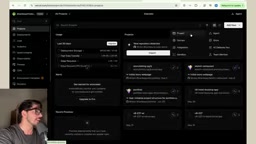
The final step is deployment. In Vercel, fetch all repositories, find the newly created "AI SaaS ebook" repo, import it, and click deploy. After the automated build process runs through several steps, Vercel generates an accessible domain URL and the SaaS app is officially live. The entire pipeline — AI generation, Firebase integration, GitHub hosting, Vercel deployment — requires almost no hand-written code.
Vercel is a cloud deployment platform designed for frontend and full-stack applications, known for "zero-config deployment." Once connected to a GitHub repository, every code push automatically triggers a build and deployment, with a .vercel.app subdomain assigned automatically. The free tier supports unlimited personal projects and includes global CDN acceleration and automatic HTTPS certificate provisioning. Note that Vercel's free tier has restrictions on commercial use — high-traffic SaaS applications may need to upgrade to the paid Pro plan (approximately $20/month). For early-stage validation, the free tier is more than sufficient, but you should evaluate bandwidth and build limits before mapping out your monetization path.
Two Monetization Paths
Launching the app is just the beginning — the real draw for founders is its revenue potential. The demo outlines two clear monetization approaches.

The first is a subscription model: users pay a monthly fee to access the app's core features. This requires integrating a payment gateway — the developer mentions that a free integration method is covered in a separate video. This model works best for apps with complete functionality and a clear paid value proposition.
The second is Google AdSense: keep the entire app free, remove the authentication layer to open it up to all visitors, and earn revenue by displaying Google ads. This path is better suited for scenarios focused on traffic volume and lowering the usage barrier.
Both approaches have distinct trade-offs: the subscription model captures direct value from paying users, while the ad model relies on scaling free traffic. Founders can choose based on their product positioning and target audience.
Google AdSense is Google's web advertising service. Once a site integrates it, Google automatically displays relevant ads based on visitor profiles, and site owners earn revenue through CPM (cost per thousand impressions) or CPC (cost per click). Applying for an AdSense account requires meeting certain content quality and traffic thresholds, with review periods typically ranging from a few days to a few weeks. For apps choosing the ad monetization path, removing user authentication lowers the barrier for visitors and maximizes page exposure — but it also means forgoing user data accumulation, making it difficult to pivot to a subscription model later. On the payment gateway side, Stripe is the most commonly used solution for overseas SaaS, with native support for subscription billing logic. Developers based in China can also consider providers like Paddle, which handle VAT and other compliance matters on your behalf.
What This Workflow Really Means
Beyond the specific steps, the real value of this case study is the viable path it demonstrates for "AI full-stack development": one person, one prompt, a few free tools — and you can ship a product that previously required a team with both frontend and backend skills.
Of course, the app shown in the demo is still a "version one" — relatively basic in functionality. It will need continuous refinement to handle real users' complex needs, performance demands, and security requirements. The quality of AI-generated code, Firebase's free tier limits, and Vercel's traffic restrictions are all real factors to evaluate seriously when moving from a demo to a commercial product. But as a starting point, it genuinely compresses the distance from "idea to live product" to an unprecedented degree.
For anyone looking to validate a business idea with AI at low cost, the Google AI Studio + Firebase + Vercel stack is worth trying — get the product running first, then iterate based on real feedback.
Related articles

Random Pruning of the DPO Computation Graph: 1.4x Training Speedup and Lower Peak Memory
DPO training too slow and memory-hungry? This paper proposes a random pruning framework for the DPO computation graph, sampling independently across position, sequence, and branch dimensions; branch pruning achieves a 1.426x step-time speedup and cuts training time by about 30%, with in-depth attribution of memory and time gains.

Why Does JEPA Underperform MLM in Longitudinal EHR Representation Learning?
New study compares JEPA and MLM for longitudinal EHR representation learning on MIMIC-IV: three JEPA variants train stably without collapse but underperform MLM; target size, not heterogeneity, drives prediction error.

Transfer Learning + Visible Light Communication: A New Approach to Energy-Efficient Indoor Positioning
A study proposes a transfer learning-based visible light communication indoor positioning method, achieving 47% accuracy improvement on the BOSCH factory dataset, 67.5% model efficiency under high noise, and introducing the ME composite metric for energy-efficient positioning in energy-constrained industrial IoT scenarios.