Zero Prompts! Turn Your Design Mockup into a Promo Video with One Skill

LibTV's Skill turns Figma screenshots into promo videos instantly — no prompts or MCP config needed.
A new LibTV Skill called 'Screenshot to Promo Video' packages an expert-level AI workflow into a single click. Designers simply upload a design mockup, choose a style direction, and get a polished promo video — no prompt writing or Figma MCP integration required. This reflects a broader trend of productizing complex Agent workflows for everyday users.
From Complex Workflows to One-Click Execution
A video about "Claude reading Figma design files and turning them into product shorts" previously earned 50,000 complete views and generated tremendous buzz. But the most common reaction from viewers was strikingly consistent: the workflow is great, but it's way too complicated to use.
The original process required connecting Claude Code to Figma MCP and writing custom prompts just to get it running. MCP (Model Context Protocol) is an open protocol standard introduced by Anthropic to standardize how AI models interact with external tools — essentially a universal "USB standard" for the AI tooling ecosystem, allowing models to access third-party apps like Figma and GitHub in a structured way. But because this protocol is still in its developer phase, users need to configure a local server and understand the JSON-RPC communication mechanism. For designers, that's an obviously steep barrier — it assumes you're comfortable with command-line tools, understand the MCP protocol, and are willing to spend time debugging. This is the core reason why most "AI-generated" workflows never make it past the demo stage: the capability exists, but the usability doesn't.

So the creator did something far more radical: they packaged the entire workflow into a Skill that anyone can invoke directly. No Claude integration needed. Not a single word of prompting required. This reflects an emerging industry trend — the productization of Agent capabilities — packaging expert-level workflows into skills that everyday users can trigger with a single click.
This "Skill-ification" approach closely mirrors the logic of mobile app stores: developers build complex capabilities, and regular users just tap to use them, with no need to understand the underlying Agent orchestration, tool-call sequences, or reasoning chains. Salesforce's Agentforce and ByteDance's Coze platform are both actively moving in this direction.
The Skill in Action: Upload, Choose a Style, Get Your Video
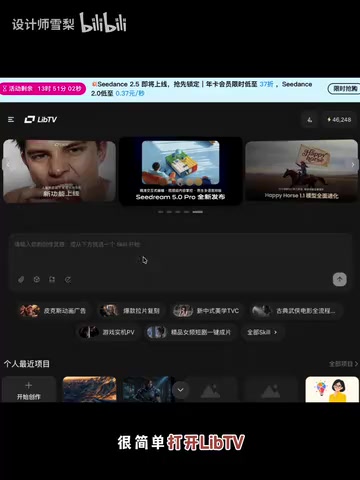
The new workflow has been compressed to its absolute minimum. Open LibTV, select the "Screenshot to Promo Video" Skill, paste a screenshot of your design file — and that's it.
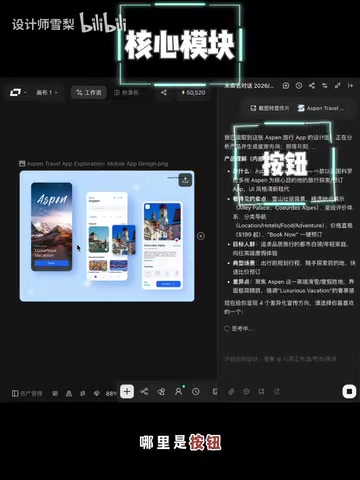
Even with a simple page containing just three modules, the Skill automatically performs page structure recognition: identifying which section is the core module, which elements are buttons, and which areas carry informational content. This step is the technical core of the entire workflow — it's powered by the multimodal understanding capabilities of a Vision Language Model (VLM). Leading VLMs today (such as the Claude 3 series and GPT-4V), trained on large-scale UI screenshot data, can recognize the hierarchical relationships between interface elements, mapping "visual layout" to "functional semantics." They distinguish between main headings, CTA buttons, image regions, navigation bars, and other component types, and infer the weight of each element within the information architecture. In the context of video generation, this semantic structure recognition provides a "narrative skeleton" for subsequent shot composition: core content areas map to primary shots, supporting content maps to transitional shots, and button regions often trigger a closing Call-to-Action frame. In other words, it's not about slapping a static image onto a template — it first "reads" the semantic structure of the design file, then uses that understanding to determine camera sequencing and pacing.
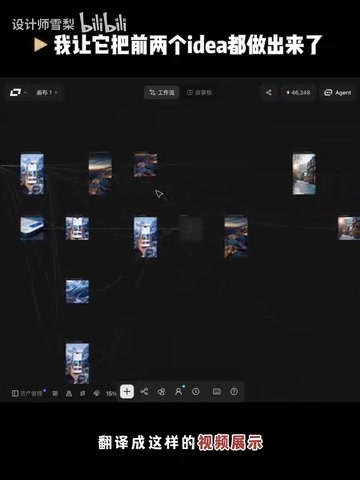
After recognition, the Skill generates several style directions based on the design content — options like "cinematic blockbuster," "snowy mountain starscape," or "Japanese travel aesthetic." The user picks a preferred direction, and the static page is "translated" into a dynamic promo video in that style. No storyboarding needed. No scripting required.
The Two Things Designers Will Value Most
Based on real user feedback, the greatest value of this design-to-video tool for designers isn't simply "the ability to generate a video."
1. Hand Off the Creative Burden to the Agent
The real labor-saving moment is this: you no longer have to ideate promotional concepts from scratch. Designers often get stuck on "how do I make this image work as a story" — figuring out how to structure the narrative, what pacing to use, what tone to strike. These decisions are more mentally taxing than the actual execution. The Skill takes over creative direction generation entirely, shifting users from "start from a blank page" to "pick one from a few finished directions." The cognitive load drops dramatically.
2. A Leap in Speed
Upload, pick a style, generate. The entire process is far lighter than conceiving and editing a video from scratch. For design teams that need to rapidly produce multiple versions of promotional assets and run frequent A/B tests, "output in minutes" fundamentally changes the pace of iteration.
Trend Analysis: Agents Handle the Ideas, Tools Handle the Execution
This case clearly illustrates a key direction in the evolution of AI video tools: shifting from "assisting execution" to "replacing ideation."
The development of AI video generation tools can be broken into three phases. The first phase (around 2022), exemplified by Runway Gen-1, focused on stylizing existing footage. The second phase (2023–2024), represented by models like Sora and Kling, enabled direct text-to-video generation — but creators still had to write detailed prompts themselves. The third phase (late 2024 to present) centers on a key breakthrough: "semantic input" — tools can now directly ingest structured inputs like design files and product screenshots, delegating the entire decision chain of "content interpretation → narrative strategy → visual style" — previously the domain of a creative director — to an Agent running autonomously.
Early AI video tools focused on lowering execution barriers: helping you edit, add effects, and apply templates. This Skill goes a step further by bringing "creative strategy" — a process previously dependent on human expertise — into the scope of automation. Users simply provide a design file; the Agent handles content comprehension, creative direction generation, and video output. Prompts are eliminated entirely.
The "Skill-ification" packaging approach is equally worth noting. A complex expert workflow requiring multiple tool integrations (Claude Code + Figma MCP + prompt debugging) has been abstracted into a simple, callable skill. This is the necessary path to widespread AI adoption: the lower the capability barrier, the broader the reach. As more and more professional workflows get packaged this way, everyday creators gain access to automation capabilities that previously only technical power users could build.
For designers, indie developers, and small teams, AI-generated promo video tools like this aren't just about saving time — they redefine the boundary of what one person can accomplish.
Key Takeaways
Related articles
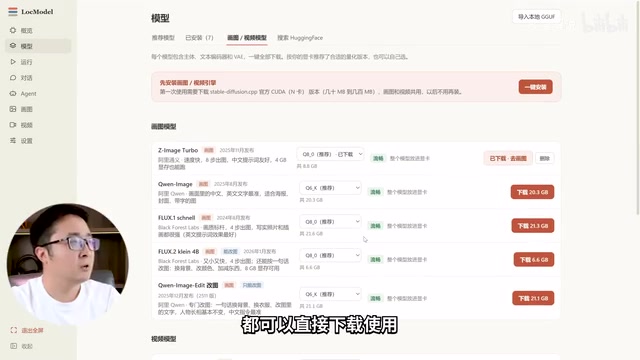
LocModel: The Local AI Deployment Powerhouse — Run Open-Source Models and AI Generation with One Click
LocModel is a local AI deployment tool that auto-adapts to hardware, downloads open-source models with one click, and supports image/video generation, uncensored LLMs, and Agents — completely free.
Antigravity CLI: Free Access to Top Gemini and Claude Models in the Terminal
Antigravity CLI (agy) claims to offer free access to top models like Gemini 3.1 Flash and Claude Sonnet in the VS Code terminal, with installation in seconds. This article breaks down its workflow, the value of in-terminal model calls, and the security and sustainability questions behind the free claim.

Chatbots vs. AI Agents: Key Differences and How to Choose
Chatbot vs. AI agent: how do they differ? We break down the three dimensions—tools, memory, workflow—compare four real scenarios, and offer risk-control advice and selection criteria.