Zoom Slides: One-Click AI Turns Meeting Notes into Presentations

Zoom Slides auto-converts meeting transcripts into editable slides, cutting post-meeting prep time.
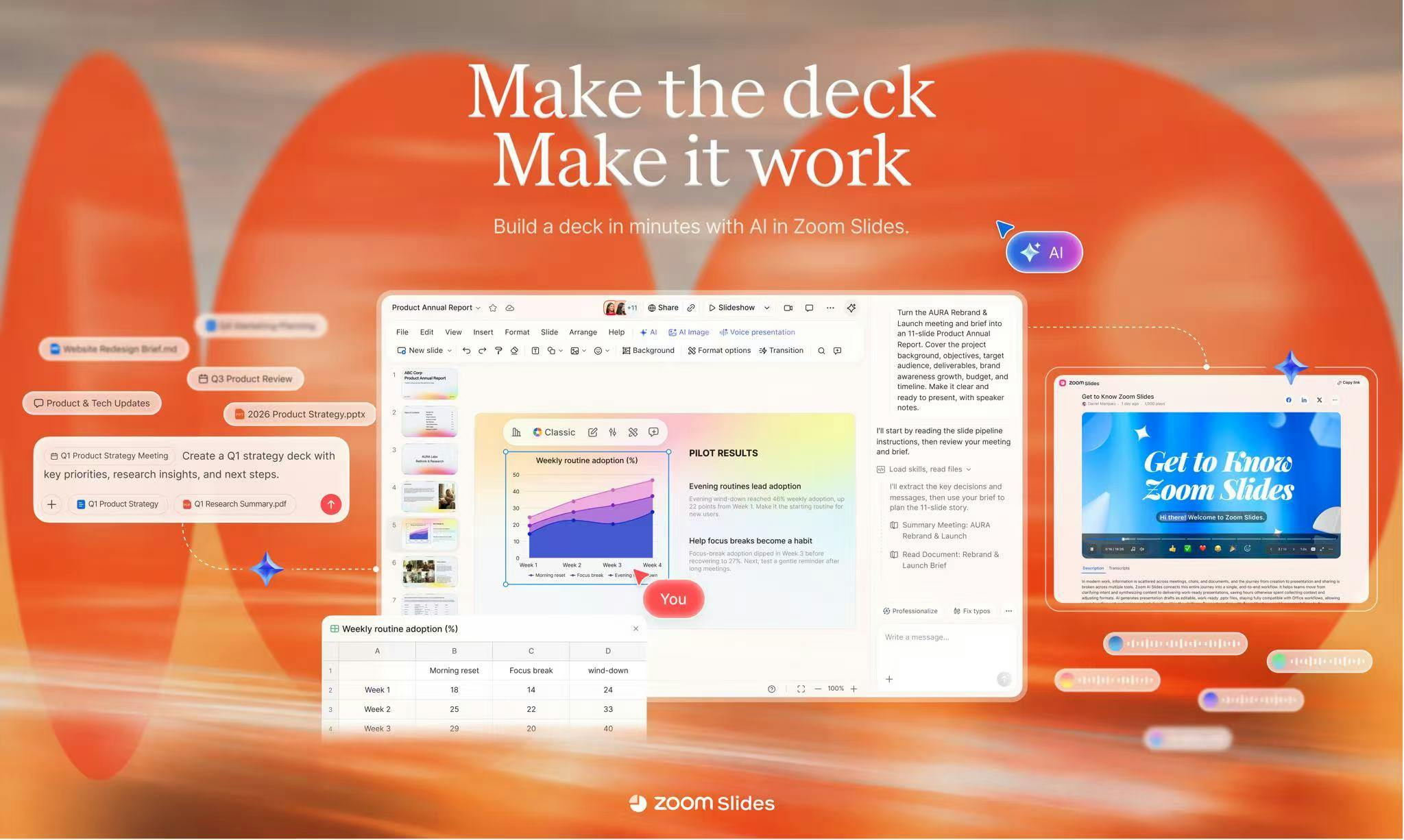
Zoom Slides is a productivity tool that topped Product Hunt. Its core feature uses AI to read Zoom meeting transcripts and summaries, automatically generating editable presentations with professional layouts, visual elements, and speaker notes. Users can polish content with AI, collaborate in teams, and export to PowerPoint without being locked into Zoom's ecosystem. It quickly turns meeting info into shareable materials, ideal for sales reviews and project meetings. However, quality depends on meeting info density and transcription accuracy; loose discussions need manual adjustment, and value is limited for non-Zoom users.
The meeting just ended, and the PPT is almost ready—this is the experience Zoom Slides aims to deliver. This product, which topped Product Hunt, converts Zoom meeting transcripts and summaries directly into structured presentations, saving you the pain of starting from a blank page.
From Meeting to Slides in One Step
The core logic of Zoom Slides is straightforward: after a meeting ends, AI reads the meeting transcript and summary, automatically generating editable slides with professional layouts, visual elements, and speaker notes. You don't need to manually organize key points, design layouts, or even open PowerPoint—the content is already presented in presentation form.
According to the product page description, users can further polish content with AI, collaborate with team members, and export to PowerPoint. The entire process revolves around "meeting ends, presentation ready," compressing the originally time-consuming organization work to nearly zero.
How AI Understands a Meeting
The challenge of turning a meeting conversation into slides isn't generating text—it's recognizing structure. Zoom Slides relies on meeting transcripts and summaries as input, from which AI extracts key topics, decisions, and action items, then maps them to the logical framework of a presentation.
The product emphasizes generating "structured presentations" rather than simple text stacking. This means AI needs to determine which content is suitable as titles, which should be expanded into bullet points, and which requires visual presentation. The automatic generation of speaker notes further lowers the barrier for presenters.
For teams that frequently need post-meeting reports, the value of this automated pipeline from conversation to document lies in reducing information loss during person-to-person transfer.
Meeting transcription refers to the process of automatically converting speech content in meetings into text, typically relying on automatic speech recognition (ASR) technology. Modern meeting transcription tools not only output text but also distinguish different speakers (speaker diarization), add timestamps, and handle technical terminology and accent issues. Transcription accuracy is significantly affected by audio quality, speaking rate, overlapping dialogue, and domain vocabulary. Meeting summarization, on the other hand, builds on transcription by using natural language processing techniques to extract key topics, decisions, and action items, generating concise summary text. Transcription and summarization together provide structured input for downstream slide generation: transcription preserves original dialogue details, summaries provide high-level logical frameworks, and AI needs to establish a mapping between the two to determine which content is suitable as titles, bullet points, or notes.
Collaboration and Export: Not Locked into the Zoom Ecosystem
Zoom Slides supports team collaborative editing and can export to PowerPoint. This is worth noting: it doesn't lock output into Zoom's own ecosystem but acknowledges that PowerPoint remains the mainstream format for enterprise presentations.
For teams already accustomed to PowerPoint workflows, this means AI-generated content can seamlessly enter existing processes, with subsequent review, modification, and distribution requiring no change in habits. Collaboration features allow multiple people to divide work on the same presentation, suitable for scenarios requiring rapid production of meeting-summary-type reports.
The .pptx format of PowerPoint is an open file format based on the Office Open XML standard, adopted by Microsoft since Office 2007. It is essentially a ZIP archive containing XML files that describe slide content, layouts, themes, and relationships. This structure allows third-party tools to programmatically generate or modify .pptx files without relying on Microsoft's software. For products that generate presentations with AI, exporting to PowerPoint means the generated content can enter enterprises' existing review, modification, and distribution processes without users changing their work habits. At the same time, the openness of .pptx also reduces the risk of ecosystem lock-in, enabling products to interoperate with mainstream tools like PowerPoint, Google Slides, and Keynote.
Who Should Use It, Who Should Wait
Zoom Slides is positioned as a productivity tool, targeting teams with dense meetings that need to quickly produce reporting materials afterward. Scenarios like sales reviews, project weekly meetings, and customer interview summaries are its natural use cases.
But boundaries must also be recognized. The quality of AI-generated slides from transcripts depends on the information density of the meeting itself and transcription accuracy. If meeting discussions are loose and lack clear conclusions, the generated presentation may still require significant manual adjustment. Additionally, the product currently revolves around Zoom meetings, so its value diminishes for non-Zoom users.
The product received 123 upvotes and 31 comments on Product Hunt, ranking first for the day, indicating genuine market interest in the need category of "meeting content reuse." But beyond the hype, long-term value depends on whether generation quality can stabilize enough for users to confidently use it directly.
One-Line Summary
Zoom Slides hits a high-frequency and genuine pain point: the vast amount of information produced in meetings often stops at chat records. Turning transcripts into editable, collaborative, and exportable presentations is an attempt to make meeting content truly flow.
One-line Summary
Zoom Slides automatically converts meeting transcripts into editable slides, compressing post-meeting organization time.
Paragraph Summary
Zoom Slides is a productivity tool that topped Product Hunt. Its core function is to use AI to read meeting transcripts and summaries after Zoom meetings end, automatically generating editable presentations with professional layouts, visual elements, and speaker notes. Users can also polish content with AI, collaborate on editing with teams, and export to PowerPoint without being locked into the Zoom ecosystem. Its value lies in quickly converting meeting information into distributable materials, suitable for scenarios like sales reviews and project weekly meetings. However, generation quality depends on meeting information density and transcription accuracy; loose discussions still require manual adjustment, and its value is limited for non-Zoom users.
Related articles
Daybreak Red Deployment Guide: A Reference Architecture for Supervised Security Investigation
A breakdown of the Daybreak Red reference architecture: security control design, deployment configuration process, and runtime monitoring for supervised security investigation.
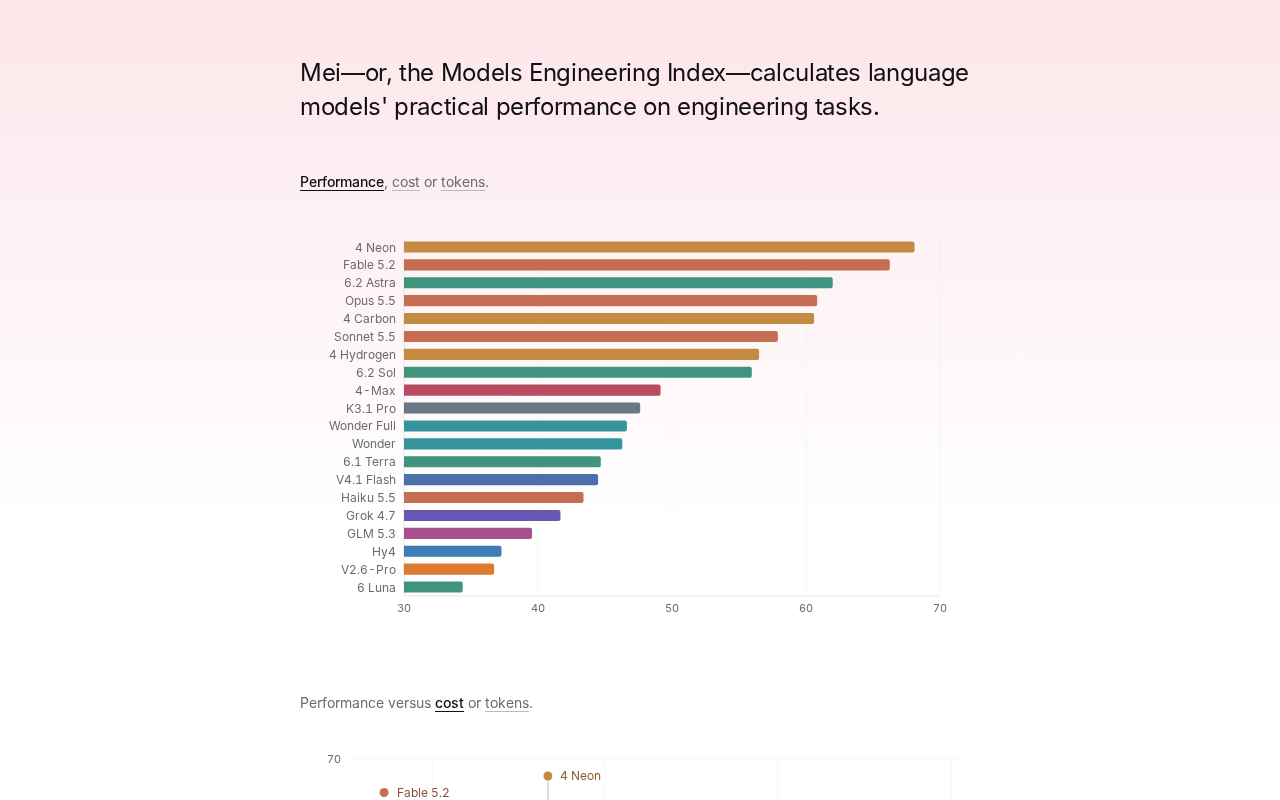
Gemini 4 Neon Tops the Models Engineering Index
Gemini 4 Neon tops the Models Engineering Index, sparking Hacker News debate over ranking credibility and evaluation methods. Here's what it means for developers.

Apple's Self-Developed AI Agent: An Agent That Can Operate Your Mac Is Coming
Apple is reportedly developing an AI agent that can operate a Mac, targeting Meta Muse, Claude, OpenAI Dots, and others. This article analyzes Apple's system-level advantages, the competitive landscape, and likely rollout paths in the agent race.