15-Year-Old Developer Hand-Codes SLM Trainer, Seeks Real GPU Hardware Testing
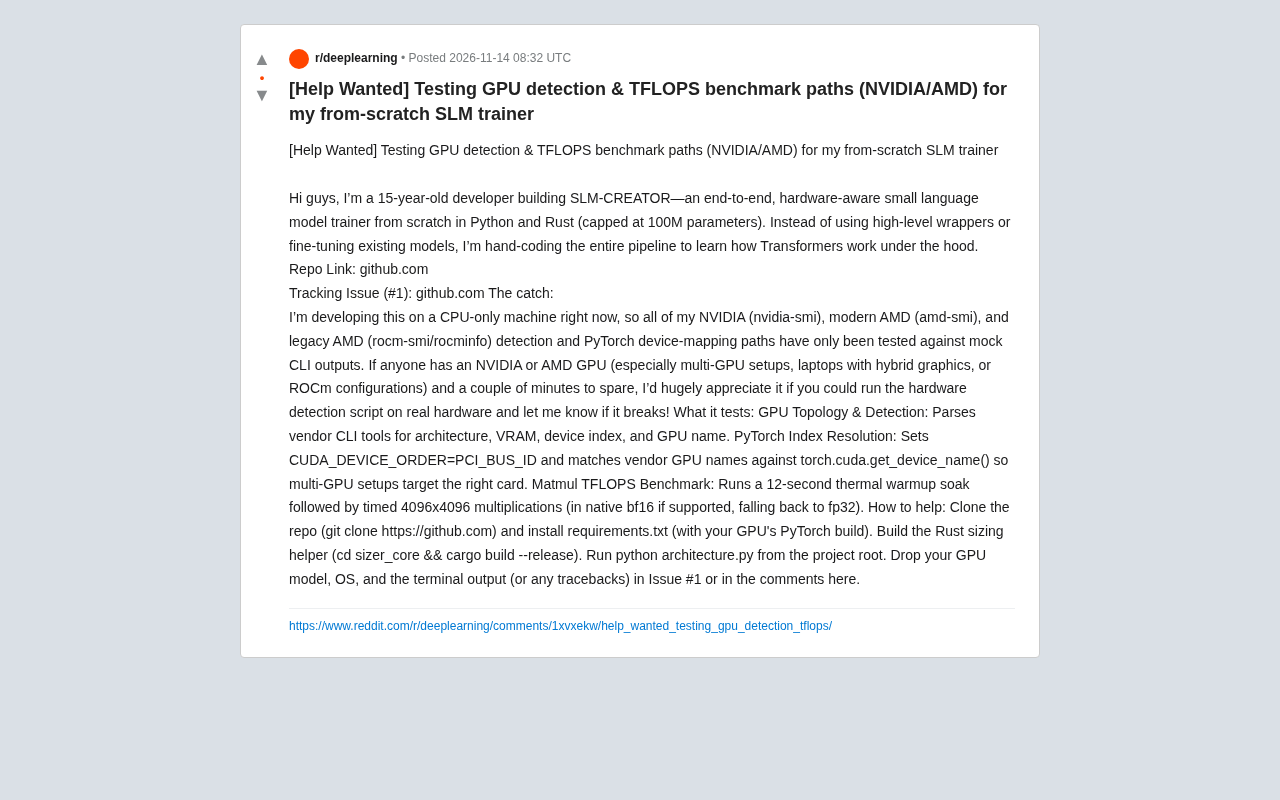
15-year-old developer hand-codes SLM-CREATOR trainer from scratch, seeks real GPU testing for hardware detection script.
A 15-year-old developer is building SLM-CREATOR, a 100M-parameter small language model trainer from scratch in Python and Rust, rejecting high-level wrapper libraries to deeply understand Transformer internals. With only a CPU machine, all GPU-related code paths (nvidia-smi, amd-smi, rocm-smi/rocminfo parsing) have only been validated against simulated CLI output. He is asking the community for users with NVIDIA or AMD GPUs to run the hardware detection script, focusing on multi-GPU setups, hybrid-graphics laptops, and ROCm environments. The script tests GPU topology discovery, PyTorch device index alignment (via CUDA_DEVICE_ORDER=PCI_BUS_ID), and a 4096×4096 matrix multiplication TFLOPS benchmark (with ~12s warmup, preferring bf16 with fp32 fallback). The project highlights the fragmentation of the AI toolchain at the hardware detection layer.
A 15-year-old developer is building a small language model trainer called SLM-CREATOR from scratch, using a mix of Python and Rust, with a parameter cap set at 100 million. Unlike the common approaches of "wrapping existing libraries" or "fine-tuning off-the-shelf models," he chose to hand-write the entire pipeline in order to truly understand how Transformers work internally.
Project Status: Developed on CPU, GPU Paths Entirely Simulated
The most immediate obstacle is hardware. The developer only has a pure CPU machine, so all GPU-related code paths—including NVIDIA's nvidia-smi parsing, modern AMD's amd-smi parsing, and legacy AMD's rocm-smi/rocminfo parsing—have only been validated against simulated CLI output. In other words, the code runs fine on "fake data," but no one knows whether it will crash on real GPUs.
He posted in the community asking for help, hoping users with NVIDIA or AMD GPUs could spend a few minutes running the hardware detection script and paste back the output or errors. Multi-GPU configurations, hybrid-graphics laptops, and ROCm environments are especially welcome—these are precisely the scenarios that simulated data struggles to cover.
What the Script Actually Tests
GPU Topology and Device Discovery
The script calls each vendor's command-line tools to parse out architecture, VRAM capacity, device index, and GPU name. This part looks simple but is full of pitfalls: field formats differ across driver versions, and the enumeration order on multi-GPU machines may not match intuition.
nvidia-smi, amd-smi, and rocm-smi are command-line management tools provided by NVIDIA, modern AMD, and legacy AMD (ROCm stack), respectively, used to query GPU status, topology, and configuration. nvidia-smi output format is relatively stable, but fields vary slightly across driver versions; amd-smi is a newer tool aimed at unifying the AMD GPU management interface, while rocm-smi and rocminfo belong to the ROCm software stack and output different formats from amd-smi, with possible variations across ROCm versions. These tools report fields including device index, PCI bus address, VRAM size, architecture codename, and GPU name, but field naming and ordering are not standardized—for example, VRAM units may be MiB or MB, and device indices may start from 0 or 1.
In multi-GPU configurations, enumeration order may be affected by drivers, BIOS settings, and the operating system, and may not match physical slot order. In hybrid-graphics laptops, the integrated GPU may be reported by vendor tools but not appear in the CUDA visible device list, causing index misalignment. Therefore, when parsing these CLI outputs, field normalization and fault tolerance are needed, and cross-validation using PCI bus IDs should be performed wherever possible.
PyTorch Device Index Alignment
This is the most subtle part of the entire detection pipeline. The script sets CUDA_DEVICE_ORDER=PCI_BUS_ID, then matches the device names reported by vendor tools against the return values of torch.cuda.get_device_name(). The reason is that PyTorch's default enumeration order may differ from PCI bus order; on multi-GPU machines, without this alignment layer, training jobs could easily be assigned to the wrong card—no error is raised, but performance won't match.
For hybrid-graphics laptops, this problem is even more damaging: if the index relationship between integrated and discrete GPUs is mistaken, the script could load the model onto the wrong device.
CUDA_DEVICE_ORDER is an environment variable of the CUDA runtime that controls the enumeration order of CUDA visible devices. By default (FASTEST_FIRST), CUDA orders devices by performance or whatever order the driver reports, which may not match physical PCI bus order. PyTorch's torch.cuda module follows CUDA's device order, so when code assumes device 0 corresponds to the first physical GPU, it may actually point to another card. Setting CUDA_DEVICE_ORDER=PCI_BUS_ID forces CUDA to sort devices by PCI bus ID, making device indices match physical slot order. Even so, PyTorch's torch.cuda.get_device_name() returns a device name string, which still needs to be matched against vendor tool (e.g., nvidia-smi) output; when multiple cards are the same model, names may be identical, requiring PCI bus ID or UUID for precise alignment.
On hybrid-graphics laptops, the integrated GPU is typically not enumerated by CUDA but may be recognized by other frameworks (such as DirectML or ROCm), resulting in different device index systems reported by different tools. Therefore, cross-vendor, cross-environment device index alignment requires considering enumeration order, device names, and unique identifiers simultaneously; environment variables alone are insufficient to fully eliminate ambiguity.
Matmul TFLOPS Benchmark
The performance measurement uses a "warm up first, then time" approach: run a roughly 12-second warmup to bring the GPU to thermal steady state, then time a 4096×4096 matrix multiplication. Cards with native bf16 support run bf16; otherwise it falls back to fp32. This design accounts for real-world usage—short burst tests overestimate sustained throughput, while post-warmup data is closer to actual performance during training.
bf16 (bfloat16) is a 16-bit floating-point format with the same 8-bit exponent as fp32 but only 7 mantissa bits, giving it the same dynamic range as fp32 with lower precision than fp16. In deep learning training, bf16 avoids gradient underflow or overflow, and modern NVIDIA GPUs (Ampere architecture and later) and AMD GPUs (CDNA architecture) natively support bf16 matrix multiplication, with throughput typically several times that of fp32. If the GPU does not support bf16, the benchmark falls back to fp32, in which case the measured TFLOPS will be significantly lower, reflecting fp32 path performance rather than the mixed-precision performance commonly used in training.
TFLOPS (trillions of floating-point operations per second) is a common metric for matrix multiplication performance, calculated as 2×M×N×K / time (seconds) / 1e12, where the factor 2 represents one multiply-add operation. For a 4096×4096 square matrix multiplication, the theoretical floating-point operation count is 2×4096^3 ≈ 137.4 GFLOP. The warmup phase (about 12 seconds) aims to raise GPU clocks to steady-state frequency and avoid downclocking due to power management, thereby obtaining throughput data closer to sustained training loads. Short burst tests may overestimate performance due to GPU boost clocks; post-warmup timing better reflects real training scenarios.
Why This Project Is Worth Attention
From an engineering perspective, the core value of SLM-CREATOR is not "yet another training framework" but its learning path: implementing from scratch means having to handle hardware detection, device mapping, mixed precision, and operator performance—details usually hidden by high-level APIs. Capping parameters at 100 million keeps the entire system within the reach of personal hardware and makes debugging feasible.
From a community perspective, this help request is itself a typical sample: the fragmentation of the AI toolchain is most thoroughly exposed at the hardware detection layer. Three toolchains—NVIDIA, modern AMD cards, and legacy AMD cards—operate in parallel, each with inconsistent output formats and field semantics. Anyone who wants to write "hardware-agnostic" code ultimately has to face this compatibility quagmire.
How to Participate in Testing
The developer provides a clear path: clone the repository, install the PyTorch version matching your local GPU and requirements.txt, enter the sizer_core directory to compile the Rust helper module with cargo build --release, then run python architecture.py from the project root. Paste your GPU model, operating system, and terminal output (including traceback) into Issue #1 or the post's comment section.
For developers with a GPU on hand, this is a low-cost but high-value contribution—a few minutes of running can help a project that hand-writes its trainer from scratch get past the awkward stage of "only validated in simulated environments."
One-line Summary
15-year-old developer hand-codes SLM-CREATOR trainer from scratch, seeks real GPU testing for hardware detection script.
Paragraph Summary
A 15-year-old developer is building SLM-CREATOR, a small language model trainer with a 100M parameter cap, from scratch in Python and Rust, rejecting high-level wrapper libraries to deeply understand Transformer internals. With only a CPU machine, all GPU-related code paths (nvidia-smi, amd-smi, rocm-smi/rocminfo parsing) have only been validated against simulated CLI output. He is asking the community for help from users with NVIDIA or AMD GPUs to run the hardware detection script, focusing on multi-GPU setups, hybrid-graphics laptops, and ROCm environments. The script tests GPU topology discovery, PyTorch device index alignment (via CUDA_DEVICE_ORDER=PCI_BUS_ID), and a 4096×4096 matrix multiplication TFLOPS benchmark (with ~12s warmup, preferring bf16 with fp32 fallback). The project highlights the fragmentation of the AI toolchain at the hardware detection layer.
Related articles

The Safety Blind Spot in Multimodal Image Editing: Text-Sensitive, Visually Blind
EditSafetyBench benchmarks image editing systems like Gemini, GPT, and Qwen, revealing a text-visual safety mismatch: high rejection of unsafe prompts but lax handling of unsafe images, calling for joint multimodal safety guardrails.

GLiDE: Fast, Calibrated Decision Models Distilled from Reasoning Teachers
GLiDE is a family of decision models distilled from reasoning teachers, ranging from 0.4B to 27B, achieving fast calibrated decisions in a single forward pass by removing causal masks and using soft-target distillation. The 27B model scores 71.52 on the hidden set with 2.0% calibration error and 92.9ms latency.

Build a Professional Website with Claude Code in Minutes: A Five-Step Practical Guide
Learn how to build a professional website with Claude Code in minutes: the complete five-step process from planning prompts and precise iteration to MCP image generation, design redos from reference images, and one-click deployment.