3 Steps to Let Your Local Model Browse Files on Its Own: A Hands-On MCP Tool Integration Guide
With a <100-line Python script and 5 lines of config, MCP lets local models truly operate the file system.
Based on a Bilibili creator's demo, this article shows how MCP moves local LLMs from guessing to looking things up. The setup is just three things: a zero-dependency Python server script under 100 lines, five lines of MCP Servers config, and a chat script—all local. After integration, the model calls tools to fetch real data before answering, with full visibility in the terminal. It notes the difference between 'can only talk' and 'can take action,' and that the demo is read-only while write operations need caution.
Title
3 Steps to Let Your Local Model Browse Files on Its Own: A Hands-On MCP Tool Integration Guide
Meta Description
Your local model can't see your hard drive? Integrate tools with MCP in three steps: a Python server script under a hundred lines, five lines of config, and one chat script—so the model calls tools before answering, with disk queries and file operations all done locally.
Article Content
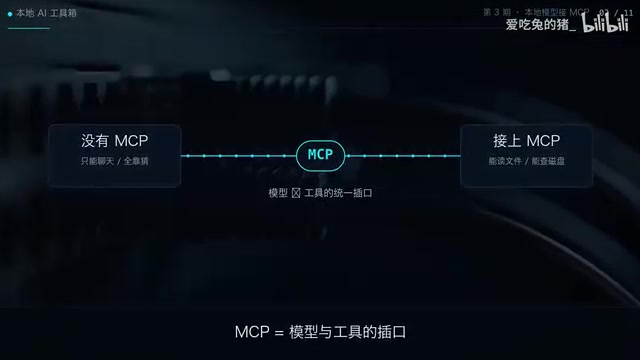
No matter how fast a local LLM runs, it can't see what's on your hard drive. If you want the model to answer questions like "how much disk space is left," it either has to guess or you have to connect it to tools. MCP (Model Context Protocol) is the universal socket between models and tools—plug it in and it works. Based on a hands-on demo by a Bilibili creator, this article breaks down how to use a Python script under a hundred lines to get your local model to genuinely "take action" on the file system.
What Is MCP: The Universal Socket Between Models and Tools
The core value of MCP lies in standardization. In the past, getting a model to call external tools often required writing adapter code separately for each model and each tool, resulting in high coupling and poor reusability. MCP defines a general protocol: models discover and call tools through it, and tools expose their capabilities to models through it.
According to the Bilibili creator's demo, the whole setup consists of just three things: a server script, a piece of configuration, and a chat script. All three run on your own machine and don't depend on cloud services. This means data never leaves your local environment, ensuring both privacy and controllability. For local model users, this solves the awkward situation of "the model is smart but completely in the dark."
Why Local Models Especially Need MCP
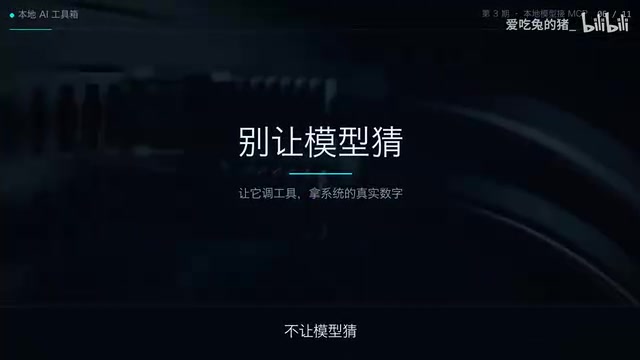
The advantage of local models is speed and privacy; the disadvantage is knowledge cutoff and inability to perceive the real-time environment. Remaining disk space, which files are in a given directory, what's inside a particular file—the model can't obtain this information from its training data. MCP moves the model from "guessing" to "looking it up": the tool hands the real numbers directly to the model, and answer accuracy improves accordingly.
MCP was proposed and open-sourced by Anthropic in late 2024, using a client-server architecture: the application hosting the model (such as various AI clients) acts as the MCP Client, and the tool provider acts as the MCP Server, with both sides communicating via JSON-RPC messages. The protocol defines standard methods such as tool discovery (tools/list) and tool invocation (tools/call). The Server only needs to declare the tool's name, description, and parameter schema, and the Client can automatically perceive them and hand them to the model for decision-making. Because the interface is unified, the same server script can be reused by different models—this is also the fundamental difference from proprietary function calling solutions.
Three-Step Integration: Script, Config, Chat
Step 1: Prepare the Server Script
The creator emphasized "zero dependencies": the entire server is a single Python file under a hundred lines. This minimalist design lowers the barrier to entry—no additional packages to install, no complex project structure, just copy the file and run it. The script is responsible for exposing tool capabilities, such as querying disk space and listing directory contents.
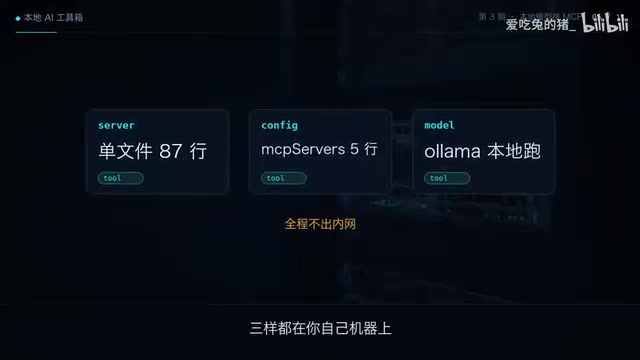
"Zero dependencies" here means the script uses only the Python standard library (e.g., reading disk information and traversing directories through built-in modules) without introducing any third-party packages. However, to have the script communicate with the client using the MCP protocol, the official MCP Python SDK is usually still needed to wrap the communication layer—if the demo truly installed no packages at all, it would indicate a minimalist implementation with hand-written protocol messages. Either way, the essence of the Server is: define several functions and register them as tools, then wait for the client to send invocation requests, execute the functions, and return the results.
Step 2: Five Lines of Config
The configuration step is equally compressed to the extreme. According to the demo, you only need to paste five lines of configuration into the MCP Servers settings to complete registration. The configuration's purpose is to tell the model "what tools are available and how to connect to them." The size of five lines of code means that even if you're unfamiliar with the protocol details, you can follow the example and complete the integration.
Step 3: The Chat Script Triggers Tool Calls
The third step is a chat script. When you ask the model a question, it decides based on the question whether to call a tool. The creator's example is very intuitive: ask it how much disk space is left, and it first calls the tool to query, then answers based on the returned real data. In the terminal, you can directly see which tool it called and what result was returned—the whole process is transparent and verifiable.
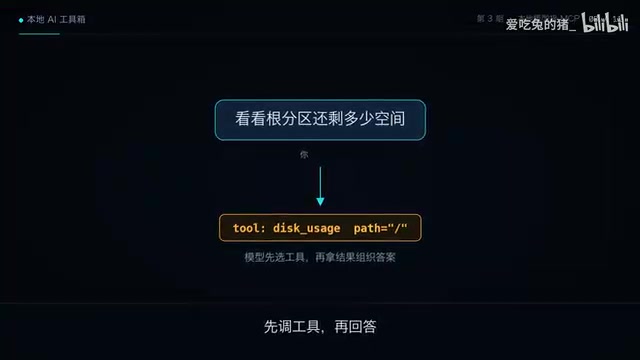
The complete chain of a tool call is: the chat script sends the user's question together with the tool list to the model; after determining it needs a certain tool, the model does not answer directly but returns a structured call request (tool name plus parameters); the script executes the corresponding tool and passes the result back to the model as a new message; the model then generates the final answer based on the result. A single question may trigger multiple rounds of such back-and-forth—this is the so-called "agent loop." The tool names and returned content you see in the terminal are exactly the transparent records of each hop along this chain.
With Tools vs. Without Tools: What's the Difference
The difference is straightforward: one can only talk, the other can actually take action. Without tools, when facing "how much disk space is left," the model can only give a vague answer or admit it doesn't know. After integrating MCP, the model first executes a tool call, obtains the actual value, and then formulates its response. This "look up first, then answer" pattern changes the model's role from "information repeater" to "task executor."
From a broader perspective, MCP opens up application space for local models. File organization, system information queries, log analysis—these tasks that require access to real data were previously blind spots for local models. The existence of a universal socket allows model capabilities to be extended on demand without retraining or fine-tuning.
Boundaries Worth Noting
This setup currently demonstrates query capabilities, with tools returning read-only information. The creator mentioned at the end, "next time I'll have it organize files itself," hinting that write operations are the next direction. Write operations involve permission control and the risk of mistakes, requiring more careful design in practice. Additionally, the MCP ecosystem is still in its early stages, and tool quality and security vary widely—when integrating tools yourself, stay vigilant about the source of scripts.
For developers who want to give it a try, this three-step approach has a low enough barrier: one Python file, five lines of config, and one chat script can transform your local model from "can't see the hard drive" to "can browse files." This is the most direct proof of MCP's value.
One-line Summary
With a Python script under a hundred lines and five lines of config, MCP lets local models truly operate the file system.
Paragraph Summary
Based on a hands-on demo by a Bilibili creator, this article explains how to use MCP (Model Context Protocol) to move local LLMs from "guessing" to "looking it up." The setup consists of just three things: a zero-dependency Python server script under a hundred lines, five lines of MCP Servers config, and a chat script—all running on the local machine, with no data leaving it. After integration, when faced with questions like "how much disk space is left," the model first calls tools to obtain real data before answering, and the complete call process is visible in the terminal. The article points out that the difference between having tools and not is "can only talk" versus "can take action." MCP opens up application space for local models in file organization, system queries, log analysis, and more, but the current demo focuses on read-only queries; write operations and the security of the tool ecosystem still require caution.
Related articles

Anthropic's IPO Eve: Five Risks Behind the Trillion-Dollar Valuation and the Truth About Its Governance
Breaking down Anthropic's IPO prospectus: $184M daily revenue at a trillion-dollar valuation, the truth behind $104B in paper losses, a five-class share governance structure, unusual disclosures in 94 pages of risk factors, and how the lock-up schedule may affect retail investors.
FBI Warns: Hackers Weaponize AI Agent ARTEX to Attack 200+ Organizations
FBI warns that AI penetration framework ARTEX is being used to attack 200+ organizations, with CrowdStrike tracking the VaporPanda group. We break down ARTEX's agent orchestration architecture, the real attack chain, loss data, and the FBI's five defense recommendations.

FBI Warns: Free AI Hacking Tool Artex Spirals Out of Control, Breaches Cloud Systems in Three Hours
FBI warns that the free open-source AI penetration tool Artex is being abused by criminals and state-backed hackers to breach cloud systems in as little as three hours. This article analyzes real attack cases, overlooked side-door risks, and defense measures enterprises and individuals can take immediately.