5 Practical Ways Real Estate Agents Can Use AI to Boost Efficiency (2026 Edition)

Using five off-the-shelf tools in combination, let AI take on real estate agents' repetitive work — but review and accountability remain with humans.
Through a day in the life of a fictional agent named Sarah, the article demonstrates five practical AI use cases: using ChatGPT to draft listing descriptions, using Canva to batch-produce marketing materials, using Google Forms + Sheets to manage open house leads, using Zapier to chain four tools for automatic follow-up drafts, and using ChatGPT + Canva to prepare seller meeting materials. The core principle is that AI is only an assistant, not a stand-in: content must be manually reviewed word by word to comply with fair housing and other regulations, photos must not be distorted, AI must not send messages directly, promise listing status, or schedule on its own, and pricing must rely on verified market data. The whole approach is mainly based on free tools, with a starting strategy of first automating the most time-consuming repetitive task and gradually connecting tools together, rather than overhauling the entire process all at once.
Title
5 Practical Ways Real Estate Agents Can Use AI to Boost Efficiency (2026 Edition)
Meta Description
How can real estate agents use AI to boost efficiency? Drawing on a YouTube walkthrough, this breaks down five methods: using ChatGPT to write listing descriptions, using Canva to create marketing materials, using forms to manage open house leads, using Zapier for automated follow-up, and preparing for seller meetings — while flagging risk boundaries such as fair housing laws, photo authenticity, and price verification.
Article Content
Real estate agents are drowning in daily busywork: showings, follow-ups, copywriting, and creating materials. Can AI help? The YouTube channel "Everyday AI Automation" uses a day in the life of a fictional agent named Sarah to demonstrate five practical AI use cases, with one core principle — AI is an assistant, not a stand-in.

Method One: Use ChatGPT to Quickly Generate Listing Descriptions
Sarah has just taken on a three-bedroom, two-bath listing: renovated kitchen, fenced backyard, attached garage, finished basement. She opens ChatGPT, enters a structured prompt, and explicitly requires "a friendly tone, accurate facts, and no fabricated features or claims about the neighborhood." Seconds later she has a first draft, which she then manually proofreads and fine-tunes for the listing. She can also easily generate short social media versions and open house flyer copy.
A key reminder from the video: real estate advertising is subject to regulations such as fair housing laws, and AI does not automatically know local regulations or brokerage policies. Generated content must be reviewed word by word by the agent before publishing. What AI saves here is the time spent "finding the words," not the obligation to "take responsibility."
Fair Housing Laws are the core compliance framework for U.S. real estate advertising, stemming from laws such as the Fair Housing Act, which prohibit discrimination in the sale, rental, and advertising of housing based on race, color, religion, sex, disability, familial status, or national origin. Using suggestive wording in listing descriptions — such as emphasizing "great for families," "safe neighborhood," "ideal tenants," or describing the demographic makeup of the surrounding area — may constitute a violation. AI does not have these judgments built in when generating copy; it may inadvertently output expressions that seem harmless but cross the line, so agents must review word by word and, when necessary, consult local real estate boards or brokerage compliance guidelines.
Method Two: Use Canva to Batch-Produce Marketing Materials
A single listing often needs to be broken down into multiple materials: Instagram posts, Facebook announcements, open house flyers, presentation decks, and more. Sarah selects templates in Canva, uploads real photos, fills in the listing information, and then has ChatGPT help write headlines and short copy — one set of assets can be spun into versions for multiple channels.
There is a clear red line when it comes to images: photos must accurately reflect the condition of the property. If AI editing alters permanent features, or virtual staging creates a misleading impression, it can lead to serious problems. When using enhanced or virtually staged images, you must comply with MLS rules, brokerage policies, and advertising requirements. Marketing can be more efficient, but it cannot be distorted.

MLS (Multiple Listing Service) is the core platform through which real estate agents in North America share listing data; listing information, photos, and virtual staging images must all follow its rules. Many MLSs have explicit rules about photo editing: permanent structural features must not be removed or added, virtually staged images must be labeled "virtually staged," and the actual condition of the property must not be misrepresented. Violating MLS rules can lead to listings being taken down, fines, or even affecting an agent's license. In addition, brokerages usually have their own advertising policies requiring all marketing materials to undergo compliance review before publication — AI-generated images or copy are no exception.
Method Three: Use Google Forms + Sheets to Manage Open House Leads
Twenty groups of visitors came to Sunday's open house. Some asked about financing; a couple wanted to schedule a second showing. The traditional approach is a stack of handwritten notes, where information is easily lost. Sarah switches to a digital sign-in form: visitors voluntarily fill in their name, email, contact information, and home-buying needs, and the data automatically flows into a linked Google Sheet, forming a sortable lead list that can be prioritized for follow-up.
The video emphasizes that forms should only collect genuinely necessary information, and visitors should be told how their contact information will be used, in compliance with privacy and marketing consent requirements.
Marketing Consent is a legal prerequisite in many jurisdictions for collecting and using prospective clients' contact information. For example, the U.S. Telephone Consumer Protection Act (TCPA) and the EU General Data Protection Regulation (GDPR) both impose strict restrictions on sending marketing messages without consent. Form design should include a clear checkbox explaining the purpose for which contact information will be used (such as following up on showings or sending listing recommendations) and allow visitors to opt out. Collected data should also have a defined retention period to avoid indefinite storage. When AI automates the follow-up process, every step must be ensured to be based on already-obtained consent.
Method Four: Featured Automation — Four Tools Chained for Automatic Follow-Up
This is the core demonstration of the entire video: connecting Google Forms, Google Sheets, Zapier, and ChatGPT into a single workflow. A potential buyer, John, inquires about a three-bedroom property through a website form and wants to schedule a viewing. The form response enters the spreadsheet, and Zapier detects the new row and triggers the flow: first notifying Sarah of the new lead, then using a configured AI step to generate a reply draft.
Note the boundaries of the flow — AI does not send messages directly; drafts are sent by Sarah after review; it does not promise the property is still available; it does not fabricate details; and it does not check the calendar or schedule showings on its own. This workflow also applies to rental inquiries, open house follow-ups, and similar scenarios, and once set up it runs continuously. The video also reminds viewers that before connecting client information to external services, you need to confirm that the tools and data processing comply with brokerage requirements and privacy regulations. For learning and demonstration, it is recommended to use fictional client information.
Zapier is a no-code automation platform that connects different SaaS tools into workflows (Zaps) through "Triggers" and "Actions." In this example, the trigger is a new row added to Google Sheets, and the actions include sending a notification and calling ChatGPT to generate a reply draft. Zapier's free tier usually limits the number of tasks per month and single-step workflows (only a trigger and an action), while multi-step workflows, conditional branches, and advanced AI steps require a paid subscription. For agents, this means you can start with a simple "new lead notification" and then upgrade to a more complex chain with AI drafts once you've verified the process works. Before use, confirm whether Zapier's data processing terms meet your brokerage's privacy requirements.
Method Five: Use ChatGPT + Canva to Prepare for Seller Meetings
Tomorrow Sarah is meeting with an owner considering selling. She first has ChatGPT generate a seller consultation outline covering the listing process, photography, marketing, showings, offers, inspections, closing, and more, then imports it into a Canva presentation template, applies the brokerage's brand visuals, and quickly gets a professional starting document.
But pricing advice is different. The video clearly states that AI-generated valuations may be inaccurate, especially when lacking real-time local market data. Sarah must rely on verified market data, comparable properties, and her own professional judgment, and must never let a chatbot invent comparable sales out of thin air or directly suggest a listing price. AI is responsible for organizing and explaining information; pricing responsibility remains with humans.

Cost and Getting Started Tips
The barrier to entry for this combination is lower than you might think: ChatGPT has a free version, Canva offers free design features, Google Forms and Sheets are usable with just a Google account, and Zapier's basic automation has a free tier, with only advanced features and multi-step workflows requiring payment. Prices and usage limits change, so check the latest plans before subscribing.
The starting strategy given in the video is "automate just one task": if you spend the most time writing listing descriptions, tackle that first; if marketing materials eat up your evenings, start with templating; if leads always slip through the cracks, start with forms. Once you're used to it, gradually connect the tools together — small improvements accumulate into significant time savings.
Will AI Replace Real Estate Agents?
The video's attitude on this is direct: that's not the most useful question. AI can write listing descriptions, but it can't walk into a house and reliably spot every important detail; it can draft emails, but it can't build the trust between a great agent and a client; it can organize information, but it can't replace local experience, professional judgment, and the human relationships involved in buying and selling a home. The real opportunity is to use AI to compress repetitive work and give time back to client service.

Agents who aren't tech-savvy shouldn't be intimidated either — these five examples contain not a single line of code, all built on sensible combinations of off-the-shelf tools. Pick the most time-consuming repetitive task first, and you can start trying it this week.
One-line Summary
Using five off-the-shelf tools in combination, let AI take on real estate agents' repetitive work — but review and accountability remain with humans.
Paragraph Summary
Through a day in the life of a fictional agent named Sarah, the article demonstrates five practical AI use cases: using ChatGPT to generate first drafts of listing descriptions, using Canva to batch-produce marketing materials, using Google Forms + Sheets to manage open house leads, using Zapier to chain four tools for automatic follow-up drafts, and using ChatGPT + Canva to prepare seller meeting materials. The core principle is that AI is only an assistant, not a stand-in: generated content must be manually reviewed word by word to comply with fair housing and other regulations, photos must not be distorted, AI must not send messages directly, promise listing status, or schedule on its own, and pricing must rely on verified market data. The whole approach is mainly based on free tools, with a starting strategy of first automating the most time-consuming repetitive task and gradually connecting things together, rather than overhauling the entire process all at once.
Related articles
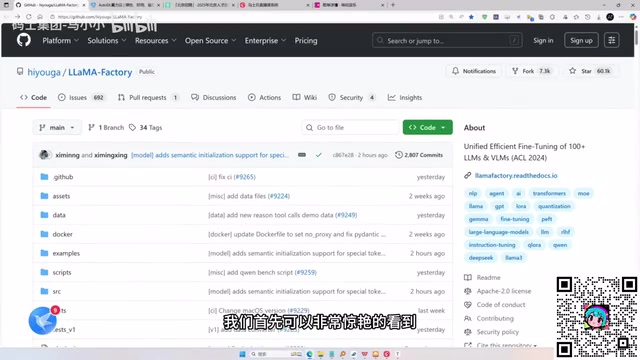
LLaMA-Factory in Practice: A Complete No-Code Guide to Fine-Tuning Large Models
An introduction to LLaMA-Factory, the open-source fine-tuning tool: its 60.1K-star background, supported models and algorithms, local vs. cloud deployment, and CUDA setup steps.

Zeng Ming's Deep Retrospective: Why OpenAI May Not Be the Ultimate Winner — and Why the Corporate System Will Disappear
Zeng Ming's deep retrospective on the AI endgame: model companies are just infrastructure, OpenAI and Anthropic won't be the final winners; the next battle is the Agent entry point standard; the corporate system will disappear as AI restructures collaboration, and only mission-driven companies can survive the cycle.

OpenHands v1.28.0: OpenCode and PI Added as Built-in Agents, API Keys Requestable In-Conversation
OpenHands ships 5 releases in 21 days: v1.27.0 adds OpenCode and PI as built-in agents, v1.28.0 enables in-chat key requests. ACP integration, credential reuse, model list changes, and upgrade advice.