LLaMA-Factory in Practice: A Complete No-Code Guide to Fine-Tuning Large Models
An introduction to LLaMA-Factory's no-code fine-tuning capabilities, its model and algorithm coverage, and the CUDA environment setup process.
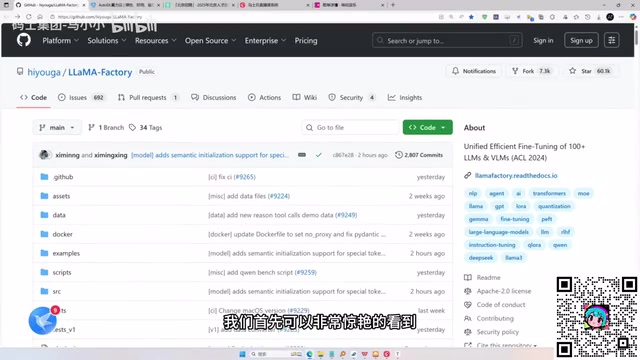
The article outlines the path to getting started with the fine-tuning tool LLaMA-Factory. LLaMA-Factory is an open-source fine-tuning platform with 60.1K GitHub stars, used by major companies such as NVIDIA, Alibaba Cloud, and Amazon. It enables no-code fine-tuning through a Web UI or command line, supports hundreds of models including LLaMA, Qwen, Baichuan, ChatGLM, MoE, and multimodal LLaVA, and integrates mainstream algorithms such as continual pre-training, SFT, reward models, PPO, DPO, KTO, and ORPO. On deployment, since personal computers have limited GPU compute, the tutorial recommends most learners rent cloud servers. The first installation step is configuring the CUDA environment, the foundation for calling GPU resources, which beginners often overlook and thereby trigger training errors. The article stresses that mastering such tools is a practical starting point for large model engineers entering the fine-tuning field.
The growth path for large model engineers typically splits into two tracks: one treats large models as black boxes and builds applications on top of APIs; the other goes deep into the internals, fine-tuning open-source models. The latter requires understanding how parameter adjustments affect outcomes and has a higher barrier to entry. Tools like LLaMA-Factory make no-code fine-tuning possible. This article, based on content from a Bilibili tutorial, walks through the complete process from understanding the tool to setting up the environment.
Why You Need to Know About LLaMA-Factory
According to the Bilibili creator in the tutorial, LLaMA-Factory is an open-source large model fine-tuning platform with 60.1K GitHub stars, used by major companies such as NVIDIA, Alibaba Cloud, and Amazon. Its core value lies in integrating the various frameworks and libraries needed for fine-tuning into an easy-to-use tool, letting users fine-tune hundreds of pretrained models locally without writing any code.
The project was initially started by students at Beihang University and gradually grew, offering Chinese documentation. It can be used in two ways: a Web UI client interface and a command line, both supporting no-code operation. This dramatically lowers the barrier to training large models—traditional approaches require calling Python libraries and frameworks, whereas LLaMA-Factory encapsulates these low-level details.
What Fine-Tuning Can Do: Full Coverage of Algorithms and Models
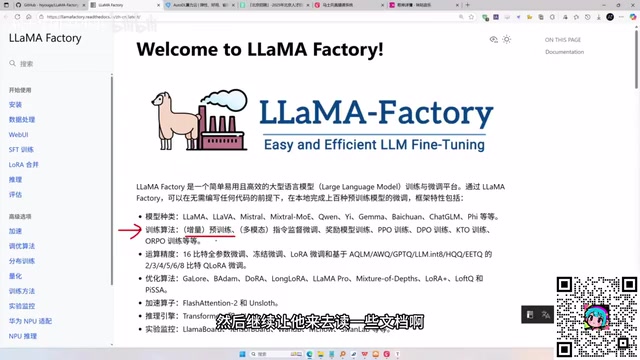
LLaMA-Factory supports a fairly comprehensive range of models. According to the tutorial, it covers the LLaMA series, MoE (mixture-of-experts) models, multimodal LLaVA models, and well-known Chinese models such as Qwen, Baichuan, and ChatGLM.
On the training algorithm side, the tool integrates mainstream methods including continual pre-training, supervised fine-tuning (SFT), reward model training, PPO, DPO, KTO, and ORPO. This means users can choose different strategies based on their goals: to keep having the model "read" large volumes of documents, use continual pre-training; to adjust model behavior with an instruction dataset, use SFT; to align with human preferences, the RLHF family of algorithms is available.
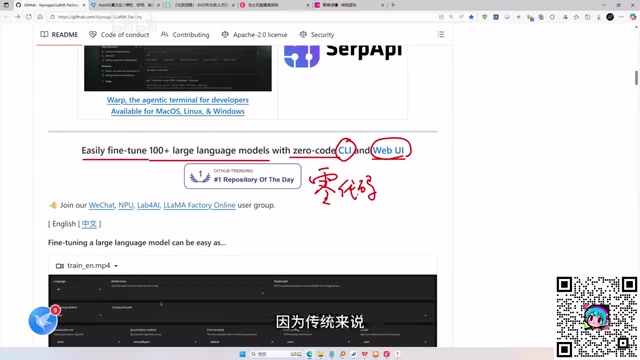
The tutorial emphasizes that these algorithms need not be implemented from scratch—the tool has already wrapped them up. For developers who want to quickly validate ideas or lack engineering experience, this saves a great deal of low-level coding work.
The key differences between continual pre-training and SFT lie in data form and objective. Continual pre-training uses unlabeled plain-text corpora to let the model continue "learning" a new domain (such as law, medicine, or specific enterprise documents) on top of its existing knowledge; the training objective is still next-token prediction, essentially continuing pre-training. SFT, by contrast, uses "instruction-response" paired data to train the model to produce expected answers when given instructions—it changes the model's behavioral patterns rather than its knowledge base. The two differ greatly in data construction, loss computation, and hyperparameter settings, and choosing the wrong one leads to underwhelming results.
The RLHF family of algorithms (PPO, DPO, KTO, ORPO) addresses the "alignment" problem: making model outputs better match human preferences rather than merely imitating training data. PPO requires training a separate reward model and then optimizing the policy with reinforcement learning—the most complex pipeline with the highest memory overhead. DPO directly optimizes on preference-pair (chosen/rejected) data, eliminating the reward model, and is currently the most popular lightweight approach. KTO only requires labeling data as "good/bad" rather than pairwise comparisons, lowering the data barrier. ORPO merges SFT and preference alignment into a single stage. Understanding these differences helps you choose the right algorithm under limited compute.
Local Deployment or Cloud Server? Look at GPU Resources First
"Local" in the context of LLaMA-Factory has two meanings: one is setting it up on a personal computer (such as a Windows system); the other is renting a cloud server and completing a localized deployment in the cloud.
The tutorial points out that personal computers typically have limited GPU resources, making it hard to support large model training. Therefore, for most learners, renting a cloud server is the more realistic choice. According to the creator's analysis, personal graphics cards often lack the compute power to complete fine-tuning tasks, whereas cloud servers can provide GPU resources on demand at controllable cost.
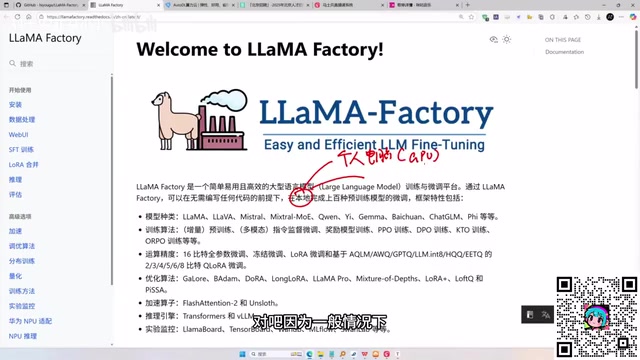
Whichever approach you choose, you need to confirm the CUDA environment before installation. CUDA is essentially the driver software for calling GPU resources and must be installed on both Windows and Linux systems. The tutorial emphasizes CUDA first in the installation chapter precisely because all subsequent training relies on GPU acceleration.
A rough rule of thumb for estimating VRAM requirements: for full-parameter fine-tuning, VRAM usage is approximately "parameter count × 16 bytes" (including weights, gradients, and optimizer states), meaning full-parameter fine-tuning of a 7B model requires over a hundred GB of VRAM, which a single card struggles to accommodate. With parameter-efficient fine-tuning methods such as LoRA, only a small number of low-rank adapters are trained, and a 7B model typically runs with 16–24 GB of VRAM. So consumer-grade GPUs (such as a 24 GB RTX 4090) are suitable for LoRA fine-tuning and experimental validation, while full-parameter fine-tuning is better suited to multi-GPU cloud servers. Also, beyond VRAM you should consider the scale and sequence length of training data—long sequences significantly amplify VRAM usage.
First Installation Step: Get the CUDA Environment Right
The installation process in the tutorial starts with CUDA. Whether on Windows or Linux, you must install CUDA software first so that LLaMA-Factory can call the underlying GPU. This step is often overlooked by beginners, leading to errors in subsequent training.
Once installation is complete, users can launch fine-tuning tasks via the Web UI or the command line. The tutorial notes that the official documentation offers Chinese support, so you can follow the steps to set things up gradually. For zero-foundation learners, it's advisable to first read through the model support and algorithm descriptions in the documentation before getting hands-on.
From understanding the tool to preparing the environment, LLaMA-Factory breaks the fine-tuning process into actionable modules. Subsequent steps—data preparation, training parameter configuration, and model evaluation—require practice combined with specific tasks. For developers who want to become large model engineers, mastering tools like this is a practical starting point for entering the fine-tuning field.
CUDA (Compute Unified Device Architecture) is a parallel computing platform introduced by NVIDIA that enables deep learning frameworks such as PyTorch to schedule matrix operations onto the GPU for execution. Three things to note during installation: first, the CUDA version must be compatible with the graphics driver version—an outdated driver will cause installation to fail; second, the framework side usually also depends on acceleration libraries such as cuDNN, as well as a PyTorch version strictly matched to the CUDA version—mismatched versions among these three are the most common source of errors; third, after installation you can use nvidia-smi to check the maximum CUDA version supported by the driver and nvcc -V to check the installed CUDA version. In addition, most cloud server images come with CUDA and drivers pre-installed, so when renting, prioritize images with a deep learning environment to save manual configuration.
Related articles

Zeng Ming's Deep Retrospective: Why OpenAI May Not Be the Ultimate Winner — and Why the Corporate System Will Disappear
Zeng Ming's deep retrospective on the AI endgame: model companies are just infrastructure, OpenAI and Anthropic won't be the final winners; the next battle is the Agent entry point standard; the corporate system will disappear as AI restructures collaboration, and only mission-driven companies can survive the cycle.
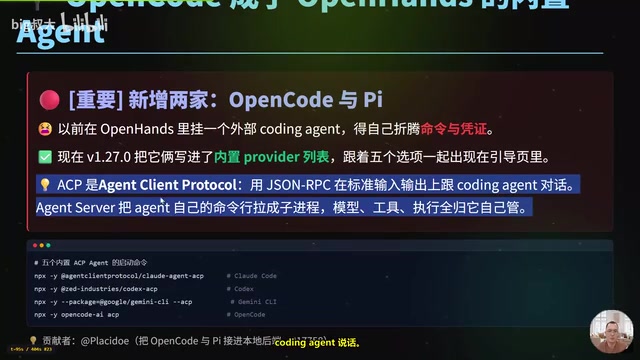
OpenHands v1.28.0: OpenCode and PI Added as Built-in Agents, API Keys Requestable In-Conversation
OpenHands ships 5 releases in 21 days: v1.27.0 adds OpenCode and PI as built-in agents, v1.28.0 enables in-chat key requests. ACP integration, credential reuse, model list changes, and upgrade advice.
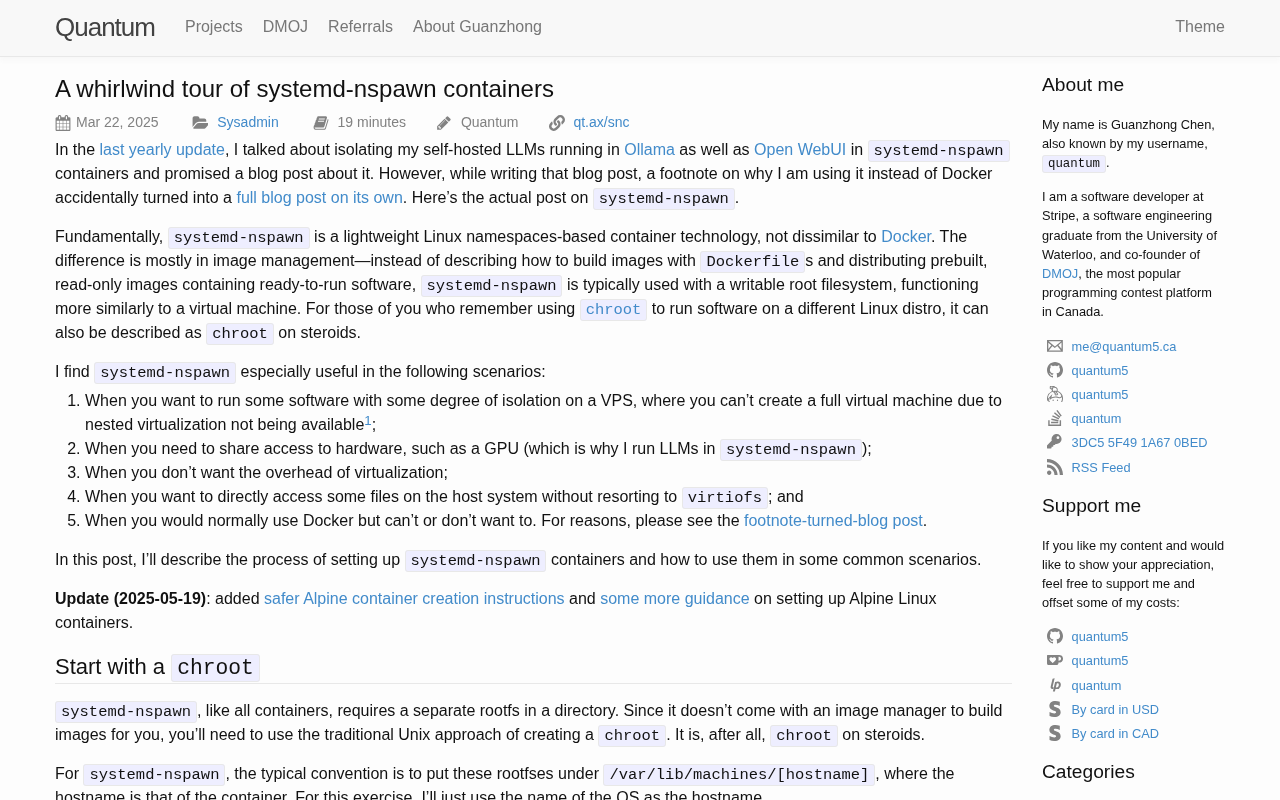
systemd-nspawn Containers at a Glance: A Lightweight Linux Container Solution
systemd-nspawn is a lightweight Linux system container tool bundled with systemd that boots isolated distribution environments without a daemon. This article covers core usage, networking and permission configuration, and compares it with Docker/Podman for suitable scenarios.