7 Key Steps for AI-Assisted App Development: How to Avoid Starting Over

7 steps to follow from day one when building apps with AI to prevent structural failures.
This article addresses 7 critical steps to implement from the very start of AI-assisted (vibe coding) development. The core insight: AI generates code fast, but structural mistakes accumulate silently until they're too costly to fix. The solution is to build a single core feature first with a structured prompt, add authentication immediately after, plan the full data structure before adding features, run a security scan before publishing, test with real data, and make early architectural decisions—like workspace models and backend functions—that support future scale. Each step builds on the last; skipping any one multiplies the cost of everything that follows.
Building apps with AI is incredibly fast — you can go from idea to working prototype in a single afternoon. But that speed also makes it easier to unknowingly dig yourself into a hole that takes days to climb out of. What makes it worse is that the hole won't announce itself: the app runs, the features work, everything seems to be moving along smoothly — until the moment you add one new feature and the whole project suddenly falls apart. The AI starts contradicting itself, features conflict with each other, and the codebase becomes something you're afraid to touch.
Almost every time, the root cause can be traced back to the very beginning of the project. This article outlines 7 steps you should take immediately when building apps with AI — not later, not when problems arise, but from the very start. They take almost no time, yet they can completely change the trajectory of your entire project.
Step 1: Build a Core Prototype First, Not the Entire App
It's easy to get carried away at the start — you already have the full picture in your head, so you instinctively cram every feature into one massive prompt and ask the AI to build everything at once. But this usually creates more trouble than it saves, because the AI has to make too many decisions without knowing which parts matter most.
The result: some features work, some are only half-implemented, others are missing entirely, and the underlying structure may be built on a pile of wrong assumptions. As more features pile on top, those early mistakes become harder and harder to spot and fix.
In vibe coding, a "prototype" doesn't mean a rough version of the entire app — it means building the single most important feature and making sure it works correctly before adding anything else. Take a task management app as an example: the core feature is simple — a user can type in a task and see it in a list. No categories, no priorities, no due dates, not even authentication — just get the basic task loop working first.
Build a simple task management app where users can create tasks by clicking an input field and pressing Enter or clicking Add. Each task displays a title and a delete button. Show all tasks in a clean list with a minimal design using white background and blue accents. No categories, priorities, due dates, or authentication for now.
This simple test tells us far more than a complex first build would: whether task data is being stored correctly, whether the input and list are connected, and whether the basic UI logic holds up. Fixing issues when there are only a few moving parts is straightforward — finding the same problems after five extra features have been stacked on top takes exponentially longer.
The vibe coding concept mentioned in this article was coined by OpenAI co-founder Andrej Karpathy in 2025 and quickly gained traction. It refers to driving AI code generation entirely through natural language descriptions, where developers rarely read or write code directly — instead, they iterate on the product through continuous conversation. This dramatically lowers the barrier to building and enables people without engineering backgrounds to quickly create working apps. However, the core risk of vibe coding lies precisely here: when developers don't read the generated code closely, every structural assumption the AI makes under the hood gets silently accepted, and mistakes get buried under layer after layer of features until the system becomes too complex to fix. The seven steps in this article are essentially a set of working disciplines layered on top of vibe coding's speed advantage — designed to prevent structural debt from accumulating.
Step 2: Replace Vague Descriptions with Structured Prompts
We've all tried typing a short prompt into an AI tool and expecting it to understand the complete vision in our heads. The result technically runs, but looks nothing like what we imagined. The problem isn't necessarily the tool or us — the AI can only follow the decisions we actually put into the prompt. Anything left unclear gets filled in with its own assumptions.
A structured prompt should cover four key dimensions: what the app does, how it looks, what users can do, and what to exclude.
Build a task management app where users can add tasks with a title, priority (low/medium/high), and due date. Tasks are displayed grouped by priority with the highest priority at the top. Each task has a checkbox to mark completion and a delete button. Completed tasks show a strikethrough and move to the bottom. Use a clean minimal design with white background and blue accents. No authentication, categories, or team features for now.
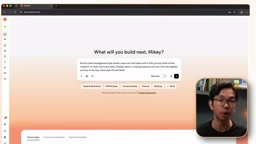
This version gives the AI a much clearer target — it knows what information each task contains, how the list is organized, what should happen when a task is completed, the design direction, and which features to leave out for now. Spending a few minutes deciding what the app should do and how it should behave saves ten rounds of corrective follow-up prompts down the line.
Step 3: Add Authentication Immediately After the Core Prototype Works
Authentication is one of the easiest features to push to the end — many people want to finish the app and make sure everything works before dealing with accounts. But the problem is that authentication affects nearly every part of an app.
If an app is built without considering user accounts, the data structure likely has no way to associate tasks with a specific person. Queries may load all tasks from the database, because they were never designed to filter by logged-in user. The result: every page and component that displays data has to be reworked.
The right approach is to add accounts immediately after the core prototype works. At that point, you've confirmed that users can create tasks and see them in a list — that's the moment to add accounts.
Add user authentication with signup and login. Each user should only be able to see and manage their own tasks. All existing task functionality should work exactly as before, but scoped to the logged-in user. Do not change the existing design.
When testing, create two accounts and confirm that the first user can only see tasks they created, and the second user can only see theirs — two accounts using the same app, but with completely isolated data. Adding authentication at this stage means every feature you build afterward (categories, projects, team features) can use the logged-in user's context from the start, built on a structure that already understands ownership and access.
Step 4: Plan the Complete Data Structure Before Adding Features
When an app is still small, adding new features seems harmless — each update appears to work independently. The problems surface later, when those features need to connect to each other, but the original data structure was never designed for those relationships.
Every feature added without a clear data plan plants a seed for some part of the app that will need to be rebuilt later. If we add categories, projects, and team members independently without thinking about how they connect, the AI might create different structures each time — resulting in duplicated data, awkward relationships, or features that work individually but don't play well together.

This is where you can use Base44's Discuss Mode, which lets you plan with the AI without changing anything in the app.
Before adding any new features, I want to plan the complete data structure for this task management app. I'm planning to add categories, team member assignments, and project grouping in the future. Can you help me plan how the data should be organized so all of these features can be added cleanly without needing to rebuild?
This planning conversation also gives you a chance to catch wrong assumptions early. For example, if the AI suggests storing each category directly inside each task, you can ask whether a separate category structure would make more sense. Making that decision when only a few features are in place is far easier than changing it later.
Discuss Mode is a planning-only conversation mode offered by the Base44 platform — in this mode, the AI only outputs suggestions, analysis, and proposals without directly modifying the codebase or generating new files. This contrasts with the regular "build mode," where a single instruction can trigger database schema changes or component rewrites. The value of Discuss Mode is that it lets developers "think before they act" — turning architectural choices that would otherwise be quietly decided by the AI into a deliberate process that can be reviewed and confirmed. For decisions like data structure design, where a live migration becomes difficult once real data has been written, working through the logic in Discuss Mode first can save enormous amounts of remediation effort later. Other AI development platforms (such as Cursor, Lovable, etc.) offer similar "plan-only" or "Ask" modes — the core idea is the same: let the AI help you understand the consequences of your choices before you commit to executing them.
Step 5: Run a Security Scan Before Publishing
An app can look completely ready — pages load, login works, every button functions — while serious problems lurk underneath. What makes security issues special is that you usually can't discover them by clicking through the interface.
AI code generators are primarily focused on making the features you request actually work. If you ask for authentication, a database, or a new user flow, the priority is getting the feature running — but it won't necessarily catch every exposed API key, weak access rule, or vulnerable dependency along the way.
That's exactly why you should run Base44's built-in security scan before publishing. The scan is free, takes under a minute, and checks for common vulnerabilities that might otherwise stay hidden until real users arrive — things like exposed API keys (sensitive credentials appearing where they shouldn't), broken access control rules (one user being able to reach another user's data), and dependencies with known security issues.
Base44 provides recommended actions for each issue, so you can apply fixes one by one rather than guessing. Run the scan again after fixing to confirm everything passes — only then is the app truly ready to publish. No matter how small the app or how few its users, this should be a standard step in every build.
Step 6: Test with Real Data, Not Idealized Samples
One of the easiest mistakes to make is testing an app only under perfect conditions. You add a few short tasks, click through the main features, and everything looks great. But real users will enter longer titles, miss due dates, complete dozens of tasks, and use the app in ways your sample content never anticipated.

Placeholder content usually represents the simplest version of the app — task titles that fit on exactly one line, due dates all set in the future, not nearly enough completed tasks to fill the screen. These samples are helpful during early building, but they hide layout issues, logic breaks, and edge cases that only appear during actual use.
Real test data means adding tasks that real people might actually create: titles of varying lengths, different priorities, realistic due dates (including ones that have already passed), tasks in both active and completed states, and testing through multiple user accounts.
This stage commonly surfaces small issues: a long list of completed tasks might push the delete button out of position, expired dates might be displayed unclearly, completed tasks might take up so much space that active ones are hard to find, and sorting might behave unexpectedly when multiple tasks share the same priority. Any issue discovered during this testing was already present in the app — placeholder content just made it harder to notice. Real data testing lets you fix things while the app is still private, rather than leaving the first real user to discover them.
Step 7: Make Early Structural Decisions That Support Scale
Growth problems rarely show up when a product has only a handful of test users — everything loads fast, the database is easy to manage, and even weak structural choices can appear to work perfectly. These decisions only reveal themselves when more people start using the product and changing the foundation is no longer simple.

Many vibe-coded products hit the same scaling problems: values that should be configurable get hardcoded, the database assumes each account will always have just one person, features are created without ever considering future teams or shared workspaces, and important logic is placed in the frontend rather than in more reliable backend functions.
Building for scale doesn't mean adding every feature you might someday need — it means making a few smart structural choices early so that growth doesn't force you to rebuild everything later. For a task management tool, two such choices stand out.
The first is changing how tasks are organized in the database — making each task belong to a "workspace" rather than directly to a user. The visible experience stays the same, but the underlying structure is already capable of supporting a team model when you're ready.
Update the data structure so tasks belong to a workspace rather than directly to a user. Each user should still only see their own tasks, but the structure should support adding team members to a workspace. Do not change any visible functionality or design.
The second decision is moving important task logic into Base44's backend functions. Logic that needs to stay consistent across multiple users shouldn't rely entirely on what happens inside someone's browser. These choices seem inconsequential with just a few test accounts, but at 100 users the structural weaknesses start causing inconsistent behavior, and at 10,000 users they become serious performance and reliability problems.
Moving important logic into backend functions rather than the frontend is a critical architectural decision that affects both security and data consistency. Frontend code runs in the user's browser, which means users can directly view, modify, or bypass that logic using browser developer tools. For example, if a rule like "only admins can delete tasks" is enforced in the frontend, a malicious user can modify their local code and call the delete endpoint directly. Backend functions, by contrast, run on the server — users cannot directly interfere with their execution, making them the right place for permission checks, cross-account data aggregation, billing calculations, and other logic that requires a trusted execution environment. In AI-assisted development, AI tends to write logic wherever the effect is easiest to demonstrate (usually the frontend), which means "intentionally moving critical logic to the backend" is a decision that requires active developer intervention, not something that happens naturally.
Order Matters: Each Step Lays the Foundation for the Next
It's easy to focus on how fast AI builders can generate things and forget that the real work is deciding what should happen around that generation process. The quality of the final product depends on the order in which you make decisions, the checks you run, and the problems you prevent before they become expensive.
The complete workflow is: build a core prototype with a well-structured prompt → add authentication so every future feature is built around the correct user context → plan the data structure before adding more features → run a security scan before publishing → test with real data before sharing → make structural decisions that allow the product to scale later.
Order matters because each step prepares the foundation for the next. A structured prompt can't fix a weak core feature; late-added authentication can't undo assumptions already baked into the database; real content testing can't protect a product that skipped the security scan. Many of the problems blamed on AI builders are actually caused by the process surrounding them.
Changing your entire workflow at once can feel like a lot. Start with the two habits that typically make the biggest immediate difference: spend more time structuring your first prompt, and add authentication as soon as the core prototype works. Just these two changes alone will eliminate a significant amount of wasted time, repetitive course-correction, and complete rebuilds from a typical AI development workflow.
Related articles

Uber Deploys ChatGPT Work Company-Wide: AI in the Workplace Enters the Scaled Implementation Phase
Uber deploys ChatGPT Work to 30,000+ employees, extending it from engineering to all roles. We analyze its expert-engineer pairing, end-to-end automation, and questions of AI control and power concentration—insights for scaling AI in the workplace.

Shift at Midnight Hands-On: When "ID Verification" Becomes Alien Hunting
Shift at Midnight blends ID verification with horror survival in a four-player co-op game. We break down its inspection mechanics and chaotic humor.

Zelensky Recounts the Outbreak of War: I Need Ammunition, Not a Ride
Zelensky recalls the first day of war in a YouTube interview: farewell to family, rejecting Biden's evacuation offer with "I need ammunition, not a ride," and how Bucha shaped his stance on compromise and peace talks.