7 Levels of Claude Code Usage: From a Single Sentence to Fully Autonomous

Seven progressive Claude Code usage levels: from a single sentence to fully autonomous, hands-off automation.
This article breaks down Brock Masaryk's seven-level Claude Code framework: Describer, Speaker, Planner, Perfectionist, Multitasker, Anywhere Anytime, and Terminal + Automation. Each level adds one new habit, and the real leap happens at Level 5 (multi-agent parallelism with Git worktrees) and Level 7 (terminal usage with scheduled automation tasks). The article also cross-references Anthropic's official docs to clarify limitations like checkpoint scope and local vs. cloud automation tradeoffs.
The same Claude Code tool — one person uses it to throw together a quick page, another has it working while they sleep. The difference isn't the tool itself; it's how it's used. Brock Masaryk, whose work was covered by a Bilibili creator, has logged thousands of hours in Claude Code and built over 150 AI agents. He breaks usage down into seven levels, where each level adds just one new habit on top of the last. This article walks through those seven levels in order, cross-referencing Anthropic's official documentation, so you can figure out exactly where you're currently at.
From "Describing" to "Speaking": The Lowest-Barrier Entry Point
Level 1 is the Describer — you give Claude a one-sentence description of what you want. The easiest entry point is the code tab at the top of the Claude desktop app. Before you start, there are a few key choices: the runtime environment can be local (runs on your machine) or cloud (runs on Anthropic's servers, keeps going even if your machine is off); the model to select is Opus 5.5, the next-generation model Anthropic released in September; and the permission mode can be set to manual or automatic.
Automatic mode doesn't mean anything goes — before executing a command or accessing the internet, a background classifier checks whether the action actually aligns with your request. In automatic mode, the author gave a vague prompt: "Make me a simple app to track habits and walks." Five minutes later, Claude delivered something functional but "not quite what I had in mind." The reason is straightforward: a vague prompt leaves the model guessing.
Level 2 is the Speaker. Clicking the microphone in the input box transcribes your voice in real time. The author's rule is to talk as long as he wants, dumping ideas out without organizing them first. But after speaking, he doesn't immediately hit Enter — no matter how detailed you are, there will always be decisions the model has to make on its own.

Planning and Polishing: Taking Back Control of the Direction
Level 3, the Planner, addresses exactly that "less guessing" problem. The approach is to switch from automatic mode to plan mode: before anything is approved, Claude only reads files, explores the project, and writes out a plan — it won't touch your existing code. In the demo, after pressing Enter, Claude didn't write any code. Instead, it stopped and asked several questions the author hadn't thought to address. When approving, you can choose "accept and run automatically," "accept but confirm each change manually," or "keep planning."
Level 4, the Design Perfectionist, iterates the interface until it looks exactly right. The author gave just one line: "Make it feel like a premium fitness app — calm but motivating." Ten minutes later, the page had a new logo, cleaner typography, and larger elements. The official prompt guide notes that without a clear design direction, the model tends to fall back on default patterns, so if you want a specific look, explicitly state the colors, fonts, and styles to avoid.

This level also introduces an important safety net: every time you submit a prompt, Claude Code automatically saves a checkpoint. Pressing Escape twice lets you roll back — you can revert just the code, just the conversation, or both, essentially giving the entire project an undo button. But the official documentation is clear: files changed by terminal commands and content you edited manually are not captured by checkpoints. They are not a replacement for Git.
Checkpoints are essentially snapshots Claude Code takes of your project files after each prompt completes — specifically, the state of files that Claude directly wrote or modified through its file-writing API. They're designed to let users cheaply "undo" an AI operation, similar to an undo history in a word processor. But there's an easily overlooked boundary to their scope: they only capture changes Claude made through the file-writing API. Changes made by terminal commands (like
npm install, database migration scripts, or shell scripts) are completely outside the snapshot's scope, as are files the user manually edited. This means if a single agent run both modifies code and executes terminal commands, rolling back the checkpoint only restores the code — the system state may already be inconsistent. This is the fundamental reason checkpoints cannot replace Git: Git has a complete, explicit record of who changed what, while a checkpoint is just a limited-scope convenience mechanism.
Multitasking and Remote Access: The Two Levels That Really Set You Apart
Level 5, the Multitasker, is where the author says things take a real leap forward. He clicks three times, assigning each of three agents a separate task: one adds weekly charts, one writes daily motivational messages, one reads through the entire app looking for bugs. Everything finishes in about ten minutes. One thing to watch: multiple agents sharing the same folder can cause conflicts. For Git projects, you can enable worktrees so each agent works from its own separate copy.
The original video includes some official figures at this point: Opus 5.5 matches Opus 5.1's performance on most tasks, outputs more than 30% faster than Opus 5, and typical task costs are below 40% of the default setting; API pricing is $4 per million input tokens and $20 per million output tokens, and the 5-hour usage limit across paid plans has also been increased.
Level 6, Anywhere Anytime, means handing off a big task to Claude, walking away, and monitoring progress from your phone or browser. The author bumped thinking intensity from the default medium up to high, and wrote a single prompt covering seven features for a "family gathering command center," using plan mode first before switching to automatic execution. The key is confirming that remote access is enabled via the small computer icon at the top — once enabled, you can follow the agent's progress from your phone or browser, but the code still runs on your computer, so it must stay on. He checks in from the Claude mobile app or by opening cloud.ai/code in a browser and can see the task running on his home computer and send messages directly.
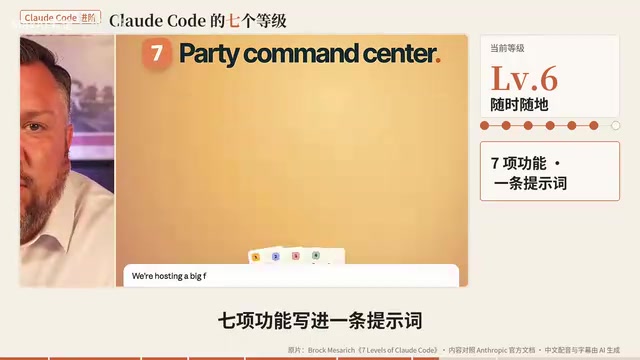
Up to this point, the author hasn't opened a terminal once — that's intentional, to show that the first six levels can be completed entirely within a graphical interface.
Git worktree is an advanced Git feature that lets a single repository be checked out in multiple directories simultaneously. Each directory has its own independent working area and staging area, but they all share the same
.githistory. In a parallel multi-agent scenario, if three agents all write to the same file, the last one to write will overwrite the other two's changes. Worktrees avoid this race condition by giving each agent its own independent copy. The command isgit worktree add ../project-branch-name branch-name; once each agent finishes, you merge the changes from each branch back into main. This also explains why Level 5 requires the project to be a Git repository — without version control, there's no systematic way to eliminate the risk of file conflicts when running agents in parallel.
Terminal and Automation: The Final Level of Fully Autonomous Operation
Level 7, Unstoppable, is where you actually use the terminal. It looks intimidating, but it's the same Claude Code in a text window. On Mac, install with a single curl command, navigate into your project folder, type claude, and press Enter. For voice, use /voicy and hold Space to speak; hold Shift and press Tab to cycle between manual, auto-accept edits, plan, and automatic modes.
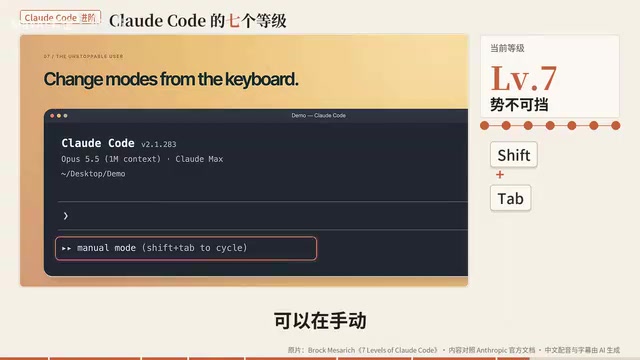
The advanced command UltraReview deploys a team of review agents on Anthropic's cloud specifically to hunt for real bugs. It requires a Git repository; Pro and Max users get three one-time complimentary runs, after which it typically costs $5–$25 per run. The author ran it once, found two minor bugs, and fixed them on the spot.
The other half of this level is automation. In the desktop app's left sidebar, he creates a new task called "Party Morning Brief," set to run every morning at 7 AM to check the gathering command center and report the day's schedule. Important caveat: local automation tasks only run when the app is open and the computer is awake. You can enable "keep computer awake" in settings, and a missed run will catch up once the computer wakes — but closing the laptop lid still triggers sleep. For tasks that need to run even when the machine is off, you need cloud automation.
The fundamental difference between cloud automation and local automation is who's doing the executing. Local automation is triggered and run by your own computer — code and data stay local, but it depends on the machine being on and awake. Cloud automation offloads the trigger logic to Anthropic's servers; the schedule is managed in the cloud and doesn't depend on the state of your device. This makes cloud automation more reliable, but the code execution environment also shifts to the remote end, which means tasks involving sensitive local files or local network resources can't use it directly. Choosing between the two is essentially a tradeoff between reliability and data control: tasks like sending public information on a schedule or aggregating data from remote APIs are well-suited for cloud automation; tasks that manipulate a local database or read and write private files are better handled locally with the "keep awake" setting enabled.
Mapping Yourself to Your Current Level
A quick recap of all seven: Describer, Speaker, Planner, Perfectionist, Multitasker, Anywhere Anytime, Terminal + Automation. Each level adds just one new habit, with the barrier rising incrementally and the payoff growing accordingly. The value of this framework isn't showing off — it's providing a self-assessment map. Most people are genuinely stuck in the first two or three levels, and the real leaps happen at Level 5's multi-agent parallelism and Level 7's fully autonomous operation, which are what transform Claude Code from "a coding assistant" into "a system that does the work for you."
Where you start depends on where you actually are today. Worth noting: the original video was sponsored by Anthropic and leans toward showcasing the product at its best. In real-world use, limitations like vague prompts, multi-agent conflicts, and checkpoints not capturing terminal changes are things you'll need to experience firsthand before they really sink in.
Related articles

Bilibili's Hit Dify Tutorial: A Practical Guide to Building 20+ AI Apps from Scratch
A distilled guide to Bilibili's top-rated Dify tutorial: Windows + Docker deployment, MySQL connection, five app types, model integration strategy, and publishing.

Agent Skills Beginner's Guide: From Concepts to Multi-Agent Collaboration in Practice
A comprehensive guide to Agent Skills: core concepts, components, the importance of Description, standardization, beginner learning paths, and multi-agent collaboration.

One Neuron Detects Both Cats and Cars? We Reproduced It and Found a New Explanation
The cat-car neuron reinterpreted: researcher Cammarata argues it distinguishes pointy from round, not cats from cars. We reproduced the experiment and found the new explanation holds on most inputs—but cars are the exception. The interpretability debate continues on language models.