A 6-Step Framework for AI Agent Development: From Beginner to Real-World Deployment
A 6-step framework to take beginners from tool calls to production-ready AI Agent deployment.
This article presents a six-step learning path for AI Agent development beginners, addressing the common struggle of building Demos that never make it to production. The steps cover tool use, prompt design, practice projects, advanced patterns (multi-agent, memory, workflow), large-scale projects, and hard-won lessons. The framework prioritizes hands-on practice over theory, but also honestly acknowledges that real challenges — stability, error handling, cost control — only emerge through real-world iteration.
Why Most People Get Stuck on Step One When Building Agents
AI Agent development is rapidly becoming the core direction for deploying large language model applications in production — yet very few people actually manage to take Agents from prototype to real business use. One Bilibili creator who published an Agent development tutorial put it bluntly: most people hit the same walls the first time they try to build an Agent. The Demo they assembled by following the docs can't answer even basic questions. Something that runs perfectly locally crashes the moment it goes live. They switch through several frameworks and still feel lost. The result: many people give up in a cycle of trial and error before they've ever really gotten started.
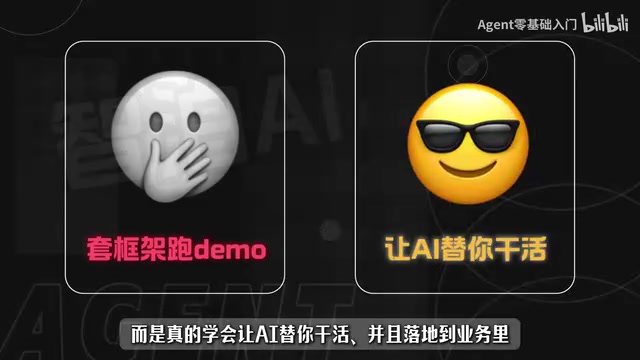
The root cause is that most tutorials stop at "plug in a framework and run a Demo" without ever explaining how to make AI genuinely do work on your behalf — let alone integrate it into a real business process. Knowing how to call a framework and knowing how to build a working intelligent agent are two completely different levels of skill.

The 6-Step Breakdown for Agent Development
The tutorial breaks Agent development into six progressive steps, designed so learners can tackle each one in turn rather than diving straight into large model internals. This "get it running first, understand the fundamentals later" approach is far more beginner-friendly.

Steps 1 & 2: Tool Use and Prompt Engineering
Step one is learning how to use tools. Tool Use is one of the Agent's core capabilities — whether it's search, calculation, or database access, calling external tools is what transforms AI from "only able to chat" into "actually able to work."
Step two is figuring out how to write effective prompts. The prompt is the control lever for Agent behavior, especially when the Agent needs multi-step reasoning and task planning. Prompt design directly determines output quality and reliability. Placing this step before theory signals that the author believes hands-on skills build confidence faster than abstract concepts.
Deep Dive: Tool Use Tool Use refers to the mechanism by which a large model triggers external program execution through structured output — typically a JSON-formatted function call instruction — then receives the result and continues reasoning. Common implementations include OpenAI's Function Calling, Anthropic's Tool Use API, and the tool layers bundled in various frameworks. Tool-calling capability frees the Agent from pure language generation, enabling it to perform real operations like queries, calculations, file writes, and HTTP requests. A common beginner misconception is equating "calling a tool" with "directly writing code to call an API." In an Agent context, the model must autonomously decide when to call a tool, which tool to call, and what parameters to pass — that decision-making process is the heart of Agent capability, and it's exactly where things tend to go wrong.
Steps 3 & 4: Practice Projects and Advanced Patterns
Step three is finding a practice Agent to build — using a concrete small project to connect everything from the first two steps. Step four is exploring advanced Agent patterns: multi-agent collaboration, memory mechanisms, workflow orchestration, and other sophisticated use cases that help learners understand the true boundaries of what Agents can do.
Deep Dive: Multi-Agent, Memory, and Workflow Orchestration Multi-agent collaboration involves splitting a complex task across multiple specialized Agents — for example, one Agent handles search, one handles summarization, one handles quality control — coordinated by an Orchestrator. Memory mechanisms solve the problem of retaining information across turns and sessions; common implementations include conversation history within a short-term context window, long-term memory stored in a vector database, and structured external state storage. Workflow orchestration uses a DAG (Directed Acyclic Graph) or state machine to define the Agent's execution path, making task flow predictable, monitorable, and traceable. These three capabilities are what allow Agents to move beyond single-turn Q&A into automated business processes — and they're the core problems that frameworks like LangGraph, AutoGen, and CrewAI are built to solve.
Steps 5 & 6: Large-Scale Projects and Hard-Won Secrets
Step five is building a large-scale project — the critical leap from Demo to real business deployment. The gap between "runs locally" and "doesn't crash in production" is filled with engineering details that only surface under real conditions. Step six is what the author calls their "exclusive Agent-building secrets" — a distillation of lessons learned designed to help learners avoid the most painful pitfalls.

The Value and Limitations of This Framework
The biggest strength of this six-step approach is its clarity and progression. It directly addresses the most common beginner pain point: not knowing where to start. It emphasizes that you don't need to master large model theory before doing anything useful — you learn by building, which aligns with how engineering knowledge actually gets absorbed.
In terms of positioning, the tutorial targets the full journey from "complete beginner" to "working in production," covering tools, prompts, practice projects, advanced patterns, and large-scale projects in one coherent chain. It's well-suited for learners with no prior background who want to produce something usable quickly.
That said, it's worth maintaining realistic expectations. The genuinely hard parts of Agent development — production stability, error handling, cost control, framework selection — can only be truly understood through repeated iteration on real projects. No single tutorial can substitute for that. Treat resources like this one as a systematic entry map, not a one-and-done solution.
Deep Dive: Why "Local Works, Production Crashes" Local Demos tend to look smooth because test cases are simple, the network environment is stable, there's no concurrent load, and failures can be fixed by just re-running. In production, the picture changes completely: tool calls may time out or return malformed responses; model output may deviate from the expected structure; context length may exceed limits after several rounds of dialogue; and costs scale linearly with request volume. None of these issues typically surface during the Demo phase. Mature Agent engineering practice usually requires retry mechanisms, output format validation, graceful degradation strategies, and observability tooling for the call chain (Tracing). This is precisely why the journey from Demo to production is often where the most work happens in Agent development.
Advice for Learners
For readers looking to break into Agent development, the recommended path is: tools → prompts → small project → advanced patterns → large-scale project. At each step, build something rather than just watching. After completing a small project, try deploying your Agent in a simulated real environment as early as possible. Encountering the "runs locally, crashes in production" problem firsthand is what actually builds engineering experience.
Agent technology is still evolving rapidly, and both frameworks and best practices are shifting. Staying hands-on and continuing to learn consistently matters far more than trying to absorb everything at once.
Related articles

CSS Anchor Positioning: A New UI Positioning Approach Without JavaScript
A deep dive into CSS Anchor Positioning: from anchor-name and position-anchor to the anchor() function, position-area shorthand, position-try-fallbacks, anchor-size, and upcoming anchor queries.

New AI Chart Interaction: Continuous Follow-up Questions and Visualization in Conversation
Explore a new AI interaction method for continuously generating charts in conversation. Use the /visualize command to ask follow-up questions and visualize answers in the same chat window, improving data analysis efficiency.

Cursor Merges Into X Subscription: Paid Plans Share Unified Usage Pool, Grok Model Coding Usage Doubled
Cursor joins The X Subscription with a unified usage pool and doubled Grok coding quota. Third-party models shift to API pricing. Existing users can keep or migrate plans.