A Beginner's First Project: Habit and Sleep Tracking Website Sparks Discussion

A zero-background developer shares their first website on Dev.to: a Netlify-deployed habit and sleep tracking tool.
The article covers a user with no web development experience who published their first website, Sanctuary Habit Tracker, on Dev.to. Hosted on Netlify and used for tracking habits and sleep, the site requires clearing the page and checking Help instructions before use, suggesting it may lack preset data and advanced features. The author analyzes the tech choices and limitations of such beginner projects, notes that Netlify lowers the deployment barrier, but data persistence, reminders, and data analysis remain unclear. It also discusses the value of Dev.to community feedback for newcomer growth and summarizes a reference path of building an MVP from personal needs and bravely sharing it for feedback, emphasizing that habit-tracking apps need to prioritize data storage and user experience.
In tech communities, newcomers sharing their first projects often resonates and sparks discussion. Recently, a user with no web development experience at all published their first website on Dev.to — a simple tool for tracking habits and sleep — which quickly drew attention and feedback from many developers.
Starting from Zero: A Brand-New Developer's Attempt
According to the original post, the author had never built a website before, and even published the work less than a minute after registering a Dev.to account. This "zero-background" context makes the project feel especially authentic. The site is called Sanctuary Habit Tracker, hosted on Netlify, and users can access it directly via the provided link.
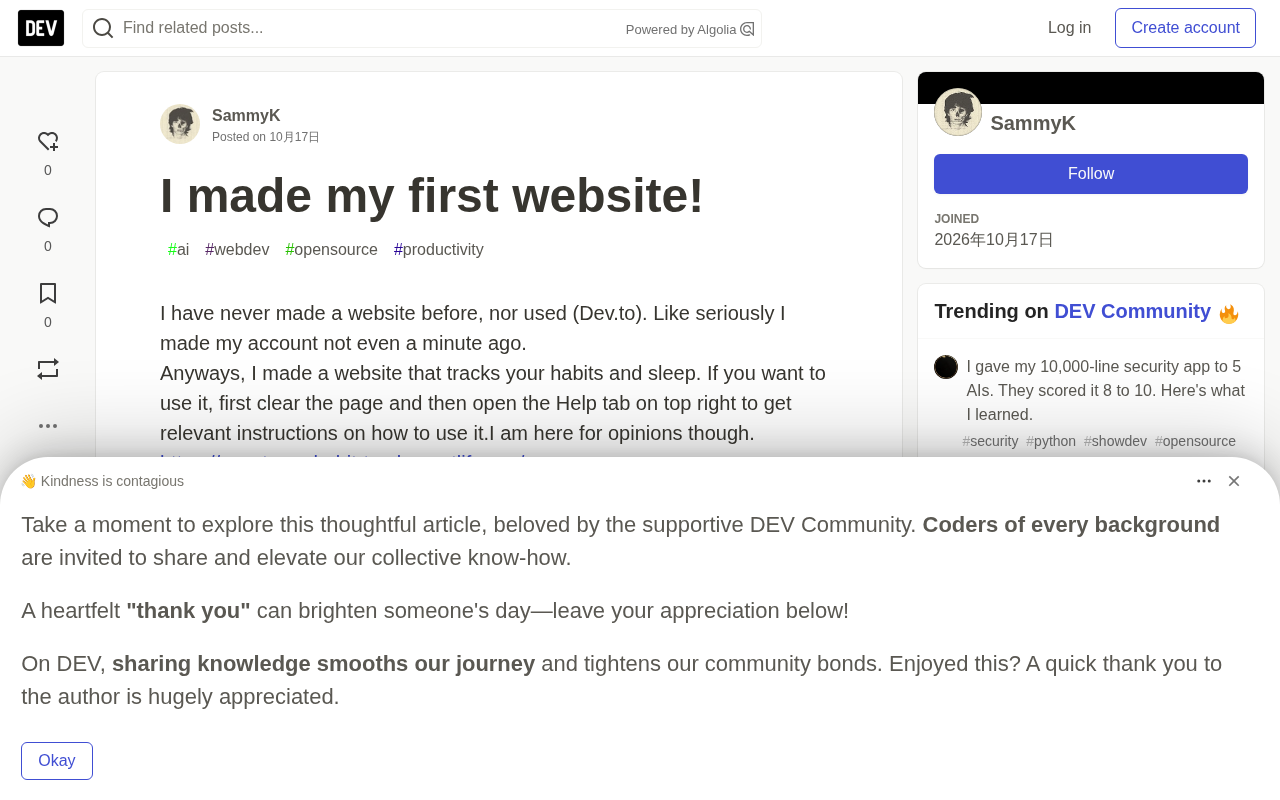
The author openly states in the post that they hope to receive feedback. This open attitude is key to a newcomer's rapid growth. From a technical perspective, using Netlify to deploy a static website is a common choice for getting started with web development today — it lowers the deployment barrier and lets beginners focus on core functionality.
Netlify is a cloud platform offering static website hosting and serverless services. Its core advantage lies in integrating with Git repositories (such as GitHub) to enable automatic builds and deployments: developers simply push code, and Netlify triggers the build process and distributes the output to global CDN nodes. For pure front-end projects, it offers a free tier, automatic HTTPS, custom domains, and instant rollbacks — no server configuration or operations required. Because of this, Netlify (along with similar platforms like Vercel and GitHub Pages) has become a mainstream choice for beginners publishing their first website, compressing "deployment" — traditionally the most headache-inducing step for newcomers — into a few clicks.
Feature Breakdown: Habit and Sleep Tracking
The site's core purpose is to help users track habits and sleep. According to the author, before use you need to clear the page first, then open the "Help" tab in the upper right corner to get usage instructions. This design suggests the site may not come with preset sample data and requires users to start recording manually.
Habit tracking and sleep tracking are popular areas of personal health management. There are already many mature apps on the market, such as Habitica and Sleep Cycle, but a simple tool built by a beginner may actually appeal to some users precisely because of its clean interface and lack of extraneous features. However, it's currently unclear whether the site offers advanced features like data persistence, reminders, or data analysis.
Data persistence refers to the ability to retain user data after a page refresh, browser close, or device change. A pure static website does not have this capability by default: all state exists only in the current page's memory and is lost on refresh. Common implementation approaches include browser-side localStorage/IndexedDB (limited to the local machine, limited capacity, easily cleared), as well as cloud sync and multi-device access via a backend or BaaS (such as Firebase, Supabase). For applications like habit and sleep tracking that require long-term accumulated records, whether persistence is present directly determines whether the product can actually be used in practice — and this is also one of the key indicators for assessing the maturity of this beginner project.
Community Feedback and Newcomer Growth
Sharing a first project in a developer community like Dev.to typically yields encouraging feedback and constructive suggestions. Other developers may point out UI/UX improvements, code structure issues, or suggest adding more features. For a newcomer, this feedback is a valuable learning opportunity.
Judging from the brief description in the original post, the author may have a preliminary grasp of the basic web development workflow (HTML/CSS/JavaScript), but the project's complexity is low and is more of a learning-oriented attempt. One detail worth noting: the author actively seeks feedback, indicating strong willingness to learn — often the driving force behind continuous improvement.
Takeaways for New Developers
This case offers other new developers a path to follow: start from a simple personal need, quickly build a minimum viable product (MVP), and bravely share it with the community. Even if the features are simple, valuable feedback can still be obtained. At the same time, choosing a hosting platform like Netlify avoids the complexity of server configuration, letting beginners focus on front-end implementation.
In addition, the core of habit-tracking apps lies in long-term consistent use, so data storage and user experience are crucial. If the author can subsequently add local storage or cloud sync and optimize the interaction design, this project has the potential to become much more practical. For now, we can only experience it ourselves via the link and offer feedback to help this newcomer go further.
MVP (Minimum Viable Product) originates from the lean startup methodology and refers to a product version built with minimal feature investment that can be used by real users and validates core assumptions. Its key point is not "few features" but rapid delivery around a core value proposition, followed by iteration based on feedback. For individual developers, the MVP approach effectively avoids over-investing in features nobody uses and lowers the psychological barrier of a first project. The standard for judging whether an MVP holds up is usually: can users independently complete a full usage flow without the developer's help and derive the expected value from it?
One-line Summary
A zero-background developer shares their first website on Dev.to: a Netlify-deployed habit and sleep tracking tool.
Paragraph Summary
The article introduces the case of a user with no web development experience publishing their first website, Sanctuary Habit Tracker, on Dev.to. The site is hosted on Netlify and used for tracking habits and sleep; before use you need to clear the page and check the Help instructions in the upper right corner, suggesting it may lack preset data and advanced features. The author analyzes the technical choices and limitations of such beginner projects, noting that Netlify lowers the deployment barrier, but capabilities like data persistence, reminders, and data analysis remain unclear. The article also discusses the value of Dev.to community feedback for newcomer growth, and summarizes a reference path of building an MVP from personal needs and bravely sharing it to obtain feedback, emphasizing that habit-tracking apps need to prioritize data storage and user experience.
Related articles

Free Unlimited Claude Code Solution: Agnes AI + CC Switch Setup Guide
No paid subscription needed — pair the free AI platform Agnes AI with the open-source tool CC Switch to provide a backend for Claude Code, enabling unlimited free calls to text, image, and video models. This guide covers the full setup, test results, and usage boundaries.

A Complete Zero-Cost Guide to Getting Started with Claude Code for Beginners in China
A beginner's guide to Claude Code for users in China: two installation methods (command line and IDE plugin), full configuration steps for replacing the official API with the free domestic LongCat model, and a hands-on demo of building a small tool with natural language, plus tips.

When the NSA Gets Involved: The AI Supply Chain Crisis Behind Open-Source CVEs and API Key Hijacking
Multiple open-source projects disclosed severe CVEs in one day, PHP flaws alarmed the FBI, and Railway and OpenCode were breached with API keys stolen. This article breaks down the vulnerability window, AI-accelerated exploitation, and the AI supply chain crisis behind the API key black market, with a developer defense checklist.