After Dify Goes Live: A Practical Checklist for App Orchestration, Tool Calling, and Deployment
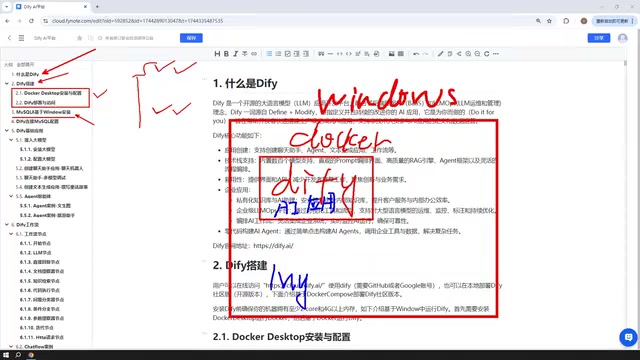
Dify is an orchestration layer between models and apps; this article turns its full deployment-to-publishing workflow into an actionable checklist.
This article reorganizes a Bilibili Dify course into an actionable checklist, supplementing practical details the video skipped. It clarifies Dify's role — expanding single model calls into reusable pipelines — explains why MySQL8 goes on the Windows host, maps the five app types as a capability ladder (Chat Assistant, Text Generation, Agent tool calling, Chatflow, Workflow), and covers model integration trade-offs between paid and local Ollama models plus three publishing outlets.
Dify and similar AI application platforms aren't valuable because of how powerful their built-in models are — they're valuable because they engineer the act of "calling a model." This Bilibili course covers everything from deployment to app creation with high information density, but the content is scattered. I've reorganized it into an actionable checklist, filling in details the video didn't elaborate on but that you'll inevitably run into in practice.
What Dify Actually Is: An Application Orchestration Layer
According to the video, Dify is a platform for rapidly building AI applications, covering both enterprise and personal use. That description is fairly vague. A more accurate way to understand it: Dify sits between the model and the final product, responsible for expanding "a single model call" into "a reusable processing pipeline."
It doesn't train models itself, nor is it tightly bound to any single vendor. Whichever model you connect, your app runs on. The direct benefit of this design: when a model raises prices or underperforms, the migration cost falls mainly on the configuration layer rather than requiring a code rewrite.
The video mentions three usage modes: the official online version, source code deployment, and local deployment via Windows Docker. For most people who want hands-on practice, local Docker deployment is the best value path, because it lets Dify directly access the local database and other environment resources without needing extra NAT traversal setup.
Deployment: Why Install MySQL8 on Windows
This is one of the more detailed parts of the video, and something many tutorials skip. The instructor chose to install MySQL8 on the Windows host machine for a straightforward reason: AI applications built in Dify later need to read data from the database for business-data-driven interactions, and Dify deployed via Docker can communicate with MySQL8 on the host.
This communication capability extends to virtual machines too — if your MySQL is in a VMware VM, it can still connect. So where the database lives isn't a hard constraint; the key is making it network-reachable from Dify.
For production environments, the recommendation is the opposite: the instructor explicitly says production scenarios should be self-deployed within the company rather than relying on the online version. The online version's features are basically identical to the self-hosted version, but once an app needs to access a local database or local environment, you'd have to expose your local IP to the public internet via NAT traversal — which typically won't pass security review in enterprise settings.
NAT traversal refers to enabling external devices to access services located on an internal network (such as a home or corporate LAN). Common solutions include frp, ngrok, Tailscale, and others. The principle is establishing a tunnel through a public relay server or P2P hole punching, forwarding public requests to the internal machine. When Dify is deployed locally, if external users need to access its web interface or API, you must use such tools. But NAT traversal introduces an additional security surface: exposed ports may be scanned, tunnel service credentials need management, and traffic passing through third-party relays poses data compliance risks — which is exactly why enterprise environments typically reject it.
Five App Types: A Capability Ladder from Chat to Workflow
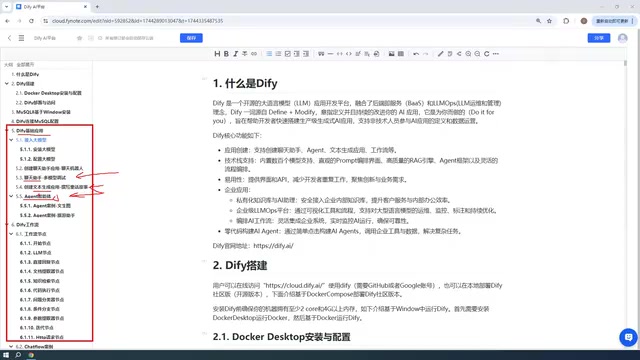
Opening Dify's creation page, you'll see five entry points: Chat Assistant, Text Generation, Agent, Chatflow, and Workflow. The video repeatedly emphasizes that all five will have case examples, but from a capability dimension, they actually form a ladder from simple to complex.
Chat Assistant and Text Generation are the two most basic types — both essentially "input some content, model returns some content," differing only in interaction form and output organization. Text Generation suits one-off output tasks like writing articles, generating documents, or crafting stories.
The watershed for Agent is tool calling. The example in the video is typical: have it first crawl a webpage, then analyze the content. This "do a step, check the result, then decide the next step" capability is something Chat Assistants lack. The value of an Agent isn't that the model is smarter — it's that it can incorporate external tools into the execution chain.
Tool Calling / Function Calling is the ability for large models to proactively request execution of external functions beyond generating text. Developers pre-declare several tools' purposes and parameter formats to the model; during inference, the model judges whether to call, which one, and with what parameters. The platform executes and returns results to the model for continued reasoning. It transforms models from "only able to speak" to "able to do things" — query databases, send requests, read files. The core reason Agents outperform Chat Assistants is this "decide—execute—observe—re-decide" loop, and tool calling accuracy depends heavily on the model's own capabilities and the clarity of tool descriptions.
Chatflow vs Workflow: One Character Apart, Different Purposes
This is something the video spends some time explaining but that's easy to confuse on first encounter. Both are workflows, both composed of "nodes" chained together — the difference is interaction mode.
Chatflow supports multi-turn conversation with the workflow, suiting scenarios that need back-and-forth clarification and gradual convergence. Workflow executes in one shot: you provide input, it runs the entire chain and outputs the result, with no opportunity for you to interject.
The instructor admits in the video that without understanding Dify, explaining this distinction is "pointless" — so detailed case examples are deferred. That's a reasonable approach — workflow concepts only truly make sense alongside concrete nodes. Nodes are the modules that constitute a workflow; the video mentions covering most of the commonly used nodes offered on the official site, with over a dozen case examples.
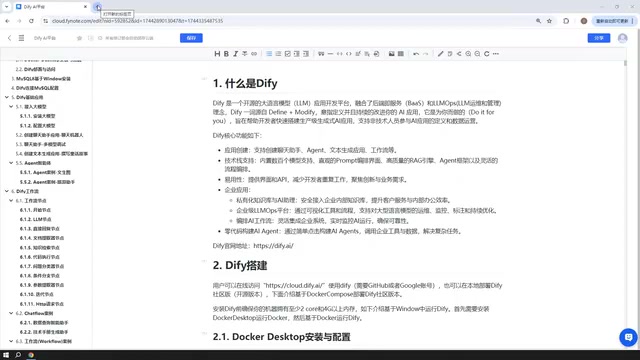
Node is the smallest execution unit in a workflow. Each node performs a specific type of operation, such as LLM calls, knowledge base retrieval, conditional branching, code execution, HTTP requests, variable assignment, etc. Data passes between nodes via variables: one node's output can serve as the next node's input. A workflow is essentially a decomposition of a complex task into an ordered node graph, scheduled by an engine following the connections. Understanding node input/output contracts is key to designing and debugging workflows; misconfigured nodes or incorrectly mapped variables are often the primary reason a workflow fails to run.
Model Integration: Choosing Between Paid and Local Models
The advice in the video is pragmatic: prioritize paid models. DeepSeekAd and ChatGPT belong to the paid camp. Baidu's ERNIE Bot and Alibaba's Tongyi Qianwen offer a certain amount of free tokens upon registration — Tongyi Qianwen's free quota is reportedly in the millions, enough for daily practice.
On cost, the instructor uses his own DeepSeek account as an example: recharged 10 yuan, used it for a long time and still hasn't spent 1 yuan. This firsthand experience shows that for learning and small-scale validation, the cost pressure of paid models is far lower than intuition suggests.

Local models are another path. Dify can integrate with local models deployed via Ollama, and the video says detailed cases will be provided. But the instructor's stance is clear: don't default to this path, because locally runnable models typically have smaller parameter counts and unsatisfactory results. Exceptions are when your machine is powerful enough, or when the enterprise has a clustered Ollama deployment that can run large-parameter models — for example, DeepSeek's open-source large model, which might be over 400 GB when downloaded. Results at that scale are naturally different.
This actually highlights a real constraint: the performance ceiling of local models is largely determined by hardware. A personal developer running a 7B-level model on a laptop and an enterprise running a hundred-billion-parameter model on a cluster are in completely different leagues.
Ollama is a tool for running and managing local large models, providing unified command-line and API interfaces that simplify model downloading, loading, and inference service startup. It supports mainstream open-source models like Llama, Qwen, and DeepSeek, and parameters can be customized via Modelfile. Ollama listens on local port 11434 by default; Dify can integrate it as a model provider by configuring that address. Note that Ollama's inference performance depends on GPU VRAM and memory bandwidth — a 7B model typically needs 8GB+ VRAM to run smoothly, while larger models require quantization or cluster solutions. This is the technical root behind the video's emphasis that "local model performance is hardware-limited."
App Publishing: Beyond Dify's Own Interface
Built apps don't have to be trapped inside Dify's pages. The video mentions at least three outlets: publish as a public website with an accessible link; embed into your own website; or be called by other systems via API.
Publishing as a public site also involves NAT traversal, since the app runs on your locally deployed Dify. This is the same problem as the online version limitation mentioned earlier, just in the opposite direction — one is external access to your local machine, the other is pushing your app to the public internet.
The API outlet is actually the most noteworthy. It means apps built in Dify can become a module within a larger system rather than a standalone product. For teams wanting to embed AI capabilities into existing business systems, this path is far more valuable than building a chat page.
A Few Additional Observations
The course structure is "deployment—database—model integration—basic apps—workflows—publishing," covering a complete onboarding path. But the video itself is introductory in nature; much content stays at the "what will be covered" level, with specific operational details requiring subsequent chapters.
From a technology selection perspective, Dify suits scenarios where: you need to rapidly validate AI application ideas, your team lacks dedicated model engineers, and you want unified orchestration of multiple models and tools. It's less suited for: projects with extreme latency requirements or needing deep customization of the reasoning pipeline — in such cases, calling model APIs directly at the code level may be more straightforward.
One more reminder: the video mentions that workflows were still in beta at the time, and stability needs verification in actual use. If you plan to use workflows in production, I recommend running the complete pipeline in a test environment first before considering migration.
One-line Summary
Dify is an orchestration layer between models and applications; this article organizes its full deployment-to-publishing workflow into an actionable checklist.
Paragraph Summary
This article reorganizes a Bilibili Dify course into an actionable onboarding checklist, supplementing practical details the original video didn't elaborate on. It first clarifies Dify's positioning — it doesn't train models but expands single model calls into reusable processing pipelines, with migration costs falling on the configuration layer. The deployment section explains why MySQL8 is installed on the Windows host: Docker-deployed Dify needs direct access to the local database, while production should be self-hosted rather than relying on the online version. The five app types form a capability ladder: Chat Assistant and Text Generation are foundational, Agent extends boundaries through tool calling, Chatflow supports multi-turn interaction while Workflow executes in one shot. Model integration should prioritize paid models; local Ollama is hardware-limited. Publishing supports three outlets — public website, embedding, and API — with API being best suited for integration into existing business systems.
Related articles
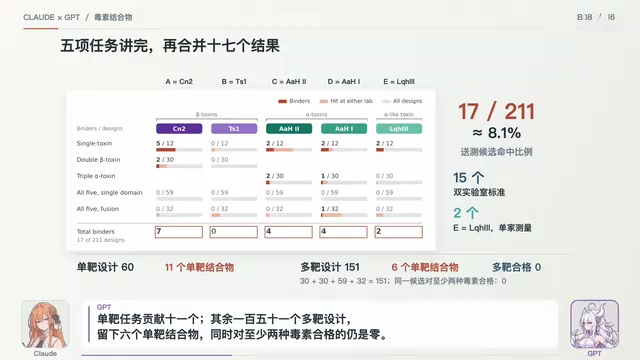
Claude Designs Scorpion Venom-Neutralizing Proteins: With 17 Binders, How Far Are We From an Antidote?
Anthropic's Claude helped design scorpion venom-neutralizing proteins: only 17 of 211 candidates passed, multi-target coverage failed, and channel function and animal testing remain absent.
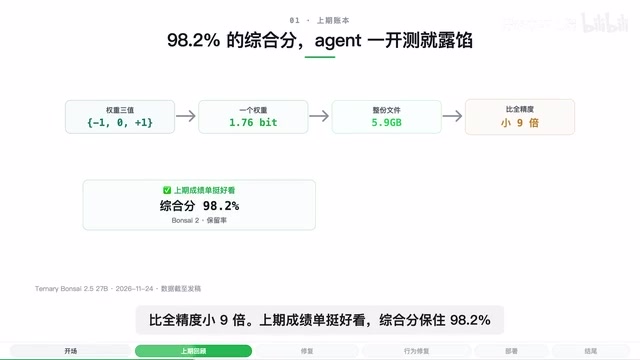
Fitting a 27B Model into 5.9GB: Ternary Bonsai 2.5 Fixes Its Agent Weaknesses
Prism ML releases Ternary Bonsai 2.5: a 27B model in just 5.9GB, with ternary quantization compressing weights to 1.76 bits. The new version focuses on fixing Agent capabilities, raising Tao3Bench Verify to 75.6 and Upworld from 51.2 to 90.5, hitting 291 tokens/s on a single A700, open-sourced under Apache 2.0.
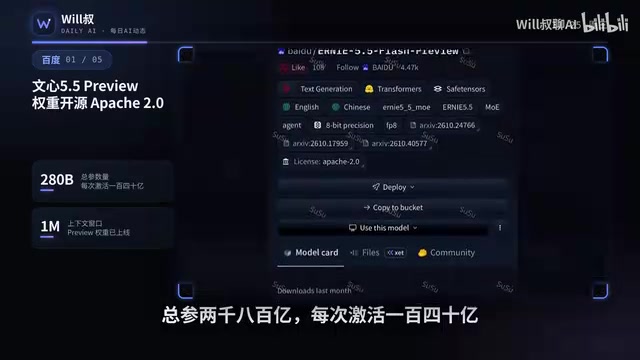
GPT-6-Designed Proteins Validated in Lab; ERNIE 5.5 Preview Open-Sourced
GPT-6 designed proteins using reasoning and code alone, with lab binding evidence across five targets; Baidu open-sourced ERNIE 5.5 Flash Preview under Apache 2.0 with 280B parameters and 1M context.