AI Agent in Practice: Building a Memory-Enabled Intelligent Chat Assistant from Scratch
Build a memory-enabled AI chat agent with Python and DeepSeek API, letting the model autonomously manage persistent memory.
This article introduces a beginner AI agent project centered on a long-term memory mechanism. Since LLMs are stateless and forget across sessions, the project has the model autonomously decide when to write and read persistent memory — no hardcoded rules. The stack covers a Python backend, DeepSeek API, file storage, and vanilla HTML/CSS/JS frontend. The live demo shows history on the left and model-generated memories on the right, completing the full store → retrieve → respond loop. It's an ideal hands-on project for developers looking to enter Agent engineering.
Why Agents Need a Memory Mechanism
Large language models are inherently "forgetful" — once a conversation ends or the page refreshes, all previous context is lost. For a truly capable AI agent, this is a critical weakness. Imagine telling your assistant about a project's tech stack and key decisions, only to find the next day that it remembers nothing and you have to explain everything all over again. That experience is deeply frustrating.
This is the core problem this project sets out to solve: equipping an AI chat agent with a long-term memory mechanism. It enables the model to automatically determine which information is worth saving across multiple sessions, and to proactively retrieve that information when needed — achieving a genuine sense of "remembering what you said."
Memory is one of the key components in modern Agent development. Unlike simply appending conversation history to the prompt, this project emphasizes model-driven judgment for both storing and retrieving information — an approach that more closely reflects how agents work in real production environments.
From a technical standpoint, the "forgetfulness" of LLMs stems from their stateless inference architecture — each API call only processes the token sequence in the current request, with no internal state carried across calls. The three main approaches to address this are: (1) appending conversation history directly into the context window, which is simple but constrained by token limits; (2) encoding memories as embedding vectors stored in a vector database (e.g., Pinecone, Chroma) for semantic retrieval, suited for large-scale search; and (3) letting the model autonomously decide which information is worth writing to persistent storage and retrieving on demand. This project uses the third approach — the one closest to human "active memory" — and aligns with the memory module design in mainstream Agent frameworks like LangChain and AutoGPT.
Core Design of the Project
The memory logic of the entire project can be broken down into two actions: write and read.
During a conversation, if the user mentions things like project background, technical details, or key decisions, the model will determine on its own whether to store that information. This is the "write" step — it doesn't blindly record everything, but instead has the model evaluate the importance of the information before deciding.
When the user starts a new session or reopens the page and mentions something related again, the system triggers the "read memory" function, calling an internal method to retrieve stored memories and sending them along with the current message to the LLM. With the full context in hand, the model can then produce coherent, memory-aware responses.
In short, the key to this workflow is: both storing and retrieving memories are delegated to the model's judgment, not hardcoded rules. This is what makes it "smarter" than traditional session caching.
Tech Stack Breakdown
The technology choices in this project are beginner-friendly, covering the full front-to-back stack without being overly complex.
Backend
- Python: The primary language, responsible for core logic
- Web framework: Builds server-side endpoints to handle requests
- DeepSeek API: Calls LLM capabilities for conversation and judgment
- File I/O: Used for persistent memory storage
Frontend
- HTML / CSS / JavaScript: Builds the interactive UI
- Native Fetch API: Handles front-end/back-end communication without additional frameworks
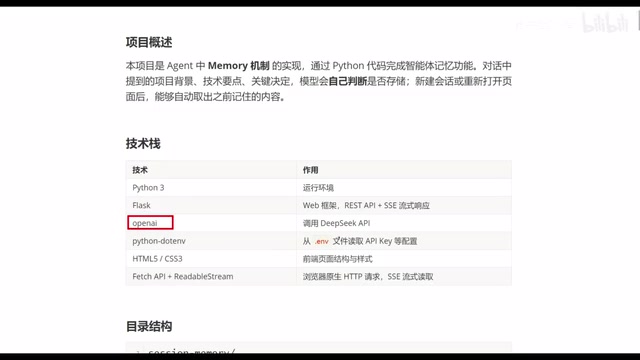
The advantage of this stack: no heavy frameworks involved, a gentle learning curve, and a clear view of how each layer collaborates. Using file I/O for memory storage isn't a production-grade vector database solution, but it's more than sufficient for understanding the principles of memory mechanisms — and it significantly lowers the barrier to environment setup.
The "file I/O" mentioned for persistent memory essentially writes model-extracted key information to a local file (e.g., JSON or plain text), then reads and injects it into the prompt when needed. The core difference from a vector database is retrieval: file storage typically does a full read and lets the model filter, while a vector database first narrows candidates by semantic similarity before passing them to the model — much more efficient at scale. For a beginner project, file storage wins hands down: zero extra dependencies, transparent debugging, and directly viewable stored content. It's the lowest-cost path to understanding memory mechanics. DeepSeek API plays a dual role here: conversation generation engine and "memory value evaluator" — judging whether a given conversation snippet is worth persisting.
Live Demo Walkthrough
When you open the browser, the interface is split into two panels: the left shows conversation history, while the right displays the experimental output — the long-term memories the model has autonomously generated.
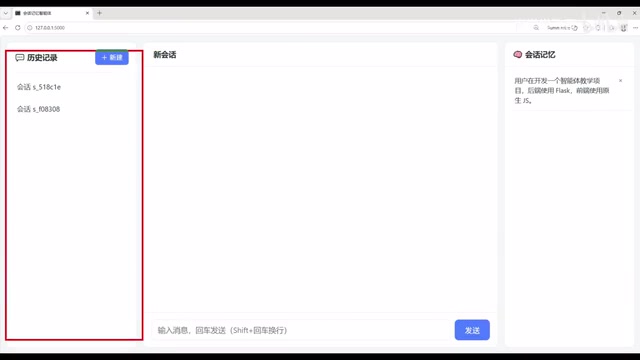
The demo flow works like this: first, send the agent a "Hello" message and wait for a response. Once it replies, ask it what historical messages it has. At this point, a "read memory" prompt appears on the page, indicating that the system is calling its internal method to retrieve stored memories.
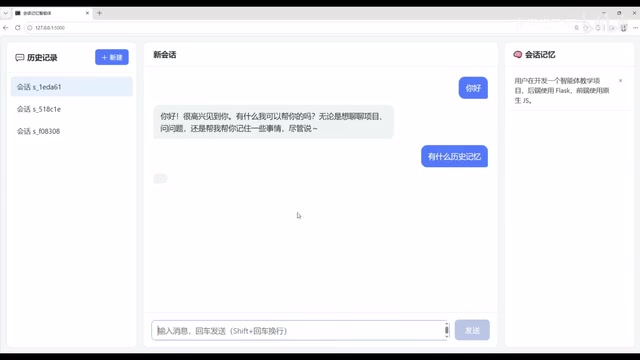
After retrieval, the model processes both the memory content and the current query together, producing a corresponding response. The entire process clearly demonstrates the complete loop from "store" → "retrieve" → "generate response."
Value for Developers
For those looking to get started with AI Agent development, projects like this are valuable not just for running a demo — they help you understand the underlying logic of memory mechanisms.
Memory is the critical step that transforms an Agent from a "single-turn Q&A tool" into a "continuity-aware assistant." Once you've internalized the "model-driven storage + on-demand retrieval" paradigm, you'll find it straightforward to extend to vector databases or build more complex multi-agent systems.
From a resume standpoint, a complete Agent project that actually runs, has clear logic, and covers the full stack is far more compelling than simply calling an API. It demonstrates that you don't just know how to use LLMs — you understand how to build engineering systems around them.
Vector databases are core infrastructure for advanced Agent memory systems. They convert text chunks into high-dimensional vectors via an embedding model; after storage, retrieval is based on semantic similarity rather than keywords — for example, if a user asks "what framework did we discuss last time," the system can locate the relevant memory without requiring an exact phrase match. Common options include locally deployable Chroma and FAISS, as well as cloud services like Pinecone and Weaviate. Once you've understood the foundational "file storage + full read" logic in this project, migrating to a vector database only requires swapping out the storage and retrieval layer — the core "model judges writes, triggers reads on demand" logic stays the same, making the learning curve much gentler.
Summary
This "AI chat agent with memory" project is simple in its tech stack, but covers all the essentials: a Python backend, DeepSeek API, file storage, a native frontend, and model-driven memory read/write logic. Together, they provide a complete demonstration of the core principles behind Agent memory. For developers who want hands-on practice and a deeper understanding of Agent engineering, it's a beginner project well worth building.
Related articles
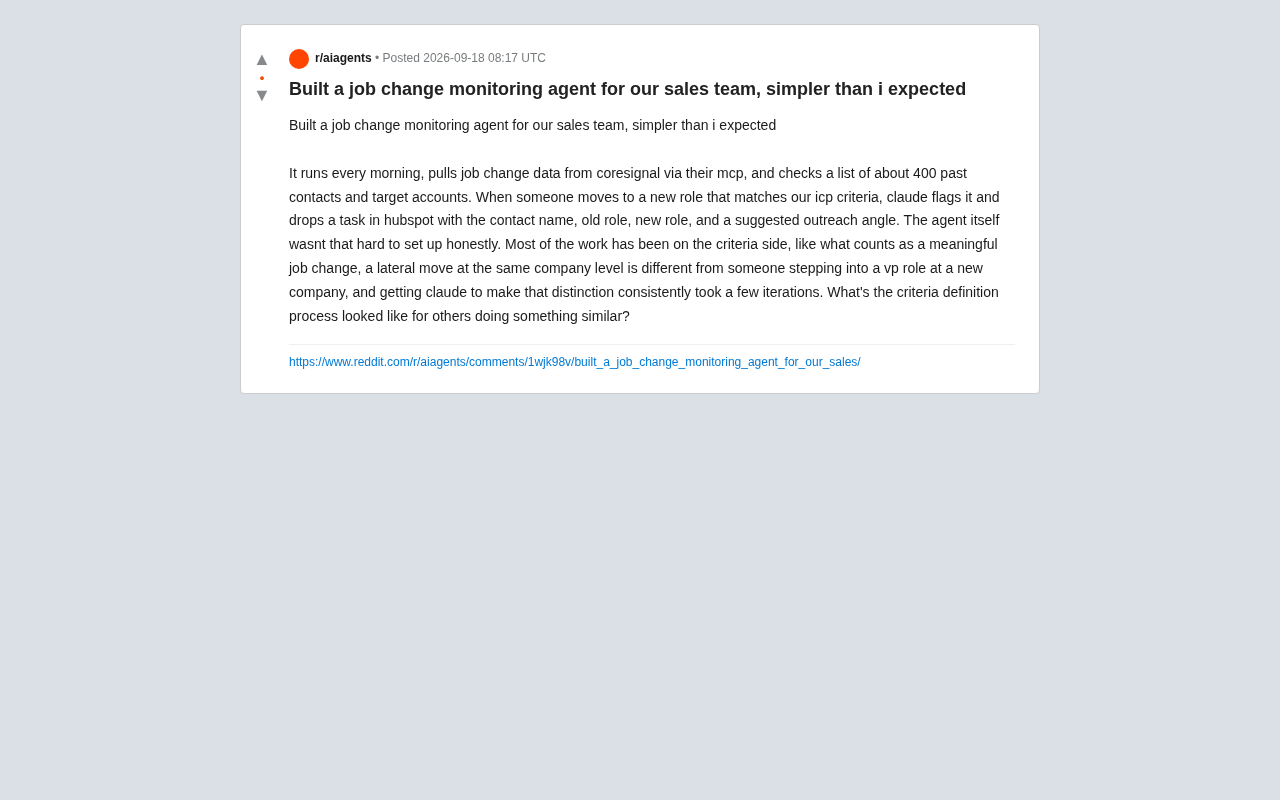
Using an AI Agent to Monitor Customer Job Changes: A Sales Team Automation Case Study
A Reddit user shares how he built a job change monitoring agent using Claude, MCP, and HubSpot to track 400 contacts daily and surface high-value sales signals.
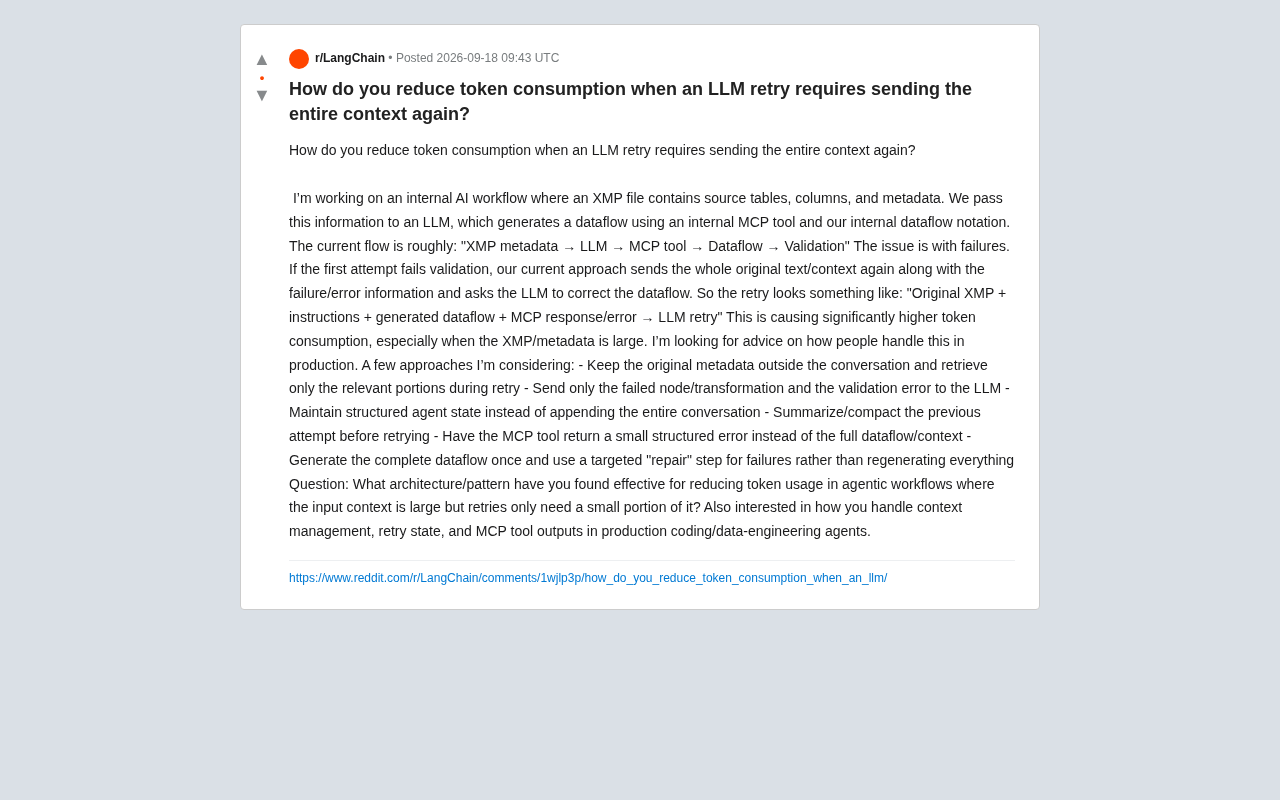
How to Save Tokens on LLM Retries? Optimization Strategies for Large-Context Agent Workflows
Resending full context on LLM retries causes token costs to explode. This article covers six optimization strategies for large-context Agent workflows, including decoupling generation from repair, external context retrieval, structured state management, and lean MCP tool output.

Kijai Updates MiniMax-H3 VAE: Lower VRAM Usage Without Quality Loss
Kijai updated the MiniMax-H3 int8 quantized VAE, enabling RTX 3060 12GB users to generate 1MP/10s and 0.7MP/15s videos with no reported quality loss.