AI-Generated UI Micro-interaction Prompt Library: A New Show HN Tool

An HN project using prompts to help AI generate UI micro-interaction motion, plus an analysis of its value and limitations
The article introduces the "UI micro interactions prompts for AI" project on the Hacker News Show HN section, which uses a prompt collection to help developers leverage AI to generate interface micro-interaction motion such as button hovers, loading states, dropdown expansions, and form feedback. It notes that AI writing UI code is already fairly mature, but default output often stays at the "it works" level, lacking details like easing, transitions, and displacement—details that are precisely hard to describe accurately in natural language, and templating prompts hits this pain point. It also cautions that the project received only 11 points and 1 comment and does not disclose prompt count, covered types, targeted frameworks, or comparisons of generated effects, so it should be viewed as a direction worth watching rather than a mature solution, and recommends evaluating it across coverage, portability, and verifiability.
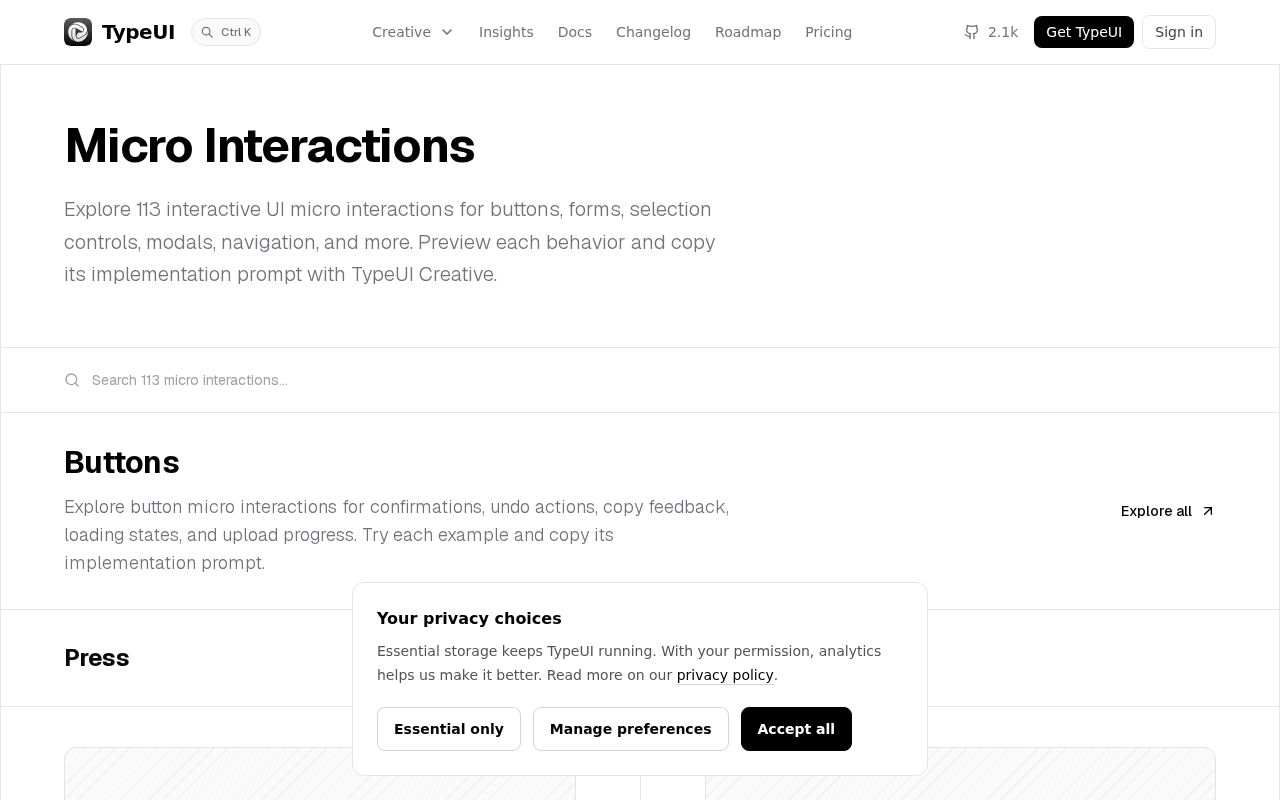
A project called "UI micro interactions prompts for AI" was submitted to the Show HN section of Hacker News. It targets an often-overlooked aspect of AI-assisted front-end development: micro-interactions—the small animations and transitions like button hovers, loading states, dropdown expansions, and form feedback that determine a product's polish. The project takes the form of a prompt collection, helping developers use AI to generate more natural interface motion.
What Problem the Project Solves
AI is already quite capable of writing UI code, but its default output tends to stay at the "it works" level. A developer says "add a button," and AI produces a plain solid rectangle with text; say "add a dropdown menu," and AI produces a list that instantly appears and disappears. The micro-interactions that truly make an interface feel refined—elastic easing, state transitions, hover displacement and shadow changes—require precise language to describe, and that is exactly the blind spot of most prompts.
The project's approach is to template these descriptions. Users no longer need to figure out "how to explain a 200-millisecond ease-out transition in words"; instead, they can directly invoke or combine ready-made prompts to have AI output micro-interaction animation code with detail.
Micro-interactions is a specific concept in interaction design, systematized by Dan Saffer in his book Microinteractions. It refers to small interaction feedbacks in a product centered on a single task or state, typically comprising four components: trigger, rules, feedback, and loops and modes. A button changing color on hover, a heartbeat animation when liking, a dropdown expanding and collapsing, and an error shake on form validation are all typical examples.
Micro-interactions are hard to describe to AI in natural language because they involve parameters along the time dimension—duration, easing, delay, displacement distance, and opacity changes. In CSS, these parameters manifest as specific syntax like transition, @keyframes, and cubic-bezier(), and everyday language lacks corresponding precise vocabulary, leading to vague prompts and random generation results. Breaking micro-interactions into structured prompt templates is essentially building a reusable mapping layer between natural language and motion parameters.
The Potential Value and Boundaries of the Prompt Library
Directionally, this type of resource hits a pain point in AI programming workflows. Design systems and component libraries address "what it looks like"; a prompt library addresses "how it moves." For front-end developers who are not skilled in animation design, or for indie developers, a structured micro-interaction prompt collection can significantly shorten debugging time.
What needs to be viewed calmly is the limitation of information. The project received 11 points and 1 comment on HN, typical of a small-scale Show HN post. The original content does not disclose the specific number of prompts, the interaction types covered, the AI models or frameworks it targets (such as React, Vue, or pure CSS), nor does it show comparisons of generated results. Therefore, it is better understood as "a direction worth watching" rather than a validated, mature solution.
Easing functions determine how animation speed is distributed along the timeline and are the source of a micro-interaction's feel. Linear, constant-speed motion often looks mechanical in interfaces; ease-out means fast-then-slow, suitable for elements entering the viewport; ease-in is slow-then-fast, suitable for elements leaving; ease-in-out decelerates at both ends, suitable for position changes. Going further, cubic-bezier(x1, y1, x2, y2) allows custom speed curves, and "elastic easing" with a slight bounce is usually implemented through overshoot control points or spring physics models.
For AI, merely saying "smooth transition" can hardly constrain the output, but providing a parameter combination like "300ms, cubic-bezier(0.34, 1.56, 0.64, 1), 4px displacement, opacity 0→1" greatly improves the predictability of the generated code. This is also the core value of a micro-interaction prompt library: translating hard-to-articulate motion feel into structured parameters that AI can execute reliably.
Feedback Signals from the HN Community
The low point count and small number of comments themselves convey information: this type of utility prompt library is not scarce on HN, and the community's excitement for "yet another prompt collection" is limited. Similar projects that truly stand out usually need to meet one of two conditions—either provide quantifiable effect comparisons (the difference in generated code before and after adding prompts), or be deeply tied to a mainstream tech stack and offer a runnable demo.
The single comment is not elaborated in the original material and cannot serve as a basis for judgment.
Show HN is the section of Hacker News dedicated to showcasing new work by individuals or teams. Posters submit links with the title "Show HN: Project Name," and community members can vote and comment. Its points and comment counts are often treated as rough signals of early attention, but they do not equate to quality evaluation—many projects that later became popular also had modest point counts when first posted, and high point counts may come from topic popularity rather than product maturity.
For prompt-type projects, HN's evaluation criteria usually lean toward verifiability: whether it can be tried directly, whether there is an open-source repository, and whether before-and-after comparisons are shown. Submissions with only a link and no demo or explanation often struggle to attract in-depth discussion. Therefore, the feedback of 11 points and 1 comment should be interpreted as "limited exposure and insufficient information" rather than a denial of the project's own value.
Practical Advice for Developers
If you plan to try a similar prompt approach, you can focus on three dimensions: coverage (whether it includes common scenarios like hover, focus, loading, transition, and empty state), portability (whether the prompts are tied to a specific framework), and verifiability (whether there is an online preview of the generated effects). Without this information, it is advisable to treat it as a reference starting point for building your own prompt library rather than a production tool to rely on directly.
AI-generated UI is moving from "functionally correct" toward "experientially refined," and micro-interaction prompts are a concrete, actionable entry point in this shift.
One-line Summary
An HN project that uses prompts to help AI generate UI micro-interaction motion, plus an analysis of its value and limitations
Paragraph Summary
The article introduces the "UI micro interactions prompts for AI" project on the Hacker News Show HN section, which uses a prompt collection to help developers leverage AI to generate interface micro-interaction motion such as button hovers, loading states, dropdown expansions, and form feedback. The article notes that AI writing UI code is already fairly mature, but default output often stays at the "it works" level, lacking details like easing, transitions, and displacement—details that are precisely hard to describe accurately in natural language, and templating prompts hits this pain point. At the same time, the article cautions that the project received only 11 points and 1 comment and does not disclose the number of prompts, covered types, targeted frameworks, or comparisons of generated effects, so it should be viewed as a direction worth watching rather than a mature solution; it recommends evaluating it across coverage, portability, and verifiability before adopting it.
Related articles

Uber Deploys ChatGPT Work Company-Wide: AI in the Workplace Enters the Scaled Implementation Phase
Uber deploys ChatGPT Work to 30,000+ employees, extending it from engineering to all roles. We analyze its expert-engineer pairing, end-to-end automation, and questions of AI control and power concentration—insights for scaling AI in the workplace.

Shift at Midnight Hands-On: When "ID Verification" Becomes Alien Hunting
Shift at Midnight blends ID verification with horror survival in a four-player co-op game. We break down its inspection mechanics and chaotic humor.

Zelensky Recounts the Outbreak of War: I Need Ammunition, Not a Ride
Zelensky recalls the first day of war in a YouTube interview: farewell to family, rejecting Biden's evacuation offer with "I need ammunition, not a ride," and how Bucha shaped his stance on compromise and peace talks.