@ai-sdk/tool-bash 1.0.38 Released: Analyzing a Patch in the AI SDK Toolchain

@ai-sdk/tool-bash releases patch 1.0.38, aligned with ai@7.0.184.
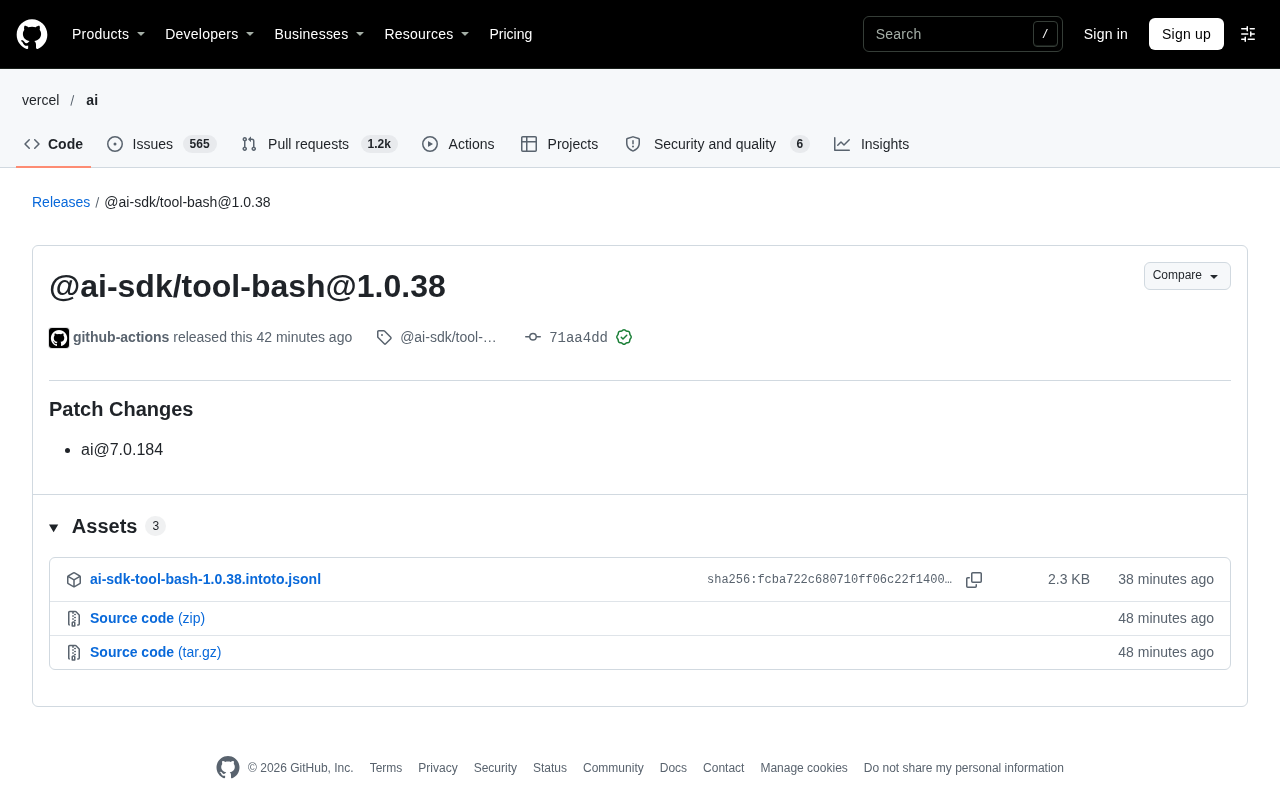
@ai-sdk/tool-bash released patch version 1.0.38, automatically triggered by GitHub Actions with signature verification and commit hash 71aa4dd. The changelog only notes Patch Changes and points to ai@7.0.184 without detailing specific code changes, reflecting version coupling between the tooling package and the AI SDK main package that requires synchronized patch releases to ensure compatible dependency resolution. The article notes that minimalist changelogs are common in automated release pipelines but reduce readability, and developers should use commit hashes to locate actual changes. For consumers, the version combination of both packages in the lock file should be checked before upgrading to avoid dependency drift. The core conclusion: patches may be small, but version alignment is the key to toolchain stability.
A Routine but Critical Version Iteration
The AI SDK ecosystem just received a quiet update. @ai-sdk/tool-bash has released version 1.0.38, published automatically by github-actions on GitHub, with commit hash 71aa4dd and a GitHub-verified signature attached. Judging from the version number semantics and the wording of the changelog, this is a patch changes release, with the core change pointing to ai@7.0.184.
For developers unfamiliar with this toolchain, @ai-sdk/tool-bash can be understood as the bridge layer between AI applications and shell execution capabilities. It allows model output to safely and controllably reach the command-line environment, making it a foundational component when building execution-oriented AI Agent tasks. Behind this slight bump in version number lies the ongoing engineering rhythm of aligning the AI SDK main package with its companion tooling.
Semantic Versioning (SemVer) and patch changes: Version numbers typically follow a three-part "major.minor.patch" rule, where an increment in the patch position (third digit) means only backward-compatible bug fixes were made, and in theory should not contain breaking changes or new features. In the npm ecosystem, the ^ prefix allows automatic acceptance of patch and minor updates, while ~ only allows patch updates. So patch releases like 1.0.38 are usually low-risk for downstream consumers, but when strict version coupling exists between packages, the patch position can also serve to "align dependencies," in which case version number semantics do not fully correspond to the actual magnitude of change.
What the Patch Content Signals
The changelog contains just one line—Patch Changes—pointing to ai@7.0.184, without detailing the specific code changes. This minimalist changelog style is common in automated release pipelines—releases are triggered by CI bots and logs are auto-generated from commit messages, resulting in low information density for external observers.
What's worth noting is the intent behind version alignment. The version number of tool-bash is tied to a specific minor version of the ai main package, indicating a dependency or compatibility coupling between the two. When the main package advances to 7.0.184, the tooling package needs to release a matching patch version to ensure dependency resolution gets a compatible combination. For teams that lock dependency versions in their projects, this is not merely a "minor update that can be ignored"—it may be a necessary action to maintain build stability.
peerDependency and version coupling: When a tooling package declares the ai main package as a peerDependency, npm/pnpm verifies during installation whether the ai version provided by the host project falls within the declared range, issuing warnings or even resolution failures on mismatch. This explains why tool-bash needs to release a patch in sync with ai@7.0.184—if its peer range is tightened or loosened, a new version must be published for dependency resolution to get a compatible combination. Lock files (package-lock.json, pnpm-lock.yaml) record the exact resolved versions and integrity hashes, so comparing lock file diffs before upgrading is the most direct way to determine whether dependency drift is being introduced.
The Engineering Pipeline Behind Automated Releases
The publisher is marked as github-actions with signature verification passing, indicating the entire process runs through a standardized CI/CD channel. In this mode, release traceability is guaranteed by both commit hashes and GPG signatures, with human intervention minimized.
From an engineering perspective, the value of such automated patch releases lies in reducing maintainers' cognitive burden. But it also has a side effect: changelog readability depends on commit message conventions. If commit titles are clear enough, downstream users can judge upgrade impact from a single-line log; otherwise, the log becomes a simple "released" notification. This update falls into the latter category, and developers need to cross-reference the change records of ai@7.0.184 to assess the scope of impact.
Commit hashes and GPG signature verification: A Git commit hash is a fingerprint computed via SHA over the commit contents (including tree objects, parent commits, author information, etc.). Any change alters the hash, so it can be used to precisely pinpoint the code state of a particular release. GPG signatures use a private key to sign commits or tags, and verifiers use the public key to validate, confirming that the release genuinely came from a trusted CI identity rather than a forgery. When GitHub Actions executes releases in a hosted environment, signing keys are typically injected as encrypted secrets. Together, these two form the minimal trust evidence chain of "who released what" in automated pipelines.
How Developers Should Respond
When facing patch versions like this, first check whether the version combination of @ai-sdk/tool-bash and ai in your project's lock file matches. If the ai version currently in use has not yet advanced to 7.0.184, upgrading the tooling package rashly may introduce unnecessary dependency drift.
Second, pay attention to the commit history of the repository containing this package—locating the specific changes via the hash 71aa4dd is more reliable than relying on the changelog. In fast-iterating ecosystems like the AI SDK, dependency version management is itself an ongoing investment. The patch is small, but it reminds us: toolchain stability is built on every version alignment.
Dependency drift: Refers to the deviation of actually installed dependency versions in a project from the expected or locked versions. Common causes include loose version ranges, transitive dependencies being indirectly upgraded, and manual installations without --frozen-lockfile. Drift can cause local builds to pass while CI fails, or introduce hard-to-reproduce runtime errors in PRs with unrelated changes. Control measures include: using npm ci or pnpm install --frozen-lockfile in CI to enforce lock-file-based installation, periodically auditing version deviations with npm outdated, and adopting exact version numbers rather than range declarations for critical packages.
Summary
The release of @ai-sdk/tool-bash@1.0.38 is undramatic, yet it showcases the typical operation of modern open-source toolchains—automation, signature verification, version coupling. For developers building execution capabilities for AI Agents, understanding the alignment logic behind such patches is more practically meaningful than chasing every version number.
Related articles
Pure-Code Video Generation Tested: Which AI Model Actually Follows Instructions?
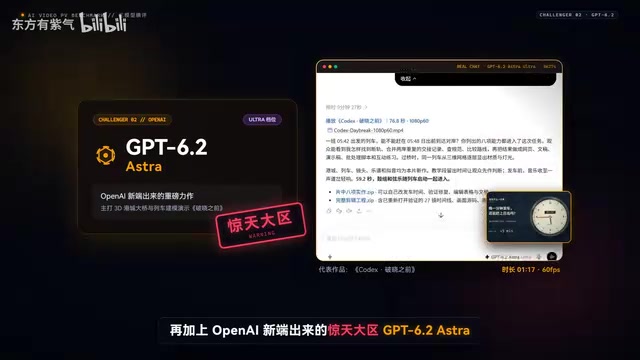
A Bilibili creator tested three AI models' pure-code video generation with unified prompts and three revisions each: Xiaonaomao has a high ceiling but lacks stability, GPT 6.2 Extra models well but only follows half the instructions, and OPAS 5.5 remains the benchmark.
GPT-6 Six-Tier Hands-On Test: Astra Ultra Dominates but Bills Double
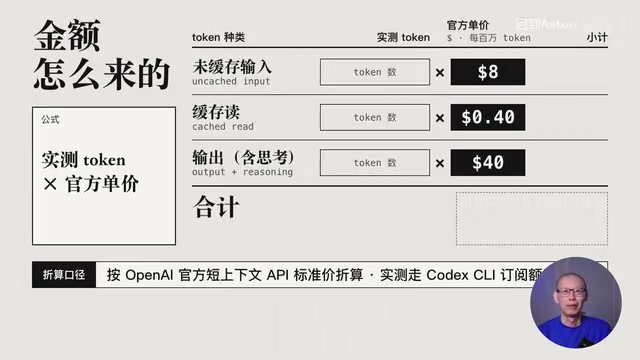
GPT-6 six-tier test: Astra Ultra sweeps 3:0 in 3D tasks thanks to sub-agents and runs 14% faster, but hidden backend bills make its real cost 2.6x single-threaded.

GPT-6.2 Astra vs Fable 5.2: Huge Cost-Efficiency Gap Across 12 Real-World Tests
Bilibili creator tests GPT-6.2 Astra vs Fable 5.2 across 12 real tasks: Fable wins 7-5 but costs 7.2x more and takes nearly 5x longer. Token efficiency emerges as the key selection metric.