@ai-sdk/vue 4.0.151 Patch Release: Vue Integration Stability Update

@ai-sdk/vue releases patch 4.0.151, syncing with upstream ai@7.0.151, no new features.
@ai-sdk/vue has released patch 4.0.151, auto-published by the GitHub Actions bot with 2 commits and a verified signature. The key change is syncing the dependent ai core package to 7.0.151. Since the AI SDK uses a monorepo with lockstep versioning, adapter packages usually just bump dependencies to inherit upstream fixes. Vue developers should upgrade and verify the lockfile locks ai to 7.0.151 to avoid version mismatch, and test streaming and tool calls in pre-release first. Given frequent patch releases, teams should automate dependency management with Dependabot or Renovate.
The Vue adapter package for Vercel's AI SDK, @ai-sdk/vue, has released version 4.0.151. This is a patch update, with the core change coming from syncing with upstream ai@7.0.151.
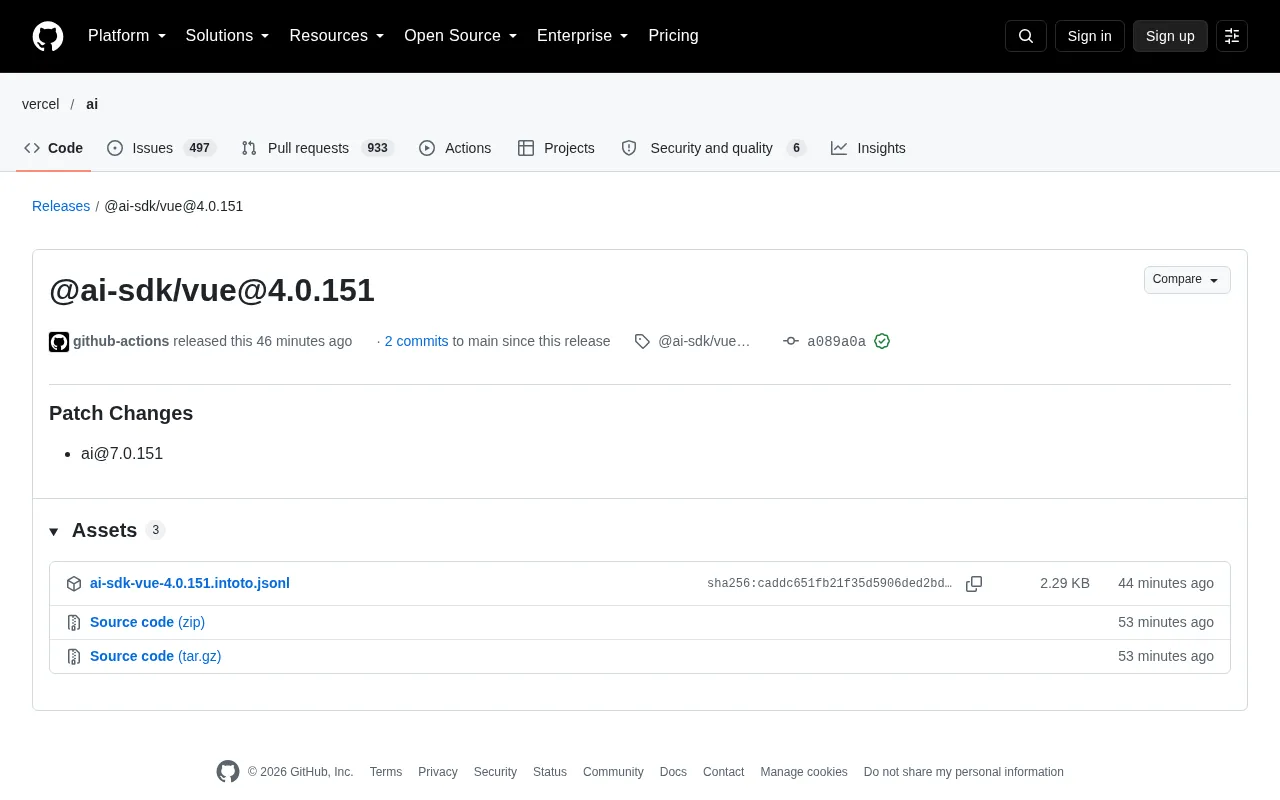
Version at a Glance
According to the GitHub Release page, @ai-sdk/vue@4.0.151 was automatically published by the github-actions bot, contains 2 commits, and carries a GitHub verified signature. The version type is explicitly marked as Patch Changes, and the dependent ai core package is synced to 7.0.151.
This kind of automated release is very common in the AI SDK's iteration cadence. For developers building AI chat interfaces or streaming applications with Vue, patch versions usually mean the propagation of underlying fixes rather than API-level breaking changes.
What the Patch Update Actually Means
The AI SDK is managed as a monorepo, with the core package ai versioned in lockstep with framework adapter packages (React, Vue, Svelte, etc.). When the core package releases 7.0.151, the Vue adapter package follows suit to ensure consistency between the framework layer and the core layer.
From an engineering perspective, this synchronization mechanism reduces the mental burden on developers: you don't need to manually align versions across multiple packages — you just need to watch for the latest patch of the adapter package. This update does not include detailed change notes, only a dependency upgrade, indicating that the fixes are concentrated within the core package itself.
Monorepo and version lockstep mechanism: The AI SDK manages the core package ai and framework adapter packages (@ai-sdk/vue, @ai-sdk/react, etc.) in the same code repository. Each package is released independently but shares the same upstream logic. Adapter packages themselves are usually thin wrapper layers that map the core package's capabilities onto the corresponding framework's reactivity system or lifecycle. So when the core package fixes a bug, the adapter package often only needs to bump its dependency version on ai to inherit the fix — which explains why patch releases are often labeled as "dependency upgrade only." Under this mechanism, adapter package version numbers are not required to match the core package version numbers numerically, but maintainers try to keep the two in sync to reduce alignment overhead for developers.
Recommendations for Vue Developers
If you're using @ai-sdk/vue in your project, it's recommended to upgrade the dependency to 4.0.151 to get the fixes that accompany ai@7.0.151. The upgrade process is the same as for any regular npm package:
npm install @ai-sdk/vue@4.0.151
Before upgrading, it's recommended to check whether your project's lockfile also locks the ai core package to 7.0.151, to avoid a version mismatch between the adapter package and the core package. For production environments, it's advisable to first verify critical paths such as streaming responses and tool calls in a pre-release environment.
Lockfile and version mismatch risks: Package managers such as npm and pnpm determine the actually installed version based on the lockfile. If @ai-sdk/vue in your project has been upgraded to 4.0.151 but the lockfile still locks ai at 7.0.150, the adapter package may call new interfaces that don't exist in the core package, causing runtime errors. After upgrading the adapter package, you should check whether ai has been bumped along with it; if necessary, explicitly install ai@7.0.151 or delete the lockfile and re-resolve. In pnpm workspace or peerDependencies scenarios, also watch out for multiple copies of ai, which can cause subtle issues from type mismatches.
On the AI SDK's Iteration Cadence
The AI SDK releases frequently, with patch versions appearing almost every week. This cadence reflects the reality of rapid evolution in AI application development: model provider interfaces change frequently, and the SDK needs to keep up. For teams, establishing an automated dependency update process (such as Dependabot or Renovate) is more sustainable than manually tracking every patch.
This 4.0.151 release is a routine maintenance release and introduces no new features. The focus should be on version alignment with the core package rather than expecting significant behavioral changes.
One-line Summary
@ai-sdk/vue releases patch 4.0.151, syncing with upstream ai@7.0.151, no new features.
Paragraph Summary
@ai-sdk/vue has released patch version 4.0.151, automatically published by the GitHub Actions bot, containing 2 commits with a verified signature. The core change is syncing the dependent ai core package to 7.0.151. The AI SDK is managed as a monorepo, with the core package and framework adapter packages versioned in lockstep; adapter packages usually only need a dependency bump to inherit upstream fixes. This release includes no detailed change notes, with fixes concentrated in the core package. For Vue developers, it's recommended to upgrade and check whether the lockfile locks the ai core package to 7.0.151 as well to avoid version mismatch, and to verify critical paths such as streaming responses and tool calls in a pre-release environment before production. AI SDK patches are released frequently, so teams should manage dependencies with automated processes like Dependabot or Renovate.
Related articles
LLaMA-Factory in Practice: A Complete No-Code Guide to Fine-Tuning Large Models
An introduction to LLaMA-Factory, the open-source fine-tuning tool: its 60.1K-star background, supported models and algorithms, local vs. cloud deployment, and CUDA setup steps.

Zeng Ming's Deep Retrospective: Why OpenAI May Not Be the Ultimate Winner — and Why the Corporate System Will Disappear
Zeng Ming's deep retrospective on the AI endgame: model companies are just infrastructure, OpenAI and Anthropic won't be the final winners; the next battle is the Agent entry point standard; the corporate system will disappear as AI restructures collaboration, and only mission-driven companies can survive the cycle.
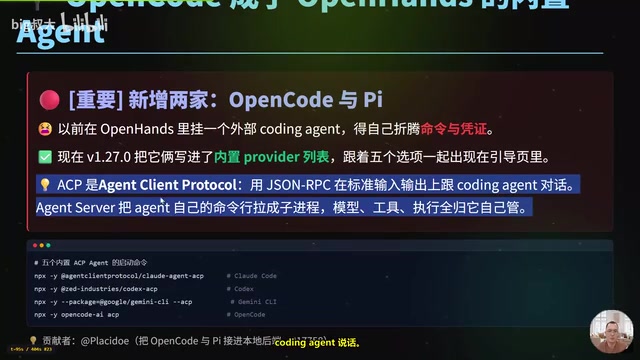
OpenHands v1.28.0: OpenCode and PI Added as Built-in Agents, API Keys Requestable In-Conversation
OpenHands ships 5 releases in 21 days: v1.27.0 adds OpenCode and PI as built-in agents, v1.28.0 enables in-chat key requests. ACP integration, credential reuse, model list changes, and upgrade advice.