AI Testing in Practice: A Complete Guide to Three Types of AI Tools and the New Paradigm of Test Development

Three types of AI tools and the new AI test development paradigm—master Skills, MCP, and the fundamentals.
This article breaks down the three core categories of AI tools for testers—personal assistants, CLI geek tools, and AI IDEs—and reveals that generating test cases is easy while getting AI to understand the business is the real challenge. It explains Skills, MCP, RAG, and the shift from test development to AI test development, arguing you should grasp fundamentals rather than chase trends.
The Polarization Dilemma in the Testing Industry in the AI Era
Entering the AI era, a strange phenomenon has become widespread in the testing industry and even the entire IT industry: perceptions of AI are severely polarized. Some believe AI is omnipotent and can replace the vast majority of work; others believe AI offers limited help in actual work and can't solve real problems.
Behind this polarization lies a lack of basic understanding of technological iteration. Many people's exposure to AI stems from two catalysts—DeepSeekAd and Claude Code (the term "OpenCloud" in the original likely refers to the Claude Code ecosystem). DeepSeek is a series of open-source large language models released by the Chinese company DeepSeek. With extremely low training costs and reasoning capabilities comparable to top international models, it drew global attention in early 2025 and became the entry point to AI for many domestic users. Claude Code, on the other hand, is a command-line programming assistant released by Anthropic around its Claude series of models, focused on directly understanding codebases and executing modification tasks within terminal environments. The two represent two typical entry points for AI adoption today: the former leans toward general-purpose conversation and reasoning, while the latter is deeply embedded in development workflows. So whenever big news breaks, someone asks, "Such-and-such technology just came out—does it have a disruptive impact on testing?"
But the real question is: If an industry undergoes disruptive change because of a single technology, it proves that the industry itself may have problems. AI doesn't bring simple replacement, but a redistribution of capabilities. Understanding this is the prerequisite for mastering AI tools.

Three Types of AI Tools: Each Has Its Strengths, None Is a Master Key
The AI tools on the market are dazzling: Claude Code, Codex, Cursor, OpenCode, ByteDance's Trae, Qcode... Many people can't figure out which to use. In fact, these tools can be grouped into three major categories, and each category has a direction it excels at—no single tool can solve all problems.
Category One: Personal Assistant Tools
The strength of these tools lies in social tool integration and handling lightweight tasks. Their characteristic is a lower degree of engineering—you don't need to work on complex engineering projects. You might just have the AI help you gather information, write a simple document, or engage in everyday conversation.
A typical application scenario for these tools is remote work: the computer is at the office, and you're at home. By connecting to remote tools like DingTalk, Feishu, or WeChat Work, you can complete work tasks just by chatting with AI on your phone. Nowadays, vendors like Qwen, NetEase, and Tencent have all released similar open-source products, and users can choose according to their needs.
Category Two: Command-Line (CLI) Geek Tools
These tools have no graphical interface—pure command-line interaction. They're called "geek tools" because they discard the human-computer interaction concepts designed over the past few decades. The core idea is "we don't need to interact with an interface, we only need to converse with AI." Typical representatives are Claude Code and its open-source alternative, OpenCode.
These tools are extremely practical in server operation scenarios. The article demonstrated OpenCode in action: after connecting to a Linux server via SSH, you can directly ask "how many Java environments are on the server" or "help me configure environment variables," and the AI can identify the system's situation, provide installation and configuration plans, and execute them.
Its greatest advantage is that the AI is embedded inside the system and understands the current server's real situation. This stands in stark contrast to standalone conversational tools like DeepSeek and Doubao—the latter don't understand your server, and the commands they give look plausible, but you don't know what the result will be after running them, often requiring repeated copy-paste debugging of conversations. In addition, OpenCode has built-in free models (such as MiniMax), ready to use out of the box, with no additional interface configuration required.
Category Three: AI IDE Programming Tools
This is the transformation product of the traditional engineering field. In the past, "old-school programming" with IDEA or PyCharm required hand-writing every line of code; in the AI era, you only need to describe your objective, and the AI can write large chunks of code. Even non-professionals can complete development without knowing how to program. Representative tools include Cursor and Trae, and PyCharm and VSCode also have AI plugins like Tongyi Lingma.
Why You Should Master One of Each Type of AI Tool
The author draws a key conclusion: You'll use all three types of tools, but you don't need to learn all of them—just master any one of each type. In the AI era, the gaps between tools are quickly smoothed over—when Claude Code designs a new feature, OpenCode's developers quickly follow suit. These tools essentially all open a dialog box to interact with AI, and the way they're used is similar.
But why master one of each rather than just learning one? The answer is that different scenarios require different tools, and the experience varies greatly:
- Writing code without seeing any interface or checking any code content is obviously inconvenient—so AI programming requires a "Claude Code + IDE" combination, using a visual interface to view the generated code;
- When operating a server without a graphical interface, using a personal assistant tool with an interface is actually cumbersome—the pure command-line OpenCode is more suitable;
- Generated documents and reports that require opening separate software to view will also interrupt the workflow.
The author also shared his own practical combination: handing code writing to Claude Code (widely recognized as first-tier in engineering capability), while combining it with the domestic Trae for code viewing, inspection, and modification.
Generating Test Cases Is Easy; the Hard Part Is Getting AI to Understand the Business
The article used a highly enlightening demonstration to break a common misconception. The author separately used OpenCode (free MiniMax model) and Claude Code (paid model) to execute the same command—"generate 8 API test cases based on the interface information and save them to an MD file"—and both tools completed it easily.
The conclusion is clear: Which tool you use to generate test cases is not a problem at all—one sentence gets it done, with zero technical difficulty.
So what's the real difficulty? The author hits the nail on the head:
"Whether it's API test cases or functional test cases, the most important thing is how the AI understands your business system."
In reality, an API document might show two parameters but the actual call uses three; a requirements document might mention two buttons but there are actually three. As a tester, you can't demand that product managers and developers give you a document perfect down to every detail. What limits testers has never been the AI tools themselves, but how to solve problems when documentation is incomplete.
This also involves a key technology—RAG (Retrieval-Augmented Generation). Because large models' training data has a cutoff point and cannot cover a company's internal private data, RAG significantly improves the accuracy and timeliness of answers by first retrieving relevant documents from a knowledge base and then feeding the retrieval results to the model as context. In testing scenarios, RAG allows AI to understand the business system based on the latest interface and requirements documents, which precisely addresses the core difficulty of "getting AI to understand the business."
The deeper problem lies in the data source: AI needs materials to generate test cases, but where does the real interface information come from? Copy-pasting from the F12 developer tools is extremely inefficient, and scripts recorded by JMeter are difficult to feed directly to AI. This is the real threshold for actual implementation.
AI Test Development: Core Capabilities Under the New Paradigm
To solve the data source problem, the author showcased the approach of a self-developed tool: having Claude Code invoke a custom "recording" Skill that launches a special browser dedicated to recording interface, page, and snapshot information, preparing for subsequent document generation and test case generation.
This leads to two key concepts:
What Exactly Is a Skill
Many people think learning AI is just about conversing with AI—installing a Skill and you're done. But the author clarifies: a Skill is essentially a description file, a piece of instructional information for the AI to read, telling the AI what this skill is supposed to do and what commands to run. It's not magic—Claude Code, OpenCode, and Trae all have their own Skill folders. What actually does the work behind a Skill are additionally developed tool programs.
It's worth noting that Skills and tool invocation often rely on a unified connection standard—MCP (Model Context Protocol). This is an open standard proposed by Anthropic in late 2024, used to unify the way large models connect to external tools and data sources. Before MCP existed, every AI tool needed to develop separate interfaces to connect to external systems, resulting in chaotic standards. MCP defines a common communication specification that allows models to invoke resources such as databases, APIs, and file systems in a standardized way—similar to a "USB interface" for the AI field. This is why the author emphasizes that capabilities like MCP and Skills are universal across tools—the underlying protocol is consistent, and the tools are just different shells.
From Test Development to AI Test Development
Developing these tools that let AI work better used to be called "test development," and now it's called "AI test development." The author emphasizes that even with AI, you still need test development thinking and programming ability, for two reasons:
- The code AI writes will have errors and problems, and you need to be able to correct them;
- AI is trained in advance and doesn't know the latest technical changes—for example, a framework may have just been updated two hours ago to fix a bug, but the AI's training data still reflects the old version, so it will write code containing a bug that has already been fixed.
Therefore, in the AI era, learning automation and test development has undergone two changes: learning speed is faster (what used to take three or four months now takes 20 days to a month), but the focus has also shifted—it's no longer about mastering every line of code by heart, but about understanding the implementation principles of automation and framework design ideas, then using AI to complete the code writing.
The Essence of Automation: From "Having People Write It" to "Having AI Write It"
The author raised sharp criticism of the approach of "recording scripts to do automation." He pointed out that recording scripts has been abandoned from beginning to end, and the fundamental reason is a data problem: what's recorded is fixed data that can't be repeatedly executed (for example, canceling an order—once it's been canceled, executing it again is meaningless). Systems change quickly, and scripts are a burden whether modified by people or by AI.
The real difficulty of automation lies in filling in the "missing arms and legs":
- Where is the token extracted from? How does it correspond to the token returned upon login?
- The order number should be dynamic—how do you achieve dynamic automated execution?
- How does the AI know the dependencies between interfaces?
In the traditional automation era, we used YAML/CSV configuration to let "people" complete automation with zero code; in the AI era, it goes a step further—even people don't write it anymore; AI does. This requires creating a set of specifications that AI can understand, with extensive customization for AI invocation. This is what AI automation really needs to accomplish.
AI Levels the Gap, but Also Brings New Opportunities
The article ultimately lands on a profound industry judgment: AI is a technology that levels the gap.
In the past, many people couldn't do performance testing well, getting stuck on details like environment setup, remembering commands, and server operations. Now, AI helps you complete environment setup and generate commands (for example, quickly checking "the program consuming the most CPU"), turning "memorizing a 1,000-word essay" into "memorizing 100 words while still being able to flip through the book." The technical gaps between three, five, and eight years of work experience are quickly smoothed over by AI.
So where is the new gap? It lies in who can use AI better and understands AI more deeply—the use of agent tools, the development of AI testing tools, the use of models, and platform development. At the same time, an entirely new field has emerged: how to test AI itself. As more and more products undergo AI transformation, Skills, prompts, RAG, MCP, agents, and large model fine-tuning all need to be tested and evaluated, making this a new, high-value direction.
Conclusion: Don't Chase Trends—Grasp the Fundamentals
The core viewpoint the author repeatedly emphasizes is: Don't chase trends. Others say Claude Code is hot so you learn Claude Code; they say Codex is hot so you learn Codex—you'll never catch up, and what you learn in a month becomes outdated.
"What you need to learn is the fundamentals of these technologies—everything is essentially the same. Skills, MCP, and all these things are consistent; the tools just look different."
As long as you master any one tool proficiently, capabilities like Skills, MCP, and Agents are all universal and not limited to any specific tool. This is the learning direction truly worth investing in during the rapidly iterating AI era.
Key Takeaways
Related articles
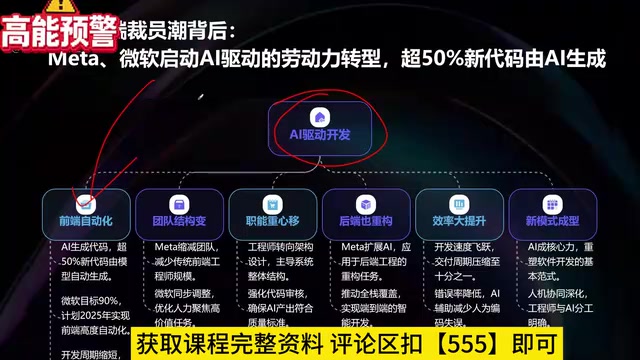
What Is Vibe Coding? The AI Programming Skill Every Developer Needs
What is Vibe Coding? Learn how AI programming is reshaping dev teams, why traditional programmers face displacement, and why Cursor & Claude Code matter.
Making Rocks Think: A Philosophical Exploration of Generative AI and Information Compression
From a viral Reddit post to deep AI theory: why compression equals understanding, the Library of Babel thought experiment, semantic compression, and the Hutter Prize.
Irregular Warns: Four AI Lab Security Breaches Traced to the Same Root Cause
Irregular reveals four AI lab security breaches share a single root cause, exposing systemic risks from technology stack homogeneity across the AI industry.