AnswerUI: An Open-Source Alternative to ChatGPT's Intelligent UI, Works with Any Local Model
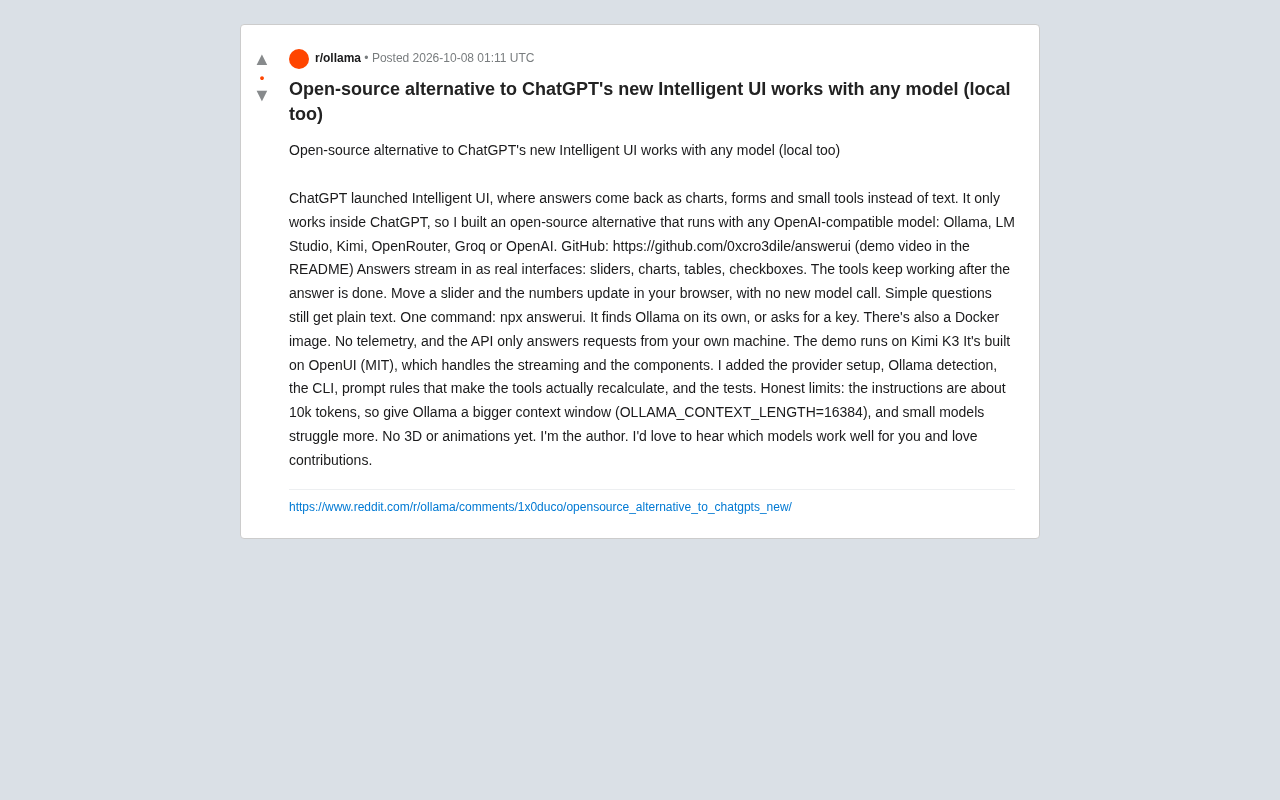
AnswerUI is an open-source ChatGPT Intelligent UI alternative that renders responses as interactive components with any compatible model.
AnswerUI is an open-source project by developer 0xcro3dile that brings ChatGPT's Intelligent UI capability outside its closed ecosystem. Built on the MIT-licensed OpenUI framework, it renders model responses as interactive sliders, charts, and tables, with all logic computed on the frontend — no repeated model calls needed. It supports any OpenAI-compatible backend including Ollama and LM Studio, launches with `npx answerui`, and is designed with no telemetry and local-only API access. Its main limitation is a ~10k token system prompt that strains small local models, and it currently lacks 3D rendering and animation support.
ChatGPT's recently launched Intelligent UI turned heads — instead of plain text, responses are rendered as charts, forms, and interactive widgets. But the feature is locked inside ChatGPT and only works with OpenAI's own models. Developer 0xcro3dile has open-sourced an alternative called AnswerUI, which runs with any OpenAI-compatible model — including locally deployed options like Ollama and LM Studio, as well as cloud services like Kimi, OpenRouter, Groq, and OpenAI itself.

More Than Text: Responses That Are Actually Interactive
The core idea behind AnswerUI is to render model responses as truly interactive UI components rather than static text. According to the author's GitHub description, answers stream in as real UI elements — sliders, charts, tables, checkboxes, and more.
More importantly, these components remain functional after the response finishes generating. For example, dragging a slider updates values in real time in the browser, and this requires no additional model calls — all the calculation logic is bundled into the frontend along with the UI. This means a smooth interactive experience with no extra API costs.
For simple questions, AnswerUI still returns plain text and doesn't force everything into a complex interface. This "render on demand" approach avoids over-engineering and keeps everyday use simple.
One-Command Setup, with Privacy in Mind
The barrier to deployment is kept very low. The author provides a single-command launch via npx answerui: the tool automatically detects whether Ollama is running locally, and if not, prompts for an API key. A Docker image is also available for containerized deployments.
On the privacy front, AnswerUI makes two explicit commitments: no telemetry of any kind, and its API only responds to requests from the local machine. For users who care about data sovereignty and want to run LLMs in a fully local, closed-loop environment, these are important selling points. The demo video shows the project running on the Kimi K3 model.
Built on OpenUI — the Author Filled in the Missing Pieces
AnswerUI isn't built from scratch — it's built on top of OpenUI, an MIT-licensed open-source project that handles the underlying streaming and component rendering capabilities.
The author added several pieces that make the project genuinely usable:
- Multi-provider configuration: unified support for various OpenAI-compatible backends
- Ollama auto-detection: no need to manually specify the local service address
- CLI tool: enables one-command startup
- Prompt rules: the core that enables components to "actually recalculate," ensuring sliders and other interactive elements behave with correct logic
- Test coverage
The prompt engineering is what makes interactive components behave as expected, and it's the bridge that turns OpenUI's rendering capability into a practical, usable product.
OpenUI is an open-source framework by Weights & Biases. Its core capability is enabling LLMs to generate HTML/CSS/JavaScript code in a streaming fashion and render it as a visual interface in real time within the browser. Its design philosophy is "describe it and get a UI" — users describe the interface they want in natural language, and the model generates and renders it on the fly, skipping traditional frontend coding. OpenUI solves the pipeline problem of turning model-generated code snippets into visible components, but it isn't optimized for specific interaction logic (like slider-linked calculations), nor does it have a unified integration layer for multiple model backends. AnswerUI fills in these gaps at the application layer: through carefully designed prompt rules, it guides the model to not only generate static interfaces but also embed correct calculation logic on the frontend, so components remain fully functional without calling the model again.
Honest About Limitations: Not Great for Small Models
The author gives an honest account of the project's shortcomings — which is worth acknowledging.
The system prompt alone is approximately 10k tokens, so if you're using Ollama, you'll need to configure a larger context window for your model (the recommended setting is OLLAMA_CONTEXT_LENGTH=16384). In other words, smaller models will struggle with these complex instructions, and output quality and stability will suffer.
Additionally, 3D rendering and animations are not currently supported, meaning AnswerUI isn't yet suited for highly dynamic visualization use cases.
A 10k token system prompt is a significant engineering burden. Most mainstream local small models (e.g., 7B parameter class) have default context windows of 2,048 to 4,096 tokens — the system prompt alone nearly fills or exceeds that limit, leaving very little room for actual conversation. Ollama supports extending the context window via the OLLAMA_CONTEXT_LENGTH environment variable, but this significantly increases VRAM usage. For a 4-bit quantized 7B model, expanding the context from 4k to 16k requires roughly 1–2 GB of additional VRAM. In practice, AnswerUI is better suited for models with 13B or more parameters, or models with longer native context support (such as Qwen2.5 or Gemma 3). Users with consumer GPUs limited to 8GB of VRAM will need to make careful tradeoffs when choosing a model.
What This Means for the Local AI Ecosystem
Projects like this reflect a broader trend: innovative features from closed-source products like ChatGPT are being rapidly replicated by the open-source community. AnswerUI's value lies not just in reproducing the Intelligent UI interaction pattern, but in liberating that capability from a single vendor's ecosystem — making it available to any model that supports the OpenAI API, especially local models.
For developers and organizations who care about data privacy and want to break free from cloud dependency, the combination of "self-hostable + any model" offers a real alternative. The author is also actively soliciting feedback — especially on which models perform well in this use case — and welcomes community contributions.
Anyone interested can visit the GitHub repository (0xcro3dile/answerui), where the README includes a demo video.
Related articles

Free Unlimited Claude Code Solution: Agnes AI + CC Switch Setup Guide
No paid subscription needed — pair the free AI platform Agnes AI with the open-source tool CC Switch to provide a backend for Claude Code, enabling unlimited free calls to text, image, and video models. This guide covers the full setup, test results, and usage boundaries.

A Complete Zero-Cost Guide to Getting Started with Claude Code for Beginners in China
A beginner's guide to Claude Code for users in China: two installation methods (command line and IDE plugin), full configuration steps for replacing the official API with the free domestic LongCat model, and a hands-on demo of building a small tool with natural language, plus tips.

When the NSA Gets Involved: The AI Supply Chain Crisis Behind Open-Source CVEs and API Key Hijacking
Multiple open-source projects disclosed severe CVEs in one day, PHP flaws alarmed the FBI, and Railway and OpenCode were breached with API keys stolen. This article breaks down the vulnerability window, AI-accelerated exploitation, and the AI supply chain crisis behind the API key black market, with a developer defense checklist.