Beware of AI Tutorial Tricks: The Truth and Myths About Local LLM Deployment

Debunking three core lies in "run full GPT-6 locally for free" tutorials and clarifying what local AI can realistically do.
Video platforms are flooded with tutorials claiming you can run "full-power GPT-6 or Gemini" locally on a low-VRAM laptop for free. This article dismantles the key deceptions: OpenAI and Google have never released flagship model weights, so local deployment of the "official model" is technically impossible; what actually runs on low-VRAM devices are quantized open-source models like Llama and Qwen, which fall noticeably short of closed-source flagship performance. Local open-source model deployment is genuinely valuable for offline and privacy use cases — but only when done through legitimate channels like Hugging Face and Ollama, not shady "comment-section toolkits."
It Starts With a "Free Usage Tutorial"
Video platforms have been flooded lately with tutorials marketed under names like "GPT-6" and "Gemini Image Model," claiming to be "free domestic alternatives." These videos promise that with just a laptop or old PC with a few gigabytes of VRAM, you can run "the full, uncompromised version of the hottest AI" locally — with zero reduction in logical reasoning or coding ability.
This type of content typically hooks viewers with phrases like "mind-blowing," "ultimate toolkit," or "deploy in three minutes," then funnels them to the comments section to claim resources. As a reader, it's worth stepping back and calmly dissecting the logic behind these claims — to understand what's actually technically achievable and what's pure exaggeration or outright misleading.
Three Core Flaws in These Promotional Claims
"GPT-6" and "Official Model Local Deployment" Simply Don't Hold Up
The first problem is naming. There is no publicly downloadable model called "GPT-6" or "Gemini 3.8 Image2." OpenAI and Google's flagship closed-source models have never released their weights for download — ordinary users simply cannot "obtain the weight files" to run them locally. The premise of running a "full" official model on a thin-and-light laptop is technically impossible from the ground up.
The vague language used in these videos — "obtain weight files," "configure a lightweight runtime framework," "local graphical interface" — sounds like it's describing real tools like Ollama or LM Studio. But those tools run open-source models (such as Llama, Qwen, Mistral, etc.), which are entirely different products from GPT or Gemini. Passing off open-source models as closed-source flagship products is the most common bait-and-switch in this genre of tutorials.
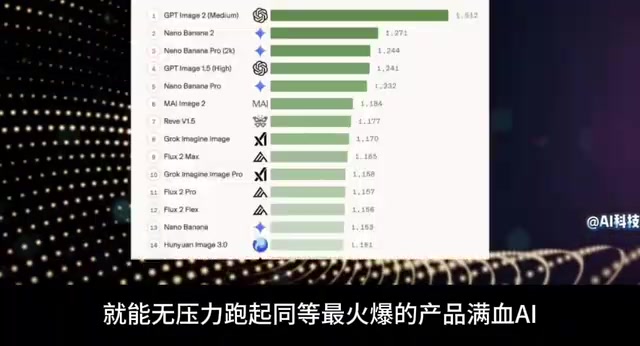
Ollama is an open-source local LLM runtime that supports one-click downloading and running of open-source models like Llama, Qwen, and Mistral on macOS, Linux, and Windows. LM Studio provides a more user-friendly graphical interface suited for those unfamiliar with the command line. Both tools are legitimate and valuable — the problem isn't the tools themselves, but the way some content creators conflate them with closed-source flagship models. The Llama series comes from Meta, Qwen from Alibaba Cloud, and Mistral from the French company of the same name — all released as open-weight models that anyone can download for free through official channels. This is fundamentally different from GPT and Gemini, whose weights OpenAI and Google have never made public.
"Running Full-Power AI on a Few GB of VRAM" Defies Basic Common Sense
The second major flaw is the performance promise. The capability of large language models is closely tied to parameter scale and VRAM requirements. Open-source models that genuinely approach top-tier closed-source model performance typically have tens of billions of parameters — and even after quantization compression, they still require substantial VRAM and system memory.
On a device with just a few gigabytes of VRAM, you can indeed run small quantized models (say, under 7B parameters) — but their logical reasoning, long-context handling, and code generation capabilities fall noticeably short of official flagship models. The claim that these models perform "with zero reduction in capability" is wildly inconsistent with real-world experience. Lightweight local models have genuine value, but they shouldn't be packaged and sold as "full replacements for GPT."
Quantization refers to compressing model weights from high-precision floating-point formats (such as FP16 or BF16) into lower-precision integers (such as INT8 or INT4), dramatically reducing VRAM usage and memory bandwidth requirements. For example, a 70B-parameter model stored in FP16 requires roughly 140GB of VRAM; after 4-bit quantization, that drops to approximately 35–40GB — still far beyond the hardware specs of a typical thin-and-light laptop. A 7B model after 4-bit quantization needs around 4–5GB of VRAM and can genuinely run on entry-level consumer GPUs — but the capability gap between a 7B and a 700B-scale model on complex reasoning tasks doesn't disappear just because quantization tools exist. Quantization inevitably introduces some precision loss while shrinking model size, which means the claim of "zero capability reduction" simply doesn't hold up technically.
What Local Deployment Can Actually Do
A Realistic and Viable Technical Path
Once you strip away the exaggeration, running open-source LLMs locally is a mature and genuinely meaningful technical practice. Using tools like Ollama, LM Studio, or text-generation-webui, regular users really can set up a graphical local AI interface on their personal computers — with real benefits like offline use, privacy protection, and no API costs.

Realistic expectations for this kind of setup should be:
- Running quantized open-source models in the 7B to 14B range for everyday Q&A, text organization, and basic coding assistance
- More VRAM and system RAM means you can run larger models with smoother responses
- Offline operation means data never leaves your device, making it suitable for privacy-sensitive use cases
- Generation quality and speed depend on your hardware and model choice — there's no free lunch where a small machine magically matches a large one
Risks You Should Watch Out For
The practice of directing viewers to "comment for the toolkit and config files" is itself a red flag. Mystery "resource packs" from unknown sources may bundle malware, cryptomining scripts, or paywalled traps. To obtain open-source models and tools, always use official channels: Hugging Face, the Ollama official website, or the official repositories for each model.
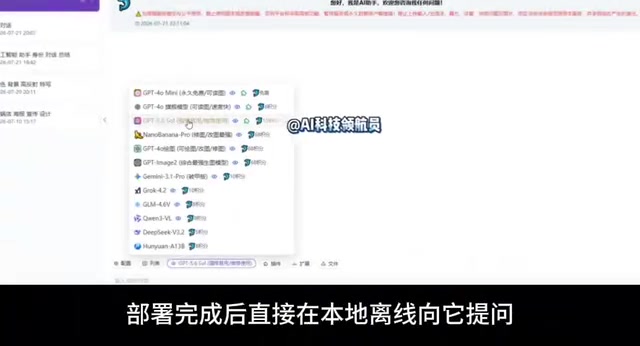
Hugging Face is currently the most mainstream open-source model hosting platform — the vast majority of publicly released model weights, config files, and documentation can be found there, with model cards specifying licenses, parameter counts, and recommended hardware. The Ollama website (ollama.com) offers a curated list of commonly used models and supports downloading and launching them with a single command. Files obtained through these channels are traceable and community-audited, which is a fundamental security difference compared to sketchy "resource packs." If a tutorial asks you to download an executable or compressed archive from a cloud drive, a private comment, or an unfamiliar website, treat it as a high-risk action.
How to Spot This Kind of Content
When evaluating whether an AI tutorial is trustworthy, consider a few angles:
Does the model name actually exist? — Verify whether something like "GPT-6" has been officially released. Does the performance promise align with hardware reality? — Running a top-tier model on a few GB of VRAM is essentially impossible. Is the resource channel transparent? — Legitimate tools don't need to be "DM'd from the comments." Is the language suspiciously vague? — Heavy use of emotionally charged buzzwords like "mind-blowing," "full-power," or "leaked-level" without specifying a concrete model name and parameter count is usually a warning sign.
Local AI is a direction worth learning about — but that learning should be grounded in accurate information. Rather than chasing a nonexistent gimmick like "free full-power GPT-6," it's far more worthwhile to genuinely understand the Ollama ecosystem and the open-source model landscape, choose a model that fits your hardware, and actually put local AI to good use on your own devices.
Related articles
Automattic Executives Signed Reciprocal Severance Agreements During Mullenweg's Brief Ouster
Automattic's CFO and General Counsel signed reciprocal severance agreements during Matt Mullenweg's brief ouster, covering one year's salary and accelerated equity vesting, raising corporate governance concerns.
H3 Singularity Optimization: 40% Speed Boost With Better Image Quality
A Reddit user's Minimax Singularity workflow tip: insert an RTX upsampler before H3 Latent for 40%+ speed gains and better quality. Covers parameters, 12-bit output, and more.
Glyph: A Multi-Strategy Agent System for Automated Enterprise Data Catalog Annotation
Glyph is a multi-strategy LLM agent system for enterprise data catalogs that automates column description generation and sensitivity ontology tagging, grounding outputs in pipeline source code to improve accuracy.