Blue Big Fat Fish 1.3.1 Update: BV ID Deduplication + Comment Section Guard

Bilibili "Blue Big Fat Fish" plugin 1.3.1: BV ID deduplication prevents repeated recommendations, plus controllable comment section auto-reply.
The Bilibili developer's "Blue Big Fat Fish" plugin has been updated to version 1.3.1 and entered the community plugin directory. This update explains the deduplication mechanism and adds a comment section guard. Deduplication uses the BV ID instead of titles or thumbnails, since BV IDs are unique and immutable; on record-read errors it reports clearly rather than defaulting to "not watched," reflecting a conservative "rather do less than repeatedly disturb" strategy. The guard is off by default and requires configuring direct messages, comments, and guard plus manual verification; replies filter meaningless content, and the key is a daily reply cap to prevent risk control and viewer loss. Whitelist UIDs, pacing parameters, and guard guidelines form the control system, with every reply logged. The author says no more capabilities will be unlocked for now, observing actual effects first.
A Bilibili developer's "Blue Big Fat Fish" plugin has been updated again. This time the version number reaches 1.3.1, with two core changes: first, it thoroughly clarifies the question left unexplained last time—"will videos be recommended repeatedly?"—and second, it adds a comment section guard feature, letting this fish use your alt account to automatically reply to viewers in your video's comment section.
According to the Bilibili creator in the video, the plugin has entered the community plugin directory and can be found in the plugin marketplace by searching its name.
BV ID Deduplication: Why the Same Video Won't Be Pushed Repeatedly
After the previous video was released, the comment section was flooded by this "Big Fat Fish," and one highly-liked comment hit the pain point directly: if you browse Bilibili like this every day, will the same video be recommended over and over again?
The creator's answer is no. The mechanism isn't complicated: every time the plugin watches a video, it records that video's BV ID and stores it locally; on the next round of queries, it compares against these BV IDs and skips any with a matching BV ID.
Choosing the BV ID rather than the title or thumbnail as the basis for deduplication is a thoughtful decision. A video's title and thumbnail can be changed at any time, but the BV ID is unique and unchanging. Using an immutable identifier to anchor content ensures the judgment won't go wrong. This detail shows that the author has a solid understanding of Bilibili's data structures.
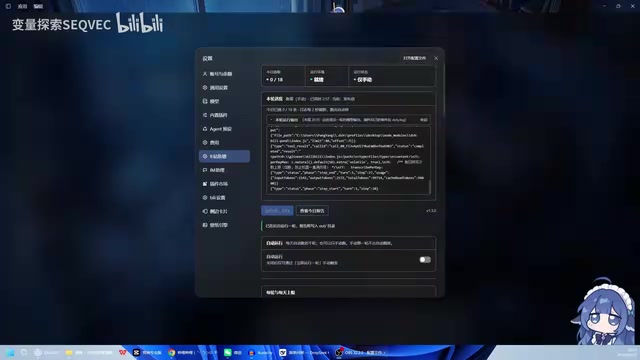
Another commendable design is error handling. When the plugin encounters an error reading the record table, it does not default to "this one hasn't been watched" and recommend it again; instead, it gives a clear error message. The author's exact words were, "I'd rather do less than repeatedly recommend and repeatedly disturb others." In a context where automation tools generally lean toward "doing more," this conservative strategy actually seems restrained.
If you genuinely want a video to be re-analyzed, you just need to delete the corresponding BV ID from the records, and it will be recommended again in the next round. This manual entry point is reasonably provided.
A BV ID (full name BVid) is the unique video identifier that Bilibili has fully adopted since 2020, formatted like BV1xx411c7mD and composed of digits and upper- and lowercase letters. Compared with the old av number (a purely incrementing number), the BV ID is algorithmically generated; the same av number may correspond to different BV IDs at different times, but once generated, a BV ID is permanently bound to one video. The creator can change the title, thumbnail, description, or even category at any time—all these metadata will change, but the BV ID will not. For this reason, any scenario that requires "determining whether it's the same video"—deduplication, favorites, history, caching—should rely on the BV ID rather than doing string comparisons on titles. Titles may collide (re-uploads, compilations, renames), and thumbnails may be replaced, but only the BV ID remains stable throughout the video's lifecycle.
Comment Section Guard: Off by Default, Run Manually First Before Enabling
The newly added comment section guard works by using your alt account to interact with viewers on your behalf in your video's comment section. After installation it is off by default—the three items of direct messages, comments, and guard all need manual configuration, and the author repeatedly emphasizes this: run it manually once to confirm everything is fine, then consider whether to enable automation based on your own situation.
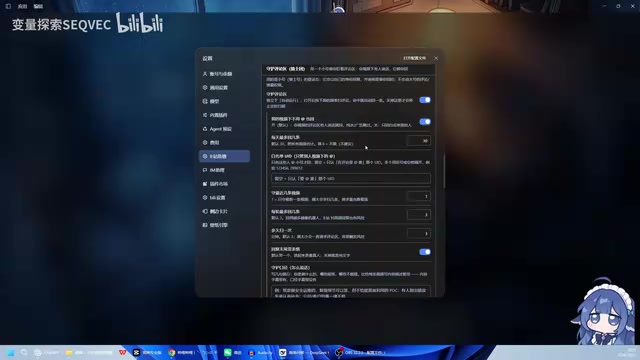
The reply strategy includes filtering: purely emoji, tips/donations, "hahahaha," and other meaningless comments will not trigger a reply. This filtering threshold is fairly basic, but at least it blocks the type of content most likely to cause spam.
The truly critical part is the daily reply cap. The author says it very plainly in the video: what automated replies fear most is not replying poorly enough, but waking up to find the comment section flooded with hundreds or thousands of messages from your own bot—at best the account gets risk-controlled, at worst viewers see this and never comment again. So this cap must be set according to the actual comment volume of your videos.
Whitelist and Pacing Control
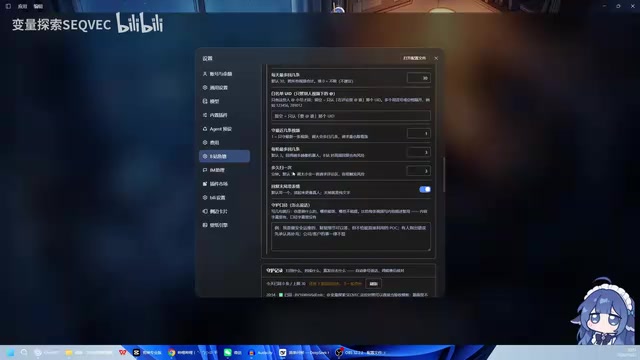
The whitelist UID addresses the issue of videos outside the scope. For videos not within the preset scope, Big Fat Fish will not proactively collect from the comment section, but if you think a certain video is worth analyzing, you can @ your alt account in that comment section, and after receiving it, it will fetch it for local analysis and reply. Control remains in human hands.
Pacing control is achieved through two parameters working together: "recent N videos" determines which videos need the alt account to auto-reply, and "max replies per round" determines the processing cap for a single round. The polling interval can be set according to your situation—half an hour or one hour both work. The author mentions that the current cap for simultaneous replies in a single round is twenty.
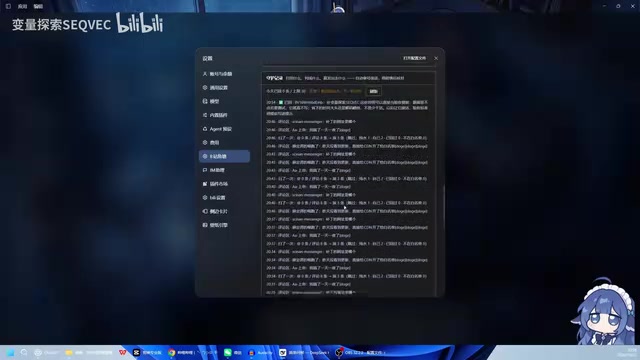
The guard guidelines are style-level configuration. Before each reply, the plugin first analyzes your video content, then replies to the comment section based on that content; you can further tell it what it can answer and what it must not mention. The author believes this is far more effective than simply stuffing in a video description—let it understand on its own first, then draw the boundaries.
"Polling" means the program repeatedly checks for new tasks at fixed intervals rather than listening in real time. The plugin runs a round every half hour or hour, each round scanning the comment sections of the "recent N videos," finding comments awaiting replies, and processing them up to the per-round cap. The polling interval and per-round cap together determine overall throughput: the shorter the interval and the higher the cap, the denser the account behavior and the greater the risk-control risk. Think of "recent N videos" as a sliding window—only the N most recent videos are processed, and older videos automatically exit the collection scope. This both controls the workload and prevents historical comment sections from being repeatedly disturbed.
Guard Records
After auto-reply is enabled, every reply leaves a record. The significance of this design is traceability: if something goes wrong, you can review which round it was, which comment it targeted, and what content was replied.
Bilibili's risk-control system is especially sensitive to "high-frequency, templated, cross-video" comment behavior in a short period: when the same account posts similar content across multiple videos within a short time, it easily triggers CAPTCHAs, rate limiting, or even temporary bans. Bot replies naturally possess these three characteristics, so the "daily reply cap" is essentially leaving a safety margin for the account. In practice, the safe threshold is related to account weight: new or low-level alt accounts have far lower tolerance than old accounts, so it's recommended to start with small volumes and observe, then adjust gradually. In addition, reply content should be as varied as possible, avoiding repeated fixed sentence patterns—this reduces the probability of being flagged as bot behavior more effectively than simply lowering the volume.
The Product Thinking Behind This Update
From 1.3.0 to 1.3.1, only the time for one video production passed in between, and a small bug was fixed. The version iteration pace is fast, but the feature boundaries are drawn tightly.
The author said something quite sincere at the end of the video: the main point of making this plugin is not to make it talk more, but to control when it talks and when it doesn't. He mentioned that the comment section has recently been flooded with various auto-reply "Big Flying Fish," which may have caused some people to feel disgusted. Therefore, in the short term he does not plan to unlock more capabilities, but instead let it guard the comment section for a few more days and observe the actual effects before deciding the next direction.
This attitude is not common in the current era where AI automation tools are popping up everywhere. Most plugin authors tend to continuously stack capabilities and expand the scope of automation, while the author of this fish chooses to observe first and unlock later. For users, this means the current version's risk is relatively controllable; for similar tools, "being able to control what not to say" may be more worth taking as a design starting point than "being able to say what."
If you have feature ideas for the plugin, the author says you can communicate via the comment section or direct messages.
One-line Summary
Bilibili "Blue Big Fat Fish" plugin 1.3.1 update: BV ID deduplication prevents repeated recommendations, and a controllable comment section auto-reply is added.
Paragraph Summary
The Bilibili developer's "Blue Big Fat Fish" plugin has been updated to version 1.3.1 and has entered the community plugin directory. This update focuses on explaining the video deduplication mechanism and adding a comment section guard feature. For deduplication, the plugin uses the BV ID rather than the title or thumbnail as the basis for judgment, because the BV ID is unique and unchanging, which prevents the same video from being repeatedly recommended; when reading records fails, it chooses a clear error rather than defaulting to "not watched," reflecting a conservative strategy of "rather do less than repeatedly disturb." The comment section guard is off by default and requires manual configuration of direct messages, comments, and guard, with manual verification first; replies filter out meaningless content such as pure emoji and tips, and the core is setting a daily reply cap to prevent account risk control and viewer loss. The whitelist UID, pacing parameters, and guard guidelines together form the control system, and every reply leaves a traceable record. The author states that no more capabilities will be unlocked in the short term, and the actual effects will be observed first.
Related articles

Build an AI Super Employee System at Zero Cost: A Full Breakdown of Automated Agent Workflows
A deep breakdown of the AI super employee system demoed on Bilibili: agent orchestration, digital human voiceovers, map and enterprise lead generation, 24/7 customer service, and legal modules. We analyze the business logic and compliance risks behind zero-cost signup to help entrepreneurs judge the real ROI of this AI digital employee system.

The Essential Difference Between Chatbots and AI Agents: Crossing from Conversation to Execution
What's the difference between a chatbot and an AI agent? Based on the MCP series on the Learn Tech channel, this article uses examples like booking flights and summarizing notes to explain: a chatbot only gives answers, while an agent actually completes tasks through a think-act-observe loop. It breaks down the four core components—model, tools, memory, and goal—as well as MCP's role as a bridge, and discusses agents' applicable boundaries and permission risks.

Free GitHub Repo: 342 Hours of AI Courses, from Math to MCP Servers
A free GitHub repo offers 342 hours of AI courses: 523 lessons across 20 phases, from math fundamentals to agent building and MCP servers. Nearly 100,000 learners have started.