Build a 24/7 Customer Service AI Agent with n8n + Gemini for 10x Efficiency

Build an AI customer service agent with n8n and Gemini that auto-handles messages, stores data, and replies for 24/7 service.
This article explains how to build an AI customer service agent using n8n and Google Gemini. The agent receives WhatsApp messages, calls Gemini to generate intelligent replies, and stores customer data in Google Sheets for round-the-clock automated responses. It breaks down the tech stack and four workflow steps, discusses prompt design, API call details, use cases, and limitations—noting the solution suits SMEs in standardized scenarios but requires attention to API thresholds and human handoff for complex conversations.
Handling customer inquiries, orders, and after-sales support manually not only consumes a huge amount of time but is also prone to errors. An AI agent built on n8n and Google Gemini can take over this repetitive work: automatically receiving customer messages, storing data in Google Sheets, and sending replies via WhatsApp—delivering round-the-clock customer service.
Why You Need an Automated Customer Service Agent
For small businesses or solo entrepreneurs, customer service often takes up several hours every day. Customer messages are scattered across WhatsApp, email, and social media, and manually entering data into spreadsheets is both tedious and easy to miss. More critically, inquiries outside business hours can't be answered in time, potentially leading to lost orders.
The solution shown in the video directly addresses these pain points: an AI agent can stay online 24/7, instantly handle common questions, and store all customer information in a structured way. This not only frees up manpower but also boosts response speed from "hours" to "seconds"—a true 10x leap in efficiency.
Tech Stack and Workflow Breakdown
The entire automation flow consists of three core components: n8n as the workflow automation platform responsible for connecting different services; Google Gemini providing natural language understanding and generation; and Google Sheets and WhatsApp serving as the data storage and customer communication channels, respectively.
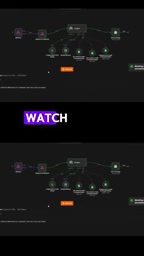
The workflow roughly consists of four steps:
- Receive customer messages via the WhatsApp Business API or a webhook;
- Pass the message content to the Gemini agent to generate intelligent replies;
- Simultaneously write customer information (such as name, issue type, and contact details) into Google Sheets;
- Automatically reply to the customer via WhatsApp, completing the loop.
This low-code combination allows operations staff without a deep programming background to build it too—n8n's visual nodes and Gemini's API calls are the keys to success.
n8n is an open-source workflow automation tool that uses visual node orchestration. Users define automation flows by dragging and connecting nodes. Each node represents an operation (such as an HTTP request, data transformation, or conditional check), and JSON data is passed between nodes. n8n supports self-hosting, with a free community edition and a cloud-hosted version also available. Compared with SaaS tools like Zapier, n8n is more flexible and deeply customizable, making it suitable for scenarios that require complex logic or data privacy control.
Google Gemini is a family of multimodal large language models launched by Google, offering API interfaces for developers to call. In automation workflows, Gemini receives prompts and context via HTTP requests and returns generated text. Its free tier has certain quota limits, making it suitable for prototyping and small-scale use.
Implementation Details of Data Storage and Auto-Reply
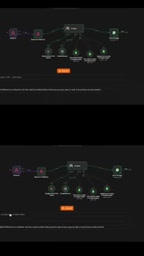
In n8n, you can use the Webhook node to listen for WhatsApp message callbacks, then call the Gemini API through the HTTP Request node. Gemini's prompts need to be carefully designed—for example, by limiting the scope of replies, tone, and brand information—to avoid generating irrelevant content.
For the data storage step, the Google Sheets node can map message fields to spreadsheet columns, ensuring that every conversation leaves a record. For replies, messages are likewise sent by calling the WhatsApp Cloud API through the HTTP Request node. The entire process requires no manual intervention, and error handling can be configured through n8n's error workflow.
Webhook is an event-triggered HTTP callback mechanism. In n8n, the Webhook node generates a unique URL, and when an external service (such as WhatsApp) sends a POST request to that URL, the workflow is triggered. This allows the system to respond to external events in real time without polling. The Webhook node can be configured with authentication methods (such as Basic Auth or header verification) to ensure security.
WhatsApp Business API is the official interface provided by Meta that allows businesses to programmatically send and receive WhatsApp messages. Unlike the personal version of WhatsApp, the Business API requires business verification, and sending proactive messages (not replies to messages within the user's 24-hour window) requires pre-approved message templates. API calls must be made via HTTPS requests and carry an access token.
Use Cases and Limitations
This solution is well suited to standardized scenarios such as e-commerce order confirmations, appointment reminders, and FAQ answers. However, note that for complex complaints or conversations that require emotional judgment, Gemini may not be able to fully replace humans, so it's advisable to set trigger conditions for handing off to a human agent.
In addition, applying for the WhatsApp Business API has a certain threshold, and message templates must be reviewed. Google Sheets works well as a lightweight database for startup teams, but as data volume grows, you should consider migrating to a professional database. Overall, the n8n + Gemini combination offers small and medium-sized businesses a cost-effective entry point to automation and is well worth trying.
One-line Summary
Build an AI customer service agent with n8n and Gemini that automatically handles messages, stores data, and replies—enabling 24/7 service.
Paragraph Summary
This article explains how to build an AI customer service agent using the n8n workflow automation platform and the Google Gemini large language model. The agent receives customer messages via WhatsApp, calls Gemini to generate intelligent replies, and stores customer information in Google Sheets—enabling round-the-clock automated responses. The article breaks down the tech stack and the four workflow steps (receive message, generate reply, store data, send reply), and discusses prompt design, API call details, use cases, and limitations. It notes that the solution suits SMEs with standardized scenarios, but you should pay attention to the API threshold and the boundary of handing complex conversations to humans.
Related articles

Build an AI Super Employee System at Zero Cost: A Full Breakdown of Automated Agent Workflows
A deep breakdown of the AI super employee system demoed on Bilibili: agent orchestration, digital human voiceovers, map and enterprise lead generation, 24/7 customer service, and legal modules. We analyze the business logic and compliance risks behind zero-cost signup to help entrepreneurs judge the real ROI of this AI digital employee system.

The Essential Difference Between Chatbots and AI Agents: Crossing from Conversation to Execution
What's the difference between a chatbot and an AI agent? Based on the MCP series on the Learn Tech channel, this article uses examples like booking flights and summarizing notes to explain: a chatbot only gives answers, while an agent actually completes tasks through a think-act-observe loop. It breaks down the four core components—model, tools, memory, and goal—as well as MCP's role as a bridge, and discusses agents' applicable boundaries and permission risks.

Free GitHub Repo: 342 Hours of AI Courses, from Math to MCP Servers
A free GitHub repo offers 342 hours of AI courses: 523 lessons across 20 phases, from math fundamentals to agent building and MCP servers. Nearly 100,000 learners have started.