Build a SaaS Email System in 10 Minutes with AI Agents and BlueFox MCP
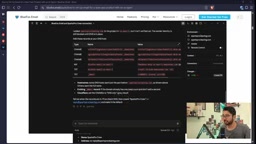
BlueFox Email MCP lets AI agents configure a SaaS email workflow in natural language in just 10 minutes.
This article explains how to use BlueFox Email's MCP server to let AI coding agents like Claude build SaaS email workflows via natural language. It covers domain verification, contact lists, brand guides, MJML transactional emails, welcome automation, and custom subscription pages. The core philosophy is "let the agent grasp the context, not replace decision-making," compressing hours of setup into ten minutes.
What is BlueFox Email MCP?
MCP is a protocol that allows large language models (LLMs) to securely access external tools and data sources. BlueFox Email MCP lets your AI coding agent (such as Claude) directly read project information—including brand settings, domains, contact lists, email templates, and automation flows—and perform actions based on that context. In other words, you no longer need to switch back and forth between the BlueFox dashboard and your code editor; you simply describe your requirements in natural language, and the agent calls MCP tools to complete the configuration.
The brand used in the video is a fictional cleaning service sub-brand called "Sparks Pro Crew," and the presenter emphasizes that all prompts and templates can be found in the accompanying article. This "zero-dashboard" interaction model is precisely the core value of MCP's design: making the AI agent the operational hub rather than a simple code-completion tool.
MCP (Model Context Protocol) is an open protocol proposed by Anthropic that aims to standardize how large language models interact with external tools and data sources. You can think of it as the "USB-C port" for AI applications: whether the backend is a database, an API, or a local file system, as long as an MCP server is implemented, the LLM can discover tools, read resources, and execute operations in a unified way. MCP uses a client-server architecture, where the AI agent acts as a client connecting to one or more MCP servers, each exposing a set of tools and resources. Compared with traditional function calling, MCP's advantage lies in decoupling tool definitions from the model—developers don't need to adapt separately for each model—and it supports permission control and context isolation, thereby granting AI operational capabilities while ensuring security.
Step 1: Verify Project Connection and Domain Configuration
Everything starts with confirming the connection. The presenter first asks Claude to check whether it is connected to the "Sparks Pro Crew" project. Claude confirms the connection is working and reads that the project is already in production mode along with basic information such as the logo. Next is the sending domain setup: the presenter provides sparksprocleaning.com and asks to create a sender identity and set it as default. At this point Claude does not assume a region on its own but proactively asks "which region should be used," and the presenter selects us-east-1. This "don't assume, confirm first" behavior stems from the MCP tool design—when the agent needs key parameters from the user, it pauses execution and asks.
After the domain is added but not yet verified, the presenter manually adds the DNS records and then asks Claude to check again. Seconds later the domain verification passes and is automatically set as default. If done manually, this step would typically require switching back and forth between the domain registrar and the email service provider, whereas the agent completes the status synchronization with a single instruction.
Step 2: Contact Lists and Brand Design Guide
Creating a subscriber list is the foundation of email marketing. The presenter asks Claude to create a list called "Sparks Pro Users" and import the existing 18 contacts. The video notes that in real production this list should be automatically populated through the app's registration flow, but as a demo, manual import is sufficient to validate the process. Claude quickly returns the list ID and confirms that double opt-in is off and captcha is on.
Brand consistency is the most easily overlooked aspect of email design. The presenter asks Claude to scrape the official website's stylesheets, extract design variables such as colors, fonts, and border radius, and generate a brand-guide.md file. Claude not only accurately captures the primary color and font but also preserves details like the logo and the 10-pixel border radius. This guide later serves as the design basis for all email templates, ensuring every email carries the brand's visual DNA.
Double opt-in is a subscription verification mechanism in email marketing: after a user submits their email, the system first sends a confirmation email, and only after the user clicks the confirmation link in that email are they formally added to the list. This approach effectively reduces fake addresses and spam complaints and improves list quality, but it adds an extra user step that may lower conversion rates. The opposite is single opt-in, where submission immediately adds the user to the list. Double opt-in was disabled in the demo to simplify the process, but in production environments—especially in regions subject to GDPR such as the EU—double opt-in is generally the recommended compliance practice. BlueFox's list settings allow flexible switching and support enabling captcha to further prevent bot registrations.
Step 3: Contact Fields and Transactional Emails
Personalized emails depend on contact fields. The presenter asks Claude to create three custom fields (such as name, company, and role) for inserting dynamic content into emails. These fields appear in templates as merge tags and are automatically replaced with recipient data at send time.
Next come two core transactional emails: signup verification and password reset. The presenter specifically requests MJML—a markup language designed for email that compiles into highly compatible HTML and is easier for AI to generate than hand-written table layouts. Claude creates the verify-signup.mjml file, automatically compiles it to HTML, and inserts the previously defined merge tags.
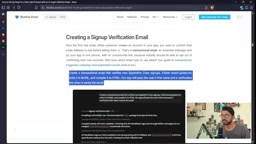
After sending a test email, the presenter confirms that the email correctly displays the logo, brand colors, and personalized greeting. The password reset email follows a similar process, except the link points to the reset page. The video notes that if there is no corresponding page for the verification link yet, the agent can generate a placeholder page with a Node.js example, or use BlueFox's signup merge tag to point to an existing route.
MJML (Mailjet Markup Language) is a markup language designed specifically for responsive emails, using HTML-like tag syntax such as <mj-section>, <mj-column>, and <mj-text>. After developers write MJML, a compiler converts it into complex HTML table layouts compatible with various email clients (Outlook, Gmail, Apple Mail, etc.). MJML has built-in responsive design rules and client compatibility handling, greatly reducing the work of manually writing conditional comments and media queries. For AI agents, MJML's structured tags are easier to understand and generate than raw HTML because their semantics are clear, nesting rules are well-defined, and the compilation process automatically handles compatibility issues, reducing the probability of errors.
Step 4: Welcome Sequence Automation
The welcome sequence is a key touchpoint for user activation. The presenter asks Claude to create a week-long automation flow: send a welcome email immediately after signup, an "invite your team" email two days later, and a usage tips email three days after that. Claude generates three MJML emails and builds an automation workflow with wait nodes.
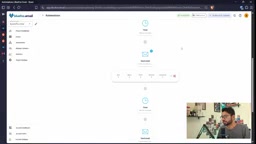
Before activation, Claude reminds the presenter that test emails haven't been sent yet and suggests testing before activating. The presenter chooses to activate directly but emphasizes that in production environments one should test first. To validate the flow, the presenter asks Claude to create a dummy contact and trigger the automation. Since the wait time is set to a real two days, the presenter temporarily shortens the wait time for recording purposes. In the BlueFox dashboard, you can see the contact passing through the nodes "welcome email → wait → invite email → wait → tips email" in sequence, with each email correctly populated with the contact's name.
Step 5: Custom Subscription Preferences Page
Although the default subscription management page carries the logo, its fonts and color scheme are inconsistent with the brand. The presenter asks Claude to point the unsubscribe link to a self-hosted /post-preferences page, which the agent designs and generates based on the brand guide. After the change, the unsubscribe link in emails no longer redirects to BlueFox's default page but instead opens the brand-customized preference center. This solves the common experience-fragmentation problem in SaaS products.

Design Philosophy and Applicable Boundaries
The core idea of this workflow is "let the agent grasp the context, not replace decision-making." MCP provides tool-calling capabilities, but key parameters (such as region, domain, and list settings) are still confirmed by the user. The video presenter repeatedly emphasizes that the agent will not assume you already have an MCP connection, nor will it auto-fill unconfirmed information. This conservative design reduces the risk of misconfiguration, but it also means users need to provide clear instructions.
In terms of applicable scenarios, BlueFox MCP is suitable for early-stage SaaS teams that want to quickly build standard email workflows, especially developers already using coding agents like Claude. For mature products that require complex conditional branching, A/B testing, or large-scale sending, fine-tuning in the dashboard is still recommended. However, as a starting point from 0 to 1, this approach compresses configuration that would originally take hours into ten minutes, genuinely changing the way email infrastructure is built.
The video concludes by mentioning that BlueFox provides a Supabase Auth integration guide and more transactional email templates (such as email change, magic link, and billing emails), which users can extend according to brand needs. As the MCP ecosystem matures, more email service providers may follow suit in the future, making AI agents the default operating interface of the SaaS tech stack.
One-line Summary
BlueFox Email MCP lets AI agents configure a SaaS email workflow in natural language within 10 minutes.
Paragraph Summary
This article explains how to use BlueFox Email's MCP server to let AI coding agents like Claude build a SaaS email workflow through natural language instructions. The process covers verifying project connections and domain configuration, creating contact lists and a brand design guide, defining contact fields and transactional emails, building welcome sequence automation, and customizing the subscription preferences page. The core design philosophy is "let the agent grasp the context, not replace decision-making," with the agent proactively asking about key parameters to reduce misconfiguration risk. MJML markup language, due to its structure and compatibility, is an ideal choice for AI-generated email templates. This approach compresses hours of configuration into ten minutes, making it suitable for early-stage SaaS teams to quickly build standard email infrastructure.
Related articles
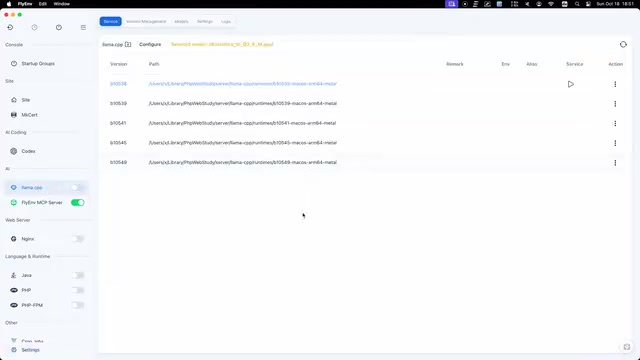
FlyEnv Plugin Review: Visually Running llama.cpp and Managing GGUF Models
FlyEnv launches the official llama.cpp plugin with side-by-side Metal runtime management, public GGUF repository indexing with file type labels, and visual configuration of context, threads, and GPU layers—saving templates and speculative decoding with each model for one-click local LLM inference.
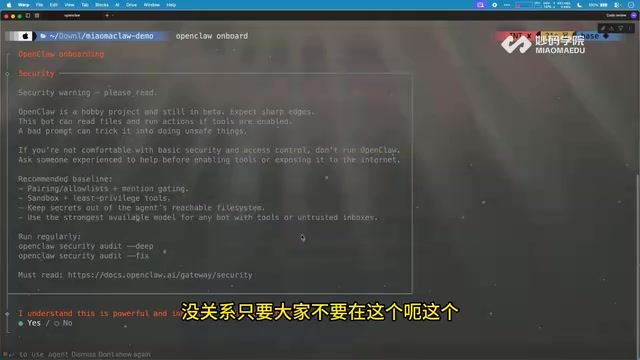
How Can Frontend Developers Advance into AI Agent Development? Deconstructing System-Level Agent Architecture from OpenClaw
Starting from the OpenClaw demo in a Bilibili open class, this article breaks down the three-layer architecture and universal formula of system-level AI agents, and analyzes the path for frontend developers to enter agent development based on TypeScript, including plugin-based design and security/memory layer challenges, with an interview answer framework.
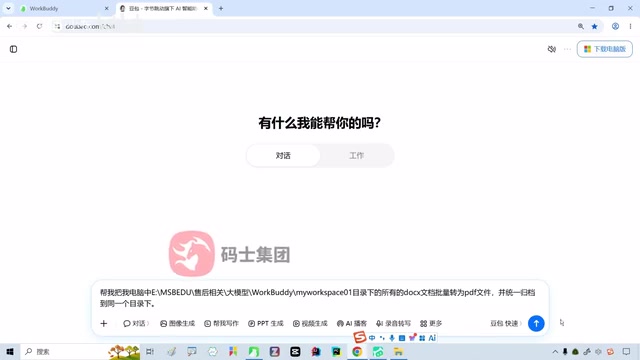
WorkBuddy in Action: How AI Agents Automate Batch File Conversion and Archiving
Bilibili creator Teacher Shanyao tests WorkBuddy vs. Doubao on batch file conversion, showing how AI Agents move from "giving solutions" to "direct execution," with a full workflow and credit cost reference.