Building a RAG Knowledge Base Q&A System from Scratch: A Full Walkthrough with DeepSeek Integration
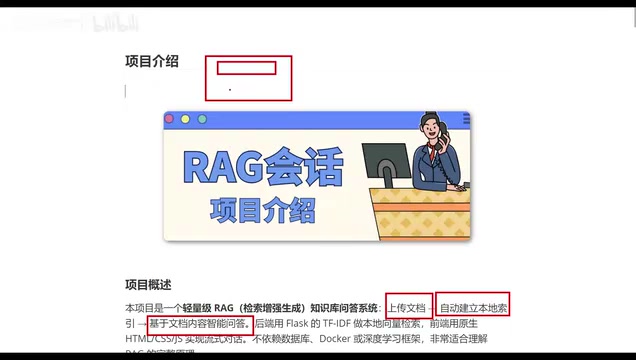
Build a RAG knowledge base Q&A system using Python, vanilla frontend, and DeepSeek in a beginner-friendly walkthrough.
This article introduces a beginner-oriented RAG (Retrieval-Augmented Generation) private knowledge base project. RAG solves LLM knowledge gaps and hallucinations by retrieving relevant local document chunks before generating answers. The project breaks the pipeline into three stages: document upload and vector indexing, query-based chunk retrieval, and context-injected answer generation. The stack is intentionally minimal — Python backend, vanilla HTML/JS/CSS frontend, and DeepSeek — so beginners can grasp core agent mechanics without getting lost in engineering complexity.
What Is RAG and Why It's the Core of Private Knowledge Bases
RAG (Retrieval-Augmented Generation) is the dominant technical approach for building private knowledge base Q&A systems today. The problem it solves is straightforward: large language models have knowledge cutoff dates and domain blind spots — they simply can't answer questions about a company's internal documents or content from personal document libraries. RAG addresses this by combining "retrieval" and "generation": it first finds relevant passages from local documents, then passes those passages along with the user's question to the LLM, letting the model generate answers grounded in real source material.
This approach avoids the cost of fine-tuning a large model while ensuring responses are evidence-based, dramatically reducing the "confidently wrong" hallucination problem. For developers looking to build a private knowledge base, RAG is almost certainly the highest-value, lowest-cost path.
The Complete RAG Agent Workflow
The tutorial this article references breaks down the full RAG pipeline through a small agent project with remarkable clarity. The entire process can be summarized in three key stages:
Document Upload and Local Index Building
The first step is feeding documents into the system. After a user uploads a document, the program processes its contents and builds a local vector index. At its core, this step involves splitting text into chunks and converting them into vector data that can be searched, then storing that data in a local database.
Embedding is the core technology in this step. Text chunks are fed into an embedding model and converted into a high-dimensional array of floating-point numbers — a "vector" — that encodes the semantic meaning of the text. Semantically similar texts produce vectors that are closer together in high-dimensional space. When a user submits a query, that query is also converted into a vector, and the system finds the most relevant document chunks by calculating cosine similarity or Euclidean distance between the query vector and all stored chunk vectors. This entire process is called "vector search" or "semantic search." Unlike traditional keyword matching, vector search understands synonymous expressions — a question like "how do I save battery life" can still match a passage about "optimizing battery endurance." The databases that store these vectors are called vector databases; common options include FAISS, Chroma, and Milvus. Beginner projects typically use a lightweight local solution like FAISS, which requires no additional service deployment.
Retrieving Relevant Chunks Based on the Query
When a user submits a question, the system doesn't send it directly to the LLM. Instead, it first queries the local database to determine whether relevant content exists in the indexed documents. If a match is found, the relevant document chunks are extracted.
Passing Context to the LLM for Answer Generation
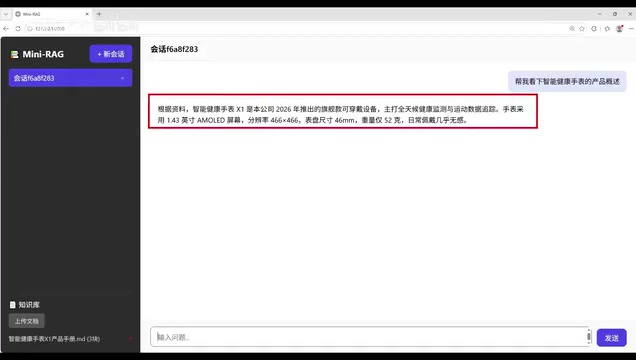
Once the relevant chunks are retrieved, the system sends both the "user's question" and the "relevant document chunks" to the LLM together. With both pieces of information, the model can provide a targeted response grounded in real source material. The tutorial demonstrates this in action: a new conversation is created, a product document is uploaded, and then the question "Give me an overview of the smart phone watch product" is asked — the system immediately returns an answer that maps directly to the document's content.
This demo vividly illustrates RAG's value — the answer can be traced directly back to a source in the original document, making it both verifiable and auditable.
This step is commonly referred to in engineering as "Prompt Construction" or "context injection." The system uses a fixed template to concatenate the retrieved document chunks into the prompt, along with instructional constraints like "Please answer only based on the following materials and do not fabricate content not mentioned in them." These constraints are the key lever for controlling hallucinations — by using system prompts to explicitly limit the model's answer scope, the model is cast as a "document reader" rather than a "knowledge producer." The number of retrieved chunks (commonly called top-k) and chunk length are important parameters affecting answer quality: too few chunks may omit critical information, while too many can exceed the model's context window limit and increase inference costs. Beginner projects typically use top-3 to top-5 most relevant chunks as a balanced starting point.
Tech Stack and Project Structure
This beginner-level project deliberately keeps its technology choices simple, with the goal of letting learners see the core framework inside the agent without getting buried in complex engineering details.
Backend
The backend is implemented entirely in Python, handling document processing, index building, retrieval logic, and interaction with the LLM. The tutorial integrates DeepSeekAd as the large language model — a common choice among Chinese developers building local knowledge bases, thanks to its strong Chinese language capabilities and manageable API costs.
DeepSeek is a large language model series developed by the company DeepSeek, offering an API interface compatible with the OpenAI API. This means Python code written with the OpenAI SDK can switch to DeepSeek simply by changing base_url and api_key, with minimal migration overhead. In a RAG system, the LLM's role is "reading comprehension" rather than "knowledge memorization" — it receives retrieved chunks and is responsible for understanding, synthesizing, and articulating an answer in natural language, not recalling facts from memory. As a result, the model's knowledge cutoff date matters very little in this context; Chinese language understanding and instruction-following capability are the key dimensions to evaluate. DeepSeek performs well on both, and its API pricing is significantly lower than the GPT-4 series, making it well-suited for the budget constraints of individual developers or small teams building knowledge bases.
Frontend
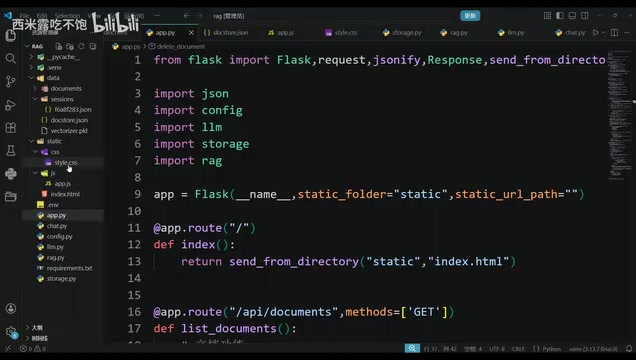
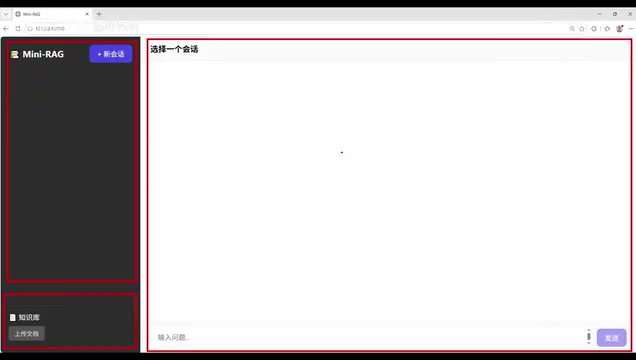
The frontend uses no heavyweight frameworks — it's built entirely with vanilla HTML, JS, and CSS. The interface includes three main modules: a conversation list, a document index panel, and a message input box. For beginners, a vanilla implementation actually makes it easier to understand the logic behind each interaction.
This "minimal code" design philosophy is commendable. Many RAG tutorials immediately pile on LangChain, vector databases, and a stack of other components, causing newcomers to get lost in the toolchain. Getting the core principles working with the most basic code possible, then gradually replacing components with production-grade alternatives, is a far more solid learning path.
Who This Project Is For
In terms of scope, this is a hands-on teaching project aimed at beginners. Its value lies not in engineering completeness, but in demonstrating the full RAG cycle — upload, index, retrieve, generate — with runnable code. If you're new to RAG and want to understand the internal mechanics of agents, working through a small project like this will give you much more than simply reading conceptual documentation.
According to the tutorial's author, the complete source code and materials are available through the comment section, with subsequent lessons covering each module in detail.
Summary
RAG has become the standard solution for private knowledge bases because it lets large language models "learn to look things up" at relatively low cost. The beginner project covered in this article uses a Python backend, a vanilla frontend, and DeepSeek integration to run the full retrieval-augmented generation pipeline end to end. For developers who want to get hands-on, understanding this workflow is the first step toward building more sophisticated agent applications. Once you have the core principles working, it's recommended to gradually introduce a dedicated vector database and retrieval optimization strategies to handle larger-scale document scenarios.
Related articles
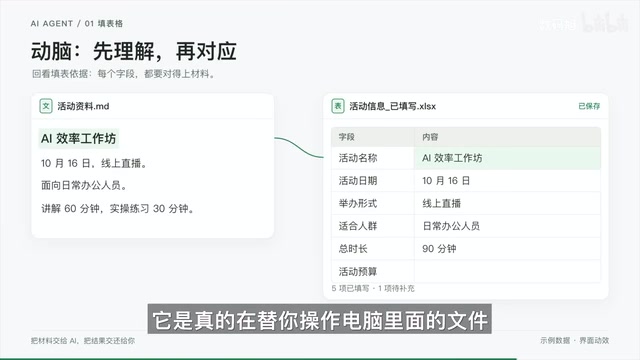
AI Agent Practical Guide: Three Levels of Use to Double Your Productivity
A practical guide to AI Agent usage across three levels: delegating routine tasks, stacking capabilities via CLI/Skills/plugins, and achieving complex goals autonomously.
Building Enterprise-Grade AI Agents from Scratch: A Complete Three-Phase Learning Path
A 748-episode AI Agent tutorial covering ReAct, LangChain, AutoGen, RAG hybrid architecture, and three enterprise projects: customer service, data analysis, and multi-Agent collaboration.

Hollywood's Take on AI Doomsday Warnings: Immediate Threats Matter More Than Existential Ones
Hollywood labor groups push back on AI doomsday narratives, urging focus on real, immediate threats: generative AI's impact on creative jobs, copyrights, and actor likeness rights.