Building a WeChat Mini Program with WorkBuddy: From Zero to Launch, Even for AI Beginners

Bilibili creator shares a complete zero-code workflow for building and launching a WeChat Mini Program with WorkBuddy.
Based on Bilibili creator Yui's video, this article outlines the full process of building a WeChat Mini Program from scratch using AI tool WorkBuddy. It explains why WorkBuddy was chosen (smooth access in China, free model quota, beginner-friendly), covers preparations like installing WorkBuddy and WeChat DevTools and registering an App ID, and highlights the importance of bridging the CLI so AI can read errors and debug via screenshots. Two demos — a local project and a cloud development project — show AI code generation, debugging, and cloud function/database integration. It concludes with the frontend-backend-database essence of mini programs and beginner tips.
WeChat Mini Program development used to be the exclusive domain of programmers, but the evolution of AI tools is erasing that barrier. Bilibili creator Yui recently shared a complete workflow for building and launching a WeChat Mini Program from scratch using WorkBuddy — even people with no programming experience can follow along. This article is based on that video's content, cross-verified with multiple sources, and distills the key steps and practical tips.
Why Choose WorkBuddy?
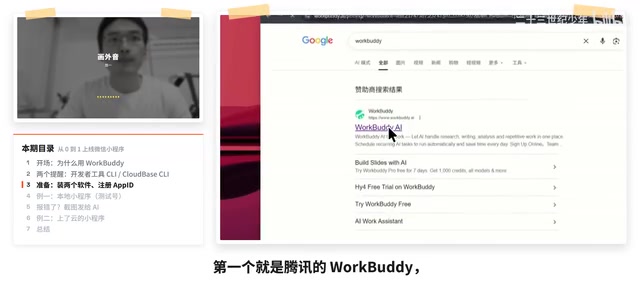
According to Yui in the video, she chose WorkBuddyAd over Codex or Claude Code mainly because the latter two have barriers to download and use for beginners, whereas WorkBuddy is more accessible in China and offers a large free quota. Currently, its built-in Hunyuan 4 model and DeepSeekAd v4.1 are both free to use, which is more than enough for building a mini program.
This reasoning resonates across multiple AI development communities: tool accessibility often matters more than absolute capability, especially for users starting from zero. WorkBuddy's positioning is to lower the startup cost of AI programming, letting users focus on "what to build" rather than "how to configure the environment."
Two Key Preparations Before Development
Before getting started, you need to install two pieces of software: WorkBuddy and WeChat DevTools. The former handles AI conversation and code generation, while the latter is WeChat's official tool for debugging and uploading mini programs. The creator emphasizes that WorkBuddy can be downloaded directly from the official website for free, while WeChat DevTools should be chosen according to your operating system.
Registering a mini program App ID is another necessary step. Individual developers need to register with an email and complete real-name verification, while enterprise developers select the enterprise type. Yui admits in the video that her real-name information is already tied to multiple mini programs and she can no longer create a new App ID, so the local demo used a test account — test accounts don't support cloud services, which is also why the cloud development demo required a separate project.
Bridging the CLI: Letting AI "See" Errors
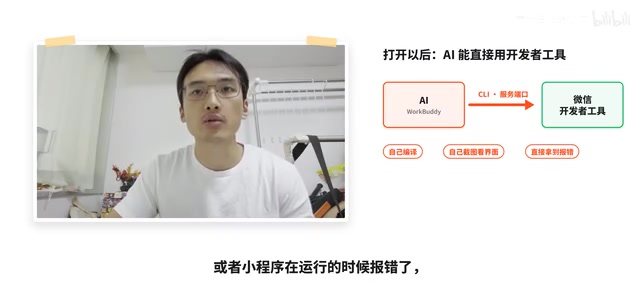
The most practically valuable part of the video covers several easily overlooked settings in WeChat DevTools. Under "Settings - Security Settings," you need to enable the service port (e.g., 35324), the CLI access token, and the MCP configuration. Once enabled, AI tools can invoke the DevTools' capabilities via the command line.
What does this mean? When the mini program throws a compilation error, the AI can directly retrieve the error information through the CLI — no manual copy-pasting needed. After writing frontend code, the AI can even take screenshots to inspect the UI. Yui describes this as building a bridge between the debugging software and the AI assistant. According to another YouTube tech blogger's similar tutorial, bridging the CLI is the single most impactful step for improving AI-assisted development efficiency — consistent with Yui's experience.
If cloud environments are involved, you also need to install the Cloudbase CLI. It lets the AI query fields in the cloud database and errors from cloud functions, enabling joint debugging across frontend, backend, and database.
CLI (Command Line Interface) is a way of interacting with computer programs through text commands. In AI-assisted development scenarios, the CLI serves as a communication bridge between the AI model and local development tools: what the AI generates is no longer just code snippets but commands that can be executed directly. WeChat DevTools' CLI supports operations like compilation, preview, and upload — once the service port is enabled, external programs (including AI assistants) can invoke these capabilities. MCP (Model Context Protocol), on the other hand, is a standardized protocol that allows AI models to securely access external tools and data sources, further expanding AI's autonomy in the development workflow. Understanding these two concepts helps beginners grasp why a few simple settings can significantly change the AI's effectiveness.
Hands-On Demo: Local Project and Cloud Development Project
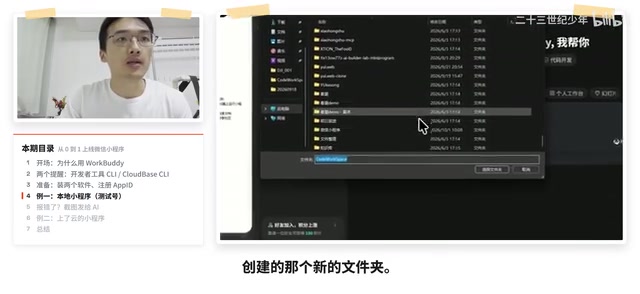
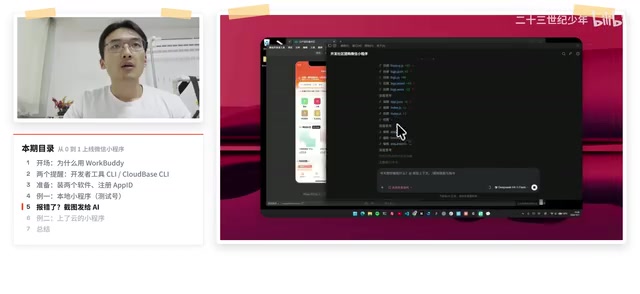
Yui demonstrated two projects. The first is a locally deployed project using a test account — after selecting the workspace in WorkBuddy and opening the local folder, she entered prompts to have the AI generate code. The AI ultimately produced five pages and three components, but the process wasn't smooth sailing: the first compilation resulted in a white screen, and the creator fed screenshots back to the AI. She found the Hunyuan model underperformed, so she switched to DeepSeek v4.1 and got it working after multiple rounds of debugging.
The second is a project already deployed to the cloud, demonstrating database collections and backend cloud functions in a cloud development environment. Yui explains that cloud functions are essentially backend code running in the cloud. After registering an App ID, users can apply for cloud services on Tencent Cloud CloudBase, then simply tell the AI in natural language to use the cloud environment and connect the CLI.
Regarding differences in model performance, the creator explicitly noted that Hunyuan 4 was "a bit slow-witted" on this task, while DeepSeek v4.1 fixed issues more efficiently. It's worth noting that this is a subjective experience from a single user on a single project — model performance may vary across different task types, and readers shouldn't treat it as an absolute conclusion.
Cloud development (CloudBase) is a one-stop backend cloud service jointly launched by Tencent Cloud and WeChat. Developers can use databases, cloud functions, storage, and other capabilities without building their own servers. Cloud functions are pieces of code running in the cloud, triggered by events, commonly used to handle business logic, access databases, or call third-party APIs. For mini programs, cloud development can greatly reduce backend operations costs, making it especially suitable for individual developers and small projects. The Cloudbase CLI mentioned in the article is the command-line tool for cloud development — once installed, you can manage cloud environments, deploy cloud functions, and operate databases through commands, which is exactly the foundation for AI to achieve frontend-backend joint debugging.
The Essence of Mini Programs: Frontend, Backend, and Database
At the end of the video, Yui offers a cognitive framework suitable for beginners: any application is simply frontend, backend, and database. The frontend is generated locally by AI, while the backend and database are handled in the cloud by Cloudbase. Once you understand this structure, tool selection and usage have direction.
She also mentions that WeChat DevTools supports uploading versions (development, beta, and public) via natural language, then the AI pushes to the WeChat public platform for release selection. Once this pipeline is connected, the entire process from writing code to launching can be completed through conversation.
Practical Advice for Beginners
Drawing from the video content and community feedback, a few suggestions are worth noting: First, prioritize using a real App ID rather than a test account, otherwise you can't experience cloud development capabilities. Second, model capability directly affects debugging rounds — if you encounter repeated errors, try switching models. Third, CLI settings are the efficiency watershed — spending ten minutes configuring them can save a lot of copy-pasting time.
Lowering the development barrier doesn't mean zero cost, but it does shorten the distance between "having an idea" and "being able to build it." For beginners wanting to validate a mini program idea, the combination of WorkBuddy and WeChat DevTools is currently a pragmatic starting path.
Related articles

Free Unlimited Claude Code Solution: Agnes AI + CC Switch Setup Guide
No paid subscription needed — pair the free AI platform Agnes AI with the open-source tool CC Switch to provide a backend for Claude Code, enabling unlimited free calls to text, image, and video models. This guide covers the full setup, test results, and usage boundaries.

A Complete Zero-Cost Guide to Getting Started with Claude Code for Beginners in China
A beginner's guide to Claude Code for users in China: two installation methods (command line and IDE plugin), full configuration steps for replacing the official API with the free domestic LongCat model, and a hands-on demo of building a small tool with natural language, plus tips.

When the NSA Gets Involved: The AI Supply Chain Crisis Behind Open-Source CVEs and API Key Hijacking
Multiple open-source projects disclosed severe CVEs in one day, PHP flaws alarmed the FBI, and Railway and OpenCode were breached with API keys stolen. This article breaks down the vulnerability window, AI-accelerated exploitation, and the AI supply chain crisis behind the API key black market, with a developer defense checklist.