Building an AI Customer Support Assistant with n8n: Auto-Classification, Knowledge Base Retrieval, and Intelligent Routing in Practice
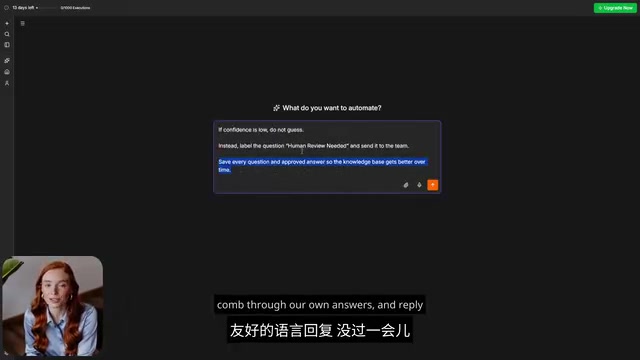
Build a 24/7 AI support assistant with n8n using auto-classification, knowledge retrieval, and smart routing.
This article breaks down how to build a fully automated AI customer support assistant using n8n's visual workflow builder and AI Agent node. The system handles form intake, auto-classifies questions into preset topics, retrieves answers from a knowledge base (RAG-style), scores its own confidence, and intelligently routes uncertain cases to human agents. It also features a knowledge flywheel that grows smarter over time as reviewed answers are fed back in.
A 24/7 Customer Support Assistant Built in One Afternoon
Imagine this: your community members are spread across the globe, and when someone asks a question at 2 AM, they get a genuinely useful answer before you even wake up — no employees working overtime, no late nights staring at screens, and no endless copy-pasting of canned responses.
This is exactly the real-world case shared by Bilibili creator Pippa. She built a 24/7 support assistant for her AI learning community that handles the entire pipeline — from receiving questions, classifying topics, and retrieving knowledge base answers to sending automated replies — all in one seamless flow. What's even more surprising is that the entire system was built in just one afternoon, powered by n8n, a tool that's been making waves in the automation community lately.
This article breaks down how this AI customer support assistant works and the key capabilities behind it — especially the AI Agent node that elevates it from a "chatbot" to a "reliable teammate."
What Is n8n: A Visual Canvas That Connects Your Apps
The name n8n looks a bit odd at first glance. It actually comes from NodeMation — a combination of Node + Automation. In simple terms, n8n connects the various apps and tools you use and automatically completes a series of tasks on your behalf.
n8n was born in 2019, created by German developer Jan Oberhauser under a fair-code license — a model that sits between fully open-source and closed-source. It allows users to freely view and modify the source code but places certain restrictions on large-scale commercial distribution. In the automation tool landscape, n8n's main competitors include Zapier, Make (formerly Integromat), and Microsoft Power Automate. Compared to these pure SaaS products, n8n's biggest differentiator is that it can be self-hosted — all data flows happen on the user's own server, making it especially appealing for businesses and individuals sensitive about data privacy. Since 2024, as the AI Agent concept has exploded in popularity, n8n has attracted massive attention thanks to its native support for large language model integration, surpassing 50,000 GitHub stars and becoming one of the fastest-growing open-source automation projects.
At its core is a visual canvas: you place small blocks called Nodes onto it and connect them with lines. Each block handles a small task — one node receives the question, the next understands it, and the one after that sends a reply. What you're essentially doing is "drawing out the path this work should follow, one step at a time."
n8n's capabilities are impressively broad: over 400 tools work out of the box, from Gmail and Google Sheets to all major AI models. Even if a tool doesn't have a ready-made integration, n8n offers universal nodes that can scrape the entire web, so you'll almost never hit a dead end. For deployment, you can choose the officially hosted cloud version and start using it immediately, or deploy it on your own server to keep your data firmly in your own hands.
The AI Agent Node: The Key Leap from Script to Teammate
n8n's real highlight lies in its AI capabilities. It has a built-in node called AI Agent, which marks the watershed moment where n8n transforms from an ordinary automation tool into a truly intelligent assistant. It's worth clarifying the differences between three concepts here:
- Regular AI Chat: It can only passively wait for your questions — you ask, it answers, and that's it.
- Regular Automation: Slightly smarter — it executes a fixed sequence of steps: do A, then B, then C. But it doesn't actually "think"; every step must be predefined by you.
- AI Agent: You only need to assign a task once and give it some tools, and it can independently decide what to do next based on each specific situation — whether to search, answer directly, or escalate the question to a human.
The concept of AI Agents originates from "Agent Architecture" in artificial intelligence research, traceable back to multi-agent systems research in the 1990s. However, it was the emergence of projects like AutoGPT and BabyAGI in 2023 that truly brought the concept into the mainstream. Unlike traditional single-turn conversations with large language models (LLMs), the core characteristic of an AI Agent is its "perceive-reason-act" loop: it can perceive the current task state, invoke external tools (such as search engines, databases, and APIs) to gather information, decide the next action based on reasoning results, and iterate through multiple rounds when necessary until the task is complete. Technically, this typically relies on the ReAct (Reasoning + Acting) framework or similar prompt engineering paradigms, where the LLM "thinks" before "acting" at each step. n8n's AI Agent node essentially encapsulates this ReAct loop into a visual drag-and-drop component, dramatically lowering the barrier to entry.
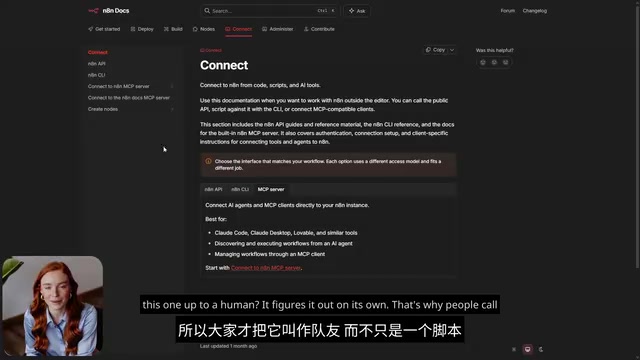
Because of this autonomous decision-making ability, the industry prefers to call AI Agents "teammates" rather than "scripts." And in n8n, building such an Agent doesn't require advanced programming knowledge — just drag a few blocks onto the canvas, connect them with lines, and it's ready to run.
Complete Workflow Breakdown of the Support Assistant
How this AI Agent processes each question is where its real value lies. The entire workflow can be broken down into five stages:
1. Form Intake: A Unified Entry Point for Questions
Members first fill out a brief form, providing their name, email, and question. Since the community platform doesn't allow direct integration with external tools, the form link serves as the unified entry point — share it in the community, and members can submit their questions.
2. Auto-Classification: Making Responses More Relevant
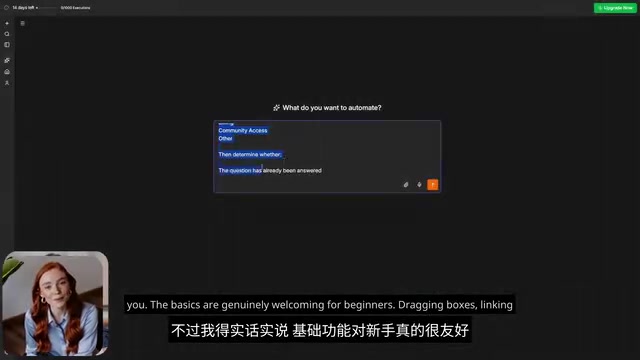
Once a question is submitted, the AI Agent first reads the content and categorizes it into one of 9 preset topics, such as AI Agents, n8n Automation, Cloud Code, Content Creation, Customer Acquisition, and more. Classifying first makes subsequent responses much more precise.
3. Knowledge Base Retrieval: Only Answering What Can Be Found
Next, it consults a knowledge base — essentially a regular table within n8n that stores standard answers matched to each topic. This is the key to the entire support system's reliability: the AI can only answer based on content it actually finds and cannot fabricate information. It won't invent a link or direct someone to a page that doesn't exist. If a resource isn't recorded verbatim in the table, it simply won't share it.
This stage is closely related to one of the hottest architectures in the AI field today — RAG (Retrieval-Augmented Generation). Proposed by Meta AI's research team in 2020, the core idea behind RAG is: before a large language model generates an answer, it first retrieves relevant document fragments from an external knowledge base and injects them as context into the prompt, ensuring the model's answer is "backed by evidence." This approach effectively mitigates the LLM "hallucination" problem — where the model confidently fabricates nonexistent information. In Pippa's case, although the knowledge base is just a simple table, the working principle is consistent with RAG: the AI doesn't answer from memory but looks up the table first. In more complex scenarios, knowledge bases typically use vector databases (such as Pinecone, Weaviate, or Qdrant) to store documents processed through embeddings, enabling semantic-level fuzzy retrieval rather than just keyword matching.
4. Generating Responses with Confidence Scoring
The AI then writes an answer in clear, easy-to-understand language, listing clear action steps when necessary. The cleverest part is that it assigns itself a confidence score — a quick assessment of how certain it is about its answer.
5. Intelligent Routing: When in Doubt, Hand It to a Human
If the confidence is high, the answer is sent directly to the member via email, and the task is complete. If it's uncertain, it doesn't guess — instead, it flags the question as "needs human review" and passes it to the team. This way, vague or unreliable answers never reach the member — and this is precisely why this AI customer support system can be trusted.
The practice of having AI score its own answers for confidence reflects an important engineering philosophy in current AI application design — "Human-in-the-Loop" (HITL). This concept comes from cybernetics and machine learning, emphasizing the importance of preserving human judgment intervention points within automated systems. In practical engineering implementations, confidence assessment can be accomplished in several ways: instructing the LLM in the system prompt to provide a numerical confidence score for its own answer, or indirectly inferring confidence by checking the relevance scores of knowledge base retrieval results. When the score falls below a preset threshold, the system automatically escalates the ticket to a human. This hybrid "AI screens first, humans provide the safety net" model has become an industry best practice for enterprise-grade AI customer service — it handles over 80% of common questions to reduce labor costs while ensuring that complex or sensitive issues aren't derailed by incorrect AI responses.
A Knowledge Flywheel That Gets Smarter Over Time
Every question and every human-reviewed, approved answer gets written back into the knowledge base. This means the longer the system runs, the richer its knowledge becomes. It starts with limited content but grows through the continuous accumulation of real, verified answers — not by stuffing in fake tutorials to "look impressive," but by steadily evolving based on genuine content.
This mechanism has deep theoretical roots in knowledge management. In the context of AI systems, it closely resembles the concept of "Active Learning": the system prioritizes cases it's confident about, hands uncertain cases to humans for labeling (review), and then writes the human-approved results back into the knowledge base, performing better the next time it encounters similar questions. It's worth noting that the "learning" here is not parameter updates to the model itself (fine-tuning), but expansion of the knowledge base content — a lighter, more controllable approach to continuous improvement that avoids risks like catastrophic forgetting that can come with model fine-tuning, while also keeping the knowledge growth process fully transparent and auditable.
Who It's For and the Real Learning Curve
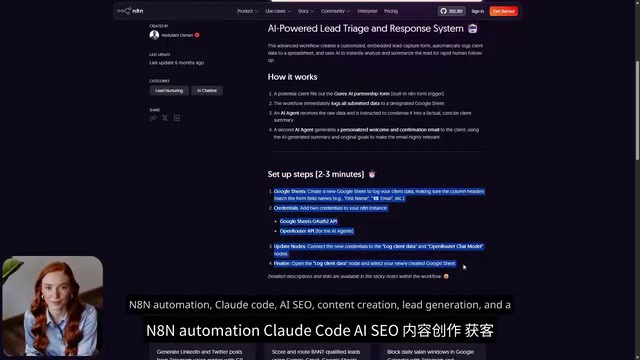
This n8n customer support automation pattern is suitable for a surprisingly wide audience: creators drowning in repetitive questions every day, small teams looking to offload tedious repetitive work, and anyone who wants AI to actually "do the work" rather than just chat. The rule of thumb is simple: if you can imagine a task as a process made up of several steps, you can probably build it in n8n.
As for the learning difficulty, Pippa gave an honest assessment: the basics are very beginner-friendly — drag a few blocks, connect them, click run, and you're up and running quickly. But the more advanced features require a bit more patience. You'll very likely encounter situations where "the workflow isn't responding, and you just can't figure out why" — it's a bottleneck everyone hits.
Her advice: Don't start from a blank canvas — begin with existing n8n templates. Studying a template that already works is often much faster than trying to learn everything from scratch.
One more thing to keep in mind: before launching an AI Agent, you need to connect several accounts — an AI model account for generating responses, an email account for sending messages, and an address for receiving "needs human review" questions. Until these accounts are connected, the system won't send any emails — control always stays in your hands.
Final Thoughts
From generating a complete AI Agent with a single prompt, to automatically classifying, retrieving, and answering questions, to accurately knowing when to hand things off to a human — n8n demonstrates something far beyond "auto-reply." It represents a controllable, trustworthy, and self-evolving paradigm for community customer support.
What's most compelling about it is its sense of boundaries: the AI only answers based on what it can find, routes uncertain cases to humans, and only adds reviewed responses back to the knowledge base. This restraint is precisely the prerequisite for automated customer support to earn genuine trust. For any team weighed down by repetitive questions yet wanting to maintain a human safety net, this n8n automation approach to customer support is well worth trying.
Note: The original video creator mentioned that related links are affiliate promotional links; readers should evaluate accordingly.
Related articles

LLM Application Development: A High-Paying Career Guide for Ordinary People
LLM application development offers fresh graduates up to 35K/month, with SP offers reaching 600K. This article explains the core skills, how to break in, and how ordinary people can seize AI opportunities through learning by doing.

Say Goodbye to AI Influencer Faces: A Complete Guide to Creating Visual Assets for AI Comic Dramas from Scratch
Bilibili creator shares a full workflow for zero-basics AI comic drama visual assets: use Doubao Work skills with script-first, visual references, and real-person texture to escape AI influencer faces, then lock character and scene consistency with asset sheet layouts, weapon detail images, scene nine-grids, and cinematic color palettes.

The AI Production Pipeline Behind Great Videos: From Research to Agent Validation
AI video production isn't just a model race. This article breaks down a transferable four-step pipeline: researching professional workflows, organizing a skill checklist, configuring agents, and experimental validation—and explains how general-purpose LLMs like DeepSeek can replace paid tools to run the entire process.