Building an AI Sales Lead Generation Agent with n8n: A Full Automation Walkthrough

Build a full AI lead gen agent with n8n — Telegram-triggered, AI-filtered, with human approval before sending.
This article walks through an n8n-based AI-driven lead generation and outreach system. A single Telegram search command kicks off the workflow, which automatically collects company data, runs AI intent analysis to qualify only high-potential leads, then routes outreach by contact type — generating cold messages for social channels and cold emails requiring Telegram approval before sending. All qualified leads are saved to Google Sheets. The system automates search, filtering, and copywriting while keeping humans in control of key decisions via a human-in-the-loop approval mechanism.
Why Use AI Automation for Lead Generation
For any business, prospecting is one of the most time-consuming and repetitive tasks imaginable. Manually searching for companies, checking their websites one by one, extracting contact details, and then crafting a personalized outreach message for each — the entire process can eat up hours or even days. The solution covered in this article uses n8n to build a fully AI-driven lead generation and outreach system, handing off all those tedious steps to an automated workflow.
The core value here isn't simply scraping data — it's using AI to perform intent analysis on every lead, so your team only spends energy on high-intent prospects who are genuinely worth pursuing.
Triggering the Entire Workflow from a Single Telegram Message
The entry point of this workflow is designed to be as lightweight as possible. The source Google Sheet starts completely blank — no data at all. All the operator has to do is click Execute in n8n, switch over to Telegram, and type a simple search query like "digital marketing agency in Mumbai", along with the number of leads they want (10 in this example).

Once the command is sent, the automation begins searching for matching businesses and collecting their basic information — company name, rating, number of reviews, address, website, and any available contact details. Designing a conversational command as the trigger means even non-technical team members can invoke the entire system without needing to understand any of the underlying workflow logic.
AI Intent Analysis: Filtering for High-Intent Prospects Only
The biggest differentiator between this system and a generic scraping tool is the filtering step. After collecting company information, the AI analyzes each business individually to determine whether there are real signals of demand for automation services. Only when those signals are detected does a lead get marked as qualified.
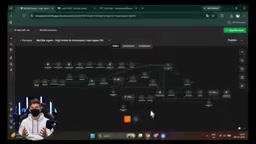
This step essentially hands off Lead Qualification — a process traditionally reliant on human judgment and experience — to an AI. It scores each lead based on publicly available information and automation-related signals, ensuring that all downstream outreach focuses exclusively on high-intent prospects, dramatically improving conversion efficiency. The full details of every qualified lead are automatically written to a Google Sheet for storage.
What is Lead Qualification? Lead Qualification is a critical stage in the sales funnel. Traditional approaches rely on sales reps reviewing leads one by one to determine whether a company fits the Ideal Customer Profile (ICP). Common evaluation frameworks include BANT (Budget, Authority, Need, Timeline) and MEDDIC. In this system, AI plays that role — by crawling company websites and public information, it identifies signals related to "automation needs", such as a small team managing multiple service lines, an outdated website, or the absence of online booking or customer service systems. This allows it to infer whether a company is likely to be interested in or capable of purchasing automation services. The limitation is that AI only infers from public data and cannot access internal budget or decision-making information, making its judgment closer to an "initial screen" than a complete qualification. The human approval step balances efficiency with accuracy.
Auto-Generating Personalized Cold Messages and Cold Emails
After filtering, the system moves into the outreach phase and splits into two paths depending on the available contact information.
If a business has a phone number or Instagram profile, the AI generates a personalized cold message based on the company's public information and automation signals, then pushes it directly to the operator's Telegram bot. There's no manual copywriting required — the operator simply reviews it and sends it manually to Instagram or WhatsApp.
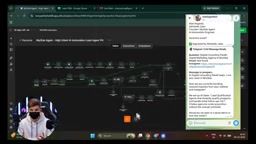
If the lead has an email address, the system generates a personalized cold email instead. A key design decision here is a human approval gate: the email requires Telegram-based approval before it's sent and will never go out automatically without explicit permission. Once the operator clicks approve, the automation delivers the email to the target. This human-in-the-loop mechanism strikes a balance between efficiency and control, avoiding the risks that come with fully autonomous outreach.
What is Human-in-the-Loop? Human-in-the-loop is a safety mechanism in AI system design that preserves the opportunity for human intervention at critical points in an automated workflow, preventing irreversible consequences from model errors or inappropriate outputs. In the cold email context specifically, once an email is sent it cannot be recalled — if the content contains factual errors, the wrong tone, or goes to the wrong recipient, it wastes an opportunity and can damage the brand. The Telegram approval node lets the operator preview the full email before it goes out, judge whether the AI-generated copy accurately reflects the target company's situation, and make edits as needed. This design also aligns with the recommended direction of mainstream AI Agent frameworks: for "high-risk actions" involving external communications, financial operations, and similar activities, human confirmation should be required by default rather than delegated entirely to the model.
Verifying Results and Storing Structured Data
Once the workflow completes, you can refresh your email client's sent folder to confirm that the email approved via Telegram was actually delivered, along with the corresponding send timestamp.
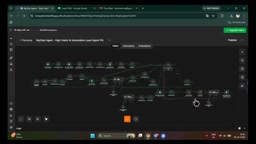
Back in the Google Sheet, the data is neatly organized and stored — company name, category, rating, reviews, address, website, email, phone number, and Instagram ID, all saved in a clean, structured format. This means every workflow execution is continuously accumulating reusable customer data assets rather than being a one-time throwaway process.
Beyond Lead Generation: An Extensible Agent Ecosystem
Lead generation is just one application of this type of workflow. The author notes that almost any repetitive business task can be automated with a similar approach, for example:
- Social media content creation and auto-publishing Agent
- Automated follow-up Agent
- Competitor research and market analysis Agent
- Video content and short-form script generation Agent
- RAG-based knowledge base Q&A Agent
These use cases all reflect a broader trend: low-code automation platforms like n8n are deeply integrating with large language models, enabling small and mid-sized teams to build business Agents with genuine AI judgment capabilities at relatively low cost.
What is RAG? RAG (Retrieval-Augmented Generation) is a technical architecture that combines external knowledge bases with large language models. The core idea is: before the model generates a response, it first retrieves the most relevant document chunks from a pre-built vector database, then feeds those chunks as context into the model alongside the query — allowing the model to answer questions about private or real-time information not present in its training data. Compared to fine-tuning a model directly, RAG is cheaper and more flexible to update: you only need to update the knowledge base documents, not retrain the model. In n8n's Agent ecosystem, a typical RAG Q&A Agent works by vectorizing internal company documents (such as product manuals, FAQs, or contract templates) and storing them in a database like Pinecone or Supabase, then using n8n's AI nodes to dynamically retrieve relevant content and generate answers at query time.
Summary
This system brings the most time-consuming parts of lead generation — searching, filtering, and copywriting — into a single automated workflow, using AI for intent analysis and Telegram for human approval at critical checkpoints. It demonstrates a practical AI Agent deployment pattern: automation handles scale, AI handles quality judgment, and humans retain control over key decisions. For small businesses and freelancers looking to reduce customer acquisition costs, this is a hands-on template well worth referencing.
Related articles

Frontend to AI Agent Development: A Frontline Architect Explains Career Paths and Opportunities
A frontline AI architect explains the industry changes and practical paths for frontend developers transitioning to AI Agent development: why pure frontend jobs are disappearing, why Agent + full-stack has become mainstream in hiring, and three transformation routes—Agent development engineer, FDE, and remote contracting—along with corresponding learning strategies.

How to Choose an AI Agent Development Course: Five Pitfall-Avoidance Guidelines
A mechanical-engineering career changer's two-year pitfall-tested checklist for screening AI Agent development courses: complete delivery pipeline, resume-worthy projects, real development perspective, update frequency, and coaching feedback—with concrete judgment methods and pitfall-avoidance tips.

Coze AI Agent Building for Beginners: A Zero-Code AI Agent Development Guide
Coze, ByteDance's one-stop AI application development platform, supports zero-code drag-and-drop AI agent building. This article outlines Coze's core concepts, three advantages, differences between the domestic and international versions, and the distinction between agents and apps, helping beginners quickly get started with AI Agent development.