Building Local DeepSeek Step by Step: A Complete Guide to Web Search + Knowledge Base

A complete tutorial for building a local DeepSeek chat and private knowledge base on consumer hardware with Ollama, Chatbox, and AnythingLLM.
Based on a Bilibili tutorial, this article walks through deploying DeepSeek locally on a personal computer. It covers the three motivations for local deployment (zero token cost, data staying local, no cloud restrictions), explains why 1.5B–7B distilled models are the realistic choice over the 671B full version, and details the toolchain: Ollama for running models, Chatbox for a graphical chat interface with web search, and AnythingLLM for a private knowledge base via RAG. It decomposes the RAG pipeline and stresses the roles of embedding models, vector databases, and re-ranking, concluding that 7B is a more reliable starting point than 1.5B.
Local LLM deployment is shifting from a geek hobby to a practical solution that ordinary users can adopt. A Bilibili tutorial walks through how to use Ollama, Chatbox, and AnythingLLM (referred to as NCLM in the video) to build a fully local DeepSeek environment with web search and a private knowledge base — all through a graphical interface, with hardware requirements kept within reach of consumer-grade GPUs.
Why Bother Deploying Locally?
The first reason the video's author gives is cost. Calling the DeepSeekAd API is billed per token, whereas local deployment only requires hardware investment, and the model can be used freely. For high-frequency use cases, the math is easy to do.
Privacy and security are the second driver. All data stays local and is never uploaded to the cloud, greatly reducing the risk of sensitive data leaks. The author specifically mentions scenarios involving a company's internal network code and sensitive data analysis — needs that are inherently incompatible with cloud APIs.
There's another easily overlooked advantage: no extra restrictions. Cloud models come with censorship mechanisms and usage limits, while local deployment is far more permissive and is unaffected by network latency or server outages, allowing it to run 24/7. Of course, the trade-off is the hardware barrier — the full DeepSeek R1 has 671B parameters and simply cannot run on a personal computer, so the mainstream approach is to use distilled models to balance performance and resource consumption.
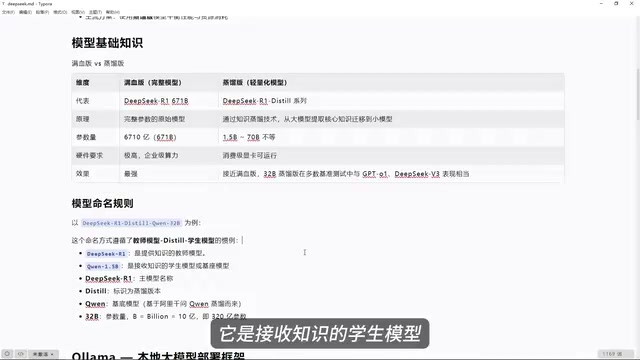
What Exactly Is the Difference Between the Full Version and the Distilled Version?
Using DeepSeek R1 as an example, the author explains the difference between the two. Full version 671B means 671 billion parameters, where 1B equals 1 billion. A distilled version uses knowledge distillation to extract core knowledge from a large model and transfer it to a smaller one. The naming convention is "teacher model - distill - student model - parameter count" — for example, DeepSeek R1 Distill Qwen 32B, where R1 is the teacher providing knowledge and Qwen 32B is the student (base model) receiving it.
The smaller the parameter count, the lower the hardware requirements. The 1.5B, 7B, and 8B distilled versions can run on consumer-grade GPUs — a 4090 handles them easily, and a 3060 is more than enough for the 1.5B. The author cites a key data point: the 32B distilled version performs comparably to GPT-4o and DeepSeek V3 on most benchmarks. For an ordinary personal computer, however, 7B or 1.5B is the more realistic choice.
Knowledge Distillation is a model compression technique first proposed by Hinton et al. in 2015. Its core idea is to have a small model (the student) learn by mimicking the output distribution of a large model (the teacher), rather than just learning hard labels. The teacher's output after softmax carries "dark knowledge" — for instance, it might assign probability 0.8 to a certain image being a cat and 0.15 to it being a dog; this probability distribution contains more information than a simple "this is a cat." The student model approximates the teacher's behavior by minimizing the KL divergence from the teacher's output distribution. DeepSeek R1's distilled versions use R1 precisely as the teacher to transfer reasoning capabilities onto open-source bases such as Qwen and Llama. The cost of distillation is that the student model has far fewer parameters than the teacher, so complex reasoning and long-tail knowledge suffer somewhat, but on most everyday tasks it can get close to the large model's performance while cutting inference costs by one to two orders of magnitude.
Running Your First Local Model with Ollama
Ollama is an open-source, cross-platform local LLM runtime framework optimized specifically for local machines. It supports one-click model download and execution, has a mature ecosystem, and supports mainstream open-source models like DeepSeek.
Installation is straightforward: click Download on the official website to get the installer, double-click and click Next all the way through on Windows, or copy the command into the terminal on MacOS. To verify the installation succeeded, just type ollama --server in CMD — if you see a version number, it's ready. ollama -h shows all commands, with the most commonly used being run (run a model) and list (view downloaded models).
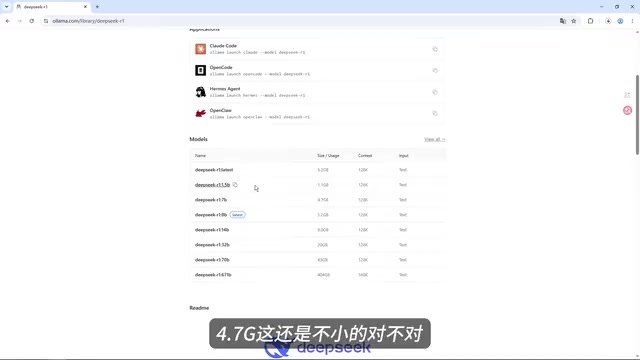
Models are obtained from the Ollama Models page. Searching for DeepSeek shows the different parameter-count versions of the R1 reasoning model: 1.5B, 7B, 8B, 14B, 32B, and 70B. The author notes that the latest DeepSeek V4.1 Flash has a massive 763B parameters and cannot run on a personal computer, so it's not recommended for local attempts. The 7B model downloads at about 4.7GB and the 1.5B at about 1.1GB; the tutorial uses the 1.5B for demonstration. Copy the model name, go back to the terminal, and run ollama run to enter the chat interface. Responses come very quickly; press Ctrl+D to exit.
Getting a Graphical Chat Experience with Chatbox
Chatting in a black terminal window isn't convenient, so the author recommends a visual client like Chatbox, which supports Windows, MacOS, and Linux as well as multiple model integrations.
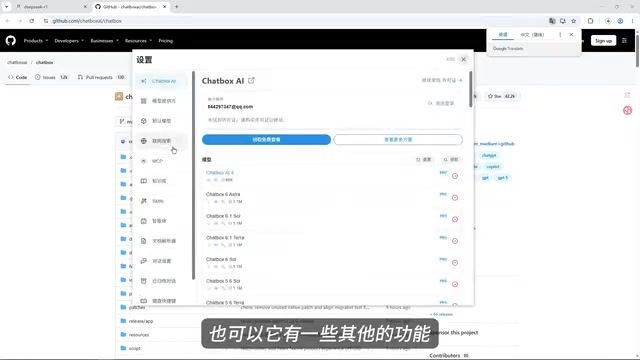
After installation, open settings and select Ollama under model providers, then click Fetch — the software will automatically list the models installed on your machine; just click the plus sign to enable them. To connect other cloud models (such as Qwen), you can add them in the provider list, and for those not listed you can customize by filling in API-format compatibility information and your key.
In the chat interface, select DeepSeek R1 1.5B under Ollama, send a message, and the model thinks for about 2.5 seconds before replying. In the conversation settings you can adjust parameters like the system prompt, context length, and temperature. Web search requires logging into a Chatbox account; the author chooses Bing as the search engine and tests by asking for the current date, and the model successfully triggers a search and returns results.
Understanding RAG: The Core Principle Behind a Local Knowledge Base
Building a local knowledge base inevitably involves RAG (Retrieval-Augmented Generation). The author breaks down the full pipeline: the knowledge base text is first split into chunks, converted into vectors by an embedding model, and stored in a vector database; the user's question is likewise processed by the vector model, relevant snippets are retrieved from the vector database, then a re-rank model puts the most relevant content first, which is concatenated into a prompt and passed to the LLM to generate an answer.
In three steps: retrieval, augmentation, generation. Three concepts need to be kept distinct: the LLM is responsible for answering; the embedding model converts text into vector numbers that machines can understand, with semantically closer texts being closer in vector space (apple and pear are close; person and dog are far apart); and the vector database stores vectors and supports similarity search.
Embedding models and vector similarity are key to understanding RAG. An embedding model (such as BGE, text-embedding-3, etc.) maps a piece of text into a high-dimensional floating-point vector, typically 768 to 3072 dimensions. The training objective is to make semantically similar texts closer together in vector space. During retrieval, the system computes the similarity between the user's question vector and all text-chunk vectors in the database, commonly using cosine similarity (closer to 1 means more similar). Because vector databases can perform approximate nearest neighbor (ANN) search over millions of vectors, they can recall the Top-K relevant snippets in milliseconds. Note that the embedding model and the conversational LLM are two separate models — the former is only responsible for "finding," the latter for "answering." Choosing the wrong embedding model will directly lead to inaccurate retrieval and irrelevant answers.
Re-rank is the fine-ranking step after retrieval. Vector retrieval prioritizes speed, and the recalled results aren't necessarily all truly relevant. The re-rank model (usually a cross-encoder) concatenates the question with each candidate snippet for fine-grained scoring, then reorders them and keeps only the most relevant few to insert into the prompt. This step significantly reduces interference from irrelevant context on the generative model and is usually an optional configuration in tools like AnythingLLM.
Building a Private Knowledge Base with AnythingLLM
The author uses AnythingLLM (called NCLM in the video) to build the local knowledge base. It's built on the RAG architecture, supports multiple data sources such as documents and web pages, and integrates seamlessly with local Ollama.
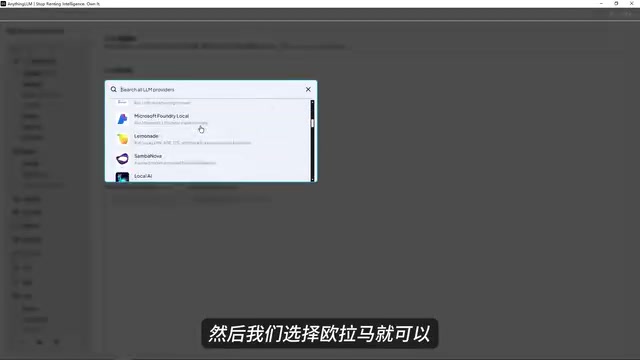
Configuration flow: after installation, open settings and first switch the language to Chinese; select Ollama under model providers, and the software automatically detects the local chat model and embedding model; for embeddings, use its built-in NCLM embedding. Return to the workspace and you can chat, with replies coming from DeepSeek R1 1.5B.
When uploading a knowledge base file, click Upload, select the local demo.md file, move it to the workspace, then click "Save and Embed" to complete vectorization. The author demonstrates asking "What problem does RAG solve?" — the first reply doesn't follow the document content because the file wasn't correctly recognized. The fix is to create a new workspace and re-upload; after asking again, the model answers with content from the document such as "outdated knowledge, blind spots, hallucinations, untraceability" and shows that the answer source is the uploaded document.
AnythingLLM also supports submitting links, text files, CSV spreadsheets, audio files, and other formats. If the answer quality isn't ideal, the author suggests switching to the 7B model. The entire knowledge base setup pipeline can be summarized as: configure Ollama, select the LLM, select the embedding model, create your own workspace, upload and embed files, and start asking questions.
Practical Advice
The 1.5B model has limited performance on Chinese responses and document adherence — the tutorial shows several cases of it not answering according to the document. If your machine allows, 7B is a more reliable starting point. The value of local deployment isn't in benchmark scores but in the fact that data never leaves your machine, usage is unrestricted, and it works even offline — three things that cloud APIs cannot replace for privacy-sensitive developers and enterprise intranet scenarios.
One-line Summary
A complete tutorial for building a local DeepSeek chat and private knowledge base on consumer-grade hardware using Ollama, Chatbox, and AnythingLLM.
Paragraph Summary
Based on a Bilibili tutorial, this article walks through the entire process of deploying DeepSeek locally on a personal computer. The author first gives three motivations for local deployment: zero token cost, data never leaving the machine, and no cloud censorship or usage limits, while noting that the 671B full version can't run on personal hardware and that 1.5B–7B distilled models are the realistic choice. The article then follows the toolchain: Ollama downloads and runs models, Chatbox provides a graphical chat interface with web search, and AnythingLLM builds a private knowledge base on the RAG architecture. It also breaks down the RAG retrieval-augmentation-generation pipeline, emphasizing the roles of embedding models, vector databases, and re-ranking. On the practical side, the author notes that the 1.5B model has limited document adherence and that 7B is a more reliable starting point.
Related articles
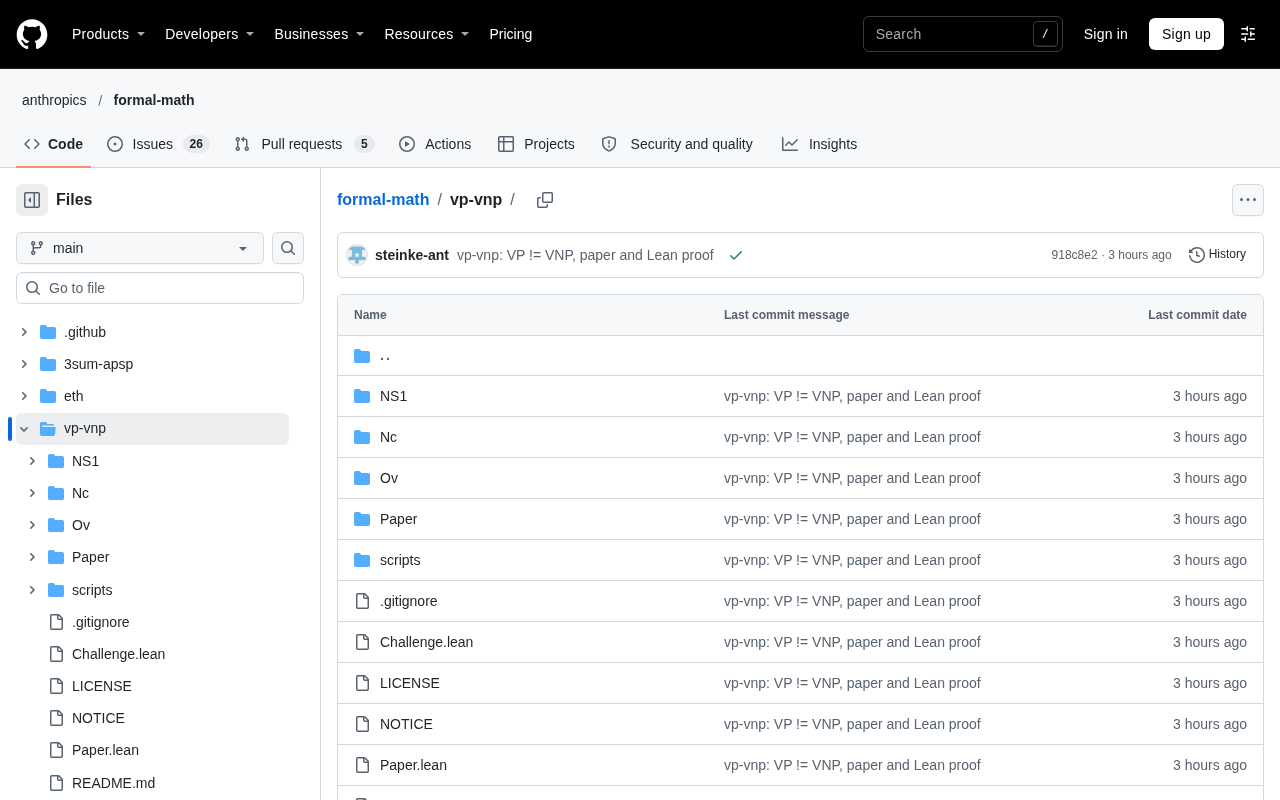
VP ≠ VNP: A Major Breakthrough in Computational Complexity Theory
A study claiming to prove VP ≠ VNP over every field sparks heated discussion on Hacker News. This article analyzes the algebraic complexity background of VP and VNP, the proof approach, community controversy, and its potential impact on computational complexity theory.
Developer Naming Woes: The Technical Names That Drive Us Crazy
Why is technical naming so maddening? From Nginx and Vite to Qt and Sudo, a YouTube creator rants about the chaos of developer naming and pronunciation, revealing the tug-of-war between creators' intentions and community habits, and the cultural roots behind spelling traps like PyPI and GNOME.

Figma Workplace Scandal: Employee Sues CEO for Forcing Confrontation with Harasser
Figma and its CEO are sued by a current employee alleging sexual harassment and discrimination, and forcing the victim to confront her harasser. This article outlines the background, potential impact, and industry reflection.