Can a 27B FP8 Model Fit on a 24GB GPU? Breaking Down the Real VRAM Requirements

A 27B FP8 model's 31GB weights plus KV cache make 24GB GPUs insufficient for faithful deployment.
A 27B FP8 model weighs ~31GB — already exceeding 24GB GPU limits before accounting for KV cache, which grows linearly with context length. With a 262K token context window, realistic deployment without further quantization requires an 80GB card like an H100. For 24GB GPUs, only aggressive 4-bit quantization with short contexts is viable, sacrificing FP8's precision benefits. The article urges developers to calculate VRAM from target precision and context length rather than relying on parameter count alone.
A Popular Misconception: "27B Can Run on a 24GB GPU"
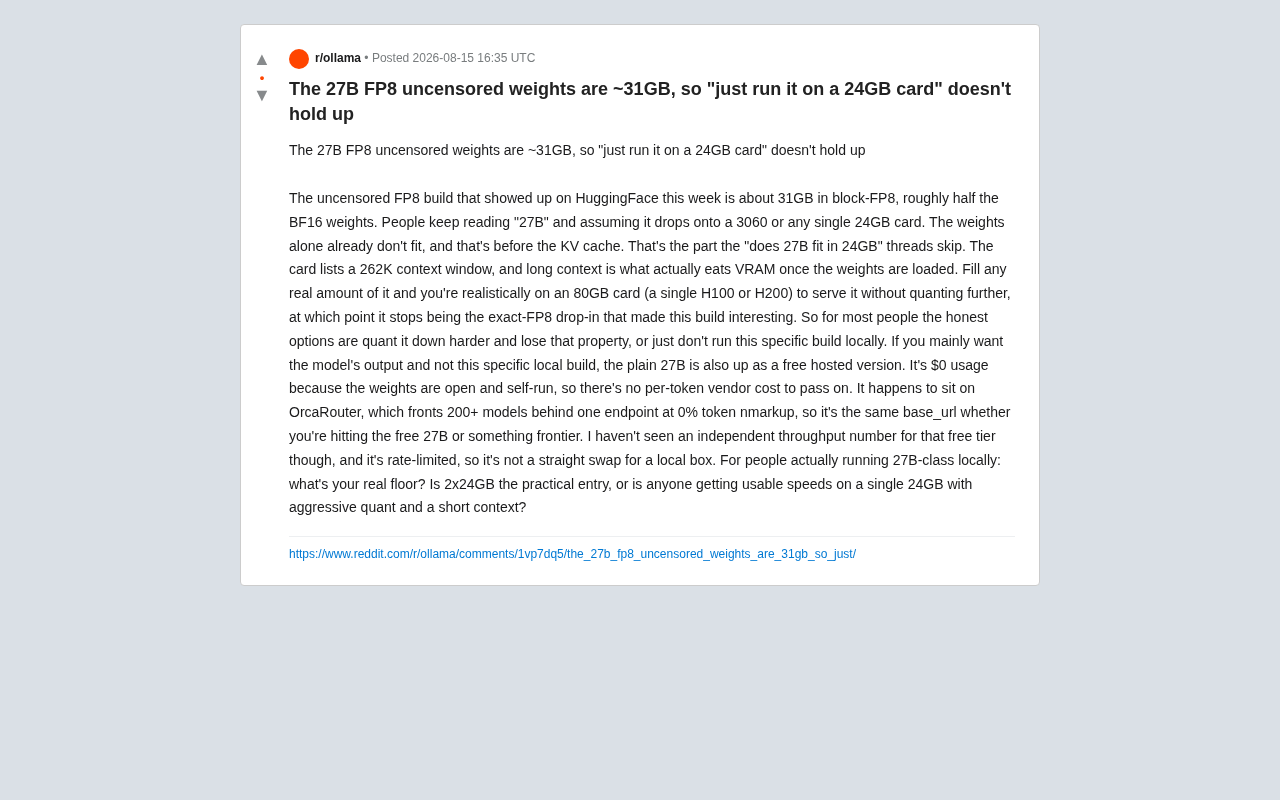
This week, an uncensored 27B FP8 weight version appeared on HuggingFace, accompanied by a recurring claim in the community — "It's just 27B, any 24GB card (like a 3060 or any single 24GB GPU) can run it." This sounds reasonable on the surface, but falls apart the moment you dig into actual VRAM usage.
According to the original Reddit discussion, this block-FP8 build weighs approximately 31GB, roughly half the BF16 weight size. In other words, the weights alone already exceed the capacity of a 24GB GPU — and that's before accounting for the KV cache, which is essential during inference. Many "can 27B fit in 24GB" posts skip over exactly this most critical part.
Long Context Is the Real VRAM Killer
The model card lists a context window of up to 262K (~260,000 tokens). In any real-world use case, after the weights are loaded, it's the KV cache for long contexts that continuously devours VRAM.
Why KV Cache Matters So Much
During autoregressive inference, the model needs to cache Key and Value tensors for all previous tokens to avoid redundant computation. The longer the context, the larger the KV cache — its VRAM consumption grows linearly with sequence length. When you actually try to leverage that 262K context capability, the KV cache can rival or even exceed the size of the weights themselves.
The original poster's realistic assessment: if you want to serve this model without further quantization while filling a substantial portion of the context window, you actually need an 80GB card (a single H100 or H200). And once you compress and quantize further to squeeze it onto a smaller card, it's no longer the attractive "exact FP8 as-is deployment" version — the whole point of this build is that it preserves the original precision characteristics of FP8.
Honest Options for Regular Users
All things considered, for most users without enterprise-grade GPUs, there are only two realistic paths:
- More aggressive quantization: Compress the model further to fit into 24GB, but at the cost of losing the core selling point of precise FP8 deployment;
- Simply don't run this particular build locally: If what you want is the model's output quality rather than this specific local deployment form factor, running it locally may not be the optimal choice.
The original post mentions that the standard 27B already has a free hosted version available. Since the weights are open-source and self-hosted, the "usage cost is zero" — there's no per-token vendor cost to pass along. This hosted version happens to be on OrcaRouter, which aggregates 200+ models through a single endpoint with 0% token markup, so whether you're calling the free 27B or a frontier model, you use the same base_url.
However, the original author honestly points out: they haven't seen independent throughput data for the free tier, and it is rate-limited, so it can't directly replace a local machine. This is a noteworthy disclaimer — there's a trade-off between the convenience of free hosting and the controllability and stable throughput of local deployment.
Where's the Real Threshold for Local 27B Deployment?
The most valuable takeaway from this discussion is that it separates "parameter count" and "actual VRAM requirements" — two concepts that are frequently conflated.
Parameter Count ≠ VRAM Usage
A 27B model's weight size varies dramatically across different precisions:
- BF16: ~54GB (27B × 2 bytes)
- FP8: ~27–31GB (slightly above theoretical due to block-FP8 quantization overhead)
- 4-bit quantization (e.g., GPTQ/AWQ): ~14–16GB
This means only when you quantize the model down to 4-bit or lower AND restrict the context window to a very short range can a single 24GB GPU barely handle it — but at that point, it's essentially a different model.
The Question the Community Is Still Trying to Answer
The original post ends with an open question, which is also what this article wants to leave readers thinking about:
For those actually running 27B-class models locally, what's your real baseline? Is 2×24GB the practical entry-level configuration? Or has anyone achieved usable speeds on a single 24GB card through aggressive quantization and short contexts?
Conclusion: Breaking the "Parameter Count Myth"
Although this discussion originated from a niche uncensored model, it reflects a widespread cognitive bias: the community habitually uses parameter count as the sole yardstick for "can it run," while overlooking the compounding effects of precision, quantization method, and context length on VRAM.
For developers looking to deploy large models locally, the correct approach should be: first determine your target precision and target context length, then work backwards to calculate the required VRAM — rather than simply glancing at "27B" and jumping to conclusions. FP8's 31GB weights plus the KV cache for 262K context mean this is definitively not a task that a single 24GB consumer GPU can handle gracefully. If you're after native precision, an 80GB-class professional card is virtually unavoidable; if you just want output quality, free hosting or aggressive quantization are more pragmatic compromises.
Related articles

AI-Powered SRC Vulnerability Hunting: A Hands-On Guide to Building the Hermes Agent Workbench
Based on a hands-on Bilibili video: how to build an AI-powered SRC vulnerability hunting workbench—three-step method, four report elements, Agent mode vs web chat, and tool selection.

CLI-Anything Complete Beginner's Guide: How AI Operates Software — Principles and Practice
A complete beginner's guide to CLI-Anything: how AI Agents operate professional software via the command line, covering the three-layer architecture, CLI Hub installation, DrawIO practice, generator principles, and limits.

Carbon-X: A 14.8B Open-Source Model That Handles DNA and Text Simultaneously
Carbon-X is a 14.8B open-source multimodal model on Hugging Face where DNA and text share a token stream. 6-mer tokenization, 302B token mid-training, deployable on a single 80GB GPU, 66.7% average on five DNA benchmarks, Apache 2.0 license.