Can You Make an AI Short Film in 30 Minutes? A Full Flowva Agent+Skill Walkthrough

Flowva lets you direct an AI film crew through chat, handling everything from script to final cut in one place.
Flowva is a native AI video creation platform where you direct multiple specialized Agents through conversation to produce short films — from script analysis and asset generation to storyboarding and editing — without ever leaving the page. Its Agent+Skill system encapsulates expert creative workflows for reuse, dramatically lowering the barrier for newcomers while letting experienced creators scale their process.
The Persistent Pain of AI Video Creation: Fragmented Workflows, High Costs
For many creators, making AI short films has always been a tough nut to crack. It's not that people don't want to do it — the process is just brutally tedious. You write a script, generate character assets, write a storyboard, create scene images, then constantly jump between multiple platforms hunting for models and managing assets. One misstep and the entire project descends into chaos. Video generation is expensive on its own, and after investing significant time and money, the odds of the final product falling flat are still uncomfortably high.
This is the universal pain point for AI video newcomers: tools are fragmented, the creative pipeline is broken, and every small mistake gets amplified down the line. That's exactly why a truly all-in-one AI video creation platform feels so rare.
In a recent hands-on test, Flowva offered a surprisingly refreshing solution. It's a native AI video creation Agent platform with a straightforward core philosophy: you give instructions through chat like a director, and multiple Agents collaborate to handle everything from script to finished video. As one reviewer put it: "After trying so many platforms, Flowva has given me the best experience so far."
Agent+Skill: One Prompt to Kick Off the Entire AI Creative Pipeline
Flowva's homepage is simply an Agent chat interface — just describe your idea or script, and you're off. The test case was a 30-second tomb-raiding short film: an explosive opening to hook viewers, the protagonist triggering a trap and fleeing, eventually pushing open a coffin in the main burial chamber — only to find himself lying inside. A suspenseful twist ending.
This introduces one of the platform's key concepts: Skills. To understand the value of a Skill, you need to understand the technical logic behind it. A Skill is essentially a "programmatic encapsulation" of an AI creative workflow — experienced creators package their refined prompt chains, model invocation sequences, and processing logic into reusable workflows, then share them with the community. This is conceptually similar to open-source repositories on GitHub or template communities on Notion, except Skills encapsulate AI interaction flows rather than static content, creating a knowledge network effect at the level of creative methodology. Select a suitable Skill, let it work in tandem with the Agent, click generate — and the system automatically creates a project folder while the Agent begins analyzing and breaking down your brief.
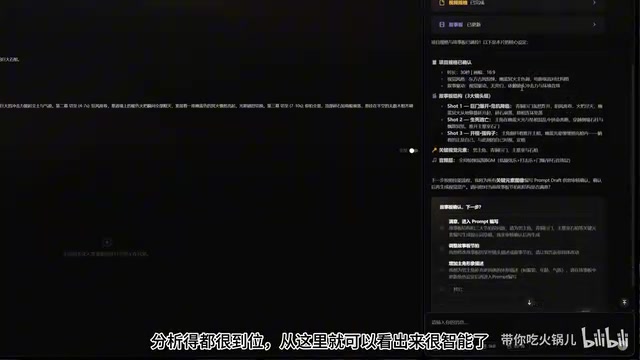
The Agent's performance in testing was impressive. It first established project specs — determining the script called for a 16:9 aspect ratio and 30-second runtime — then broke the story into a clear structure and proactively offered options for the user's next steps. This showcases the core advantage of a multi-Agent architecture: unlike linear processing by a single AI model, multiple specialized agents work in parallel, each handling their own domain. One Agent analyzes script structure, another optimizes image generation prompts, and another handles asset linking and synchronization. This "proactive guidance" rather than "passive execution" interaction style is the fundamental difference between a multi-Agent platform and traditional tools.
The Storyboard: The Standard Production Chain for Assets, Shots, and Audio
On the left side of the Flowva interface is the Storyboard, which breaks the script into a complete production pipeline. At the top are Key Elements — the asset inventory section where the Agent intelligently compiles all required assets. Below that are Shot Panels, which divide the entire script into individual shots arranged in order with timing.
This reveals the standard pipeline for AI short film production: create assets first → then storyboard → then audio. This workflow is an AI-native mapping of traditional pre-production standards — corresponding to the professional pipeline of "Art Bible → Storyboard → Sound Design." The storyboard script is the critical bridge connecting the script to actual generation, with each shot requiring defined framing (wide/medium/close-up), camera movement (push/pull/pan/track), duration, and emotional tone. Flowva makes this implicit professional knowledge explicit and visual, effectively "democratizing" film industry production standards and dramatically lowering the cognitive barrier for newcomers.
If you're not satisfied with the Agent's proposal, just say so in the chat. For example, if you feel the protagonist isn't distinctive enough, you can say: "Make the protagonist look more like a villain — someone you remember at first glance." After the Agent redesigns the character, the asset information in the left-side storyboard updates in sync. This "state your need → auto-revise → bidirectional sync" feedback loop is what keeps the entire experience flowing smoothly.
All Through Chat: Editing Images, Switching Models, Managing Assets — Just Talk
Once assets are confirmed, the Agent automatically writes image generation prompts for each asset, with corresponding draft placeholders appearing on the left. Prompts support manual editing, and when paid image generation is required, the Agent asks for confirmation first to avoid unnecessary spend. After confirmation, the system automatically calls mainstream models to batch-generate asset images.
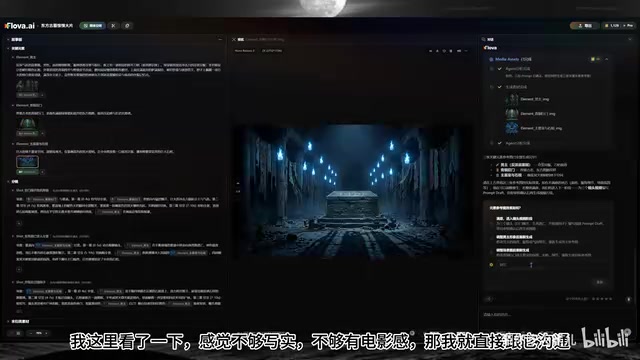
The most impressive feature was the freedom to iterate. Feel the initial images aren't realistic enough or lack cinematic quality? Just chat about it — the Agent automatically rewrites all prompts and regenerates. Even switching AI models happens through chat. The Skill defaults to the Nano Banana model, but you can simply ask to switch to GPT Image 2, paste a character reference image into the input box, and the Agent will perfectly execute complex instructions like "use my image only as the character reference for all three images, keep everything else unchanged."
It's worth noting that these two model types represent different technical paradigms in image generation: diffusion models (like Stable Diffusion) restore images through iterative denoising and excel at fine textures and details, while autoregressive multimodal models like GPT Image 2 have the edge in understanding complex text instructions and maintaining character consistency. Being able to seamlessly switch between these two technical approaches through conversation is a testament to the platform's ability to fully abstract away underlying technical complexity.
This reflects an important design philosophy: users don't need to understand how the tools work — they just need to express intent. This is what the human-computer interaction field calls "Intent-driven Interaction" — shifting cognitive load from the user to the AI, with the system responsible for parsing intent and mapping it to specific model parameters and operation sequences. Manual model switching and dimension selection options exist, but for newcomers, chat is all you need.
Asset Library and Parallel Agents: No More Asset Management Chaos
Satisfied characters can be saved to the Asset Library with one click — name them, save them, and they're available for any future project. Since asset images often go through multiple rounds of revision, the platform retains complete version history. If you're worried about the Agent referencing the wrong version, click the "heart" icon to lock a specific asset, and all references in the storyboard sync automatically.
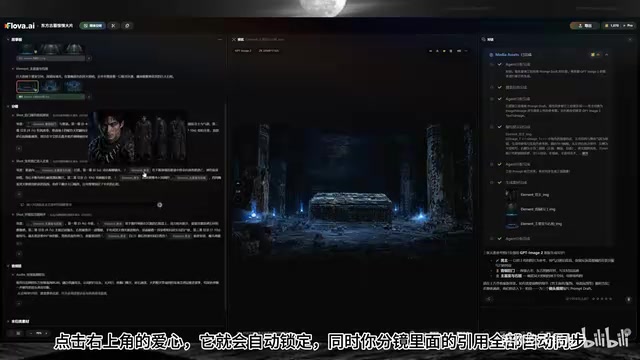
The auto-binding and synchronization of asset management directly solves the "asset chaos" problem that plagues so many creators. Additionally, Flowva supports parallel Agents — while an Agent is still generating on the right side, you can simultaneously edit asset images on the left, with both sides syncing in real time. This parallel capability draws from the "microservices" architecture in software engineering: different functional modules run independently without blocking each other, maintaining state consistency through event synchronization. For creators, it genuinely feels like directing a team rather than watching a single progress bar.
Notably, the Agent doesn't just blindly agree with everything. When asked whether composite storyboard frames blending scenes and characters were needed, the Agent clearly said "that's not necessary for this script" and explained both its reasoning and when such frames would be appropriate. This ability to offer objective advice is more valuable than blind compliance.
From Video Generation to Editing: Never Leave the Page
Moving into video generation, three shots were batch-generated, with explicit instructions to "add no BGM or subtitles" and "check the script and prompts for reasonableness before generating." According to the reviewer, the platform's large language model is free to use, so iterating through conversation doesn't incur extra costs.
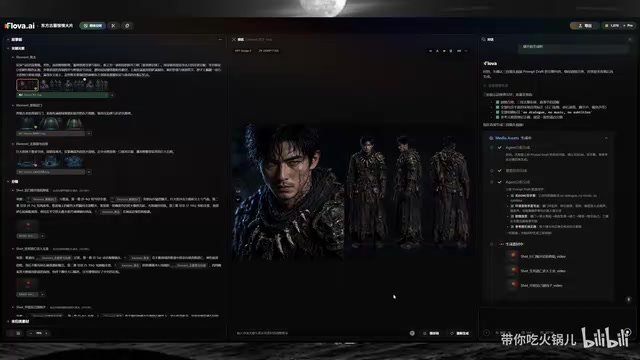
Once generated, music and editing tools are all built in. While the editing capabilities aren't as powerful as professional editing software, basic operations like splicing and dragging to reorder clips are more than sufficient. The reviewer also had Flowva generate transition frames between shots (using the last frame of the second clip and the first frame of the third clip), then exported to CapCut to add music for the final cut. The entire process never required leaving the page once.
The platform is reportedly about to integrate the CDS 2.5 model, which is said to support direct output of 30-second and 4K videos while accommodating up to 50 reference elements simultaneously. This capability points to a breakthrough in "multi-condition controlled generation" technology in video generation — meaning the model can process a large number of visual reference inputs simultaneously without "feature dilution," maintaining character consistency while achieving scene diversity. This is one of the core technical challenges that current video generation models are working to overcome.
Creativity Is the Real Asset
The deepest takeaway from this hands-on test: when AI turns the entire production process into a conversation, the most valuable thing is no longer "knowing how to make short videos" — it's the creative ideas in your head. This particular short film was made from an off-the-cuff idea. With a genuinely polished script, color palette, and reference images, the results would be significantly better — and all of those assets can be fed to the Agent through chat, then crystallized into a Skill for reuse next time, pushing efficiency even higher.
Flowva's homepage also lets you browse other users' public projects and their complete chat histories. For example, someone used a "Music MV Skill" to upload audio and produced a polished music video. For creators looking to get into AI video creation, this serves both as inspiration and as a learning resource. Other users' chat histories essentially function as a complete "prompt engineering log," letting newcomers directly observe effective ways to express intent. This community knowledge-accumulation mechanism is exactly what enables the Skill ecosystem to generate network effects.
Overall, Flowva represents a new direction for AI video creation: shifting from "operating tools" to "directing Agents." It consolidates a fragmented workflow into a single conversational interface and dramatically lowers the barrier to entry through multi-Agent collaboration and Skill workflow reuse. Behind this shift lies a historical inflection point — AI technology has matured to the point of reliably handling "intent parsing," and the interaction paradigm is transitioning from GUI to CUI, freeing creators from the tedium of configuring parameters and switching between tools. Ultimately, true competitive advantage comes back to creativity itself.
Key Takeaways
Related articles
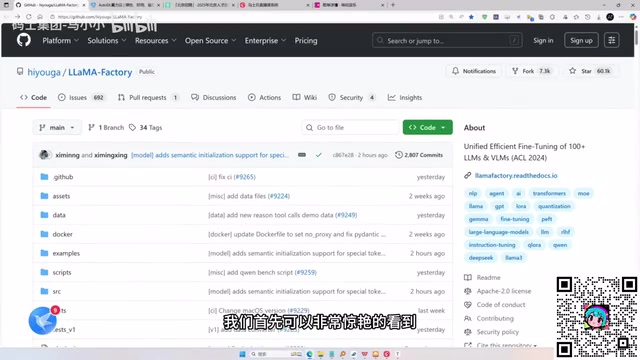
LLaMA-Factory in Practice: A Complete No-Code Guide to Fine-Tuning Large Models
An introduction to LLaMA-Factory, the open-source fine-tuning tool: its 60.1K-star background, supported models and algorithms, local vs. cloud deployment, and CUDA setup steps.

Zeng Ming's Deep Retrospective: Why OpenAI May Not Be the Ultimate Winner — and Why the Corporate System Will Disappear
Zeng Ming's deep retrospective on the AI endgame: model companies are just infrastructure, OpenAI and Anthropic won't be the final winners; the next battle is the Agent entry point standard; the corporate system will disappear as AI restructures collaboration, and only mission-driven companies can survive the cycle.
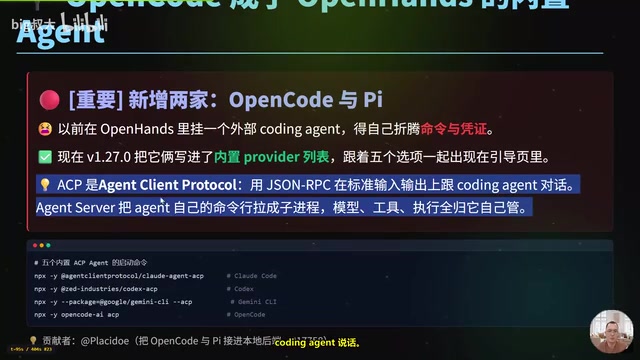
OpenHands v1.28.0: OpenCode and PI Added as Built-in Agents, API Keys Requestable In-Conversation
OpenHands ships 5 releases in 21 days: v1.27.0 adds OpenCode and PI as built-in agents, v1.28.0 enables in-chat key requests. ACP integration, credential reuse, model list changes, and upgrade advice.