ChatGPT Work Officially Launches: How GPT-5.6 Reshapes the Way You Work

OpenAI unveils ChatGPT Work and GPT-5.6, moving AI from answering questions to completing real work.
OpenAI has released ChatGPT Work alongside the GPT-5.6 model family (Sol, Terra, Luna) and three major product updates. Spanning complex task execution, local file access via a redesigned desktop app, and interactive hosted sites, the release aims to shift AI from generating answers to genuinely getting work done.
A Major Release from OpenAI
About a year after Codex made its debut, OpenAI held another launch event, unveiling three major product updates alongside the brand-new GPT-5.6 model family. The core goal of this release is clear: to upgrade ChatGPT from a "question-answering assistant" into an intelligent collaborative partner capable of genuinely "completing complex work."
The event opened by setting the stage: nearly a billion users currently use ChatGPT every week for writing, searching, research, and creation. But OpenAI observed that—especially after breakthroughs in Codex and coding capabilities—these models have potential far beyond simply "giving good answers." They can actually "get good things done."
The GPT-5.6 family includes three clearly positioned models:
- Sol: The most powerful model, designed specifically for complex agentic workflows
- Terra: Faster, geared toward everyday workflows
- Luna: The fastest and most cost-effective, built for high-concurrency tasks
Sol is available to all paid users, while Terra and Luna are being rolled out to free users as well, with a gradual release over 24 hours.
ChatGPT Work: Built for Complex Tasks
The first of the three product updates is ChatGPT Work, which OpenAI positions as "a new partner for ambitious work." Spanning web, mobile, and desktop, its core capabilities cover complex content processing, long-horizon task execution, spreadsheet reading and writing, and even website editing.
The event demonstrated two typical scenarios. Engineer Jessica showcased the new "Work" tab on mobile—unlike the quick Q&A of "Chat," Work is designed specifically to "get things done." With a single natural-language instruction, she had ChatGPT Work search through Slack and employee feedback, identify colleagues using the product in interesting ways, and directly schedule in-person meetings.

The demo by finance team member Lauren was even more compelling. She showed a real, anonymized financial workflow: after the monthly close, ChatGPT Work could complete a variance analysis in one go, explaining why actuals exceeded expectations and highlighting risk points. It then automatically updated the Excel forecast model, generated a PowerPoint presentation, and even built a shareable interactive site. She admitted that this kind of work previously required manual reconciliation across multiple systems and maintaining several models—now it "gets done in a single run."
The New Desktop App: Letting AI Directly Control Local Files
The second update is a redesigned ChatGPT desktop app. Compared to the web version, the key breakthrough is its ability to directly access local files, browser tabs, and even other applications on your Mac.
Designer Andrew demonstrated several impressive scenarios: after dragging in a massive user-ticket spreadsheet, the model instantly generated an interactive visualization, automatically categorizing topics and flagging priorities. When handed a folder full of PDFs, user interviews, and security reports along with three Chrome tabs, it produced a complete presentation matching the company template in about 90 seconds.
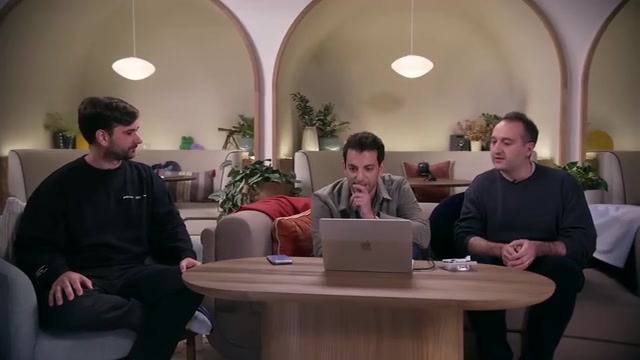
Even more noteworthy is the "computer use" capability. When asked to organize messy Apple Notes, ChatGPT was given an independent cursor and autonomously operated the Notes app in the background—creating new folders, moving notes—while the user could attend to other tasks simultaneously. This marks a shift for AI agents from "generating content" to "executing actions."
Sites: Moving Beyond Static Spreadsheets Toward Interactive Collaboration
The third update is the hosted sites feature, available to all paid users. The design team noted that Sites is changing how the entire company collaborates—where analytical conclusions were once reported via Excel spreadsheets, now interactive dashboards and shareable sites tell the data's story.

The event showcased a wealth of results generated by Sol from "a single sentence": immersive 3D interactive demos and collaboratively editable internal tools, all without writing any code. These sites allow team members to each add features, with "raise your ambition and it can be done" repeatedly emphasized as the spiritual core of this release.
Technical Highlights: Token Efficiency, Ultra Mode, and Safety Progress
On the technical front, researchers Katie and Tejal introduced GPT-5.6's training achievements. OpenAI continues to scale up both reinforcement learning and pretraining, and the multiplicative effect of the two has brought a substantial leap in capability.
A few highlights worth noting:
- Automated research is near at hand: 5.6 Sol can autonomously perform post-training on Luna. With just a brief Codex prompt, researchers can have the model configure its own environment, select GPUs, and launch scripts—work that previously required a seasoned team.
- Leading frontier benchmarks: It achieves state-of-the-art results on tests like Terminal Bench, BrowseComp, and Agent's Last Exam, and delivers better performance on DeepSuite at less than half the cost of competitors.
- Ultra Mode: Mobilizes an entire team of agents to work in parallel, with task completion quality and speed improving as the number of agents increases.
On safety, OpenAI invested over 700,000 A100-equivalent hours in red-team testing and conducted six weeks of safety training. Through Project Daybreak and the "Patch the Planet" initiative, researchers have discovered vulnerabilities in mainstream browsers and databases and submitted patches to Linux, with an acceptance rate exceeding 50%—the model can not only find long-dormant critical vulnerabilities but also fix them automatically, genuinely accelerating cyber defense.
From Farm to Office: How Everyday People Can Make the Most of AI
The final case at the event came from Japanese farmer Hiroki. Over the past six months, he used Codex to automate farm work—adding electric motors to greenhouse blinds and controlling ventilation remotely over the network. He said that with the new model, a single prompt is enough for Codex to read databases, autonomously call tools, and continuously push toward the final goal.

Hiroki's advice for non-technical users was simple and practical: start small. He is not an engineer himself; it was by repeatedly asking ChatGPT about every question he didn't understand and gradually accumulating knowledge that he wove AI into his daily farming.
Conclusion: AI Moves from "Answering" to "Executing"
Taken together, the core narrative of this release is clear: GPT-5.6-powered ChatGPT Work, the new desktop app, and the Sites feature together drive AI from "generating answers" toward "completing work." Whether it's financial variance analysis, organizing local files, autonomously operating desktop apps, or patching open-source vulnerabilities, OpenAI is trying to prove that the real barrier is no longer the technology itself, but the "height of the user's ambition." All updates will roll out gradually within 24 hours—Sol for paid users, and the desktop app along with Terra and Luna reaching free users.
Related articles

Cursor AI Programming in Practice: Build a Student Management System from Scratch in 30 Minutes
A Bilibili creator demonstrates Cursor AI programming: generating a student management system in 30 minutes with natural language. Details on Agent mode, Claude selection, prompt techniques, and thresholds.

Top 20 AI Coding Tools Ranking: From Rock-Solid to Lackluster, a Scored Matrix
Bilibili creator releases top 20 AI coding tools ranking, tiered T0–T4 from rock-solid to lackluster, with Claude Code and Codex tied at T0. This article details the scoring dimensions (capability, reliability, robustness, durability, cost, domestic availability) and tool performances to help developers choose the right AI coding assistant.

Vibe Coding Systematic Tutorial: Master AI-Assisted Programming from Zero
A three-month Vibe Coding tutorial from a Bilibili creator covering Codex, ClaudeCode, and Cursor, from core logic to commercial project practice for beginners.