Claude Code Full Walkthrough: From Model Integration to MCP Mounting

Claude Code beats Cursor and Trae on accuracy by reading full project context and auto-debugging.
Based on a public class, this article maps out Claude Code's positioning and onboarding path. Unlike conversational coding tools, it reads the entire project, hands full context to the model to generate business code, and auto-debugs to a runnable version. It traces AI coding assistants from Copilot's completion plugin to Cursor, Trae, and Codex, noting the ceiling depends on the underlying model — Sonnet behind Claude Code is strong, so accuracy beats Cursor and Trae. The hands-on path: connect a model, write a Skill, mount MCP, and ship frontend and backend from one requirements doc. Best suited to developers troubled by accuracy and teams upgrading to project-level coding assistants.
Claude Code Full Walkthrough: Connect a Model, Write a Skill, Mount MCP — Ship Frontend and Backend from a Single Requirements Doc
If you're still using conversational AI to generate scattered code snippets, then manually copy-pasting and debugging them over and over, you may already be a step behind. A public class on Bilibili brought Claude Code into the spotlight — it doesn't require logging into any website. Install it directly on your computer, and it can read through your entire project inside your dev tools, automatically generate business code, and debug it. This article, based on that video's content and combined with comparisons to similar tools, maps out Claude Code's core capabilities and how to get started.
Why Claude Code Is Not Just Another Code Completion Plugin
The video's author opens by pointing out a key difference: traditional conversational coding tools only give you a code snippet. You take it back to your project, run tests, and if it fails, you go back to the conversation. After several rounds, you finally get a working piece of code. More critically, these tools can't read the context of the hundreds of files in your project — it's all on you to describe "what I have" by hand.
Claude Code works completely differently. It can read through all of a project's contents, hand the full context to a large model to generate business code, and automatically debug, ultimately delivering a runnable version. The leap in experience from this level of automation is the fundamental reason it spread so widely. The author even says outright that programmers will feel a "deep sense of crisis" after using it.
The Evolution of Coding Assistants: From Completion to Agents
The video quickly walks through the generational evolution of AI coding tools, and this thread helps clarify Claude Code's positioning.
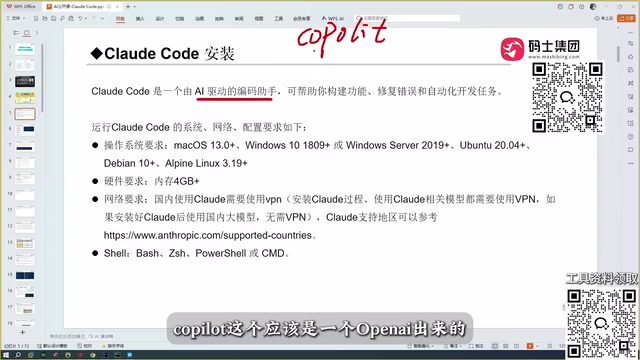
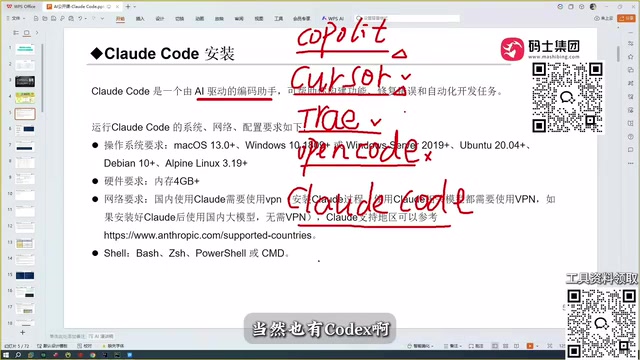
Copilot, which first caused a stir in 2023, is essentially a plugin whose capabilities center on code autocompletion. Then Cursor appeared, noticeably smarter, able to code automatically — similar in some ways to today's Claude Code. After that came Trae, available in an international version and a domestic version; the international version is paid, the domestic one free. The author considers it well-optimized for Chinese and, before encountering Claude Code, thought it was the most perfect coding tool he'd used. There's also Open Code, which the author rates as one of the harder-to-use coding tools and does not recommend. Codex also earns the author's approval, with coding ability he considers comparable to Claude Code.
The core reason the author ranks Claude Code above these tools is the model behind it. The ceiling of any coding assistant depends on the model itself, and the Sonnet model behind Claude Code performs formidably — with even stronger models available. The author compared Trae, Qwen, JRM5, and others, and still concluded that Claude Code is the best tool to use.
The essential difference between an agent-style coding assistant and early completion plugins lies in how they work: a completion plugin only predicts the next chunk of code at the cursor, whereas an agent has a "perceive—plan—execute—observe" loop. It first reads the project file tree and relevant source code to build context, then breaks down the task, calls tools to read and write files, execute commands, run tests, and decides its next move based on the output — correcting its own errors when necessary. This loop relies on the model's reasoning and tool-calling abilities, so under the same tool framework, the stronger the underlying model, the higher the success rate of the agent completing tasks. Claude Code is the representative of this paradigm: it treats the entire repository as an operable environment, not as one-off Q&A input.
What It Does Better Than Cursor and Trae
An audience member asked directly in the video: what are Claude Code's advantages over Cursor? The author's answer centered on accuracy. Claude Code, Cursor, and Trae can all code automatically, but Claude Code's accuracy is the strongest the author has experienced.
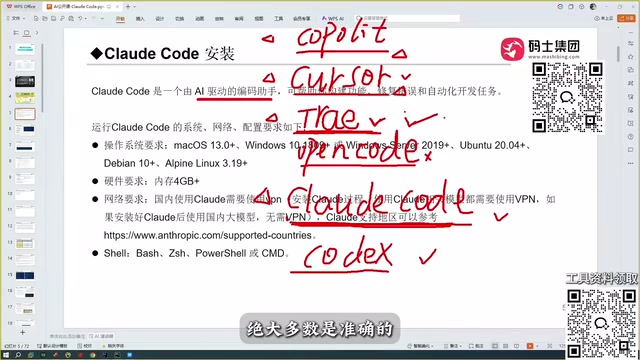
One noteworthy observation: Trae's advantage is being free in China, but the code it generates isn't accurate in the vast majority of cases — when it hits a slightly less mainstream tech stack, the code it writes is rather poor. This precisely illustrates the decisive role of model capability in final output quality — no matter how handy the tool, if the model isn't up to par, code quality suffers.
A Few Things to Know Before Getting Started
The video is fairly restrained in describing installation: Claude Code is picky about systems, but supports the vast majority of them; once installed, you use it directly inside your dev tools with no website login required. The author also admits that a single public class can't cover all of Claude Code's caveats — it can only demonstrate cases while explaining.
For readers who want to reproduce the full workflow, the video's title lays out a clear path: connect a model, write a Skill, mount MCP, and ship frontend and backend from a single requirements document. The value of this path is that it covers the complete chain from configuration to delivery, rather than stopping at "install a plugin and try it." It should be noted that the original video mainly covers the tool's positioning and horizontal comparisons; the specific operational details of writing Skills and mounting MCP are not elaborated in the source material, so interested readers can follow along in the video.
MCP (Model Context Protocol) is an open protocol for connecting external data sources and tools to large-model applications in a standardized way. You can think of it as AI's "USB interface": databases, project management platforms, internal APIs, browser automation, and other capabilities can be called on demand by clients like Claude Code as long as the corresponding MCP Server is implemented — no need to write separate integration code for each service. Once MCP is mounted, the model can directly query real data and trigger real operations, not just generate text. Skills, meanwhile, are reusable encapsulations of instructions and workflows, typically stored as files in a project or user directory, used to lock in the steps, conventions, and examples for specific tasks so the model executes them in the established way when triggered by relevant scenarios. Together, the two form a key link from "can write code" to "can connect to a real engineering environment."
Who Should Get Started Now
Judging from the video, Claude Code is most valuable to two groups. One is developers who have already used Cursor or Trae, have a feel for automatic coding, but are troubled by accuracy issues. The other is teams hoping to upgrade AI from a "code snippet generator" to a "project-level coding assistant." The author's advice is direct: if you're still agonizing over which tool to choose, Claude Code is worth trying first, because its accuracy advantage gets amplified in real projects.
Tools won't wait for anyone. As coding assistants move from completion to reading full context and auto-debugging, what developers really need to reconsider is where they should focus their energy between a requirements document and runnable code.
Related articles

A 19-Year-Old's Rental Horror Story: Ceiling Collapse, Bug Infestation, and the Lessons It Taught Me
At 19, my first off-campus rental brought bug infestations, no heat, a collapsed ceiling, and a ruined laptop with no renter's insurance. Here are the hard-won lessons for first-time student renters.

Veda Nurse's Cranial Nerve Exam: Why ASMR Role-Play Is Going Viral
Bilibili creator Veda's cranial nerve exam ASMR video goes viral, blending humor and sensory triggers through nurse role-play. This article analyzes its unique appeal and the audience psychology behind ASMR role-play.

LG Cinebeam AI Review: 120-Inch Giant Screen + 3000 Lumens, a New Choice for the Living Room Theater
LG Cinebeam AI projector review: 3000 ANSI lumens, 4K, 100 inches from about 8 cm and 120 inches from about 18 cm. Built-in webOS, AI Concierge voice recommendations, AI Sound Pro 11.1.2 virtual surround, and Game Optimizer—positioned for fixed living room installation, complementing the portable Cinebeam S.