Claude Code Hands-On Tutorial: Installation in China and AI Coding Productivity Guide
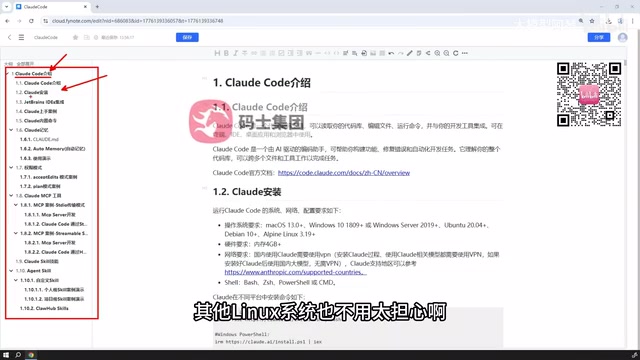
Claude Code tutorial video outlines the complete onboarding path: installation, IDE integration, memory, permission modes, and MCP extensions.
Based on a Bilibili Claude Code tutorial, this article outlines the tool's positioning and onboarding path. It covers installation (Windows, macOS, Linux; recommended via PyCharm, IDEA, VS Code plugins rather than command line), hands-on examples and memory (automatic memory, Claude Code MD files), three permission modes (fully automatic, user confirmation, planning only), MCP tool extensions (built-in file operations, custom MCP Servers, Streamable SSE), and skill configuration. Suitable for experienced developers; watch out for token costs and installation friction in the domestic environment.
AI coding tools are moving from "code completion" toward "understanding the project." A recent Claude Code tutorial video on Bilibili focuses on what domestic developers care about most — installation, IDE integration, memory mechanisms, permission modes, and MCP extensions — attempting to bring this tool from concept into everyday development workflows. This article, based on the video content, outlines Claude Code's capability boundaries and onboarding path.
Why Claude Code Is Worth Watching
Claude Code is positioned as a web coding or AI coding assistant tool. Its goal is not to replace developers but to take over work like code logic generation and project-assisted development. The video's author notes that Claude Code is evolving very quickly and delivers excellent results.
But these tools have an inherent constraint: the better the results, the stronger the model required behind them, and the more tokens consumed. This is both a minor drawback and a prerequisite for understanding its usage costs. In other words, Claude Code's experience ceiling depends on model capability, while depth of use directly affects expense.
Installation and IDE Integration: A Pragmatic Path for the Domestic Environment
The video demonstrates installation using Windows as an example, while noting that installation on macOS and Linux is equally easy and simple. After installation, developers can use Claude Code directly in PowerShell or CMD, but the author considers this approach not very friendly.
The more recommended approach is to use it within an IDE. Using PyCharm as an example, the video points out that IntelliJ IDEA for Java or VS Code can also follow the subsequent steps to install plugins and use Claude Code. This approach is pragmatic for domestic developers: rather than pursuing the simplest command line, it embeds the tool into existing development environments to reduce switching costs.
Claude Code is essentially a CLI tool running in the terminal, interacting with developers via command line and calling the local file system and shell commands. IDE integration (such as plugins for PyCharm, IntelliJ IDEA, and VS Code) does not replace the CLI but provides a friendlier entry point within the IDE, allowing Claude Code to perceive the currently open project, cursor position, and editing context, thereby offering more context-appropriate assistance. For domestic developers, the main friction points during installation typically include: Node.js runtime version, npm global installation permissions, network proxy configuration, and obtaining and billing for Anthropic API keys. The video uses Windows + PyCharm as the main thread precisely because this combination is highly prevalent among domestic Java/Python developers and the graphical plugin lowers the command-line barrier. Steps for other systems and IDEs are similar, but path separators, permission management, and terminal environment differences still need to be adjusted to individual circumstances.
Hands-On Examples and Memory Mechanism
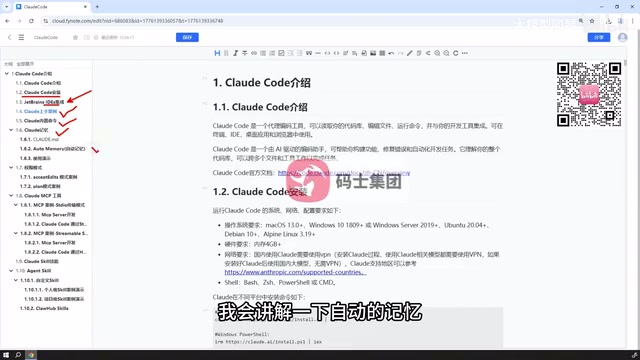
After installation, the video uses hands-on examples to show how Claude Code assists with programming and automatically writes code. This addresses the question of "what can it actually do" — also the most intuitive experience for most people encountering AI coding tools for the first time.
Memory is an important design element of Claude Code. The video mentions explaining automatic memory and the Claude Code MD file, accompanied by case demonstrations. For developers, the memory mechanism determines whether the tool can maintain understanding of project context across multiple sessions, rather than starting from scratch each time.
Three Permission Modes: From Fully Automatic to Pure Planning
Claude Code's permission modes are one of the video's key breakdowns. The author categorizes them into three types:
- A zero-to-one programming mode requiring absolutely no human intervention, suitable for high-trust repetitive tasks;
- A mode where users must confirm content, file modifications, and plugin installations during programming, suitable for change-sensitive projects;
- A mode that only provides plans without actually modifying any files or prompting for modifications, suitable for scenarios where you want to review the approach before acting.
These three modes essentially correspond to the allocation of "control" in AI programming. The more automatic the tool, the higher the efficiency, but the more concentrated the risk; the more human confirmation, the safer, but the slower the pace. The video does not give absolute answers but leaves the choice to the use case.
The design of permission modes reflects the trade-off between "agent autonomy" and "human oversight" in AI coding tools. Fully automatic mode lets the AI agent execute multiple steps continuously (reading/writing files, running commands, installing dependencies) with maximum efficiency, but once the model misinterprets intent or hallucinates, errors can be rapidly amplified — thus suitable for clearly bounded, rollback-able repetitive tasks. User-confirmation mode pauses before each critical operation, waiting for manual approval, equivalent to inserting checkpoints into the agent loop — suitable for code-change-sensitive projects or those involving production environments. Planning-only mode completely prohibits write operations, outputting only plans and steps so developers can review the logic before deciding whether to execute, often used for exploratory tasks or high-risk refactoring. These three modes are not unique to Claude Code but a general design paradigm for AI coding agents; understanding them helps flexibly switch based on task risk levels rather than blindly pursuing full automation.
MCP Tools: Built-In Sufficiency, On-Demand Extension
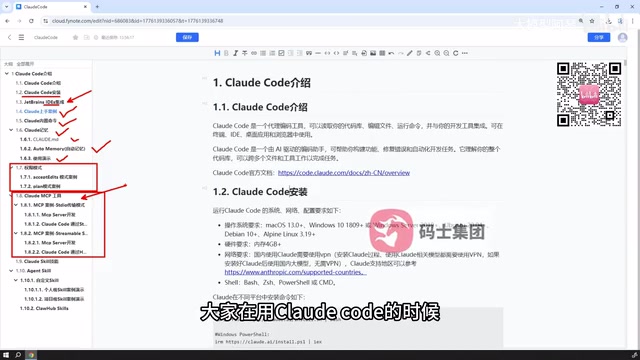
Claude Code has some built-in basic tools, such as manipulating files, viewing files, and writing code, which suffice in most cases. The video's author points out that if personalized tools are needed — such as code detection, GitHub utilities for submitting or pulling code, or statistics — you can develop or integrate external MCP tools yourself.
Claude Code's support and configuration for MCP are quite convenient. The video plans to introduce two ways to define MCP tools yourself: defining an MCP server using the Studio approach, and communicating via HTTP's Streamable SSE mode, along with demonstrating how to configure an MCP Server into Claude Code. This part emphasizes "doing it entirely by hand" — the full process from creating a tool to starting and connecting it.
MCP (Model Context Protocol) is a standardized protocol proposed by Anthropic for enabling AI models to access external tools, data sources, and services in a unified way. You can think of it as a "universal interface" between AI applications and external capabilities: MCP Servers expose tool capabilities (such as querying databases, calling APIs, manipulating files, retrieving web pages), while MCP Clients (such as Claude Code) discover and invoke these tools according to the protocol. Its core value lies in decoupling — tool providers only need to implement an MCP Server once, and it can be reused by any MCP-supporting client without separate adaptation for each AI tool. This differs from traditional Function Calling, which typically requires writing specific call descriptions for each model or platform; MCP uses standardized transport methods (such as stdio, HTTP with SSE) and message formats to allow the tool ecosystem to be shared across clients. For developers, this means you can develop customized tools for code detection, GitHub integration, statistics, etc., and connect them to Claude Code as MCP Servers, thereby extending its capability boundaries.
Skill Configuration: Custom and External Reuse
The video also mentions Claude Code's Skills section, which the author considers quite important. Developers can configure skills from the internet or develop their own skills for Claude Code to use. In theory, any skill seen online can be used in Claude Code.
The explanation covers how to define and write custom skills, and how to apply skills obtained from external networks. This part is not too difficult but requires understanding the boundary between skills and tools: MCP leans toward tool capability integration, while skills lean toward reusable task methods.
Who Should Learn This, and What to Watch Out For
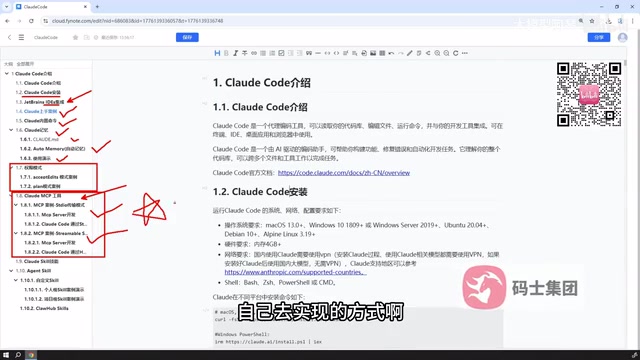
This teaching content covers installation, IDE integration, hands-on examples, built-in commands, memory, permission modes, MCP tools, and skill configuration — structurally a path from zero to usable. It is suitable for developers with some development experience who want to integrate AI coding tools into their daily projects.
One thing to note is token consumption. Claude Code's effectiveness is tied to model strength, and the deeper the use, the more obvious the cost. Additionally, the video uses Windows and PyCharm as the main thread; steps for other systems and IDEs are described as similar but still need adjustment to your own environment. For domestic developers, environment issues during installation are specifically mentioned — also the most common friction point when these tools are deployed.
One-line Summary
Claude Code tutorial video outlines the complete onboarding path: installation, IDE integration, memory, permission modes, and MCP extensions.
Paragraph Summary
Based on a Bilibili Claude Code tutorial video, this article systematically outlines the positioning and onboarding path of this AI coding assistant tool. Claude Code aims not to replace developers but to take over code logic generation and project-assisted development; its effectiveness is tightly bound to model strength, with token consumption increasing with depth of use. The article covers installation (supporting Windows, macOS, Linux, recommended via PyCharm, IDEA, VS Code plugins rather than command line), hands-on examples and memory mechanisms (automatic memory and Claude Code MD files), three permission modes (fully automatic, user confirmation, planning only), MCP tool extensions (built-in basic tools like file operations, supporting custom MCP Servers and Streamable SSE communication), and skill configuration (customizable or reusable external skills). Finally, it notes that this content suits experienced developers and reminds readers to watch for token costs and installation friction in the domestic environment.
Related articles

AI Wrote 90% of the Code—How Do You Prove It Runs? The Claude Code Team Publishes a 39-Item Incident Checklist
The Claude Code team reveals how to verify AI-written code: 39-item incident checklist, end-to-end, property-based, and differential testing, plus a three-tier commit gate.
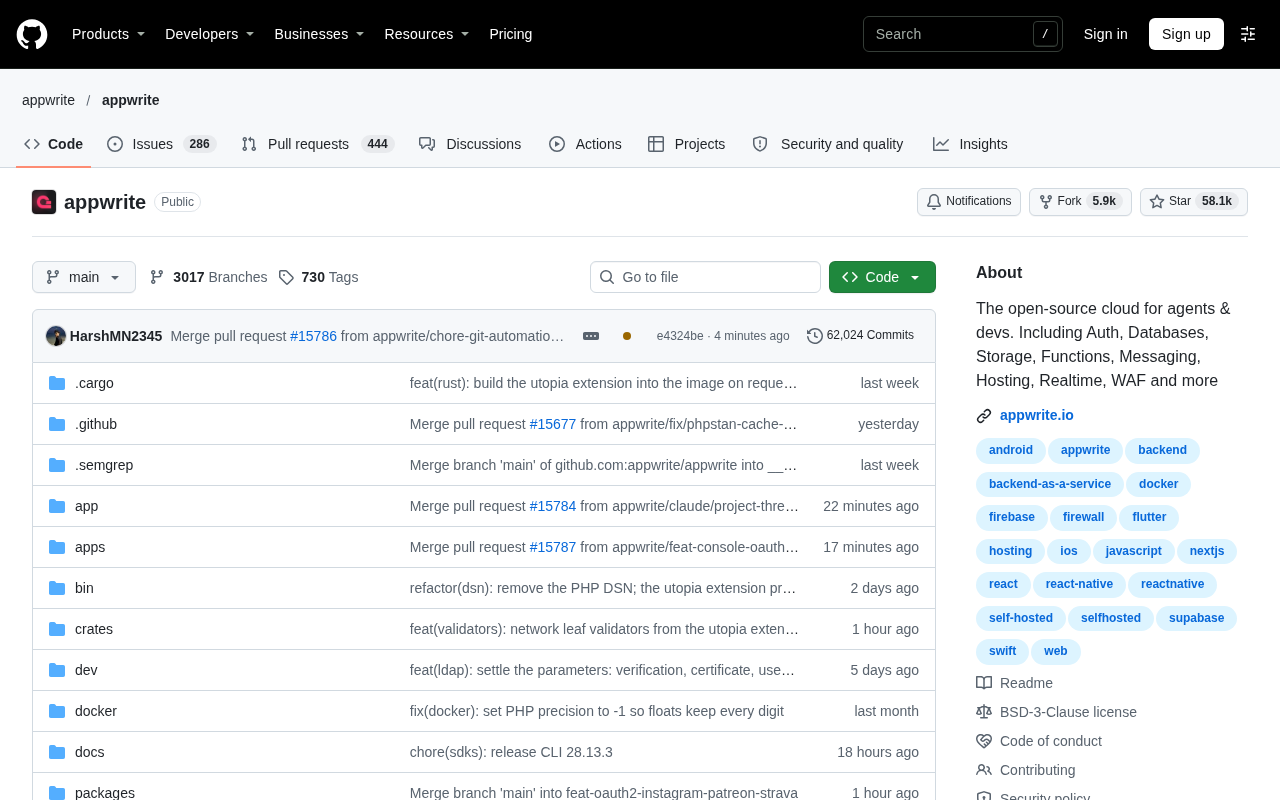
Appwrite: The Open-Source Cloud Built for AI Agents
Appwrite is an open-source cloud platform offering Auth, databases, storage, functions, messaging, hosting, realtime, and WAF for AI agents and developers. With 58K+ GitHub stars, it supports self-hosting.
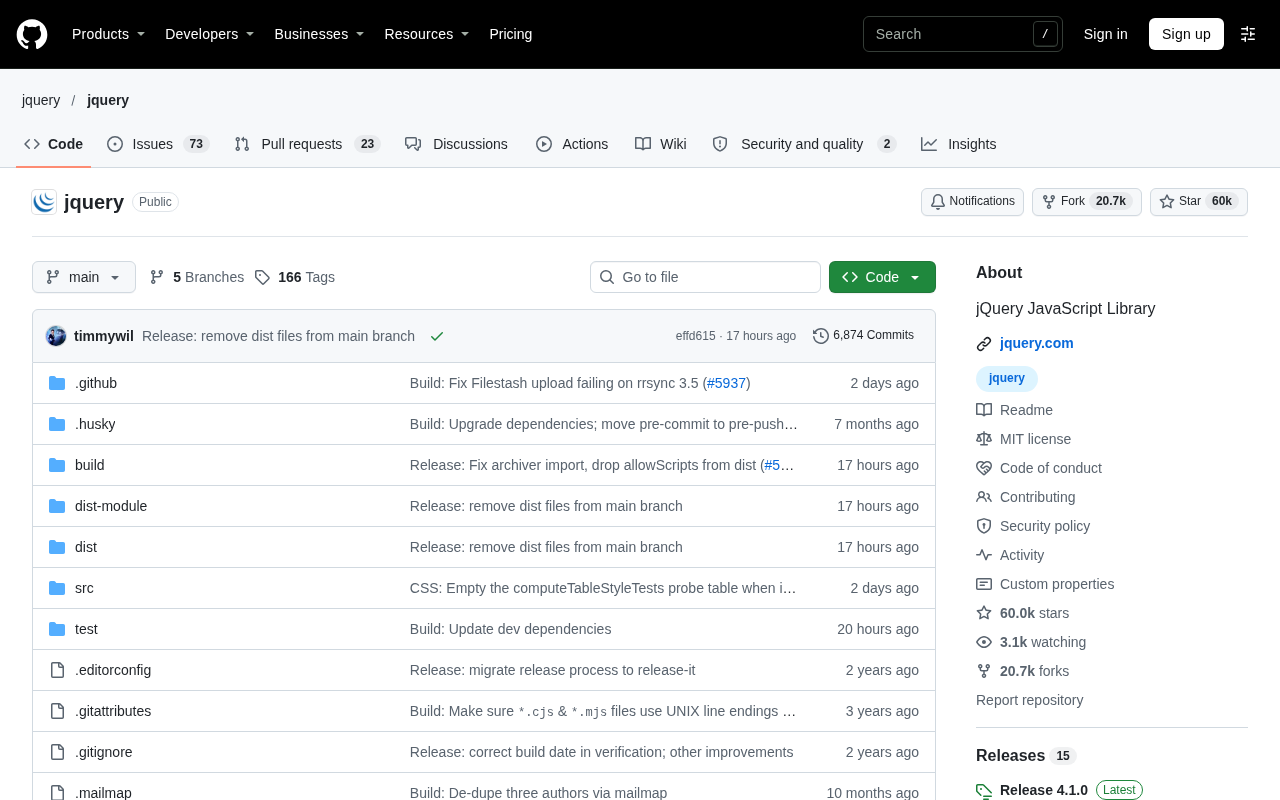
Is jQuery Still a Frontend Cornerstone? The Vitality Behind Nearly 60K GitHub Stars
jQuery has nearly 60K GitHub stars and over 20K forks, still gaining 268 stars in a single day. This article analyzes why this veteran JavaScript library remains vital through legacy project inertia, a low barrier to entry, and its ecosystem reference network, with practical advice on selection and maintenance.