Claude Code in Practice: AI Programming from Installation to Full-Stack Project Development

Hands-on Claude Code course: agentic programming methodology from setup to full-stack development.
Based on Mosh Hamadani's Claude Code course, this article covers the tool's core concepts and practical workflow: installation and configuration, basic prefixes, permission management, CLAUDE.md project memory, prompt rules, bug fixing and refactoring methodology, Plan Mode, context window management, and MCP extensions—emphasizing reviewing every AI-generated line and breaking large features into small ones.
Claude Code in Practice: AI Programming from Installation to Full-Stack Project Development
AI coding tools are reshaping the way software is built. According to Anthropic, its internal engineers already write up to 90% of their code with Claude Code. Software engineer Mosh Hamadani, who has over 20 years of development experience, released a course with bilingual subtitles on Bilibili that fully demonstrates how to build and deploy a production-grade full-stack AI ticketing system from scratch using Claude Code. Based on that course, this article outlines the core concepts, installation and configuration process, and key usage techniques of Claude Code.
What Exactly Is Claude Code
Claude Code is defined as an "agentic coding tool." Traditional AI assistants are conversational: you ask, it answers, and you copy and paste. What makes a coding agent different is that it has tools it can act with—it can read files, write code, run commands, fix bugs, and commit Git changes, autonomously completing multi-step tasks.
It runs in the terminal, which means editor independence, while also integrating well with mainstream IDEs such as VS Code and JetBrains. According to the course, large companies including Netflix, Spotify, Uber, and Salesforce already use Claude Code in production. Google Trends data shows its popularity has surged over the past year, and it even appears in the requirements of some job postings.
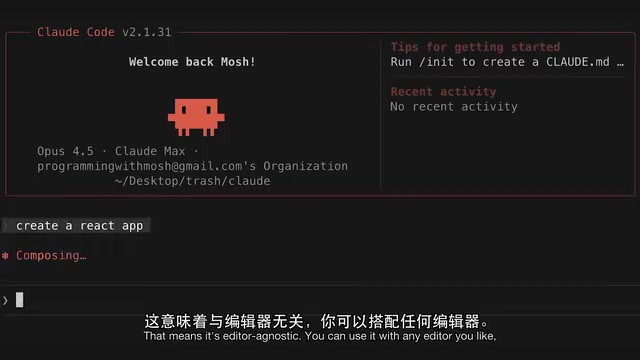
Agentic coding is a paradigm distinction from traditional "conversational AI assistants." Conversational assistants can only produce text suggestions, and humans must handle all the copying, pasting, execution, and verification. An agentic system, in addition to the model, is equipped with a set of callable tools, each corresponding to an executable external action, such as reading files, writing files, running shell commands, or invoking Git. During reasoning, the model outputs "tool call requests," which the host program executes and then returns the results to the model, which decides the next step accordingly. This "reason—act—observe" loop can automatically repeat for multiple rounds until the task is complete. Therefore, an agent's capability ceiling depends not only on the model itself but also on which tools it is granted and how permission boundaries are set—which is the fundamental reason the permission management mechanism discussed later exists.
Will AI Replace Software Engineers
Mosh responds to this question in the course with an analogy: the invention of the chainsaw did not put carpenters out of work; it let them finish work faster, more precisely, and with less effort. Sawing wood is only one part of a carpenter's job, just as writing code is only one part of software engineering.
His core view is: the fundamentals of software engineering will not disappear; what changes is the tools. From text editors to IDEs, from manual deployment to CI/CD, from hand-written SQL to ORMs—every generation of developers gets new tools, and early adopters gain a first-mover advantage. But the ability to understand code becomes more important than ever, because your role shifts from "writing code" to "evaluating code."
Installation and Environment Configuration
Claude Code offers two paid options: a subscription (Pro/Max plans with a fixed monthly fee) and pay-as-you-go API billing. Mosh himself started with Pro, quickly hit the usage cap due to heavy use, switched to the Max plan, and strongly recommends it. He explicitly states that he is not a promotional partner of Anthropic.
The installation process is not complicated: visit the official documentation page, choose the command for your operating system (curl for Mac/Linux/WSL, PowerShell or CMD for Windows), and run it in the terminal. Pay attention to the PATH warning in the installation output—if it prompts you to add claude to PATH, be sure to run the suggested command, otherwise subsequent runs will report "command not found."
After installation, the first run requires login: subscribers use a Claude account, API users use an Anthropic Console account. When using it in VS Code, it is recommended to move the terminal panel to the left so that the prompt input area and the code area are split left and right, which provides a better experience.
Essential Basic Operations
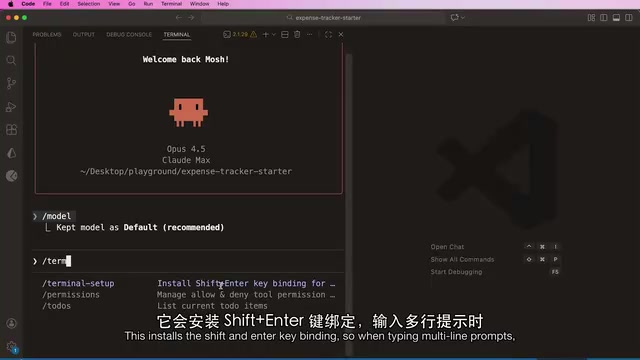
Claude Code's interaction revolves around a few shortcut prefixes: ! enters Bash mode to execute Shell commands directly, @ references files to provide context to the agent, / invokes built-in slash commands, and & runs background tasks. Press ? to view the full list of shortcuts.
A few things worth configuring immediately:
/terminal-setup: installs the Shift+Enter line-break binding, which is far more elegant than adding a backslash at the end of each line when writing multi-line prompts./model: switches models. At the time of recording, the default was Opus 4.5, with Sonnet and Haiku also available./tasks: views tasks running in the background; press k to terminate./init: generates a project-specific CLAUDE.md memory file.
Permission management is another key mechanism. When Claude requests to use a tool (such as running npm install), it offers three options: allow once, always allow for this session, and deny. For safe commands (such as starting a dev server), choosing "always allow" can significantly improve efficiency; for dangerous operations, stay alert. For file edits, it is also recommended to choose "allow all edits for this session" and then review changes file by file through the Git source control panel.
CLAUDE.md: The Project's Long-Term Memory
After running /init, Claude analyzes the codebase and generates a CLAUDE.md file covering basic project commands (dev/build/lint), architecture description, and code conventions. This file is loaded into the context window on every request, effectively serving as the project's "long-term memory."
Here is an important engineering habit: when the project architecture changes, proactively update CLAUDE.md. The course demonstrates that after refactoring App.jsx, a single prompt—"update claude.md and include architectural changes"—lets the agent synchronously update the component structure description, making subsequent code changes more accurate.
Note that large language models are non-deterministic, and the output of /init differs every time it runs. Mosh advises learners not to obsess over the specific content but to focus on the overall workflow—how to break down tasks and how to recover from errors.
Four Practical Rules for Prompts
The prompt principles given in the course are concise and effective:
- Be clear and specific: don't say "add authentication"; say "add JWT authentication to the login endpoint using the existing user model."
- Provide context: state clearly in advance the code, files, libraries, and constraints the agent needs to know; don't make it guess.
- Be concise: don't write an essay in the prompt; the shorter and clearer it is, the better the output.
- Don't treat it like a colleague to exchange pleasantries with: Claude is a coding agent; there is no need for "Hello, could you please help me..." pleasantries.
In Practice: The Right Way to Fix Bugs and Refactor
The course uses a React expense-tracking app with bugs as a practice ground. The first bug is that total income and total expenses are calculated incorrectly. Mosh's prompt is "in @app.jsx, total income and expense are not calculated correctly. Fix it."
Claude's fix is to convert amount to a float during calculation. But Mosh points out that this is not the right fix—in the data source, amount is originally a string and must be parsed every time it is used, which treats the symptom rather than the root cause. So he adds the prompt: "in transactions array, amount should be a number." The agent then modifies the data structure, and the bug is fixed at the root.
This detail reveals the core methodology of AI programming: review every line of code AI generates and identify whether it is treating the symptom or the root cause.
The refactoring step reflects the same mindset. After asking Claude to extract Summary into a standalone component, the agent gives it three props (totalIncome, expenses, balance), but the calculation logic remains in App. Mosh adds a prompt to move the calculation logic inside the Summary component, and the final component has only one prop—a more reasonable design.
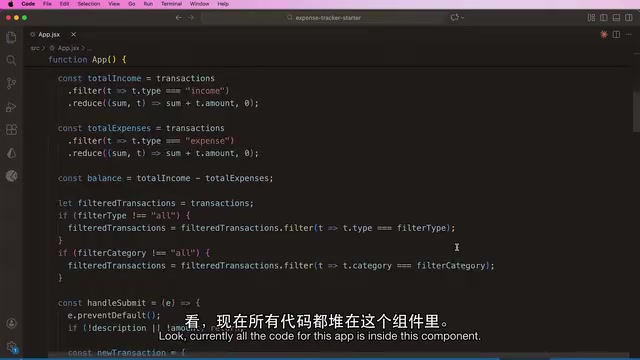
He particularly emphasizes: use small tasks early in the project to establish code patterns, so the agent learns and follows a consistent style. If you give too large a chunk of work at once, the agent may use inconsistent patterns in different parts of the application, eventually losing control.
Plan Mode: Avoiding the "Vibe Coding" Trap
Plan Mode (toggle with Shift+Tab) is used for developing new features. The agent first reads the codebase, analyzes the architecture, and drafts an implementation plan, without changing any code until it is approved. The course demonstrates the complete flow of "add a delete transaction feature": the plan specifies adding a handleDeleteTransaction function in App.jsx, adding an onDeleteTransaction prop and an action column in TransactionList, no CSS changes needed, and lists verification steps.
If you are not satisfied with the plan, you can ask for changes. Mosh adds "add a confirmation dialog box," and the agent immediately updates the button click logic to include a confirmation popup. After approval and execution, the feature is completed in about 50 seconds, browser verification passes, and the summary numbers update correctly after deleting a transaction.
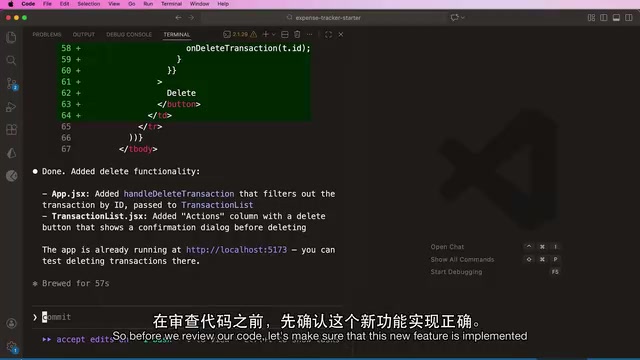
The principle here is: break large features into small features; otherwise, if the agent changes dozens or hundreds of files at once, you simply cannot review them effectively, and you will fall into the "vibe coding" trap.
Context Window Management: The Key to Controlling Cost
Use /context to visualize context usage. Claude Code's context window is 200K tokens, and one token is roughly three-quarters of a word. At the time of the course demonstration, 24% was already used, of which the system prompt accounted for 1% and message history for 14%.
Once the context is full, the agent begins to hallucinate, forget, and produce lower-quality output. Two coping strategies:
- When switching to unrelated tasks: use
/clearto clear the conversation. - For related tasks when context is gradually filling up: use
/compactto compress the conversation and keep a summary. In the demonstration, usage dropped from 24% to 13% after compression; after clearing, 10% was still occupied by the system prompt, tools, and CLAUDE.md.
The context window is directly related to cost: every time you send a message, the system prompt, CLAUDE.md, and the entire conversation history are sent as input tokens. Therefore, keep CLAUDE.md lean and delete outdated content. For usage, subscribers can use /usage to check plan consumption, and API users can use /cost to check expenses.
Context window refers to the upper limit on the total number of tokens the model can "see" at once in a single request, including the system prompt, tool definitions, CLAUDE.md, historical conversation, and the current input. It differs from the model's training knowledge; it is a one-time, volatile working memory. The attention cost of large language models grows with the number of tokens, and content beyond the window is directly truncated, so early information in long sessions may be silently discarded, manifesting as "forgetting" previously agreed conventions. /compact works by having the model summarize the existing conversation into a summary and put it back into the window, trading lossy compression for space; /clear is a complete reset. Understanding the finiteness of the window is the prerequisite for turning AI programming from "casual chatting" into engineering with controllable costs.
MCP: Equipping the Agent with External Tools
MCP (Model Context Protocol) solves the integration and extension problem. Without MCP, every AI vendor would have to write and continuously maintain custom code for GitHub, Slack, and Postgres separately; only the vendor itself could add integrations, and any change to an external API would require changes from all vendors.
MCP introduces two roles: the MCP Server encapsulates the complexity of external services (authentication, message formats), and when the API changes, only the Server needs updating; the MCP Client is embedded in host applications such as Claude Code and communicates with any Server using a standard JSON format. At startup, the host asks each Server "what tools do you have," and afterward the agent knows which one to call. By analogy, Chrome does not need custom code for every website; it can access any website using the HTTP protocol.
Ready-made MCP Servers cover hundreds of services, including GitHub, Slack, Postgres, Playwright (browser testing), Google Drive, and Sentry (error logs). But Mosh offers pragmatic advice: every registered MCP Server stuffs its tools into the context window, increasing cost and potentially making it hard for the agent to choose; install only what you truly need.
Model Context Protocol (MCP) is an open protocol proposed by Anthropic at the end of 2024 to standardize the way "AI applications" connect to "external data sources/tools." Its design draws on the idea of the Language Server Protocol (LSP): LSP decouples any editor from the analyzer of any programming language, while MCP decouples any host application from any external service. The protocol is based on JSON-RPC communication and defines three primitives: tools, resources, and prompts. Because the protocol is open source, besides Claude Code, other AI clients and IDEs are gradually supporting it, which allows the same MCP Server to be reused by multiple hosts. Understanding this helps grasp MCP's positioning: it is not a private plugin mechanism of a single product but an attempt to become a universal interface layer for AI tool integration.
Course Overview and Learning Advice
The complete course is about 9 hours, and the Bilibili video is the content of the first hour. Subsequent chapters will gradually build a production-grade full-stack ticketing system: authentication and role permissions, ticket CRUD and testing, AI reply polishing, long-conversation summarization, automatic classification, automatic ticket resolution based on a knowledge base, email integration, and finally Dockerized deployment to the cloud, plus configuring GitHub Actions so Claude automatically fixes Issues and triggers production deployment after merging.
Mosh completed this project with Claude Code in about two working days, whereas manual development plus all testing would take at least two to three weeks. But he repeatedly emphasizes: this is not a course about "50 AI agents building your app while you sleep"; it is a real software engineering course—every line of AI-generated code must be reviewed, refactored, and covered by hundreds of automated tests.
For learners who want to keep up, his advice is direct: don't watch passively; open your editor and terminal and type along with every lesson. Just like learning to ride a bike, watching more videos is no substitute for getting on and riding yourself.
One-line Summary
A hands-on Claude Code course: agentic programming methodology from installation and configuration to full-stack project development.
Paragraph Summary
Based on Mosh Hamadani's bilingual Claude Code course, this article systematically outlines the complete path of this agentic coding tool from concept to implementation. It first clarifies the essential difference between Claude Code and traditional conversational AI assistants—it can read and write files, execute commands, and commit to Git, autonomously completing multi-step tasks; it then addresses the question of whether AI will replace engineers, pointing out that what changes is the tools, not the engineering fundamentals. On the practical side, it covers installation and configuration, the basic prefixes ! @ / &, permission management, CLAUDE.md project memory, and the four rules of prompting, and demonstrates through bug fixing and component refactoring the methodology of "reviewing every generated line of code and identifying whether it treats the symptom or the root cause." The article also explains Plan Mode, context window management, and the MCP extension mechanism in detail, emphasizing breaking large features into small ones and installing only the necessary MCP Servers.
Related articles

Why Indian Princes Lost to a Company: Institutional Advantage Matters More Than Technology
An interpretation from the perspective of governance structure rather than technology of how the East India Company defeated Indian princely states: the succession crises of hereditary systems and the replaceability of corporate structures reveal that institutional flexibility is the key to long-term competition.

Senator Slotkin Speaks Out: Security Threats and Authoritarian Tactics Under Trump's Attacks
U.S. Senator Elissa Slotkin details family security threats from Trump's public attacks—bomb threats, swatting, and prosecution pressure—calling them textbook authoritarian playbook tactics.

AI Math Is Surging—So Why Is the Job Market Still Calm?
AI is advancing rapidly in math, solving problems that take mathematicians half a year—yet the job market shows only a 19% employment gap among young workers. This article analyzes the structural reasons behind this disconnect.