Claude Code in Practice: Installation, Configuration, and Efficient Development Tips
A practical Claude Code guide covering installation, login bypass, MCP, Skills, Hooks, and structured prompts.
This article targets domestic development teams and lays out the complete implementation path for Claude Code. For installation, it recommends the NPM method over PowerShell/CMD, requiring Node.js 22+ and Git with a VPN enabled; for login, it notes the ban risk of official accounts and suggests using CC Switch to configure a third-party API Key to skip account login, which has been tested stable for months. At the usage level, it emphasizes that permission modes and built-in slash commands are efficiency components most people overlook, and introduces MCP for connecting external tools, Skills for encapsulating reusable capabilities, Hooks for event automation, and SubAgent for splitting complex tasks. It also recommends carefully writing project-level configuration files and replacing one-sentence requests with structured prompts containing tech stack, feature scope, and acceptance criteria, so as to truly unleash the tool's efficiency.
Claude Code is becoming an important tool for domestic development teams to boost coding efficiency, and many companies now require a certain percentage of code to be completed by AI. But many people are still stuck at the basic stage of "making requests in natural language," and the results aren't ideal. Based on frontline practical experience, this article lays out the complete usage path from installation and login bypass to MCP, Skills, Hooks, and SubAgent, helping you truly put Claude Code to work.
Installation: Prefer the Official Site + NPM
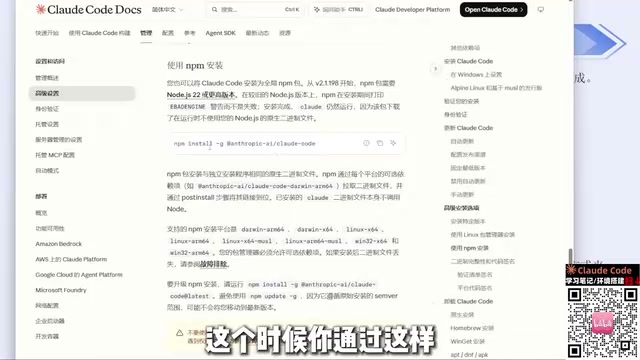
The official documentation offers a Chinese version and should be your first stop for installation information. Although Windows users can install via PowerShell or CMD commands, success rates are often low due to network environment issues. The more reliable approach is the NPM installation path—the official site's "Advanced Setup" section clearly provides this command.
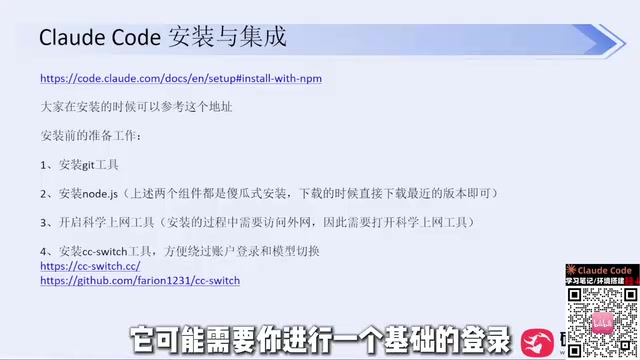
Using the NPM method requires two prerequisites: installing Node.js (version 22 or higher; the official site provides the updated version) and Git. Both are straightforward installs—download the installer and click Next all the way through; if C drive space is tight, you can change the directory. After installation, enter claude --version in the command line to verify the version output, which indicates a successful installation. The entire process requires a VPN/proxy tool to be enabled—this is the prerequisite for the NPM method to work reliably.
When you first run Claude Code, it will successively ask you to trust the current folder, choose an interface theme, and select a login method. There's a key risk here: logging in directly with an official account carries a chance of being banned. A safer alternative is to use an open-source tool like CC Switch (now available as a website while retaining its GitHub open-source address), which skips the account login step by configuring a third-party API Key.
Bypassing Login: Key CC Switch Configuration Points
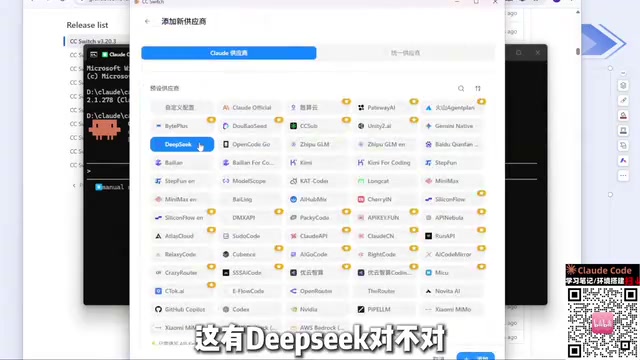
CC Switch supports Claude Code, Codex, and various other tools, with most common model providers built in. Taking DeepSeekAd as an example, click the plus sign in the software, select the corresponding provider, enter the API Key, and save. If your service isn't in the provider list, choose "Custom Configuration" and enter the API address and Key—third-party relay stations work the same way.
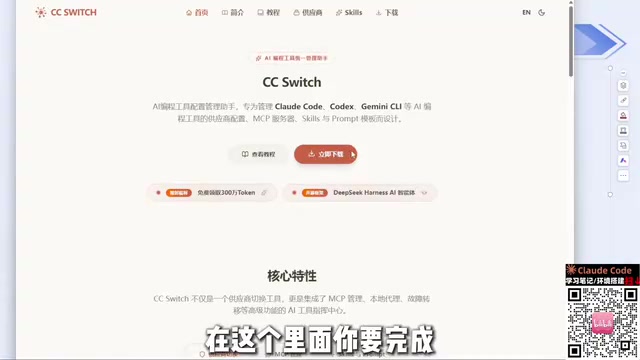
After configuration is complete, restart Claude Code and the login step will be skipped entirely—no account means no ban risk. In practice, this method has been used continuously for several months without a ban, whereas the previous method of configuring the API Key in environment variables did get banned. Note that in CC Switch, different tools are configured separately—a Key configured in Codex won't automatically apply to Claude Code, so remember to switch to the corresponding tool when using it.
Regarding model selection, DeepSeek Harness performs relatively better in cache hit rate—this is a difference you can feel in actual use. If you're just meeting daily work needs, domestic models are already capable enough, and there's no need to overly pursue foreign models.
Permission Modes and Built-in Commands
Claude Code offers multiple permission modes that determine the AI's level of autonomy when performing operations like file reading/writing and command execution. Understanding these modes helps you find the balance between efficiency and safety: permissions that are too loose may bring risks of mistaken operations, while those that are too strict will frequently interrupt your workflow.
Built-in commands are a hidden weapon for boosting efficiency. Beyond natural language conversation, making good use of slash commands lets you quickly handle context management, session switching, configuration viewing, and more. Many users treat Claude Code as just a chat window, precisely overlooking the efficiency gains these components bring.
Claude Code's permission system is roughly divided into levels such as default-ask, auto-accept edits, and plan mode (read-only analysis, no file changes), which can be switched via startup parameters or in-session shortcuts. Plan mode is especially suitable for having the AI produce a modification plan before taking action, then granting write permissions once confirmed. Among the built-in slash commands, /clear is used to clear context and start over, /compact compresses long conversations into a summary to free up the window, /context shows current token usage, and /init automatically scans the project and generates an initial version of CLAUDE.md. Familiarity with these few commands can significantly reduce the irrelevant answers caused by context overflow.
MCP, Skills, Hooks, and SubAgent
MCP (Model Context Protocol) allows Claude Code to connect to external tools and data sources, bringing databases, document systems, and third-party services into the AI's scope of work, breaking beyond mere code generation.
Skills provide reusable capability encapsulation, distilling common tasks into standardized workflows; Hooks execute preset actions when specific events are triggered, suitable for automated checks and process linkage; SubAgent allows complex tasks to be split off to sub-agents, with the main session responsible for orchestration and integration. Used in combination, these components can upgrade Claude Code from a "code completion tool" into an orchestratable development assistant.
The technical positioning of MCP: MCP is a protocol specification open-sourced by Anthropic at the end of 2024, using a client-server architecture. Claude Code acts as the client, gaining new capabilities by launching local or remote MCP Servers, each of which describes the tools, resources, and prompt templates it exposes using a standardized JSON Schema. This means developers can write a Server in any language to connect to internal systems without modifying Claude Code itself. Common Servers include file systems, Git, database queries, browser automation, and more; the community already has hundreds of ready-made implementations that can be mounted directly.
The mechanical difference between Skills and Hooks: Skills are essentially Markdown instruction packs with metadata, loaded by the model on demand based on task descriptions—this is "capability reuse." Hooks, on the other hand, are Shell commands bound to session lifecycle events (such as before/after tool calls, or session end), enforced by the Claude Code runtime and not dependent on model decisions—making them more suitable for deterministic quality gates, such as automatically running lint or formatting after each edit.
Context Management and File Organization
Claude Code's configuration files (such as the project-level instruction file like CLAUDE.md) deserve serious attention. Writing project structure, coding standards, and common commands into them is equivalent to giving the AI a long-term, always-valid project manual, which can significantly reduce the cost of repeated explanations. The context window is limited, so organizing files reasonably and promptly clearing irrelevant content is the foundation for keeping output quality stable.
From Natural Language to Structured Prompts
Making requests directly in natural language like "help me develop a Snake game" often yields poor results—because no technical choices or implementation scope are framed, the AI can only guess. Newer versions of Claude Code have started asking about the implementation approach before generating, for example letting you choose the simplest HTML implementation or another option.
A better approach is to proactively provide constraints: tech stack, feature scope, interaction gameplay, acceptance criteria. Expanding the prompt from one sentence into a structured requirements description will noticeably improve output quality. This is essentially the same principle as assigning work to a human colleague—the more complete the information, the less rework.
Conclusion
The value of Claude Code goes far beyond conversational code generation. At the installation stage, use NPM + CC Switch to avoid login risks; at the usage stage, combine permission modes, built-in commands, MCP, Skills, Hooks, SubAgent, and project configuration files, along with structured prompt expressions, to truly unleash the tool's efficiency. For domestic developers, this combination has been proven in practice for both stability and practicality.
One-line Summary
A practical Claude Code guide covering installation, login bypass, MCP, Skills, Hooks, and structured prompts.
Related articles
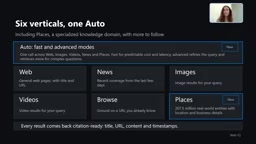
Microsoft WebIQ: Verifiable Real-Time Web Grounding for AI Agents
Microsoft WebIQ gives AI Agents real-time, citable web grounding across web, news, images, videos, and Places—164ms P95 latency, 50% fewer tokens, Scopes source control, and MCP integration.
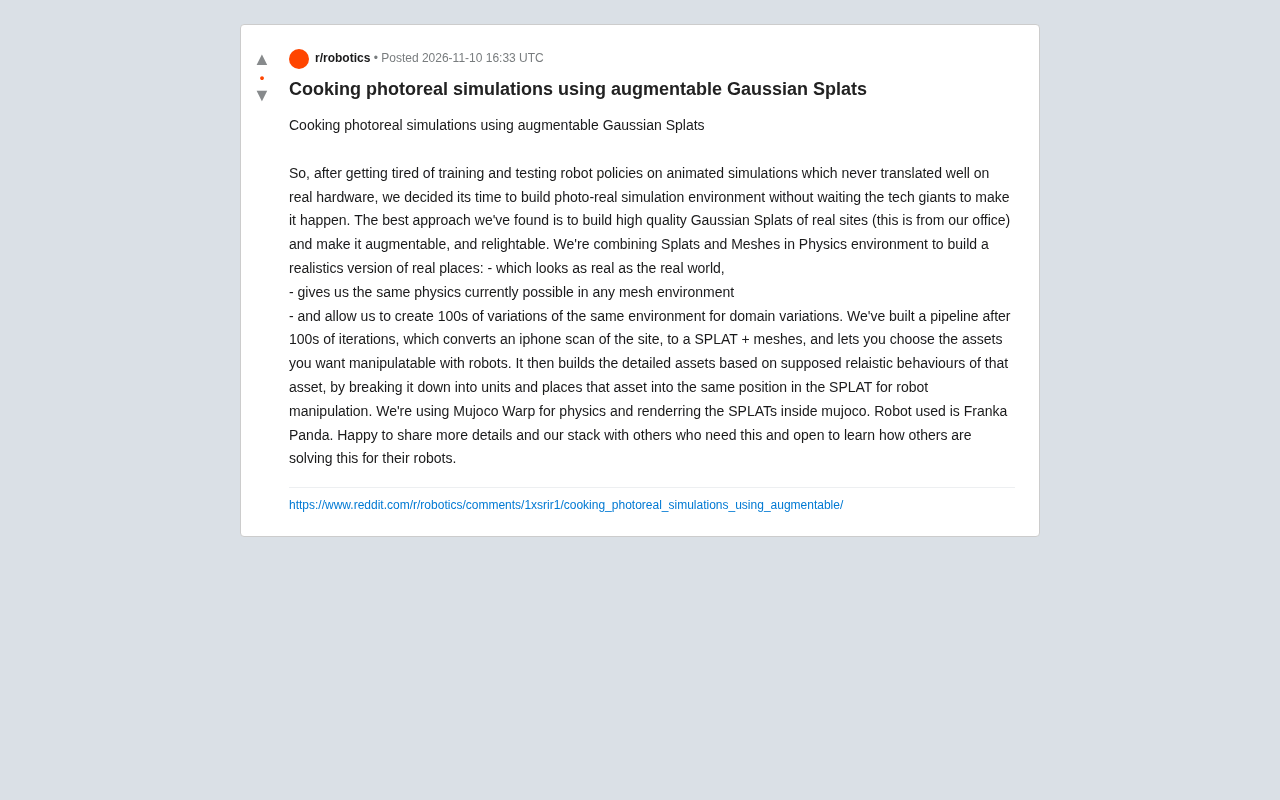
Augmentable Gaussian Splatting: Building Photorealistic Simulation Environments for Robot Training
Team combines Gaussian Splatting with meshes to build photorealistic robot simulation environments, integrating MuJoCo Warp physics and Franka Panda for augmentable, relightable real-site simulation.
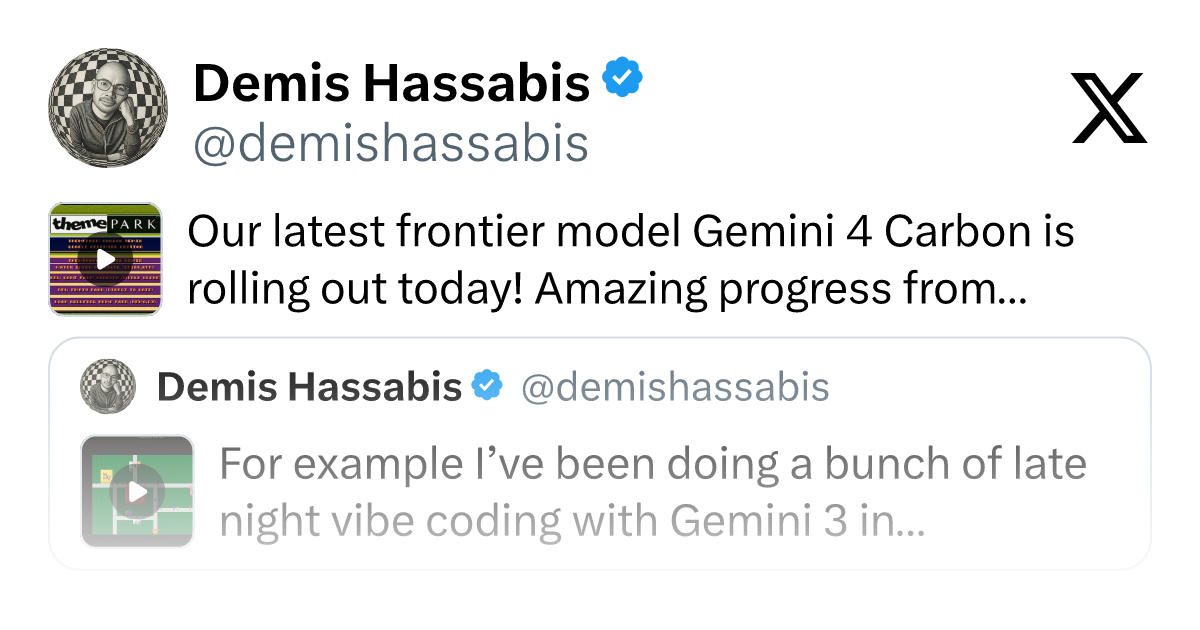
Gemini 4 Carbon Released: The Leap from Gemini 3 to Gemini 4 in Under a Year
Google releases Gemini 4 Carbon, less than a year after Gemini 3. In the official demo, Carbon reverse-engineered the Theme Park binary, added a new DeepMind-themed ride, and ported it to the web in one shot.