Claude Code Now Reads AGENTS.md: AI Coding Tool Configurations Move Toward Standardization
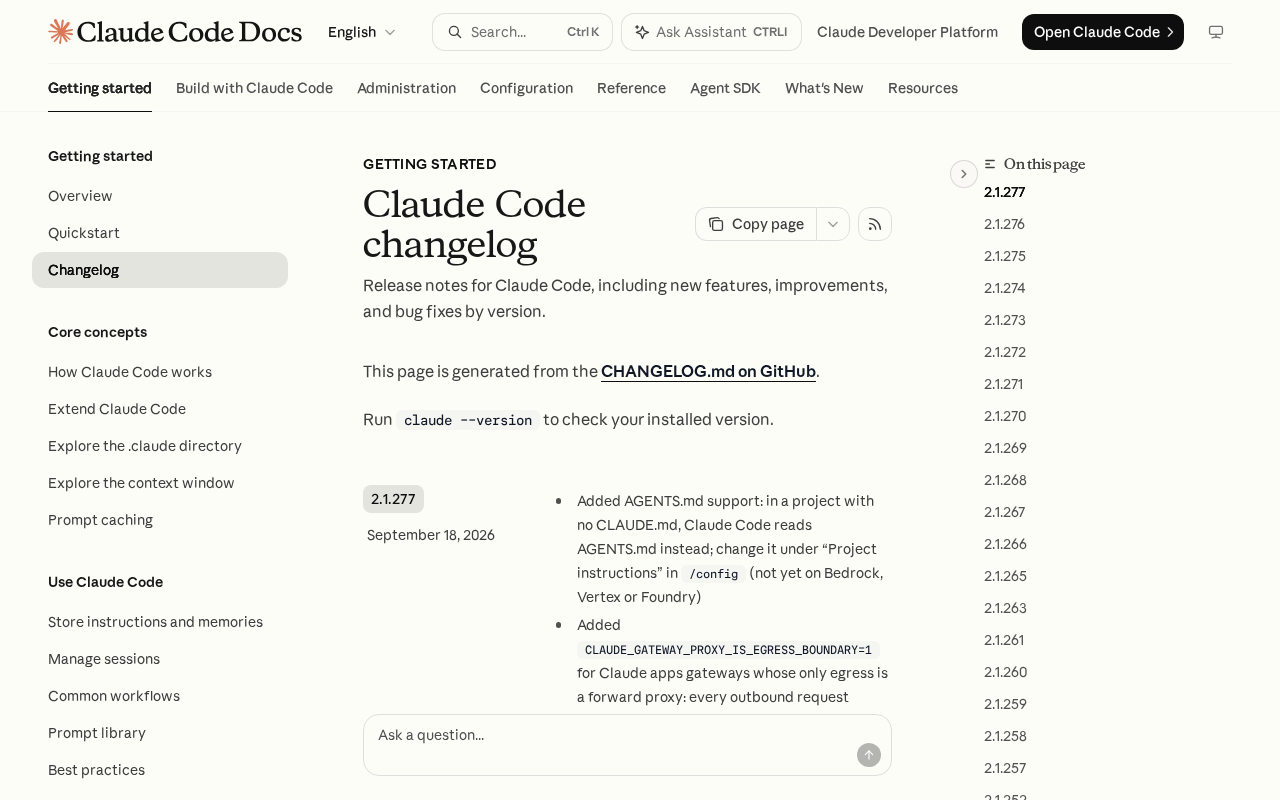
Claude Code adds AGENTS.md fallback support, nudging AI coding tool configs toward a cross-tool universal standard.
Claude Code now automatically reads `AGENTS.md` when no `CLAUDE.md` is present in a project, addressing a persistent pain point: fragmented AI coding tool configurations. With Cursor, Windsurf, and various CLI tools each maintaining their own config file names, developers have been forced to maintain multiple near-identical files in the same repo. `AGENTS.md` is emerging as a neutral cross-tool standard, and Claude Code's "prioritize `CLAUDE.md`, fall back to `AGENTS.md`" strategy balances backward compatibility with community alignment. For developers, projects already using `AGENTS.md` can now work with Claude Code directly — reducing multi-tool maintenance overhead and reflecting a broader shift in AI tool competition toward engineering conventions and interoperability.
AGENTS.md Quietly Gets Support
Claude Code has received a small but significant update: when no CLAUDE.md file exists in the project root, Claude Code will now automatically fall back to reading AGENTS.md as its context configuration. The change sparked 159 points and 68 comments on Hacker News — far more discussion than its technical complexity would suggest — because it touches on a long-standing pain point in the AI coding tool ecosystem: fragmented configuration files.
For developers who regularly use multiple AI coding assistants, maintaining a separate config file for each tool has long been a burden. Claude Code uses CLAUDE.md, while other tools follow their own conventions. AGENTS.md is emerging as a cross-tool universal standard, and Claude Code's decision to support it signals a move toward aligning with that community norm.
Why a Single Config File Deserves Attention
Both CLAUDE.md and AGENTS.md serve the same fundamental purpose: they're "project briefings" for AI coding assistants. They tell the model about the codebase's structure, coding conventions, build commands, testing procedures, and any project-specific patterns. With this context in place, AI-generated code fits the project much better, reducing the back-and-forth cost of corrections.
The problem is that as AI coding tools multiply — Cursor, Windsurf, various CLI tools, Claude Code itself — each one defines its own config file name. Developers end up maintaining multiple files in the same repository with heavily overlapping content. This is not only redundant but also prone to the files drifting out of sync.
AGENTS.md was created precisely to end this fragmentation. It aims to be a neutral, universal standard that any AI coding tool can read from a single source. Claude Code's "fallback" approach is cleverly designed: it prioritizes its own CLAUDE.md, and only reads AGENTS.md when that file is absent. This preserves backward compatibility for existing users while extending an olive branch toward the universal standard.
The design philosophy behind both CLAUDE.md and AGENTS.md draws from the long-standing software engineering principle of "convention over configuration." These Markdown files are typically placed in the project root and cover things like tech stack descriptions, directory structure overviews, naming conventions, anti-patterns to avoid, and test run commands. AI models ingest them as part of the system prompt at the start of each session, maintaining awareness of the project context throughout the conversation.
The AGENTS.md naming convention was originally popularized by OpenAI's Codex CLI tool and was subsequently adopted by several independent AI coding tools. Similarly, Cursor uses .cursorrules, Windsurf uses .windsurfrules — each tool has its own name but the functionality is nearly identical. This fragmentation pushed the community to promote AGENTS.md as the lowest common denominator standard across tools.
The Ecosystem Battle Behind Standardization
The discussion sparked by this change reflects a real tension in the AI tool ecosystem between "standards" and "lock-in." Vendors typically lean toward proprietary formats to strengthen user stickiness, while the developer community wants a portable solution that isn't tied to any single vendor.
Claude Code's decision to support AGENTS.md is, to some extent, a response to community demand. In the Hacker News comments, many developers welcomed the change, viewing the reduction of config files as a clear quality-of-life improvement. Others noted that the fallback approach — rather than merging the two — is still somewhat conservative: if both files exist, AGENTS.md is ignored entirely, which could cause confusion during migrations.
From a broader perspective, configuration standardization is a microcosm of AI coding tools maturing as a category. As the tools' core capabilities converge, the new competitive dimensions become engineering conventions, interoperability, and ecosystem collaboration. Whoever can best integrate with universal standards while retaining their own identity is more likely to earn long-term developer trust.
This "proprietary format vs. universal standard" dynamic is nothing new in software ecosystems. Historically, IDE plugin configs, code formatting rules (think the birth of .editorconfig), and package manager lock file formats have all gone through a similar journey from fragmentation to standardization. .editorconfig is an instructive success story — it started as a third-party convention and was gradually adopted natively by VS Code, JetBrains, and other major IDEs, eventually becoming the industry default. AGENTS.md is currently at a stage similar to early .editorconfig: enough tools have voluntarily adopted it, but it hasn't yet received formal endorsement from all major vendors. Claude Code's move objectively accelerates the timeline for this standard gaining broader recognition.
Practical Impact for Developers
For developers using Claude Code day-to-day, the direct benefit is straightforward: if you've already prepared an AGENTS.md for other AI tools, you no longer need to create a separate CLAUDE.md — Claude Code can now reuse it directly. This reduces maintenance overhead in multi-tool environments.
The priority logic of the fallback is worth keeping in mind. If your project has both CLAUDE.md and AGENTS.md, Claude Code will still defer to the former. When cleaning up your configuration, it's worth aligning with your team on which convention to follow, to prevent the two files from diverging. For new projects or teams that want to stay tool-agnostic, adopting AGENTS.md from the start is the simpler choice.
Improvements like this rarely appear in prominent release announcements, yet they tangibly improve developers' daily workflows. It's a reminder that the competitiveness of AI coding tools isn't just about how powerful the model is — it's equally about how thoughtfully the tool handles the engineering details that matter in practice.
Conclusion
Claude Code's support for reading AGENTS.md is a pragmatic compatibility improvement, set against the backdrop of a broader trend toward standardizing AI coding tool configurations. For developers, it means less duplicated configuration and greater tool portability. For the ecosystem as a whole, it represents a healthy compromise between vendor-specific formats and community-driven universal standards. As more tools converge on neutral conventions like AGENTS.md, the engineering experience of AI-assisted development stands to become more unified and seamless.
Related articles

Masayoshi Son's All-In Bet on OpenAI: The Unicorn Hunter from Yahoo to GPT-6
SoftBank surged $70B in 4 days after GPT-6 Astra launched. Behind it: Masayoshi Son's decades-long bet from Yahoo and Alibaba to ARM and OpenAI.
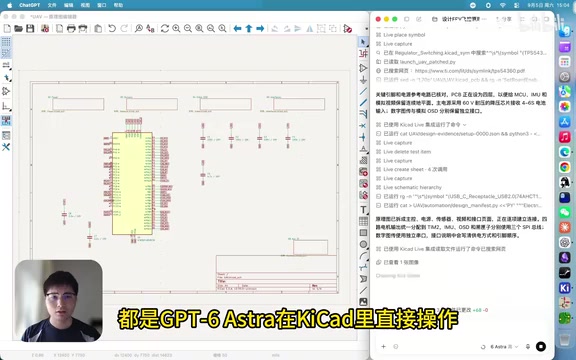
GPT-6 Astra Autonomously Designs a 6-Layer F405 FPV Flight Controller PCB: A Full Walkthrough
GPT-6 Astra autonomously designed a 6-layer F405 FPV flight controller PCB in an EDA tool — from schematic to layout, ERC/DRC checks, and full production file export — in 3h 14min using ~52M tokens. Physical testing pending.
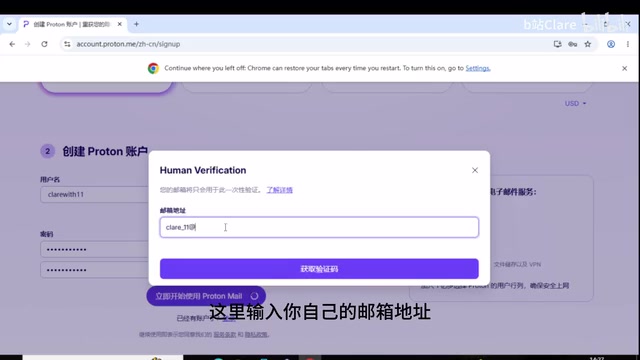
ChatGPT + Codex: Complete Registration & Installation Guide in 5 Steps
Step-by-step guide to registering ChatGPT and installing Codex: email setup, account creation, API key generation, Plus upgrade, and Codex login — with risk notes.