Claude Code Retry Watchdog: Uninterrupted Unattended Runs

Use CLAUDE_CODE_RETRY_WATCHDOG=1 to make Claude Code keep waiting on rate limits instead of giving up, turning unattended tasks truly unattended.
The article introduces a little-known Claude Code environment variable, CLAUDE_CODE_RETRY_WATCHDOG. By default, Claude Code retries about 10 times on a 429 or 529 rate limit before terminating the session — fine for attended interactive use, but it can wipe out overnight batch tasks at a critical moment. With the variable enabled, Claude Code switches to "wait-and-consume" mode, where the failure condition changes from "retry N times" to "wait until it gets through," since rate limits are temporary and the code logic is fine. The article recommends it for scenarios tolerant of waiting, such as CI/CD, large-scale code migrations, and batch processing during peak quota periods, but not for interactive debugging, exhausted quota, or pipelines with hard completion deadlines. It also stresses using external mechanisms like timeout as a fuse for unbounded waits, noting that measurements show a higher success rate at the cost of longer total duration, while waiting itself incurs no extra token cost.
Why unattended tasks always drop off at the worst moment
Most people running batch jobs with Claude Code have run into this scenario: you kick off a large-scale codebase refactor at night, and in the morning you find the task stopped at 2 AM — not because of a code logic error, but because the API returned a 429 (rate limited) or 529 (service overloaded), and the built-in retry gave up gracefully after 10 attempts.
For interactive use, this design is fine: the user is present, sees the error, and can manually decide whether to retry. But in unattended scenarios, a single rate limit can wipe out hours of computation.
Claude Code provides a little-known environment variable to solve this problem: CLAUDE_CODE_RETRY_WATCHDOG=1.
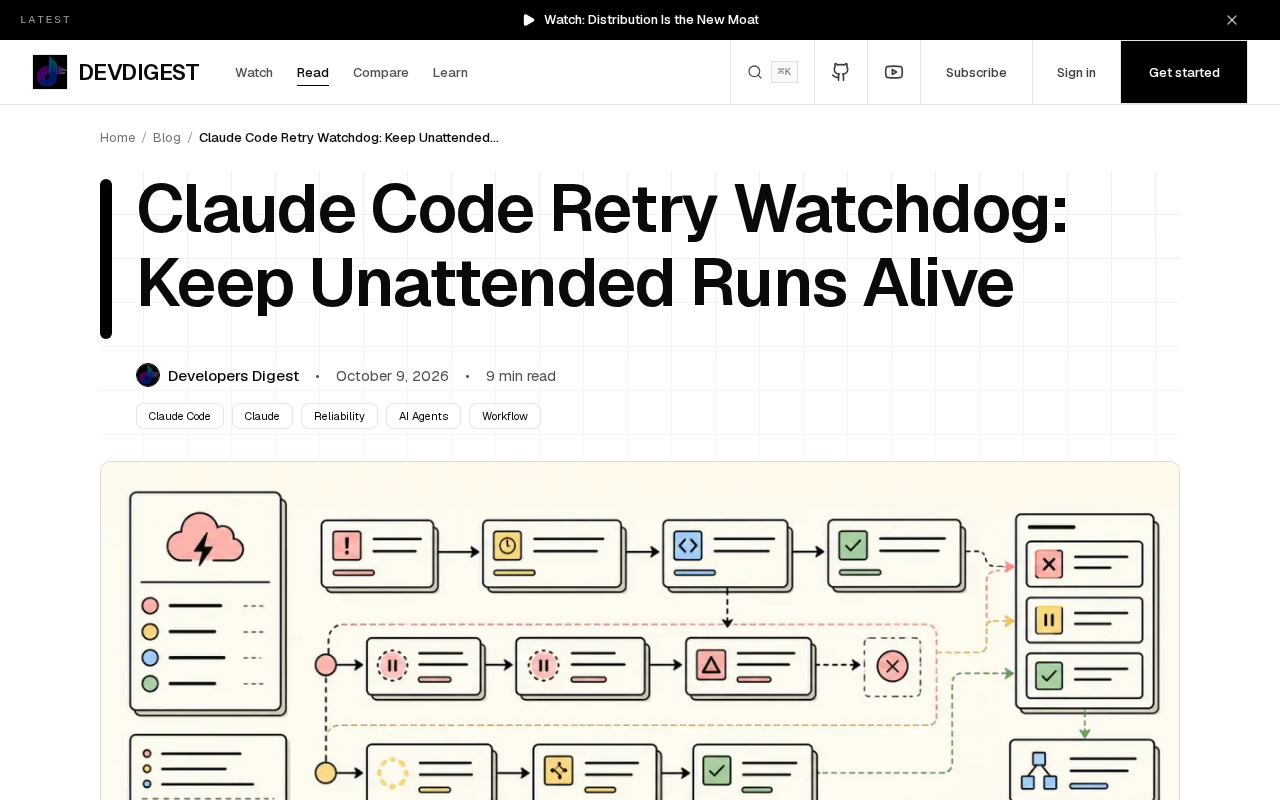
429 and 529 are two HTTP status codes related to rate limiting and overload. 429 Too Many Requests means the client has sent too many requests in a given amount of time and the server is asking it to slow down, usually including a Retry-After header to indicate how long to wait. 529 Site is Overloaded is not a standard HTTP status code but an Anthropic API extension used to indicate that the server is temporarily unable to handle requests due to a spike in traffic — the difference from 429 being that 429 is usually attributed to the client's request frequency, while 529 reflects the server's overall load pressure and is unrelated to client behavior. What the two have in common in practice is that both are transient failures: as long as you wait long enough, the request will most likely succeed. This is precisely the premise that makes the watchdog mechanism work — if the error were permanent (say, 403 for insufficient permissions, or some specific billing error for exhausted quota), no amount of waiting would help. Understanding the transient nature of these two status codes is the key to judging whether to enable CLAUDE_CODE_RETRY_WATCHDOG.
What CLAUDE_CODE_RETRY_WATCHDOG actually changes
By default, Claude Code performs a limited number of retries on 429 or 529, typically capped at 10, then throws an error and terminates the session. This strategy is reasonable for interactive use: the user is present, sees the error, and can manually decide whether to retry.
Once CLAUDE_CODE_RETRY_WATCHDOG=1 is enabled, Claude Code switches into "wait-and-consume" mode. Instead of counting attempts and giving up, it keeps waiting for the rate-limit window to pass until the API accepts requests again. In other words, the failure condition changes from "retry N times" to "wait until it gets through."
For batch jobs, the implication is straightforward: rate limits are temporary, the code logic is fine, and the task need not terminate just because of short-term fluctuations in an external service.
There are two fundamentally different retry philosophies at play here. The first is bounded retry: set a maximum retry count, apply exponential backoff between attempts — typically 1 second for the first, 2 seconds for the second, 4 seconds, 8 seconds... until the cap is reached and it gives up. This strategy suits interactive scenarios because it guarantees the request will eventually return a definite result — either success or failure, never hanging indefinitely. The second is unbounded wait, or "wait-and-consume" mode: no attempt cap, and as long as the error remains transient, it keeps polling until it succeeds. The term watchdog is borrowed from embedded systems — originally a timer that must be periodically "fed" to reset it, otherwise it triggers a reset; here it works in the opposite way, referring to continuous guarding and monitoring of a state until a condition is met. The core trade-off between the two is determinism versus success rate: bounded retry gives you a definite failure point, while unbounded wait trades uncertainty for a higher eventual success rate.
When to use it and when not to
Scenarios suited to enabling it:
- CI/CD pipelines that trigger Claude Code for code review or automated fixes
- Long-running tasks run locally, such as large-scale code migrations and test generation
- Non-urgent batch jobs during periods of tight API quota (say, peak hours when a team shares a key)
Scenarios not suited to it:
- Interactive debugging — you don't want to wait a dozen minutes for a single request
- When you already know the API key quota is exhausted — the watchdog waits for temporary rate limits, not quota resets
- Pipelines with hard requirements on task completion time — waiting could time out the entire pipeline
The key distinction is: the watchdog solves "temporary rate limiting," not "persistent refusal." If the API returns a permission error or quota exhaustion, waiting longer is pointless.
How to add a fuse to the watchdog
Letting a process wait indefinitely is dangerous in production — if the API stays unavailable, your task will hang forever, consuming resources while doing nothing. The original article offers a practical approach: while enabling the watchdog, set an upper bound with an external timeout mechanism.
timeout 3600 env CLAUDE_CODE_RETRY_WATCHDOG=1 claude --your-task
This way, even if the watchdog decides to "wait forever," the outer layer will forcibly terminate it after 1 hour.
Another option is to monitor the process state at the script level, proactively killing it and raising an alert if no output is produced within the expected time. The watchdog handles normal rate-limit waits, while the external mechanism handles abnormal situations — it takes both working together to be complete.
timeout is a command-line tool provided by GNU coreutils, used as timeout [duration] command; after the specified duration it sends SIGTERM to the child process to terminate it, and appends SIGKILL if the process doesn't respond. The 3600 in the example means 3600 seconds, and could also be written as 1h. A few details to note: first, wrapping an env assignment with timeout is standard usage — env KEY=VALUE command can inject environment variables into the child process, so the structure of timeout 3600 env CLAUDE_CODE_RETRY_WATCHDOG=1 claude ... is that timeout starts first, then timeout starts env, and env sets the variable before executing claude — this way the environment variable only applies to this one command and won't pollute the current shell. Second, on macOS the default timeout may not exist, and you'll need to install coreutils via Homebrew and use gtimeout. Third, a killed process returns a non-zero exit code (usually 124), and scripts should check this exit code and trigger an alert — otherwise timeouts will be silently ignored, and a task will appear "complete" when it was actually truncated.
What the measured data shows
The original article mentions the author took measurements, and the core conclusion is: with the watchdog enabled, tasks that previously failed due to rate limiting can run to completion, at the cost of a longer total task duration — the increase depends on the length of the rate-limit window.
The essence of this trade-off is: trading time for success rate. For scenarios like overnight batch processing where "finishing is all that matters and there's no rush," this exchange is very worthwhile. For scenarios requiring fast feedback, you need to carefully assess whether the wait time is within an acceptable range.
One easily overlooked detail is that token consumption is paused while the watchdog waits — it's merely polling the API status and incurs no extra cost. Failed retries, by contrast, may consume more tokens by re-sending context.
Summary
CLAUDE_CODE_RETRY_WATCHDOG=1 is a practical switch for a specific scenario: it turns Claude Code from "give up after a few tries" into "wait until it gets through." The prerequisite for using it sensibly is understanding which category your task falls into — batch processing that can tolerate waiting, or interactive work that needs immediate feedback. Paired with an external timeout as a fallback, this feature can make unattended tasks truly unattended.
One-line Summary
Use CLAUDE_CODE_RETRY_WATCHDOG=1 to make Claude Code keep waiting on rate limits instead of giving up, turning unattended tasks into truly unattended ones.
Paragraph Summary
The article introduces a little-known environment variable in Claude Code, CLAUDE_CODE_RETRY_WATCHDOG. By default, Claude Code retries about 10 times on a 429 or 529 rate limit before terminating the session — reasonable for attended interactive use, but it can wipe out overnight batch tasks at a critical moment. With the variable enabled, Claude Code switches into "wait-and-consume" mode, where the failure condition changes from "retry N times" to "wait until it gets through," since rate limits are temporary and the code logic itself is fine. The article recommends using this feature in scenarios that can tolerate waiting, such as CI/CD, large-scale code migrations, and batch processing during peak quota periods, but not for interactive debugging, exhausted quota, or pipelines with hard completion-time requirements. It also emphasizes using external mechanisms like timeout to set a fuse for unbounded waits, and notes that measurements show the improved success rate comes at the cost of longer total duration, while waiting itself incurs no extra token cost.
Related articles

Free Unlimited Claude Code Solution: Agnes AI + CC Switch Setup Guide
No paid subscription needed — pair the free AI platform Agnes AI with the open-source tool CC Switch to provide a backend for Claude Code, enabling unlimited free calls to text, image, and video models. This guide covers the full setup, test results, and usage boundaries.

A Complete Zero-Cost Guide to Getting Started with Claude Code for Beginners in China
A beginner's guide to Claude Code for users in China: two installation methods (command line and IDE plugin), full configuration steps for replacing the official API with the free domestic LongCat model, and a hands-on demo of building a small tool with natural language, plus tips.

When the NSA Gets Involved: The AI Supply Chain Crisis Behind Open-Source CVEs and API Key Hijacking
Multiple open-source projects disclosed severe CVEs in one day, PHP flaws alarmed the FBI, and Railway and OpenCode were breached with API keys stolen. This article breaks down the vulnerability window, AI-accelerated exploitation, and the AI supply chain crisis behind the API key black market, with a developer defense checklist.