Claude Code Subagents in Practice: Offload the Grunt Work to AI Clones and Keep the Main Session Light

Claude Code subagents offload read-heavy tasks to independent contexts, keeping the main session clean while enabling parallel, isolated development.
Claude Code's subagent feature solves the problem of the main session's context being flooded by temporary files by giving subtasks their own context windows. Subagents read files and execute tasks on their own, returning only summaries to the main session—decoupling "reading" from "thinking." Built-in Explore, Plan, and General agents handle read-only search, planning material gathering, and all-round lookup/edit respectively. Users can also define custom agents via Markdown files, configuring tool whitelists, models, and thinking effort. Subagents support parallel investigation of multiple modules, and with git worktree you can develop in parallel across isolated directories and branches. Background tasks can be tracked via /task, with permission prompts aggregated to the main session. The agent teams multi-agent auto-teaming feature is still experimental and off by default.
In deep conversations, the main session's context window is a scarce resource. When you need to find a function definition, having the AI assistant search through dozens of files directly will instantly flood the context with a mass of temporary content—and what's worse, those files are useless once read, yet they keep occupying valuable space. Claude Code's Subagent feature was built exactly for this: offload the read-heavy, search-heavy "grunt work" to clones with independent contexts, so the main session only retains judgment and decision-making.
What Is a Subagent: An AI Clone with Its Own Context
A subagent can be thought of as a "clone" with its own context window. It takes a task, reads files on its own, executes on its own, and when done, brings only a summary back to the main session. According to a demo by Bilibili creator "马上花生" (Mashang Huasheng), even if a subagent reads hundreds of files, your main conversation will only see the final conclusion. This is a fundamental fix for context anxiety, and costs stay controllable—you can configure separately which model and how much thinking effort the clone uses.

This design decouples "reading" from "thinking": subagents digest raw information, while the main session makes decisions based on summaries. For developers who frequently consult a codebase, this means the main session is no longer polluted by irrelevant files and can stay focused on the core task.
Context window is the full range of text a large language model can "see" in a single inference, including the system prompt, conversation history, contents of files read, and output the model has already generated. It is determined by the model's architecture and has a hard upper limit (e.g., hundreds of thousands of tokens). Once exceeded, earlier content gets truncated or must be compressed, causing the model to "forget" key information. In coding scenarios, a single file search can return tens of thousands of tokens of code, rapidly consuming the window and diluting the instruction and reasoning space the model truly needs to focus on. Therefore, isolating read-heavy tasks into independent windows is a key means of preserving the reasoning quality of the main session.
The Built-in Trio: Explore, Plan, General
Claude Code ships with three subagents, each with a clear division of labor:
- Explore agent: read-only, writes nothing, specializes in finding things. It skips the project manual and status checks, built for quick reconnaissance.
- Plan agent: gathers materials in planning mode, keeping the main thread clean.
- General agent: the all-rounder, can both look things up and make changes; no need to call it by name—it chooses itself based on the task.
To use them, just give instructions in natural language, e.g., "use a subagent to investigate how token refresh is handled" or "is there an existing tool we can reuse?" It will decide who to dispatch and how to investigate. You keep chatting on the main thread and call it back when you need it.
Defining Your Own Agent: Like Writing an Employee Resume
Besides the built-in agents, you can place a Markdown file in the agents directory to define your own subagent—essentially an "employee resume": its name, what it excels at, which tools it can use (tool whitelist), which model to use, and how much thinking effort, all customizable per role.
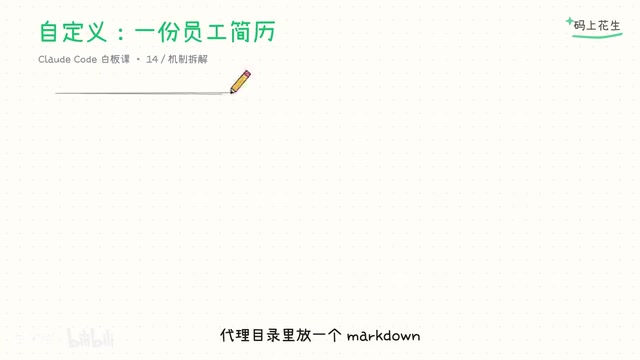
The resume can also declare an isolation mode, so the agent always works in its own isolated directory. For example, define a "read-only security reviewer" that only looks at code and reports issues without changing a single character. This on-demand customization lets subagents adapt to different teams' workflows and permission boundaries.
Parallelism and Isolation: Dispatching Work at Scale
Subagents can be used in parallel: have them investigate three modules simultaneously—authentication, database, and API—each returning a summary, and the main thread receives three pieces of intelligence at once while the context stays clean. By default they run in parallel in the background, and you're notified when results come back.
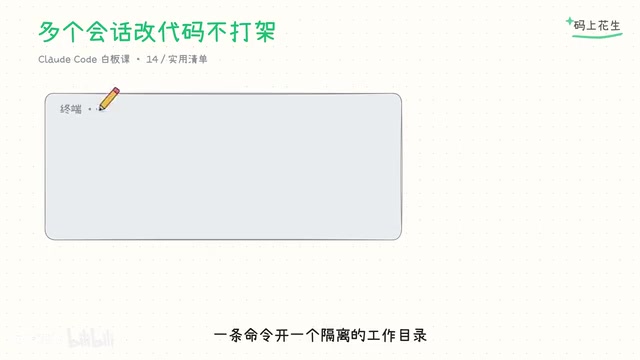
When multiple full sessions modify code in parallel, you can use git worktree: one command opens an isolated working directory, each with its own branch. This terminal fixes a bug, that one builds a new feature—no stepping on each other's toes. You can also create one directly from a merge request by appending its number to pull the corresponding branch. On exit, if the directory is clean, it's reclaimed automatically.
Two details to note: first, a worktree is a fresh checkout, so dependencies must be reinstalled; second, ignored environment files are not carried over automatically—declare a copy list in the config if needed. Pushing changes from the directory works the same as usual; there's no new workflow to learn.
git worktree is a native Git feature introduced in version 2.5 that allows the same repository to check out multiple working directories at once, each bound to a different branch. Unlike git clone, worktrees share the same .git object database, so creation is extremely cheap, disk usage is small, and commit history is fully shared across branches. A typical usage is git worktree add ../hotfix-branch hotfix, after which you can modify code in an independent directory without affecting the main working tree. To clean up, use git worktree remove; if the directory has uncommitted changes, add --force. It's especially suited to developers who need to handle multiple tasks in parallel without frequently switching branches.
Monitoring, Permissions, and Experimental Team Collaboration
Background tasks can be checked via the /task shortcut command to see all progress. Subagent permission prompts are aggregated to the main session and name which clone is asking, so you can approve them one by one.
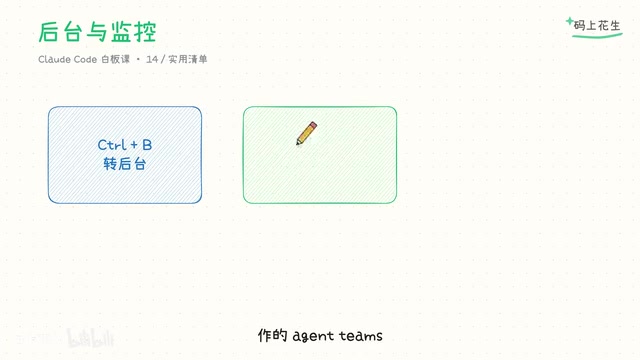
As for the agent teams feature, where multiple agents automatically team up and collaborate, it's still experimental and off by default—just good to know it exists.
Practical Advice: Spend Context Where It Counts
Official best practices note: handing investigative work to subagents for parallel processing isn't showing off—it's spending context where it counts. One immediately actionable step: pick a codebase you've never touched and let the Explore agent go through it, asking for a structural report. You'll feel it—not a single file path entered the main session, yet you have all the conclusions.
For developers who use Claude Code heavily, subagents aren't just a token-saving trick but a workflow restructuring: let the main session handle judgment and decisions, and let the clones handle information digestion and parallel execution.
Related articles

Free Unlimited Claude Code Solution: Agnes AI + CC Switch Setup Guide
No paid subscription needed — pair the free AI platform Agnes AI with the open-source tool CC Switch to provide a backend for Claude Code, enabling unlimited free calls to text, image, and video models. This guide covers the full setup, test results, and usage boundaries.

A Complete Zero-Cost Guide to Getting Started with Claude Code for Beginners in China
A beginner's guide to Claude Code for users in China: two installation methods (command line and IDE plugin), full configuration steps for replacing the official API with the free domestic LongCat model, and a hands-on demo of building a small tool with natural language, plus tips.

When the NSA Gets Involved: The AI Supply Chain Crisis Behind Open-Source CVEs and API Key Hijacking
Multiple open-source projects disclosed severe CVEs in one day, PHP flaws alarmed the FBI, and Railway and OpenCode were breached with API keys stolen. This article breaks down the vulnerability window, AI-accelerated exploitation, and the AI supply chain crisis behind the API key black market, with a developer defense checklist.