Claude Code vs Cursor: Which Is Better? Core Differences & Real-World Comparison

Claude Code outperforms Cursor and other AI coding tools primarily through superior accuracy and full-project context.
This article compares Claude Code with Cursor, Copilot, Trae, and other AI coding tools. Claude Code's key advantages are its ability to read entire project codebases as context, generate production-ready code with higher accuracy, and automatically debug errors in a closed loop — a paradigm called Agentic Coding. The underlying Claude Sonnet model's strength in code reasoning is what drives this edge.
What Is Claude Code: The AI Tool Closest to Programmers
Among the many AI coding assistants available, Claude Code (the coding assistant from Anthropic) has recently become a hot topic in the developer community. According to hands-on reviews shared by content creators, it's not as "intimidating" as many people imagine — in fact, it's "the tool closest to programmers, especially those with zero programming background."
Anthropic is an AI safety company founded in 2021 by former core researchers from OpenAI. Its flagship Claude model series is known for safety, long-context processing, and code generation quality. Claude Code is Anthropic's dedicated programming tool designed for developer workflows, embedding Claude's capabilities directly into the local development environment.
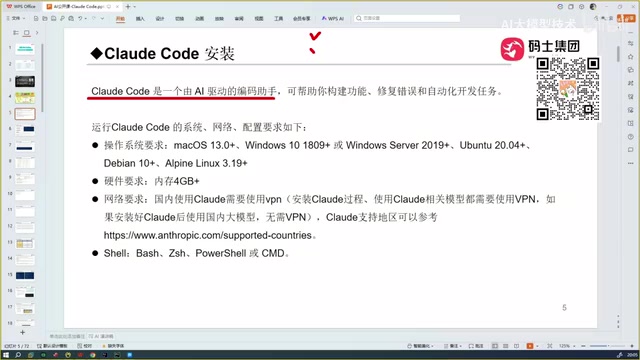
Its core feature is that you don't need to log into any website — you can install it directly on your local machine, and once installed, you can invoke it from your development tools for real project work. This "local and ready" approach significantly lowers the barrier to entry for everyday developers. Specifically, Claude Code runs as a command-line tool (CLI) in your terminal. Developers simply launch it in their project directory, describe their requirements in natural language, and let the AI handle code generation, modification, and debugging.
Regarding system compatibility, Claude Code supports most mainstream operating systems. While it has certain runtime requirements (such as Node.js 18+), its overall coverage is quite broad.

The Fundamental Difference Between Claude Code and Conversational AI: Context Capability
Many beginners ask: since DeepSeek and ChatGPT can both write code, why do we need Claude Code? This question gets to the heart of understanding these tools' value.
The Limitations of Conversational Coding
Conversational AI tools like DeepSeek and ChatGPT can essentially only give you code snippets. You need to copy that code back into your project, run it manually, test it, and determine whether it works. If there's an error, you have to go back to the conversation, iterating through multiple rounds before arriving at a usable version.
More critically, they cannot read through your entire project. Context refers to all the information a large language model can "see" and understand during a single inference pass. A real software project may contain hundreds of code files, configuration files, and dependency declarations, all with complex call relationships and dependency chains. The interaction window of conversational AI inherently limits information input — users can only manually paste partial code snippets, and the model sees just the "tip of the iceberg." Naturally, it's difficult to produce globally optimal solutions. This process is both tedious and prone to missing critical dependency information, resulting in generated code that fails to run in real projects.
Claude Code's Three Differentiating Capabilities
Claude Code differs in three key ways:
- It reads all project content and feeds it to the large model as context. Claude Code can automatically scan the project's directory structure, index key files, and leverage Claude's massive 200K token context window to incorporate the project's core information in a single pass.
- It automatically generates business logic code, not isolated snippets. The code it generates takes into account the project's existing architectural style, naming conventions, and module relationships, ensuring new code integrates seamlessly with the existing codebase.
- It automatically debugs, ultimately delivering an accurate, error-free code version.
In other words, it consolidates the "read code → generate → test → fix" workflow — which previously required manual effort across multiple steps — into a single automated loop. This paradigm is known in the industry as Agentic Coding — where AI is no longer passively responding to individual queries but instead operates like a junior programmer with an "act → observe → reflect → act again" capability cycle. Claude Code can autonomously execute terminal commands, read execution results, analyze error logs, fix code, and re-verify, compressing what used to require developers to constantly switch between editor, terminal, and browser into one continuous automated process. As one reviewer put it bluntly, programmers who've used it "feel a deep sense of crisis."
The Evolution of AI Coding Tools: From Copilot to Claude Code
To understand where Claude Code fits in, it helps to review the development history of AI coding assistants. This timeline also reflects first-hand practitioner experience.
Timeline of Major Tools
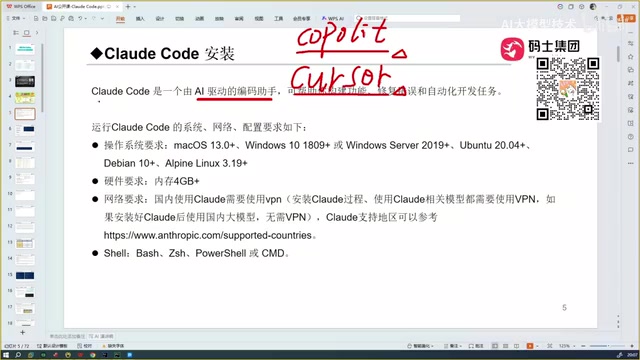
- Copilot: A code completion plugin launched by GitHub in partnership with OpenAI in 2021, based on OpenAI's Codex model (a fine-tuned version of GPT-3). It runs as a plugin in editors like VS Code. It works by analyzing the context around the current cursor position — including the current file content, comments, and function signatures — then predicts the code you're likely to write next, displaying it as gray text that you can accept by pressing Tab. This "line-level/block-level completion" paradigm pioneered AI-assisted programming and was considered groundbreaking at the time.
- Cursor: An AI-first code editor developed by Anysphere that emerged later. Unlike Copilot, Cursor isn't a plugin for a traditional IDE — it's a standalone editor deeply modified from the VS Code open-source codebase (Code OSS), with AI capabilities deeply integrated into the editor's core workflow. Users can modify code through natural language conversations, perform inline edits via keyboard shortcuts, make multi-file coordinated changes through the Composer feature, and connect to various backend models. It's considered smarter than Copilot and "comparable" to today's Claude Code in capability.
- Trae: An AI coding tool from ByteDance, available in both international and domestic versions. The domestic version is free and handles Chinese language well. One reviewer once considered it "the most perfect coding tool." Trae's advantage lies in its friendliness to Chinese-speaking developers and zero-cost entry, but its underlying model capabilities are limited by the domestic large models it connects to.
- OpenCode: Another coding tool, but evaluated as "one of the harder-to-use tools among all options" — not recommended.
- Codex: OpenAI's coding agent tool (note: same name as the earlier Codex model but with a different positioning). Used alongside GPT-4/GPT-5, it executes code tasks in a cloud sandbox, and its coding capabilities are reportedly on par with Claude Code.
The Root of Tool Capability: The Underlying Model Determines the Ceiling
A critical insight: The capabilities of all coding assistants ultimately depend on the large model behind them. No matter how elegant a tool's interaction design may be, the core engine performing code generation and reasoning is the large language model. Claude Code's strength fundamentally comes from the excellent performance of the Sonnet model (from the Claude model series) powering it.
In authoritative benchmarks like SWE-bench (Software Engineering Benchmark), the Claude Sonnet series consistently ranks among the top for code generation and bug-fixing capability. SWE-bench tests models by having them locate issues in real GitHub repositories and generate fix patches — closely mirroring actual development scenarios — making it one of the most relevant benchmarks for measuring AI coding ability. Anthropic has specifically strengthened code reasoning, long-context understanding, and instruction-following capabilities during model training, and these foundational advantages translate directly into Claude Code's high accuracy in practical use.
While domestic tools like Trae are free and handle Chinese well, in technically challenging scenarios, the quality of generated code noticeably declines — it becomes "slightly off." The fundamental reason is that domestic models still lag behind Claude, GPT-4, and other leading models in code training data quality, multi-language programming capability, and complex logical reasoning. This also explains why free tools still struggle to fully replace paid solutions for critical projects.
Claude Code's Core Advantage: Accuracy That Outclasses Competitors
When asked "What makes Claude Code better than Cursor?", the reviewer's answer was straightforward: accuracy.
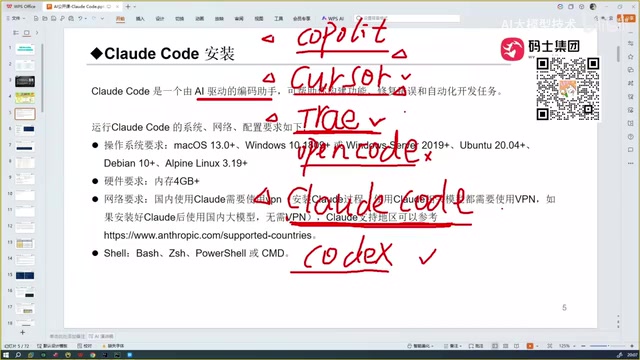
Claude Code, Cursor, and Trae can all perform automated programming — that's their shared capability. But in actual use, Claude Code's accuracy is noticeably higher — the code it generates not only runs successfully but has a lower error rate, reducing the time cost of repeated debugging. This "generate once, ready to use" capability is hugely significant in development practice: according to industry experience, programmers spend over 30% of their working time debugging and fixing bugs. If AI-generated code isn't accurate enough, developers end up spending even more effort tracking down AI-introduced problems — a net loss.
After comparing multiple models including Tongyi Qianwen (Alibaba's large model), GLM (Zhipu AI's large model), and others, the conclusion was clear: At the tool level, Claude Code is the best to use; at the model level, Claude's Sonnet series is also the most reliable. This dual leadership in both "tool + model" gives Claude Code a unique competitive advantage in today's AI coding assistant market.
Final Thoughts: A Rational Approach to Choosing AI Coding Tools
From Copilot to Claude Code, AI coding tools have completed the leap from "code completion" to "automated project development" in just two years. This evolution clearly follows three stages: The first stage was completion-based assistance represented by Copilot, where AI only made local predictions; the second stage was conversational programming represented by Cursor, where AI could understand natural language instructions and modify code; the third stage is agentic coding represented by Claude Code, where AI has a complete capability loop of autonomous execution, testing, and fixing. For beginners, this means a dramatically lower entry barrier; for professional programmers, it represents a real efficiency revolution and competitive pressure.
It's worth noting that no matter how powerful the tools become, understanding code logic and judging the correctness of generated results remains an irreplaceable core competency for developers. Current large language models still suffer from "hallucination" — where the model may generate code that looks reasonable but is actually incorrect. Developers need sufficient programming literacy to review AI output and identify potential logic flaws, security vulnerabilities, and performance issues. AI coding assistants are efficiency multipliers, not substitutes for thinking. When choosing tools, rather than chasing hype, it's wiser to make rational decisions based on actual project needs, model capability, and accuracy.
Related articles

WAIC Industry Insights: AI Deployment Now Demands ROI — How Enterprises Can Pick the Right First Task
2026 WAIC signals AI competition has shifted to production systems. This article breaks down compute, Agent, and embodied AI deployment paths with an ROI framework for enterprises.

Rejecting AI as a Differentiator: The Engineering Rationale Behind the Anti-AI Movement
When AI becomes a marketing label, some choose to publicly declare they never use it. This article analyzes the engineering rationale, privacy concerns, and reliability considerations behind the anti-AI stance.
Free Open-Source Linear Algebra & Machine Learning Textbooks: Self-Study Notes from a Student's Perspective
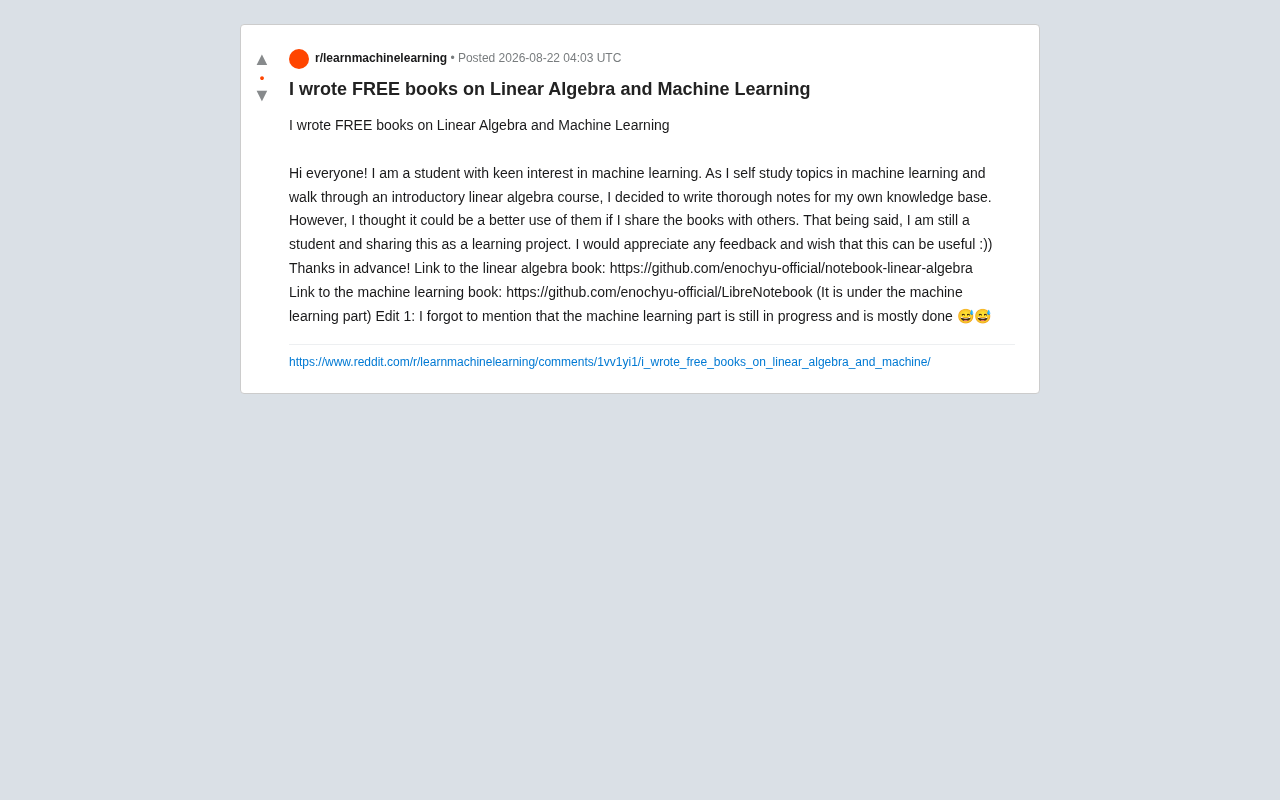
A student compiled self-study notes into two free open-source textbooks on linear algebra and machine learning, hosted on GitHub for community collaboration.