Cline Desktop v0.0.43 Released: Connectors Feature Onboarding Experience Goes Live

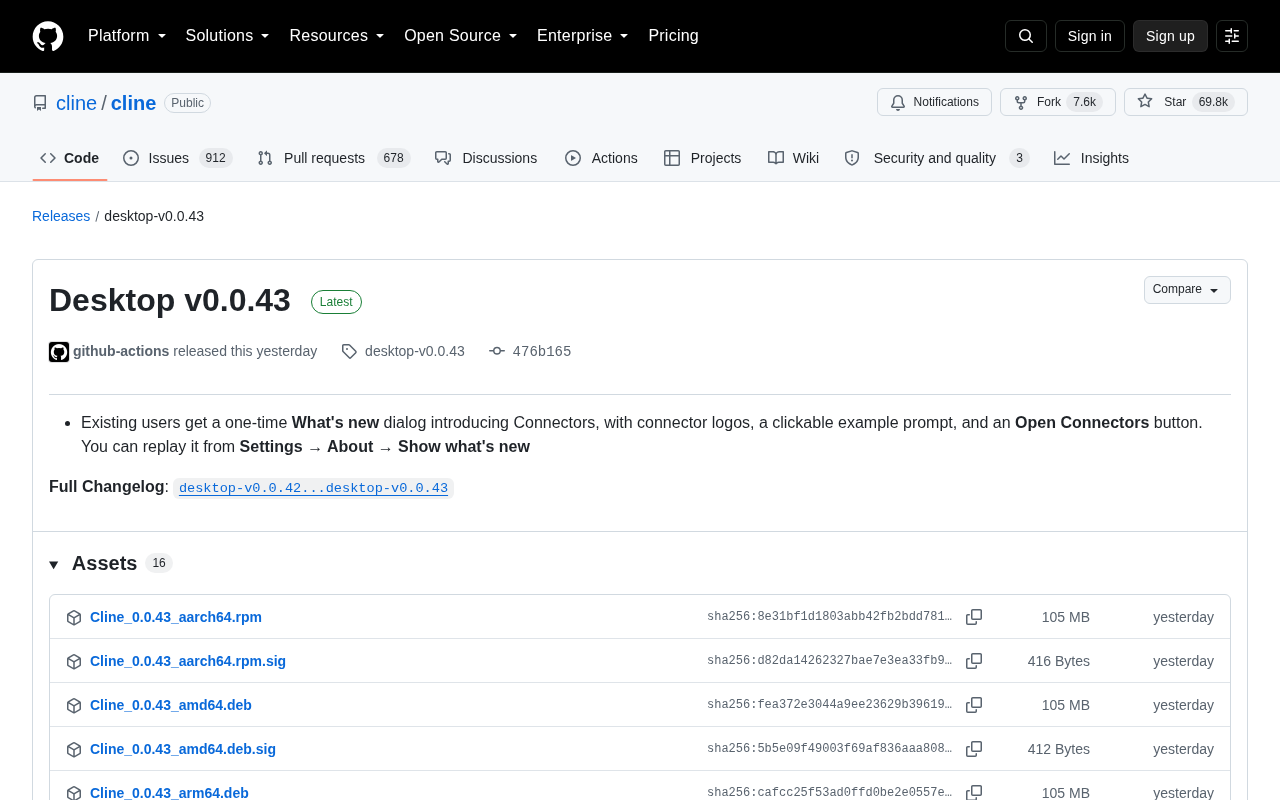
Cline Desktop v0.0.43 adds a one-time onboarding dialog to help existing users discover and use the Connectors feature.
Cline Desktop v0.0.43 is a small, iterative update centered on user onboarding. The star of this release is the Connectors feature — a mechanism that bridges the AI coding assistant with external services and data sources. To promote it, the team added a one-time "What's new" dialog for existing users, featuring connector logos, clickable example prompts, and an "Open Connectors" button, with an option to retrigger it from the settings menu. No major changes were made to core capabilities; the focus is on reducing feature discovery friction and boosting adoption — a sign of growing product maturity for a project with nearly 70,000 GitHub stars.
The Cline desktop app — the open-source AI coding assistant — has received a v0.0.43 update. As a popular open-source project with nearly 70,000 GitHub stars and over 7,600 forks, every Cline release is worth developers' attention. This update isn't about major changes to core capabilities; instead, it focuses on improving the user onboarding experience for the new Connectors feature.
What's New in This Release
According to the official release notes, v0.0.43 introduces a one-time "What's new" dialog for existing users, specifically designed to introduce the Connectors feature. This onboarding dialog contains three key elements:
- Connector logo showcase: Visually displays the currently supported connectors, helping users quickly identify the services they can integrate with.
- Clickable example prompts: Lowers the barrier to entry — users don't have to figure things out from scratch. A single click lets them experience what connectors can actually do.
- "Open Connectors" button: Provides a direct path to the feature, so users can immediately try it out after reading the introduction.
For users who missed the dialog or want to see it again, Cline has kept a way to retrigger it — just go to Settings → About → Show what's new to replay the onboarding flow. This design balances the timeliness of a first-time walkthrough with the convenience of revisiting it later.
Why Connectors Matter
The focus of this update signals that the Cline team is treating Connectors as an important product direction. At their core, connectors are bridges that link the AI coding assistant to external services, data sources, or tools. For an AI assistant known for automated coding and task execution, connectors mean it's no longer confined to the local code environment — it can reach a much broader range of context and capabilities.
The team deliberately designed a dedicated one-time onboarding dialog rather than just mentioning the feature in a changelog, which shows they want as many existing users as possible to discover and adopt it. The clickable example prompt detail is especially telling from a product perspective — rather than leaving users to guess "what can connectors do?", it gives them a ready-to-run example, completing the feature education at the lowest possible cognitive cost.
From a technical standpoint, Connectors are closely related to MCP (Model Context Protocol), a popular concept in the AI space. MCP is an open protocol proposed by Anthropic, designed to standardize how AI models communicate with external data sources and tools — essentially a "USB port" for AI toolchains. As long as a service follows the protocol, it can be plugged in. Cline's Connectors are built on this same philosophy, allowing developers to inject external resources like GitHub, databases, file systems, and API services as context sources into the AI's workflow. This means Cline can not only read and write local code, but also query project management tools in real time, call third-party APIs, or access documentation libraries — evolving the AI coding assistant from a "standalone tool" into an automation agent with much broader awareness.
What This Means for Developers
This is a classic "experience polish" release. It doesn't introduce groundbreaking new capabilities; instead, it focuses on helping users more smoothly discover and use existing features. For developers already using Cline, it's worth spending a few minutes after upgrading to try out Connectors and see whether you can integrate your frequently used external services into your workflow.
From a product maturity perspective, this kind of detail-oriented refinement is often a hallmark of a maturing open-source project. Once core capabilities stabilize, reducing the discovery cost of new features and improving onboarding experiences becomes a critical step in growing the active user base. Given Cline's large community, this sustained investment in user guidance should meaningfully lift the actual adoption rate of these features.
Summary
Cline Desktop v0.0.43 is a small but steady update focused on user onboarding, with the one-time dialog promoting the Connectors feature at its center. While the version bump is modest, it reflects the team's care for the product experience layer. Interested users can check the full changelog (desktop-v0.0.42...desktop-v0.0.43) for more details, and revisit the new feature introduction at any time through the settings menu.
Related articles

Amphibious Transforming Drone: Beyond 100x Power Savings, What Are the Real Needs?
Is the amphibious transforming drone just a gimmick? Starting from the 100x power difference of the M4 Morphobot, explore real application scenarios and thesis topic ideas, analyzing boundary conditions where pure drones and pure ground robots both fail.

Warhound Raises $200 Million: Genetically Engineered "War Dogs" Paired with Anduril Gear
Warhound raises $200M, backed by Ben Lamm and Palmer Luckey, to genetically engineer dogs for military and law enforcement use and equip them with Anduril gear. This article analyzes its technology direction, funding logic, and ethical controversy.

Claude API Comes to Google Cloud: IAM Integration and SDK Access Guide
Anthropic hosts the full Claude API on Google Cloud with IAM-controlled permissions and unified billing. This guide covers the Vertex AI and Anthropic-hosted entry points, IAM role configuration, and SDK access.