Cline + VS Code in Practice: Generate a To-Do App from a Single Prompt
Cline is a VS Code agent that autonomously generates, runs, and iterates full apps from a single prompt.
Cline is an autonomous coding agent extension for VS Code that reads natural language prompts and automatically plans steps, creates files, executes commands, and verifies results in a browser — forming a complete code–run–verify loop. It supports Anthropic Claude, Ollama local models, Groq, and OpenAI-compatible interfaces, with built-in cost tracking to help manage expenses. Real-world testing shows model capability is the core variable: Claude Sonnet and GPT-4o collaborate smoothly and handle complex intent accurately, while small local and low-parameter models are free or fast but noticeably less reliable on complex tasks.
Cline is an autonomous coding agent (AI Coding Agent) that runs directly inside your IDE. It can create and edit files, execute commands, and use a browser to test your application — asking for your approval at each step along the way. As a VS Code extension, it embeds AI programming capabilities right into your everyday development environment. Based on a hands-on tutorial from a Bilibili creator, this article walks through everything from installation and configuration to generating a complete app from a single prompt, and compares the real-world experience of connecting different large language models to Cline.
What Is Cline: An Autonomous Coding Agent Inside Your IDE
Cline, formerly known as CodeDev, is an extension installed in Visual Studio Code. Its defining characteristic is autonomy — give it a natural language prompt, and it independently plans the steps, creates files, writes code, runs commands, and even opens a browser to verify the results. Unlike traditional code completion tools, Cline feels more like an assistant that genuinely takes over the keyboard.
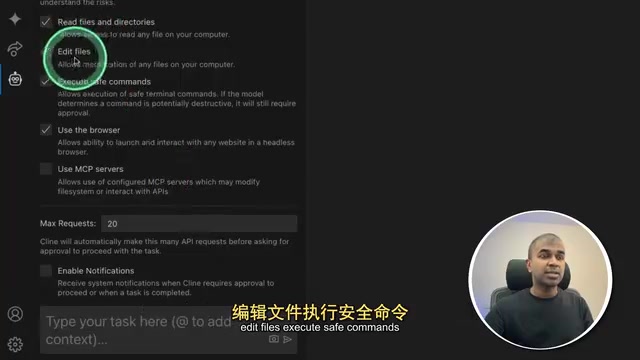
Its safety mechanism is worth noting: by default, every action requires your manual approval. In the tutorial, the presenter enables Auto Approve, allowing Cline to read files, edit files, execute safe commands, and use the browser for testing. For users who want end-to-end automation, this toggle dramatically improves efficiency — but for production environments or sensitive operations, step-by-step confirmation remains the safer approach.
The fundamental difference between "Agentic Coding" and traditional AI code completion lies in the completeness of task execution. Tools like GitHub Copilot center on line-by-line suggestions and still rely on the developer to drive every step. In agent mode, the AI can break down goals on its own, plan subtasks, and loop through a perceive–decide–act cycle until the task is complete. Cline leverages the Function Calling capabilities of large language models to wrap operations like filesystem read/write, terminal command execution, and browser control into a callable toolset, enabling the model to advance engineering tasks step by step — like an operator, not just an advisor.
Installation and Model Configuration
Installation is straightforward: download and open VS Code, go to the Extensions tab, search for "Cline," and install it. Once installed, the Cline icon appears in the sidebar — click it to open the settings and add a model.
The tutorial first demonstrates connecting to Anthropic's Claude: select Anthropic as the API provider, enter your API key, and choose the model you want to use. One practical detail in Cline is that it displays the cost of each request, giving you a clear view of API usage expenses and helping you avoid unexpected bills when using premium models.
Generating a To-Do App from a Single Prompt
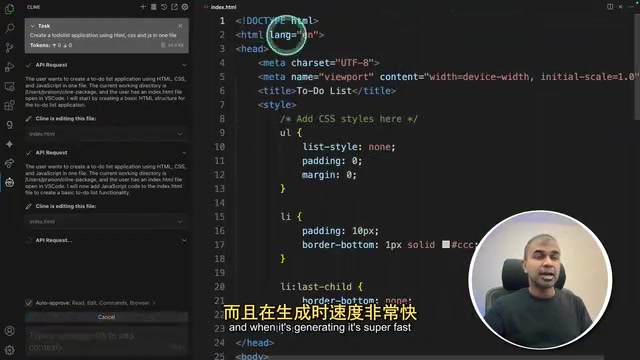
With everything configured, the presenter gives Cline a simple task: "Create a to-do list application using HTML, CSS, and JavaScript." Cline gets to work immediately, creating an HTML structure file, a CSS file with styles, and a JavaScript file containing the interaction logic.
The most striking demonstration of its autonomy comes after generation: Cline proactively opens the web app, checks the console logs, and verifies whether the task is truly complete based on how the page behaves. This means it doesn't just "write and walk away" — it closes the loop with a code–run–verify cycle.
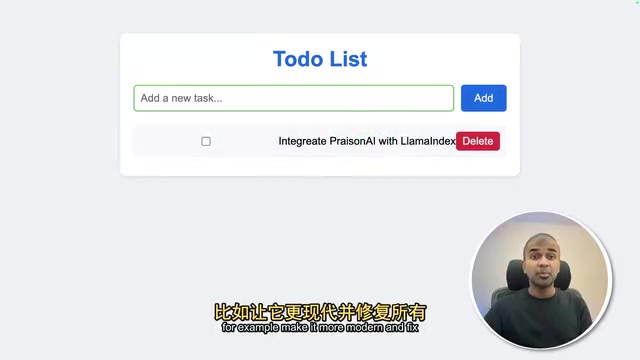
The generated to-do app can add task entries normally. When the presenter further requests "make this app more modern and fix any existing issues," Cline first revisits the page, then draws up a step-by-step execution plan and modifies the CSS and HTML line by line. The updated app gains more complete features like task categorization, and the entire iteration happens automatically.
Connecting Local and Free Models: Ollama and Groq
Beyond the paid Claude option, the tutorial demonstrates two ways to reduce costs.
Ollama Local Models
After downloading Ollama from ollama.com, run a command to pull Microsoft's Phi series model (the tutorial references Phi-4, one of Microsoft's top small models). Back in Cline's settings, select Ollama as the API provider and specify the corresponding model.
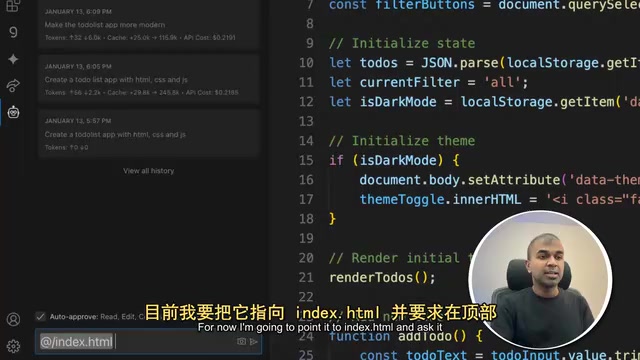
Cline also supports pointing context at specific files, issues, or pasted URLs. The presenter points it to index.html and asks it to add a navigation bar at the top containing Home and Contact links — the model completes the modification accordingly. That said, the tutorial is candid that local small models like Ollama "sometimes don't know where to implement changes," and their stability falls noticeably short of premium cloud models.
Ollama is an open-source tool designed specifically for running large language models on a local machine, supporting macOS, Linux, and Windows. It bundles the model weights, runtime, and API server together, so a simple command like ollama run phi4 starts a local service compatible with the OpenAI API spec — no cloud connection required. The Phi series are small, efficient language models developed by Microsoft Research; Phi-4 has roughly 14 billion parameters and performs strongly on math reasoning and coding tasks, making it a cost-effective choice for local deployment. The advantage of running locally is complete data privacy and zero API call fees; the trade-off is that local hardware constraints (primarily GPU VRAM) mean model scale and response speed still lag significantly behind premium cloud models.
Groq Ultra-Fast Inference
With Groq, you get extremely fast generation speeds. Configure it by selecting "OpenAI Compatible" as the API provider and entering Groq's endpoint and API key. The tutorial uses Llama 3.1 8B Instant to generate a to-do app in a single file — the generation speed is genuinely impressive, and the app can add tasks without issue.
However, when asked to "add a modern feel," the visual changes are underwhelming. The presenter attributes this to the 8 billion parameter model's limited capability.
Groq's speed advantage comes from its proprietary LPU (Language Processing Unit) chip architecture. Unlike GPU designs built around parallel matrix computation, the LPU is purpose-optimized for the autoregressive inference process of large language models, generating text token by token with extremely low latency — in practice, several times to over ten times faster than standard GPU services. Groq currently hosts open-source models like Llama and Mixtral via API and offers a free tier. The "OpenAI Compatible" integration means Groq implements the same interface spec as the OpenAI Chat Completions API, so any client that supports a custom endpoint — including Cline — can connect directly without extra adaptation, simply by swapping the base URL and key.
The Key Trade-Offs in Model Selection
The tutorial's conclusion is clear and pragmatic: for a smooth experience, use premium models like Claude Sonnet or OpenAI's GPT-4o. The collaboration with these models is noticeably more fluid throughout the process.
Ollama local models and small-parameter models on Groq can run for free or at blazing speed, but they struggle to understand complex modification intent and accurately identify where changes should be made — making them harder to work with. In other words, Cline's ceiling for autonomous capability is largely determined by the capability of the model powering it.
The advice for developers: try free small models for simple prototypes and quick proof-of-concept work to get a feel for the workflow, but delivering quality applications still requires pairing Cline with a premium model. This is also why Cline's built-in cost display is so important — it helps you find the right balance between cost and performance.
Summary
Cline advances AI programming from "completing code" to "autonomously finishing tasks": a single prompt, automatic file creation, automatic run-and-verify, automatic iterative refinement. Its openness to different models (Anthropic, Ollama, Groq, OpenAI-compatible interfaces) means users across all budget levels can get started. The gap in core experience comes primarily from the model itself — choosing the right model is the prerequisite for getting the most out of this tool.
Related articles
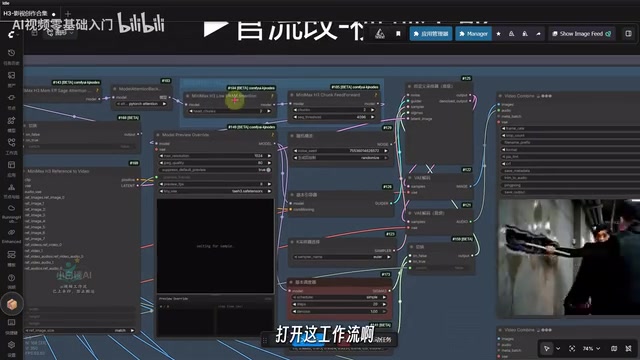
Running 27B Models on 16GB VRAM: Local Video Generation with Qwen3 and MiniMax H3 Tested
Run 27B open-source models on 16GB VRAM: a ComfyUI workflow collection combining Qwen3 and MiniMax H3 for text-to-image, image editing, and local video generation.
Training a Mario AI with NEAT Neuroevolution: An Evolutionary Experiment from Three Failures to Completion
A developer used NEAT neuroevolution to train a Mario AI controller that cleared a tricky ROM Hack level. Learn how NEAT works, its real challenges, and its limits.
MiniMax Open-Source Video Model Local Deployment: Runs on 8GB VRAM with Impressive Speed
MiniMax's open-source AI video model runs locally on 8GB VRAM via ComfyUI. Full deployment guide: model paths, 5 workflow options, text-to-video & image-to-video results.