CodeBurn: The Free, Open-Source Tool That Reveals Your Claude Code Token Spending

CodeBurn turns AI coding tool session logs into multi-dimensional cost breakdowns — all locally, for free.
CodeBurn is a free, open-source command-line tool that reads the local session files automatically generated by AI coding tools like Claude Code, Codex, Gemini CLI, and Copilot, converts token usage into dollar amounts, and presents the data broken down by tool, model, project, and task. It runs with a single `npx codeburn` command, requires no registration, and processes everything locally. The key caveat: the amounts shown are calculated at pay-as-you-go API rates and don't correspond to what subscription users actually pay, while data from tools like Cursor is estimated rather than exact. CodeBurn is best used for comparing relative consumption across projects and models — not for reconciling your actual invoices.
AI coding tools are becoming a daily staple for developers, but one often-overlooked question lingers: just how many tokens are being burned behind every Claude Code, Cursor, and Codex call? Where exactly is the budget going — which model, which project, which type of task? A free, open-source tool called CodeBurn sets out to answer that question — though there's one important caveat that needs to be spelled out upfront.
What Is CodeBurn
CodeBurn is an open-source program that runs entirely locally — no sign-up, no payment required. Its core logic is straightforward: every time you use Claude Code, Codex, Gemini CLI, or Copilot, these tools save a session file to your disk that records every token consumed and every model invoked.
What CodeBurn does is read those existing usage logs, assign a price to each token, and output a complete spending breakdown. In other words, it doesn't intercept or monitor your calls — it takes data that your AI coding tools are already recording and reorganizes it into a clear "billing view."
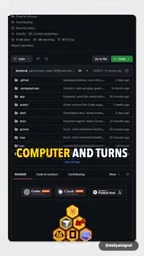
These session files are stored in different locations and formats depending on the tool. Take Claude Code as an example: it saves conversation records locally in JSONL format under your user directory (typically ~/.claude/projects/), with each entry containing the model name, input/output token counts, and a timestamp. Codex and Gemini CLI have similar local logging mechanisms. These files are essentially byproducts that AI tools leave behind on your machine. CodeBurn's innovation is parsing them in a unified way — without requiring you to manually export or upload anything. That's precisely why it can run fully offline.
What It Can Tell You
When you run CodeBurn, you'll first see a grand total — but the real value lies beneath it: a set of multi-dimensional breakdown tables.
Four Dimensions of Cost Breakdown
- By tool: Separates what Claude Code, Codex, Gemini CLI, and Copilot each consumed
- By model: Shows exactly which model is eating up your budget
- By project: Pinpoints which codebase is the biggest spender
- By task: The most interesting dimension of the four
"Task" refers to what the agent was actually doing at the time — writing code, debugging, or planning. This classification is inferred from the session content itself. For developers who want to understand the efficiency of their AI workflows, this dimension helps answer a real question: does writing code cost more, or does repeated debugging burn more tokens?

How to Use It
The barrier to entry is extremely low — a single command gets you started:
npx codeburn
Once running, use the arrow keys to navigate across time — from today all the way back through your full history. No account setup, no data uploads. Everything is computed locally, which is a genuine plus for privacy-conscious developers.

The Caveat You Need to Understand: This Is Not Your Real Bill
As useful as the tool is, it's important to be honest about its limitations. The dollar amounts CodeBurn displays are not what you actually paid.
What it calculates is: how much would these tokens cost if billed at pay-as-you-go API rates? That means —
- If you're on a fixed monthly subscription, the number shown won't match what you actually paid
- Cursor and some Copilot sessions are only estimated based on content length — they are not precise counts

So the right way to use this tool is: treat it as a comparative reference, not a reconciliation invoice. You can use it to compare the relative costs of different projects and models, and identify wasteful patterns — for example, discovering that a particular task repeatedly calls an expensive model with little payoff. But if you want to verify exactly how much you were charged at the end of the month, CodeBurn won't give you that answer.
Pay-as-you-go API rates are typically priced per million tokens, and the gap between models can be enormous. Within Anthropic's pricing structure, for instance, the input rate for the Claude Opus series can be more than ten times that of Claude Haiku. For subscription products like Claude Max or the monthly GitHub Copilot plan, the actual marginal cost per user is opaque — you pay a flat fee, while the AI provider accounts for costs on the backend at API rates, a mapping relationship that users never see. This is why CodeBurn's figures only carry "relative reference value" for subscription users: it can tell you that Project A cost "three times more" than Project B, but it can't tell you what that difference translates to in terms of your monthly fee.
What This Means for Developers
As AI coding assistants become more widespread, token consumption is quietly becoming an invisible expense. Most tools' billing interfaces are either delayed or opaque. CodeBurn's value lies in unifying the local logs scattered across different tools into a single cross-tool, multi-dimensional cost view.
It's especially well-suited for a few specific scenarios: evaluating the cost-effectiveness of different models, identifying the "heavy hitter" projects draining your budget, and optimizing agent workflows to reduce wasteful calls. As long as you understand that it measures "API-equivalent cost" rather than "amount actually paid," this free open-source tool is a genuinely useful reference for managing your AI development costs.
Related articles

WorkBuddy Full Walkthrough: From Chat to AI Agent-Powered Smart Office Work
Using batch Word-to-PDF archiving as an example, this guide compares Doubao and WorkBuddy. WorkBuddy, as an AI Agent, reads local files, performs batch operations, and delivers results—beginner-friendly, with credit data and scenario analysis.

LangChain Tutorial for Beginners: A Complete Guide from Principles to Practice in AI Application Development
What is LangChain? This article starts from principles: unified model interfaces, private data integration, context and memory management, agents and tool calling, plus comparisons with Ollama and Coze to help you quickly build an overall understanding of the AI application development framework.

What Is an AI Agent? Key Differences from a Chatbot Explained
What's the essential difference between an AI Agent and a chatbot? Based on the YouTube channel AI Simplified, this article breaks down an Agent's four core components—brain, tools, memory, and planning—its work loop, Human-in-the-Loop mechanism, and real-world use cases to help developers and students quickly understand how AI Agents work.