Codex, Cursor, Claude Code: How to Choose Your AI Programming Assistant

A practical guide comparing Codex, Cursor, and Claude Code to help developers build the ideal AI tool stack.
This article compares three leading AI programming assistants—OpenAI Codex, Cursor, and Claude Code—across speed, user experience, and code quality dimensions. Codex excels at autonomous backend tasks, Cursor offers the fastest interactive IDE experience, and Claude Code provides deep architectural reasoning. Rather than choosing one, the article recommends building a modular tool stack that leverages each tool's unique strengths across different development activities.
From Autocomplete to Autonomous Agents: A Paradigm Shift
If you spent more time this week fighting with autocomplete than actually writing usable code, you might be using the wrong tool. The AI programming landscape today is radically different from just a few years ago—AI is no longer a cute novelty but the new baseline for building software.
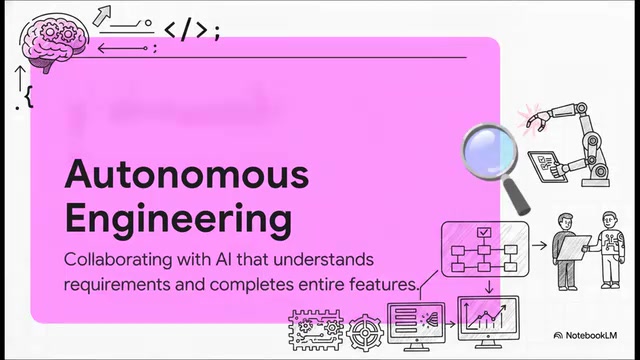
The real change is a fundamental inversion of philosophy. In the past, AI was essentially a "glorified high-speed typewriter," guessing the next ten words you'd type based on current context—its underlying mechanism being next-token prediction, computing the conditional probability of the most likely next token sequence given the preceding context. Today, we've officially entered the era of autonomous software engineering: AI has become a proactive, intelligent collaborator capable of planning complex logic flows, orchestrating multiple steps, and executing operations across hundreds of files in large codebases to deliver entire features end-to-end.
The technical foundation for this paradigm leap lies in the maturation of AI Agent architectures. Autonomous agents introduce cognitive architecture components such as Planning, Tool Use, Memory, and Reflection, enabling AI to decompose a high-level goal into a task graph and sequentially execute operation chains including file reading, code generation, test running, and bug fixing. This shift from passive reactive responses to proactive planning only became truly possible after the leap in large language model reasoning capabilities from GPT-3.5 to newer generation models like GPT-4 and Claude 3.5.
This transformation brings a very real problem: tool fatigue has never been more intense. According to Stack Overflow's 2024 Developer Survey, over 76% of developers are using or planning to use AI programming tools, but the market now offers more than 50 options—from GitHub Copilot, Cursor, Cody, and Tabnine to various command-line Agent tools. Faced with countless tools claiming they can write your code, fix your bugs, or even refactor your entire project while you sleep, the biggest confusion for developers isn't "which is the most powerful" but "which one truly fits my daily workflow." Every tool claims to be the optimal solution, but actual effectiveness is highly dependent on specific use cases, programming languages, project scale, and personal work habits.
Core Philosophy Comparison of Three AI Programming Assistants
The three mainstream tools today represent three fundamentally different philosophies. Their interfaces, core strengths, learning curves, and target users are all different—so the key to choosing isn't looking at benchmarks, but whether the philosophy matches your habits.
OpenAI Codex: An AI Agent for Autonomous Backend Task Execution
Rather than thinking of Codex as a text editor, imagine it as a newly hired junior backend developer. An important distinction here: this refers to the Codex Agent version released in 2025, not the earlier Codex model used for code completion. The new Codex runs in a sandboxed cloud environment—each time a task is initiated, it clones your code repository, executes operations in an isolated container including reading files, writing code, running tests, and installing dependencies, ultimately submitting results as a Pull Request for your review.
It excels at multi-step autonomous tasks: you give it a broad instruction, and it gets to work independently, generating production-grade code to complete the entire task. Under the hood, it uses models optimized through code-task reinforcement learning (RLHF/RLAIF), particularly excelling at understanding multi-file dependency relationships and API call chains.
The tradeoff? You lose the visual comfort of a standard IDE. Its learning curve is moderate, making it better suited for experienced professional developers—because you need to know how to precisely guide it through complex backend intricacies, including how to write effective instructions, set up correct environment configurations, and review AI-generated PRs.
According to Business Insider, this is far from a niche trend: enterprise demand for autonomous workflows is growing rapidly. Large organizations are ramping up their use of Codex, letting it run time-consuming heavy tasks completely independently in the background—database migrations, API endpoint generation, test suite completion, dependency upgrades—thereby freeing human developers to focus on higher-level system design and architectural decisions.
Cursor: The VS Code-Based Daily Coding Workhorse
If Codex is the background agent, Cursor is the daily workhorse sitting in the driver's seat. Cursor is essentially a deep fork of the VS Code open-source codebase (via the Electron framework), meaning it fully inherits VS Code's plugin ecosystem, keyboard shortcuts, and interface layout, with virtually zero learning cost.
Its core differentiation lies in the deeply integrated AI layer: Tab completion (achieving low-latency responses via proprietary fast inference models), inline editing (triggered by Cmd+K for localized code rewrites), a Chat panel supporting multi-file context, and the latest Agent mode. Cursor also supports multiple model backend switching—users can choose GPT-4o, Claude 3.5 Sonnet, or its proprietary models to handle different types of tasks. Its speed advantage comes from two sources: small, fast models optimized for code completion scenarios, and an intelligent codebase indexing mechanism (achieving precise context recall through RAG—Retrieval Augmented Generation).
Many developers choose Cursor precisely because it feels like the IDE they already know, just with powerful built-in AI code generation capabilities. If your top priority is "get started immediately, see instant productivity gains, and not have to completely change your habits," Cursor is almost a no-brainer.
But its limitations are also clear: Cursor relies entirely on you staying in the driver's seat. It's not designed for large-scale, unattended, fully autonomous refactoring tasks. While its Agent mode is evolving, its core design philosophy remains Human-in-the-loop augmented collaboration.
Claude Code: The Heavy-Duty Weapon for Deep Architectural Reasoning
Claude Code is Anthropic's command-line AI programming tool that sacrifices raw interactive typing speed in exchange for exceptionally deep architectural understanding. Its core competitive advantage lies in the Claude model family's (particularly Claude 3.5 Sonnet and Claude 4 Opus) outstanding long-context comprehension and reasoning capabilities.
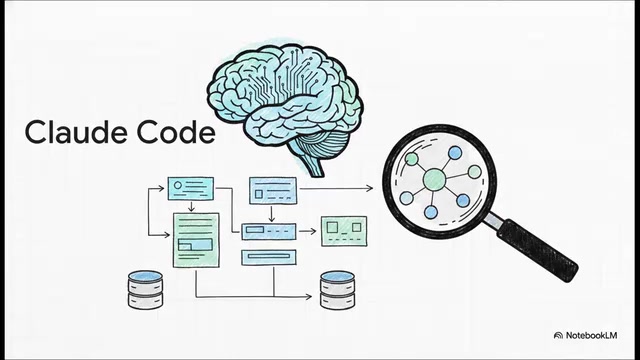
Long-horizon Reasoning refers to the model's ability to "remember" and consider the conventions, interface contracts, and implicit assumptions of hundreds of related files while processing current code changes. It's a powerful tool for dealing with messy legacy code—legacy systems often contain numerous undocumented conventions, and ordinary completion tools easily generate code that appears correct on the surface but violates the system's overall design principles. Claude Code builds global understanding by deeply analyzing project structure, reading configuration files and test cases, generates extensive documentation on this basis, and ensures that changes in one file won't break conventions in fifty others.
The tradeoff is that this deep reasoning takes time—each response may require tens of seconds or longer, as the model performs extensive internal "thinking" (Chain-of-Thought reasoning). Combined with sometimes strict usage limits (high token consumption leading to high API costs and tight rate limits), it's noticeably slower than Cursor. But many senior developers value precisely its long-horizon reasoning capability rather than raw generation speed. When you're making major decisions that affect your application's core architecture, what you want isn't a tool that types fast, but one that thinks deeply and can explain "why this design choice."
Head-to-Head: The Tradeoffs Between Speed, Experience, and Code Quality
Putting all three head-to-head reveals a clear picture—there is absolutely no silver bullet here. Choosing an AI programming tool is fundamentally about choosing your tradeoffs.

- Speed: Cursor dominates in daily interactive input, with Tab completion latency typically in the 200-500 millisecond range, barely interrupting your flow; Codex wins on background autonomous task execution efficiency—after submitting a task, you don't need to wait at all and can work on other things in parallel.
- User Experience: Cursor gives you a warm, immediate, familiar IDE feel with all AI interactions embedded within the editor paradigm you already know; Codex is optimized for "hand off a big task and walk away," with an interaction model more like asynchronous task assignment in Jira than real-time conversation.
- Code Quality: Claude Code wins through meticulous decision explanations, discovering quirky edge cases, and maintaining overall architectural consistency. The code it generates may not arrive fastest, but it's often the most "maintainable"—considering error handling, type safety, backward compatibility, and other dimensions that truly matter in production environments.
It's worth noting that industry benchmarks like SWE-bench also confirm this differentiation: lightweight tools excel at quick-fix tasks; deep reasoning models have significant advantages in complex refactoring tasks requiring cross-file understanding; and Agent architectures stand alone in end-to-end completion of multi-step engineering tasks.
How to Choose the Right AI Programming Tool Based on Your Workflow
The essence of choosing a tool is mapping it to your daily real-world scenarios:
- Choose Codex: You're a senior developer handling heavy backend systems and production software, dreaming of a workflow where you type "build this database migration and run the integration tests," then go grab a coffee while AI handles all the heavy lifting. Your work involves lots of repetitive yet precision-demanding engineering tasks—API CRUD generation, data model changes, test coverage completion, etc. You trust automation and have the ability to review the quality of AI-generated PRs.
- Choose Cursor: You basically live in VS Code and want the smoothest, fastest inline iteration experience. Whether you're a beginner needing AI to help understand code, or a founder sprinting on weekends to build an MVP needing rapid prototyping, as long as you want to maintain firm control over your editor and keep a Human-in-the-loop work rhythm, Cursor is the best choice. Its low barrier to entry also means team members of varying skill levels can quickly benefit.
- Choose Claude Code: You manage massive, ultra-complex codebases (hundreds of thousands of lines or more) and need AI to deeply review global conventions and explain architectural rationale before you make large-scale changes. For high-risk software (financial systems, healthcare platforms, infrastructure code), it's nearly indispensable—because in these scenarios, a seemingly harmless change could trigger cascading failures, and Claude Code's deep analysis capability is precisely what helps you anticipate these risks.
Final Verdict: Build a Modular AI Programming Tool Stack
The current reality leads to a rather compelling conclusion: you don't actually have to choose just one. Professional teams are now building "tool stacks" that cover the entire development lifecycle, forming a modular three-step process:
- Use Cursor for writing daily code and rapid iteration—handling exploratory coding, quick prototyping, instant bug fixes, and other interactive tasks requiring low-latency feedback;
- Deploy Codex in the background to autonomously implement major backend features—asynchronously delegating well-defined engineering tasks to AI Agents, just like assigning tickets to team members;
- Bring in Claude Code to review overall architecture and debug complex systemic issues—performing deep code reviews at critical decision points to ensure long-term system maintainability and consistency.
This modular combination borrows from the "best-of-breed toolchain" philosophy in the DevOps world—rather than searching for one universal platform, let each stage use the specialized tool that excels at that particular task. The theoretical basis is that different development activities (exploratory coding, batch refactoring, architectural review, bug fixing) have entirely different AI requirement dimensions—some need low-latency interaction, some need deep reasoning, and some need autonomous execution capability.
Recent research also confirms this point: no single AI programming agent can dominate every type of task. Benchmarks like SWE-bench in early 2025 clearly demonstrate that AI tools with different architectures each have their strengths across different types of software engineering tasks. Choosing AI tools isn't about finding the one winner that "dominates all benchmarks," but understanding each tool's unique strengths and building a customized modular combination that fits how you build software.
What's truly worth contemplating is how your professional identity will be redefined as you shift from "writing raw code" to "managing a team of autonomous agents." Developers are evolving from "code producers" to "AI Orchestrators"—setting goals, assigning tasks, reviewing outputs, and maintaining quality standards. These tools are transforming from simple text predictors into highly specialized collaborators. And the profound impact of this transformation may be comparable to the paradigm leap from hand-written assembly to high-level languages.
Key Takeaways
Related articles

Uber Deploys ChatGPT Work Company-Wide: AI in the Workplace Enters the Scaled Implementation Phase
Uber deploys ChatGPT Work to 30,000+ employees, extending it from engineering to all roles. We analyze its expert-engineer pairing, end-to-end automation, and questions of AI control and power concentration—insights for scaling AI in the workplace.

Shift at Midnight Hands-On: When "ID Verification" Becomes Alien Hunting
Shift at Midnight blends ID verification with horror survival in a four-player co-op game. We break down its inspection mechanics and chaotic humor.

Zelensky Recounts the Outbreak of War: I Need Ammunition, Not a Ride
Zelensky recalls the first day of war in a YouTube interview: farewell to family, rejecting Biden's evacuation offer with "I need ammunition, not a ride," and how Bucha shaped his stance on compromise and peace talks.